
COSTWAY ES10362US-WH
COSTWAY 70 Pints Dehumidifier with Pump User Manual
Model: ES10362US-WH | Brand: COSTWAY
1. Introduction
This user manual provides essential information for the safe and efficient operation of your COSTWAY 70 Pints Dehumidifier. Please read this manual thoroughly before using the appliance and retain it for future reference. This high-efficiency dehumidifier is designed to remove excess moisture from your indoor environment, improving air quality and comfort in spaces up to 4,500 square feet.

Figure 1: Front view of the COSTWAY 70 Pints Dehumidifier.
2. Safety Instructions
To prevent injury to the user or others and property damage, the following instructions must be followed. Incorrect operation due to ignoring instructions may cause harm or damage.
- Always plug the unit into a grounded electrical outlet.
- Do not operate the dehumidifier if the power cord or plug is damaged.
- Ensure the unit is placed on a stable, level surface to prevent tipping.
- Keep the air inlet and outlet clear of obstructions to ensure proper airflow.
- Do not insert fingers or foreign objects into the air vents.
- Unplug the unit before cleaning or performing any maintenance.
- This appliance is not intended for use by persons (including children) with reduced physical, sensory or mental capabilities, or lack of experience and knowledge, unless they have been given supervision or instruction concerning use of the appliance by a person responsible for their safety.
- The unit features an overflow protection system and child lock for enhanced safety.
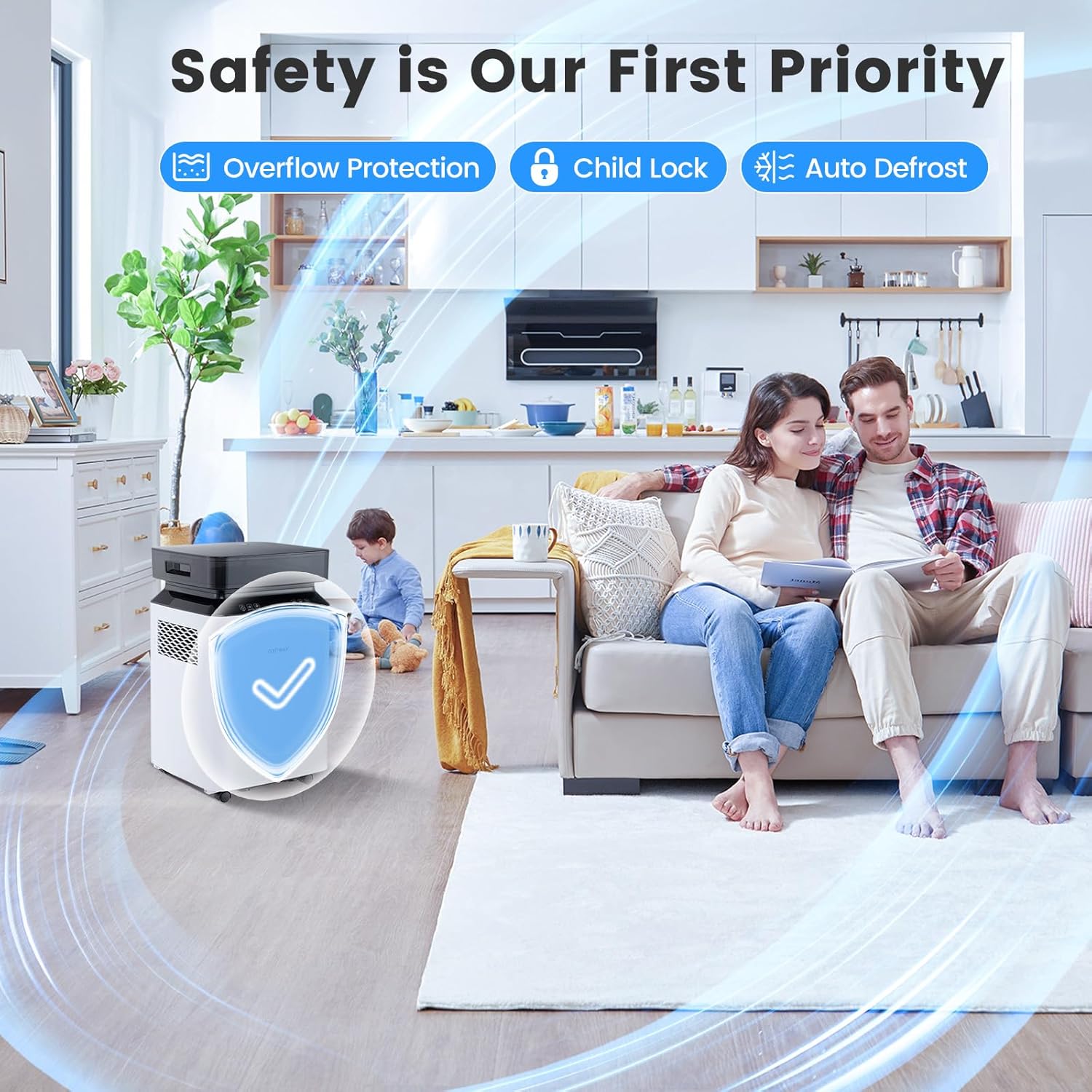
Figure 2: Safety features including overflow protection, child lock, and auto defrost.
3. Product Features
The COSTWAY Dehumidifier is equipped with several features designed for optimal performance and user convenience:
- High-Efficiency Dehumidification: Capable of removing up to 70 pints of moisture per day (under 95°F, 90% RH conditions) with updated dual air vents for lower noise and more efficient operation.
- Multiple Drainage Options: Offers manual drainage (2.2-gallon water tank), gravity drainage (2 ft hose included), and pump drainage (6.5 ft hose included, 16 ft max drain height).
- Two Dehumidification Modes:
- Auto Mode: Maintains a set humidity level by automatically adjusting operation.
- Continuous Mode: Operates continuously, ideal for persistently humid areas like bathrooms or laundry rooms.
- User-Friendly Controls: Features a touch control panel with an LED display for easy adjustments.
- Quiet Operation: Designed for undisturbed sleep with a noise level of ≤41dB.
- 24-Hour Timer: Allows for scheduled operation.
- Screen-Off Function: For minimal disturbance during nighttime operation.
- Interior Drying Function: Helps keep the unit's interior dry, extending its lifespan.
- Child Lock Function: Prevents unintended changes to settings.
- Auto Defrost: Ensures optimal performance in low-temperature conditions.
- Washable Filter: Features powerful filtration with a ≥99.99% filtration rate, including pre-filter dust, formaldehyde filtration, activated carbon filtration, and silver ion filtration.
- Portability: Equipped with 4 universal wheels and water tank handles for easy movement and organization, along with cable management.

Figure 3: Illustration of high-efficiency dehumidification with dual air outlets.

Figure 4: Visual representation of Auto Mode and Continuous Mode operation.

Figure 5: Depiction of the dehumidifier's quiet operation for undisturbed sleep.

Figure 6: Diagram illustrating the multi-stage powerful filtration system.
4. Setup
Follow these steps to set up your dehumidifier:
- Unpacking: Carefully remove the dehumidifier from its packaging. Retain the packaging materials for future storage or transport.
- Placement: Place the unit on a firm, level surface in the area where dehumidification is desired. Ensure there is at least 8 inches (20 cm) of space around the unit for proper air circulation. Avoid placing it near heat sources or in direct sunlight.
- Power Connection: Ensure the power cord is securely plugged into a grounded electrical outlet.
- Initial Operation: Allow the unit to stand upright for at least 24 hours before plugging it in and turning it on, especially if it was transported on its side. This allows the refrigerant to settle.
- Mobility: The unit comes with 4 universal wheels for easy movement. Ensure they are securely attached if not pre-installed. Use the water tank handles for convenient lifting and positioning.

Figure 7: Features for easy movement and organization, including water tank handles, universal wheels, and cable management.
5. Operating Instructions
The dehumidifier features a touch control panel for easy operation.
Control Panel Overview:
The control panel includes buttons for power, mode selection, fan speed, timer, and humidity adjustment, along with an LED display showing current humidity and settings.

Figure 8: Close-up of the touch control panel with LED screen display.
Operating Modes:
- Auto Mode: Press the "Mode" button to select Auto Mode. In this mode, the dehumidifier will automatically adjust its operation to maintain the desired humidity level you set. The unit will cycle on and off as needed.
- Continuous Mode: Select Continuous Mode for constant dehumidification. This mode is suitable for very damp environments where continuous moisture removal is required, such as flooded basements or laundry rooms.
Setting Humidity Level:
In Auto Mode, use the humidity adjustment buttons (usually up/down arrows) to set your desired humidity level between 30% and 80% Relative Humidity (RH).
Timer Function:
The 1-24 hour timer allows you to program the unit to turn on or off automatically after a set period. Press the "Timer" button and use the adjustment buttons to set the desired hours.
Child Lock:
To activate the child lock, press and hold the "Mode" button for 3 seconds. This will lock the control panel to prevent accidental changes. Repeat the action to unlock.
6. Drainage Options
Your COSTWAY dehumidifier offers three convenient drainage methods:
- Manual Drainage: The unit collects water in its internal 2.2-gallon (8.3 liter) water tank. When the tank is full, the unit will automatically shut off and an indicator light will illuminate. Carefully remove the water tank using its handles and empty it. Reinsert the tank securely to resume operation.
- Gravity Drainage: For continuous drainage without manual emptying, connect the included 2 ft (0.6 m) drain hose to the gravity drainage port on the unit. Ensure the hose is sloped downwards to allow water to flow by gravity into a suitable drain or container.
- Pump Drainage: For situations where a higher drainage point is required, use the built-in pump. Connect the included 6.5 ft (2 m) drain hose to the pump drainage port. The pump can lift water up to 16 ft (4.9 m) vertically, allowing drainage into a sink or higher drain.

Figure 9: Illustration of Manual, Pump, and Gravity drainage options.
7. Maintenance
Regular maintenance ensures optimal performance and extends the lifespan of your dehumidifier.
Cleaning the Air Filter:
The air filter should be cleaned every two weeks or more frequently depending on usage and air quality. A dirty filter can reduce efficiency and cause the unit to work harder.
- Unplug the dehumidifier from the power outlet.
- Locate and remove the air filter (refer to your unit's specific design for filter access).
- Wash the filter with warm, soapy water. Rinse thoroughly.
- Allow the filter to air dry completely before reinserting it into the unit. Do not use a dryer or direct heat.
Cleaning the Water Tank:
Clean the water tank regularly to prevent mold and mildew growth.
- Remove the water tank from the unit.
- Wash the tank with warm water and a mild detergent.
- Rinse thoroughly and dry before placing it back into the dehumidifier.
Unit Exterior Cleaning:
Wipe the exterior of the unit with a soft, damp cloth. Do not use harsh chemicals or abrasive cleaners.
8. Troubleshooting
Before contacting customer service, please refer to the following troubleshooting guide:
| Problem | Possible Cause | Solution |
|---|---|---|
| Dehumidifier does not turn on. | No power, power cord loose, water tank full or not properly inserted. | Check power connection. Empty and reinsert water tank correctly. |
| Unit is running but not collecting water. | Humidity level set too high, room temperature too low, air filter clogged. | Lower desired humidity setting. Ensure room temperature is above 41°F (5°C). Clean the air filter. |
| Unit is noisy. | Unit not on a level surface, air filter clogged, internal components vibrating. | Place unit on a flat, stable surface. Clean the air filter. If noise persists, contact customer support. |
| Water leaks from the unit. | Water tank not properly seated, drainage hose loose or clogged. | Ensure water tank is fully inserted. Check drainage hose connections and clear any blockages. |
9. Specifications
| Attribute | Detail |
|---|---|
| Brand | COSTWAY |
| Model Name | ES10362US-WH |
| Floor Area Coverage | 4500 Square Feet |
| Dehumidification Capacity | 70 Pints per Day (95°F, 90% RH) / 24 Pints/Day (DOE Standard) |
| Water Tank Volume | 2.2 Gallons |
| Product Dimensions | 12"D x 13"W x 21.5"H |
| Item Weight | 32 Pounds |
| Voltage | 115V/60Hz |
| Power | 290W |
| Input Current | 3.8A |
| Power Cord Length | 6 ft |
| Max Drainage Height (Pump) | 16 ft |
| Material | Acrylonitrile Butadiene Styrene (ABS) |
| Number of Speeds | 2 |
| Air Flow Capacity | 153 Cubic Feet Per Minute |

Figure 10: Product dimensions and key specifications.
10. Warranty and Support
For warranty information and customer support, please refer to the warranty card included with your product or visit the official COSTWAY website. Keep your purchase receipt as proof of purchase for any warranty claims.
For further assistance, you may contact COSTWAY customer service directly. Contact details are typically found on the product packaging or the official brand website.
Ask a question about this manual
Ask about setup, troubleshooting, compatibility, parts, safety, or missing instructions. Manuals+ will review the question and use this page’s manual context to help answer it.