
1. Introduction
Thank you for choosing the POXURIO KF370087-02 H13 HEPA Air Purifier. This device is designed to improve indoor air quality by effectively removing airborne particles such as dust, pollen, smoke, and pet dander. Featuring an 8-in-1 filtration system and a PM2.5 display, it provides clean air for spaces up to 600 sq ft. Please read this manual thoroughly before operation to ensure safe and optimal performance.
2. Safety Information
- Always place the air purifier on a firm, level surface.
- Do not block air inlets or outlets. Maintain at least 15 cm (6 inches) clearance from walls and furniture.
- Keep the appliance away from water or other liquids. Do not operate in wet environments.
- Unplug the air purifier before cleaning, maintenance, or when not in use for extended periods.
- Do not use abrasive cleaners or flammable liquids to clean the unit.
- This appliance is not intended for use by persons (including children) with reduced physical, sensory, or mental capabilities, or lack of experience and knowledge, unless they have been given supervision or instruction concerning use of the appliance by a person responsible for their safety.
- Only use the original power adapter provided with the unit.
3. Package Contents
- POXURIO KF370087-02 Air Purifier
- H13 HEPA Filter (pre-installed, but sealed)
- Power Adapter
- User Manual
4. Product Overview
The POXURIO KF370087-02 is a compact and powerful air purifier designed for various indoor environments. It features a touch control panel and can also be controlled via a smartphone application.
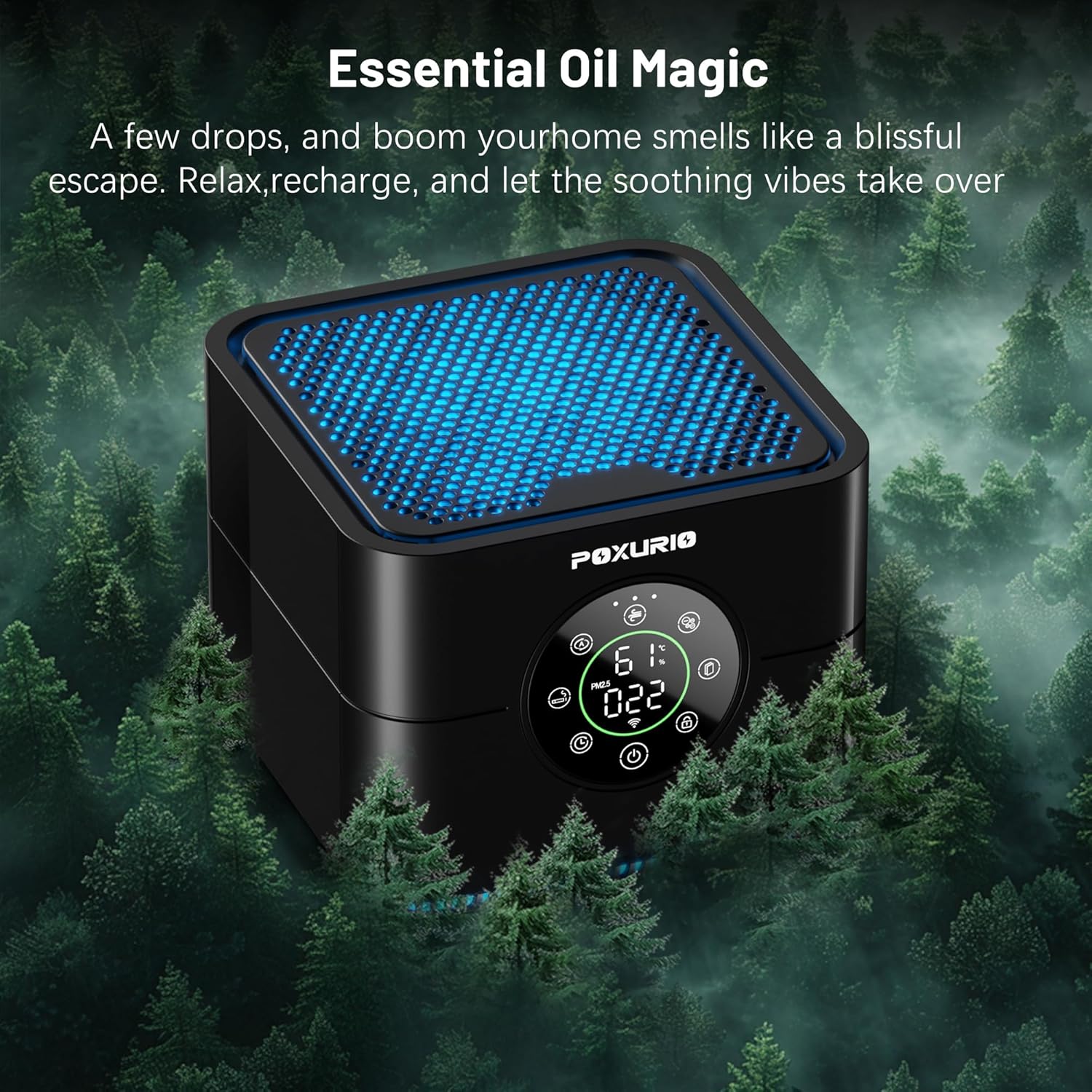
Figure 4.1: Front view of the POXURIO KF370087-02 Air Purifier, showing the illuminated top vent and digital display.
4.1. Components
- Air Inlet: Located on the sides and bottom of the unit.
- Air Outlet: Located on the top of the unit.
- Control Panel/Display: Front-facing, showing air quality (PM2.5), temperature, humidity, and control options.
- Filter Compartment: Located at the bottom of the unit.
4.2. Control Panel Functions
The digital display provides real-time information and touch controls for various functions.

Figure 4.2: The compact size of the air purifier, measuring approximately 6.18 x 6.18 x 4.96 inches, making it suitable for various placements.
- Power Button: Turns the unit on or off.
- Mode Button: Cycles through operating modes (e.g., Auto, Sleep).
- Fan Speed Button: Adjusts fan speed levels.
- Timer Button: Sets an operating timer.
- Child Lock Button: Activates/deactivates child lock.
- Night Light/Ionizer Button: Controls the night light and ionizer function.
5. Setup
5.1. Unpacking and Filter Preparation
- Carefully remove the air purifier from its packaging.
- Turn the unit upside down and twist the base cover counter-clockwise to unlock and remove it.
- Remove the sealed H13 HEPA filter from its plastic bag.
- Insert the filter back into the unit, ensuring it is seated correctly.
- Replace the base cover and twist clockwise to lock it securely.
5.2. Placement
Place the air purifier on a stable, flat surface. Ensure there is adequate space around the unit for proper air circulation. Avoid placing it directly against walls or furniture.
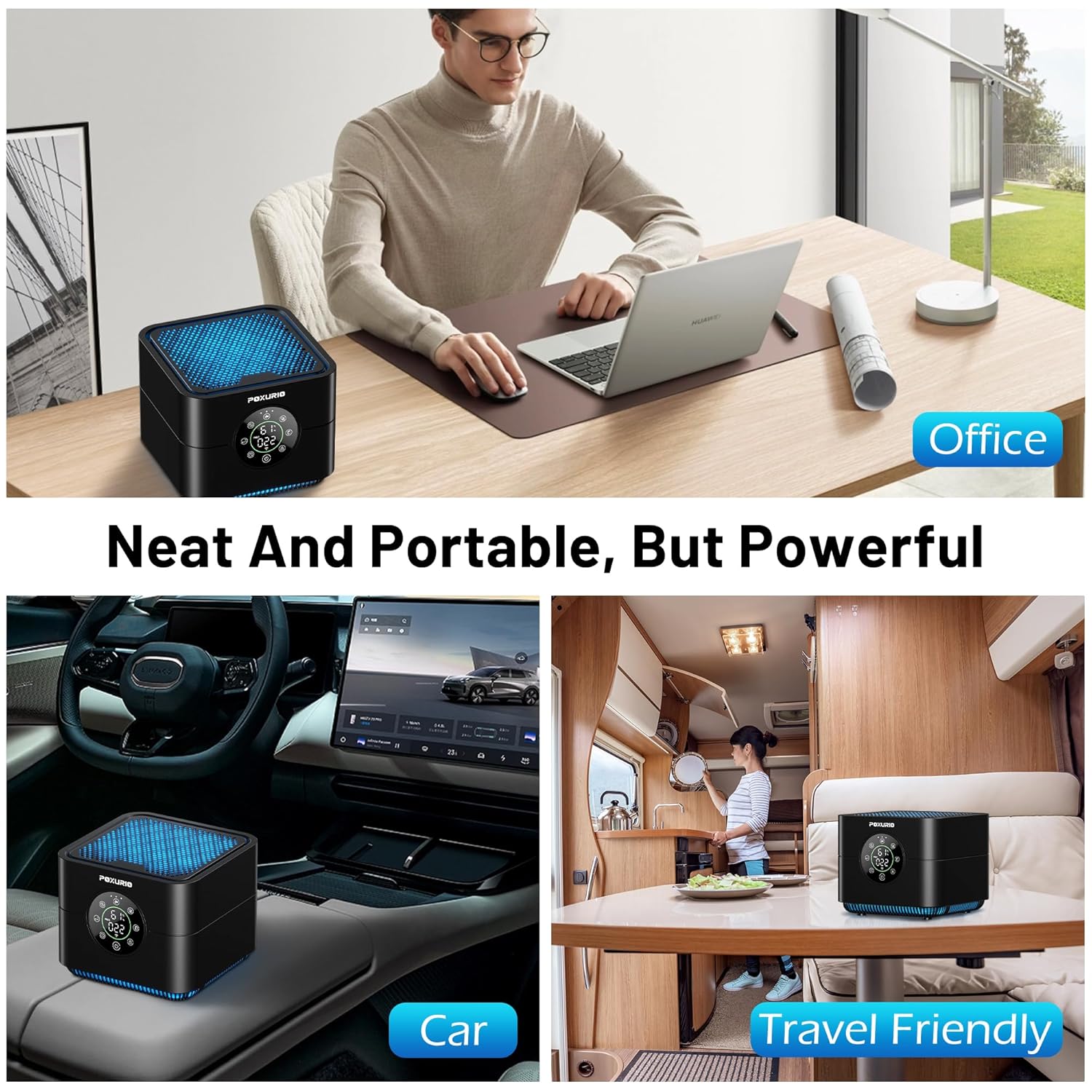
Figure 5.1: Examples of suitable placements for the portable air purifier, including office desks, car interiors, and travel-friendly environments.
5.3. Power Connection
Connect the power adapter to the power input port on the air purifier, then plug the adapter into a standard electrical outlet.
6. Operating Instructions
6.1. Power On/Off
Press the Power Button on the control panel to turn the air purifier on or off. The display will illuminate upon activation.
6.2. Mode Selection
Press the Mode Button to cycle through available operating modes:
- Auto Mode: The purifier automatically adjusts fan speed based on detected air quality (PM2.5 levels).
- Sleep Mode: Operates at the lowest fan speed (approximately 25 dB) and dims/turns off the display lights for a quiet sleeping environment.
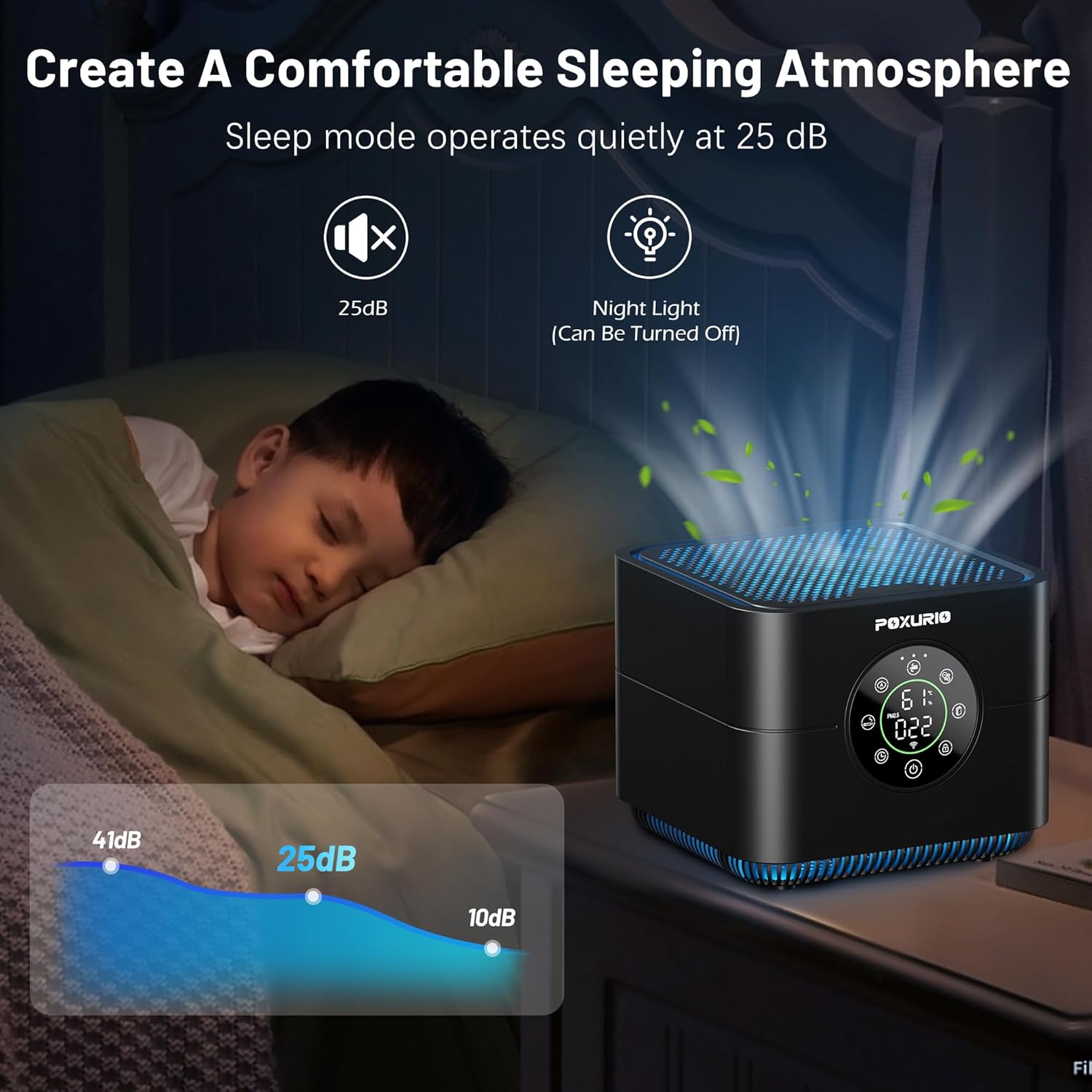
Figure 6.1: The air purifier operating in Sleep Mode, demonstrating its quiet operation at 25 dB and the night light feature.
6.3. Fan Speed Adjustment
Press the Fan Speed Button to manually select desired fan speed levels (e.g., Low, Medium, High).
6.4. Timer Function
Press the Timer Button to set a specific operating duration (e.g., 2H, 4H, 8H). The unit will automatically turn off after the set time.
6.5. Child Lock
To activate the Child Lock, press and hold the Child Lock Button for 2 seconds. Once activated, all other buttons on the control panel will be unresponsive to prevent accidental changes. Repeat the action to deactivate.

Figure 6.2: The Child Lock feature prevents unintended operation, useful in households with children or pets.
6.6. Night Light and Ionizer
Press the Night Light/Ionizer Button to toggle the night light on/off or activate/deactivate the ionizer function. The ionizer helps to further purify the air by releasing negative ions.
6.7. PM2.5 Display
The digital display shows the current PM2.5 (Particulate Matter 2.5) concentration in the air, providing a real-time indication of air quality. Lower numbers indicate better air quality.
6.8. App Control (TUYA App)
The air purifier can be controlled remotely using the TUYA smart home application. Follow the instructions within the app to connect your device.

Figure 6.3: The TUYA app interface, demonstrating remote control capabilities for the air purifier, including monitoring air quality, temperature, and humidity.
7. Maintenance
7.1. Filter Replacement
The H13 HEPA filter has a limited lifespan and requires periodic replacement to maintain optimal performance. The filter life depends on air quality and usage frequency. A filter replacement indicator on the display will illuminate when replacement is needed.
- Unplug the air purifier from the power outlet.
- Turn the unit upside down and twist the base cover counter-clockwise to unlock and remove it.
- Remove the old filter and dispose of it properly.
- Insert a new H13 HEPA filter (ensure it is unwrapped from any plastic packaging).
- Replace the base cover and twist clockwise to lock it securely.
- Plug in the unit and reset the filter life indicator (refer to the app or specific button combination in the manual if available).
Note: Replacement filters may be available from authorized retailers or the manufacturer. Please check product support channels for availability.
7.2. Cleaning the Unit
- Wipe the exterior of the air purifier with a soft, dry cloth.
- Do not use water, harsh chemicals, or abrasive cleaners.
- Gently vacuum the air inlet and outlet grilles to remove dust accumulation.
8. Troubleshooting
| Problem | Possible Cause | Solution |
|---|---|---|
| Unit does not turn on | No power supply; Power adapter not connected; Child lock activated. | Check power connection; Ensure adapter is securely plugged in; Deactivate child lock by pressing and holding the button for 2 seconds. |
| Poor air purification performance | Filter is dirty or expired; Air inlets/outlets blocked; Unit size too small for room. | Replace the filter; Ensure no obstructions around the unit; Verify room size is within recommended coverage. |
| Unusual noise | Filter not installed correctly; Foreign object inside; Unit on uneven surface. | Reinstall filter; Unplug and check for foreign objects; Place on a stable, flat surface. |
| App control not working | Wi-Fi connectivity issues; Incorrect app setup; Bluetooth disconnection. | Ensure stable Wi-Fi connection; Re-pair device in TUYA app; Check Bluetooth connection if applicable. |
| PM2.5 reading seems inaccurate | Sensor is dirty; Temporary environmental factors. | Gently clean the sensor area (refer to specific instructions if available); Allow time for readings to stabilize. |
9. Specifications
- Brand: POXURIO
- Model Number: KF370087-02
- Product Dimensions: 15.7D x 15.7W x 12.6H Centimeters (approx. 6.18 x 6.18 x 4.96 inches)
- Item Weight: 1.1 kg (approx. 2.42 pounds)
- Floor Area Coverage: Up to 600 Square Feet
- Filter Class: H13 HEPA
- Controller Type: Touch Control, App Control
- Power Source: AC
- Noise Level (Sleep Mode): 25 dB
- Certifications: CARB Certified, UL Certified
- UPC: 790864450423
10. Customer Support
For any questions, concerns, or assistance with your POXURIO KF370087-02 Air Purifier, please contact our customer service team. We are committed to providing a pleasant experience and will respond to inquiries within 24 hours.
Please refer to your purchase documentation or the official POXURIO website for specific contact details.