
1. Introduction
Thank you for choosing the AZHAR K8 Electric Scooter. This manual provides essential information for the safe assembly, operation, maintenance, and troubleshooting of your scooter. Please read this manual thoroughly before your first ride to ensure optimal performance and safety.
2. Safety Guidelines
Your safety is paramount. Always adhere to the following guidelines:
- Wear a Helmet: Always wear a certified helmet and other protective gear (knee pads, elbow pads) when riding.
- Check Before Ride: Before each use, inspect the brakes, tires, battery level, and all quick-release mechanisms to ensure they are secure.
- Obey Traffic Laws: Follow all local traffic laws and regulations. Ride defensively and be aware of your surroundings.
- Avoid Hazardous Conditions: Do not ride in heavy rain, snow, ice, or on slippery surfaces. Avoid riding at night without adequate lighting.
- Weight Limit: Do not exceed the maximum weight limit of 300 pounds (136 kg).
- Age Restriction: This scooter is designed for adults.

Image: Safer Lighting Design. The scooter features a bright headlight and brake light for enhanced visibility and safety during operation.
3. Package Contents
Upon unpacking, please verify that all items listed below are present:
- AZHAR K8 Electric Scooter x1
- Charger x1
- Tool Set x1
- User Manual x1
4. Assembly Instructions
The AZHAR K8 Electric Scooter requires minimal assembly. A basic tool set is included to assist you.
- Unfold the Scooter: Carefully remove the scooter from its packaging. Locate the folding mechanism and unfold the main frame until it locks securely into place.
- Install the Handlebar: Insert the handlebar stem into the main shaft. Ensure it is fully seated and align the handlebar with the front wheel. Tighten the quick-release clamp and any securing bolts using the provided tools.
- Attach the Seat: Slide the seat post into the designated slot. Adjust the seat height for a comfortable riding position and secure it with the quick-release lever.
- Mount the Basket: If your model includes a basket, attach it to the rear rack using the provided hardware. Ensure it is firmly secured.
- Initial Charge: Before your first ride, fully charge the scooter's battery. Refer to the "Charging the Battery" section for details.
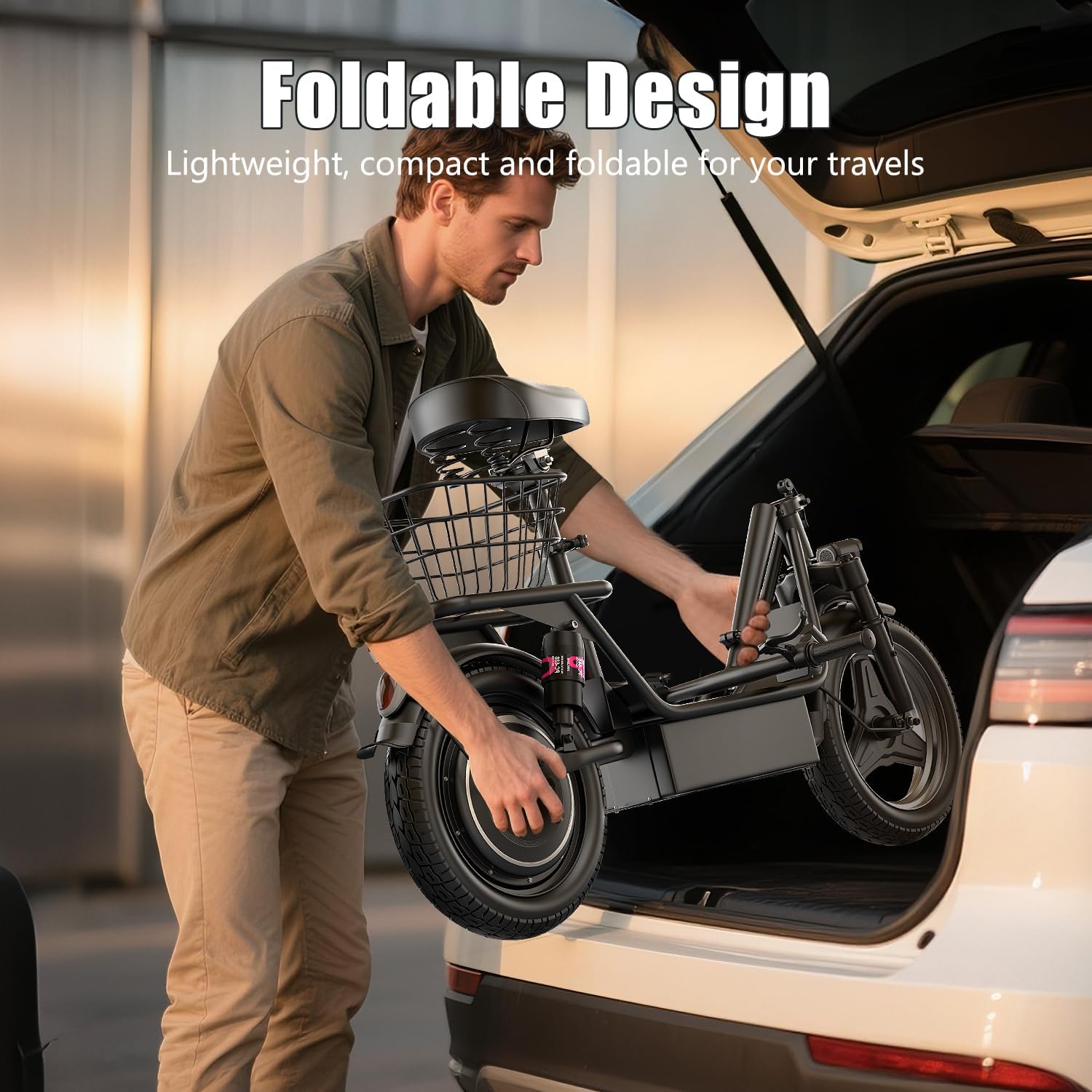
Image: Foldable Design. The scooter can be folded for convenient transport and storage, as shown by a man placing it into a car trunk.
5. Operating Instructions
5.1. Charging the Battery
To charge the 48V 15AH Lithium-Ion battery:
- Ensure the scooter is powered off.
- Locate the charging port, typically on the side of the deck.
- Connect the charger to the scooter's charging port, then plug the charger into a standard wall outlet.
- The indicator light on the charger will typically show red during charging and turn green when fully charged.
- Charging time is approximately 4-6 hours for a full charge. Do not overcharge.

Image: High-Capacity Battery. An internal view of the 48V 15AH battery pack, highlighting its location within the scooter's deck.
5.2. Powering On/Off and LCD Display
The scooter features an intelligent LCD display for monitoring key information.
- Power On: Press and hold the power button on the LCD display for a few seconds.
- Power Off: Press and hold the power button again until the display turns off.
- LCD Display Information: The display shows current speed, distance traveled, remaining battery power, and the selected speed mode (gear shift).

Image: Intelligent LCD Display. A detailed view of the handlebar-mounted LCD screen, indicating battery level, speed, and gear selection.
5.3. Speed Modes
You can switch between three speed modes to suit your riding environment:
- Consult the LCD display for the current mode.
- Press the mode button (usually indicated by a gear icon) to cycle through the available speed settings.
5.4. Braking System
The scooter is equipped with a rear disc brake and an electronic braking system for reliable stopping power.
- To brake, gently squeeze the brake lever on the handlebar.
- Apply both brakes smoothly to avoid sudden stops.
5.5. Riding Tips
- Start in a low-speed mode until you are comfortable with the scooter's handling.
- Maintain a balanced posture, keeping both feet on the deck.
- Anticipate turns and stops, and signal your intentions to others.
- The scooter's multiple shock absorbers are designed to provide a comfortable ride over varied terrain.
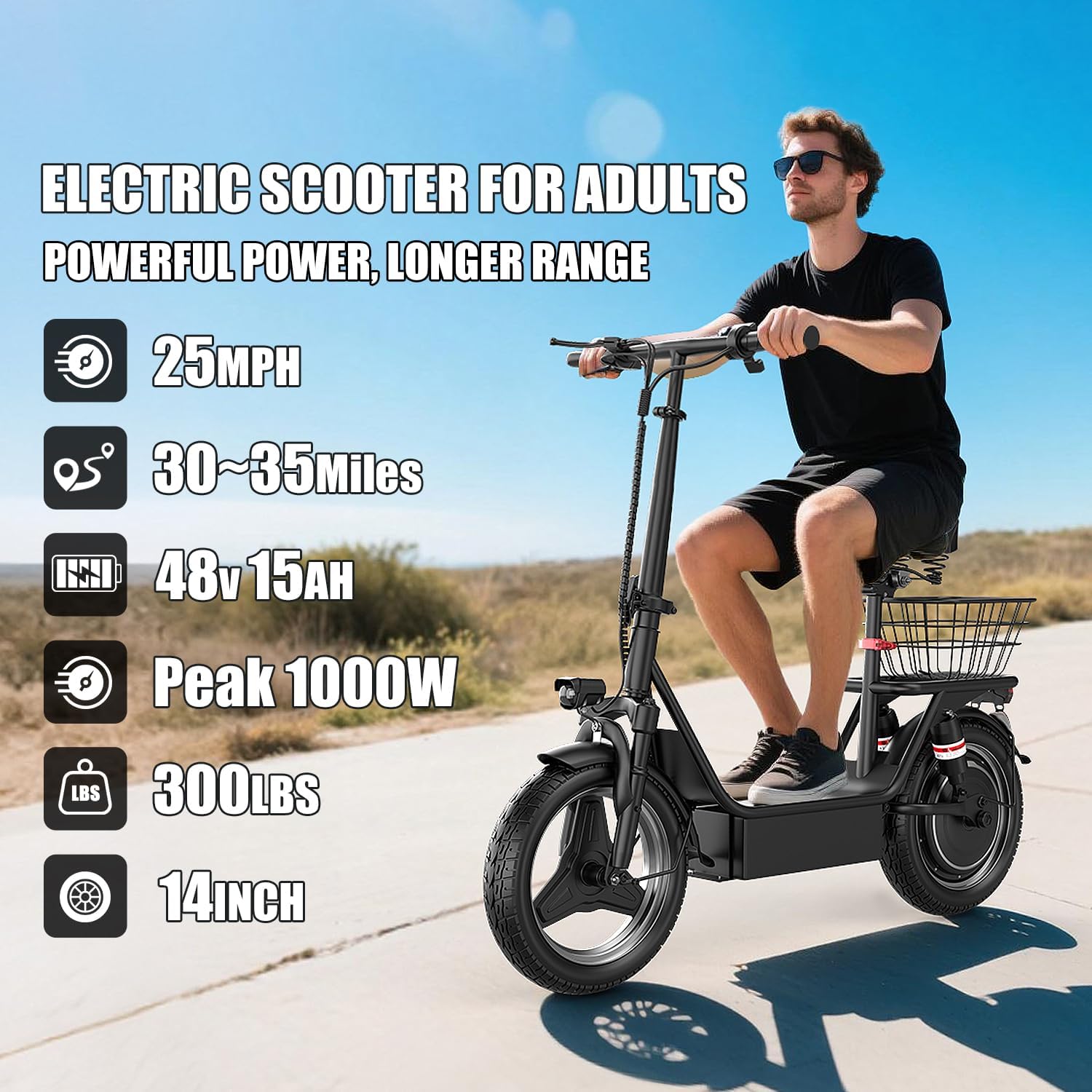
Image: Adult riding the AZHAR K8 Electric Scooter. This image illustrates the scooter in use, highlighting its design for adult riders.
6. Maintenance
Regular maintenance ensures the longevity and safe operation of your AZHAR K8 Electric Scooter.
6.1. Battery Care
- Charge the battery regularly, even if the scooter is not in use, to maintain battery health.
- Avoid completely draining the battery before recharging.
- Store the scooter in a cool, dry place when not in use, away from direct sunlight and extreme temperatures.
6.2. Tire Pressure
The 14-inch pneumatic tires require proper inflation for optimal performance and safety.
- Check tire pressure regularly (e.g., weekly) and inflate to the recommended PSI (refer to the tire sidewall for specific pressure).
- Proper tire pressure improves ride comfort, range, and tire lifespan.

Image: 14-inch Inflatable Tires. This image highlights the scooter's tires, designed for enhanced grip and traction on diverse surfaces.
6.3. Brake Adjustment
- Periodically inspect brake pads and cables for wear.
- Adjust brake tension as needed to ensure responsive braking. If unsure, consult a professional.
6.4. Cleaning and Storage
- Clean the scooter with a damp cloth. Avoid using high-pressure water jets directly on electrical components.
- Store the scooter in a dry, secure location.
7. Troubleshooting
This section addresses common issues you might encounter with your AZHAR K8 Electric Scooter.
| Problem | Possible Cause | Solution |
|---|---|---|
| Scooter does not power on | Low battery; Loose connections; Faulty power button | Charge the battery; Check all visible connections; Contact support if issue persists. |
| Reduced range or speed | Low tire pressure; Battery degradation; Overload (rider weight); Steep inclines | Inflate tires to correct pressure; Ensure full charge; Adhere to weight limit; Understand performance varies with conditions. |
| Brakes feel weak or unresponsive | Worn brake pads; Loose brake cable; Contaminated brake disc | Inspect and replace brake pads; Adjust brake cable tension; Clean brake disc with appropriate cleaner. |
| Kickstand instability | Loose mounting bolts; Improper adjustment | Tighten kickstand mounting bolts; Adjust kickstand angle if possible. |
8. Specifications
Key technical specifications for the AZHAR K8 Electric Scooter:
| Feature | Detail |
|---|---|
| Brand | AZHAR |
| Model Name | K8 |
| Motor | 1000W Peak Motor |
| Max Speed | Up to 25 MPH |
| Battery | 48V 15AH Lithium-Ion |
| Max Range | Up to 25-30 Miles |
| Weight Limit | 300 Pounds |
| Wheel Size | 14 Inches |
| Suspension | Dual Suspension (Front and Rear Hydraulic Damping) |
| Brake Style | Rear Disc Brake + Electronic Braking System |
| Special Features | Adjustable Handlebar Height, Basket, Digital Display, Foldable, Lights, Seat |
| Frame Material | Alloy Steel |

Image: Dimension Information. This diagram provides key measurements for the scooter, including seat height, scooter length, handle height, handle width, and scooter width.
9. Warranty and Support
The AZHAR K8 Electric Scooter comes with a limited warranty.
- Warranty Period: 1 Year Limited Warranty.
- Coverage: The warranty covers manufacturing defects under normal use. It does not cover damage from misuse, accidents, or unauthorized modifications.
- Manufacturer: Shenzhen Beirui industrial Co., Ltd.
- Support: For warranty claims or technical assistance, please refer to the contact information provided with your purchase documentation or visit the official AZHAR website.