
1. Introduction
This manual provides comprehensive instructions for the installation, use, and maintenance of your Blueshaweu Flexible TPU HD Clear Screen Protector, designed specifically for the Marsyu ET570 Smartwatch. Please read this manual carefully to ensure proper application and optimal performance of the screen protector.
2. Package Contents
Verify that all items listed below are included in your package:
- 6 x Marsyu ET570 Smartwatch Screen Protectors
- 3 x Wet Cleaning Wipes
- 1 x Microfiber Cloth
- 1 x Squeegee (Card Tool)

The package includes all necessary items for installation, along with a visual guide for the application process.
3. Product Features
- Sensitive Touch: At only 0.1mm thick, the protector preserves the original touch sensitivity of the Marsyu ET570 smartwatch, ensuring quick application response.
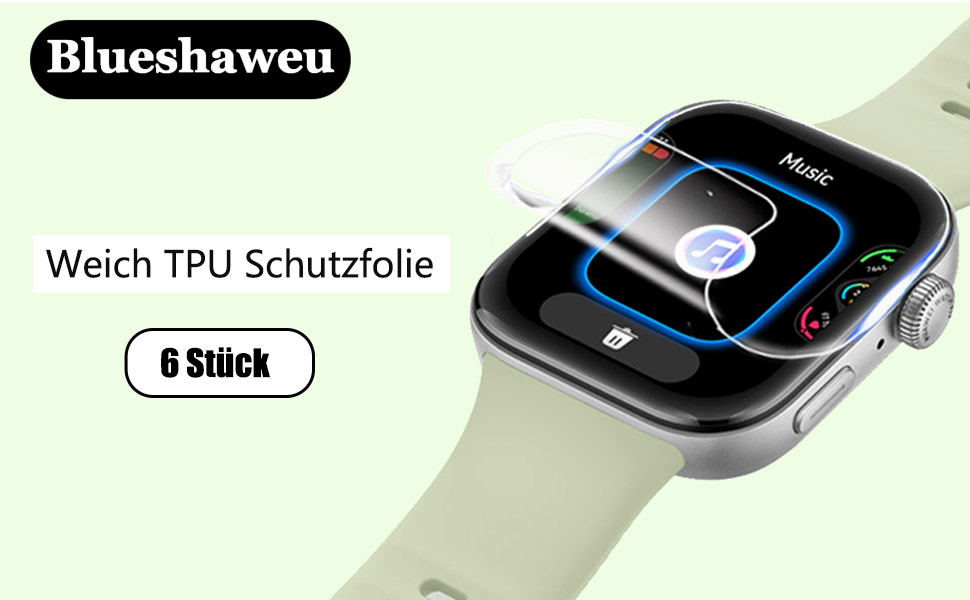
- Maximum Coverage: The flexible TPU screen protector is designed for edge-to-edge coverage, providing comprehensive protection for your Marsyu ET570 smartwatch screen.
- Ultra Clear HD: With 99% HD clarity, the transparent film maintains the bright and colorful image quality of your smartwatch display.
- Durable TPU Material: Made from Thermoplastic Polyurethane, offering anti-fingerprint, scratch-resistant, and anti-bubble properties.
- Nano-Repair Technology: Features automatic repair capabilities for minor daily scratches within 24 hours.
This diagram illustrates the multi-layered construction of the screen protector, designed for durability and clarity.

This image showcases the key benefits of the TPU material, including its resistance to fingerprints and scratches, and its self-healing capabilities.

The screen protector is designed to be ultra-thin, ensuring that the original touch sensitivity of your smartwatch remains unaffected.

This visual demonstrates the advanced nano-repair technology, which allows the screen protector to automatically heal minor scratches within 24 hours.
4. Installation Guide
Follow these steps for a bubble-free installation:
- Clean the Screen: Use the wet cleaning wipe (labeled '1') to thoroughly clean your smartwatch screen. Follow with the dry cleaning wipe (labeled '2') to remove any moisture. Finally, use the microfiber cloth to polish the screen and remove any remaining dust or smudges.
- Remove Backing (Step 1): Carefully peel off the first protective film (labeled '1') from the screen protector.
- Align and Apply: Align the screen protector precisely with the edges of your smartwatch screen. Once aligned, gently lay it down from one side to the other.
- Smooth Out: Use the provided squeegee (card tool) to press the entire screen protector onto the screen, working from the center outwards to remove any air bubbles.
- Remove Top Film (Step 2): Once the protector is firmly adhered and bubbles are removed, carefully peel off the second protective film (labeled '2') from the top surface of the screen protector.
- Final Polish: Use the microfiber cloth to gently wipe the newly installed screen protector, ensuring a clear and smooth finish.

Detailed visual instructions for applying the screen protector, from preparing the screen to final bubble removal.
5. Usage and Care
Once installed, the screen protector requires minimal special care. Its ultra-thin design ensures that your smartwatch's touch functionality remains unaffected. To maintain clarity, regularly wipe the screen with the provided microfiber cloth to remove fingerprints and smudges. Avoid using harsh chemicals or abrasive materials, as these can damage the protector's surface.
6. Troubleshooting
Common Issues and Solutions:
- Bubbles After Installation: Small bubbles may disappear naturally within 24-48 hours due to the TPU material's flexibility. For larger bubbles, gently lift the nearest edge of the protector and re-apply, using the squeegee to push the air out.
- Dust Particles Under Protector: If dust is trapped, carefully lift the protector from the nearest edge, use a dust-removal sticker (not included, but often found with screen protectors) or a piece of tape to dab the dust off both the screen and the protector's adhesive side, then re-apply.
- Edges Not Sticking: Ensure the screen was thoroughly cleaned and free of oils or residue before application. Press firmly along the edges with the squeegee or your finger for a few seconds.
- Reduced Touch Sensitivity: This is rare due to the protector's thinness. Ensure the protector is fully adhered without air gaps. If issues persist, verify your smartwatch settings.
7. Specifications
| Brand | Blueshaweu |
| Model Number | bs-marsyu ET570-sfilm |
| Compatible Smartwatch | Marsyu ET570 (1.96 inch) |
| Material | Thermoplastic Polyurethane (TPU) |
| Color | Transparent |
| Thickness | 0.1 mm |
| Product Dimensions (L x W x H) | 11 x 5 x 1.27 cm |
| Item Weight | 10 g |
8. Warranty and Support
We provide a 30-day warranty for this product. This includes hassle-free returns, replacement, or a refund if you are not satisfied or if you have received defective parts. For any questions, concerns, or support needs, please do not hesitate to contact us through your purchase platform. Our customer service team is available to assist you.