
1. Introduction
This manual provides essential information for the safe and effective operation of your HYSINCERE 14.6V 20A LiFePO4 Battery Charger. Please read this manual thoroughly before use and retain it for future reference.
2. Safety Instructions
Adherence to these safety guidelines is crucial to prevent injury and damage to the charger or battery.
- Compatibility: This charger is specifically designed for 14.6V LiFePO4 batteries. Do not use it with other battery types (e.g., lead-acid, Ni-MH, Ni-Cd) as this may cause damage or fire.
- Ventilation: Ensure adequate ventilation during charging. Do not cover the charger or operate it in an enclosed space. The integrated cooling fan requires unobstructed airflow.
- Environment: Use the charger in a dry, well-ventilated area, away from flammable materials, moisture, and direct sunlight. Avoid extreme temperatures.
- Connections: Always connect the charger to the battery terminals correctly (+ to +, - to -) before plugging it into the AC power outlet. Disconnect AC power before disconnecting from the battery.
- Damage: Do not operate the charger if it or its cables are damaged. Contact customer support for assistance.
- Disassembly: Do not attempt to disassemble, modify, or repair the charger. This will void the warranty and may lead to electric shock or fire.
- Children and Pets: Keep the charger and battery out of reach of children and pets.

Figure 1: The charger features multiple built-in safety protections including overcurrent, overheating, short circuit, overload, and full charge cut-off to maintain battery health and ensure safe operation.
3. Package Contents
Verify that all items are present in the package:
- 1 x HYSINCERE 14.6V 20A LiFePO4 Battery Charger
- 1 x AC Power Cord
- 1 x Battery Connection Cable (with M8 terminal)

Figure 2: Contents of the HYSINCERE 14.6V 20A LiFePO4 Battery Charger package.
4. Product Overview and Specifications
Product Features:
- High Quality 14.6V 20A LiFePO4 Charger.
- Multiple protections: overvoltage, overcurrent, short circuit, and overheating.
- Automatic stop function when fully charged.
- 0V charging mode for deeply discharged batteries.
- Upgraded M8 terminal for convenient battery connection.
- Unibody aluminum alloy casing for efficient heat dissipation.
- Integrated cooling fan for optimal temperature regulation.
Dimensions and Components:
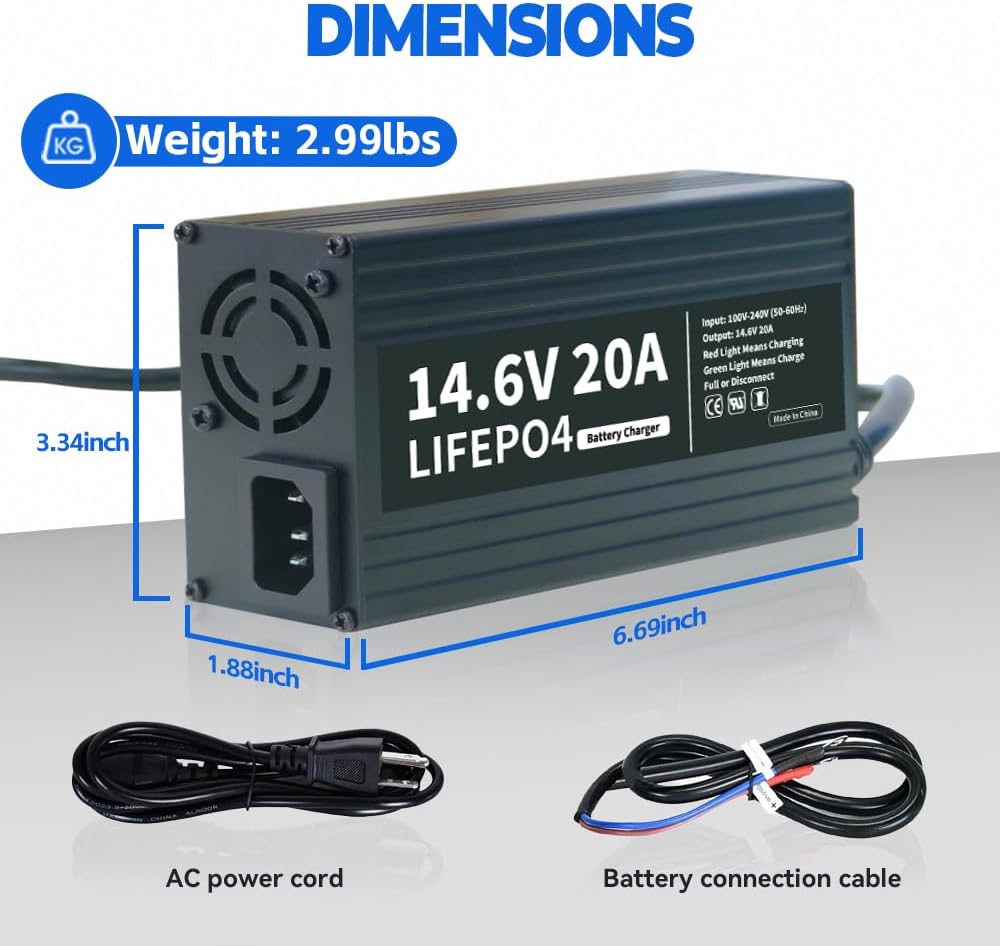
Figure 3: Physical dimensions and weight of the charger, along with its included cables.

Figure 4: Key components of the charger, including the AC input port and cooling fan.
Technical Specifications:
| Parameter | Value |
|---|---|
| Charging Voltage | 14.6V DC |
| Charging Current | 20A |
| Rated Input Voltage | 100V-240V AC |
| Input Frequency | 50Hz - 60Hz |
| Product Dimensions | 6.69 x 3.34 x 1.88 inches |
| Item Weight | 3 pounds |
| Manufacturer Part Number | F-14.6V20Acharger |
5. Setup and Connection
Follow these steps to properly connect the charger to your LiFePO4 battery:
- Ensure the charger is disconnected from the AC power outlet.
- Connect the DC output cable of the charger to your LiFePO4 battery. Ensure the positive (+) terminal of the charger cable connects to the positive (+) terminal of the battery, and the negative (-) terminal of the charger cable connects to the negative (-) terminal of the battery. The M8 terminal provides a secure connection.
- Once the DC connection is secure, connect the AC input cable to the charger's AC port, then plug the AC power cord into a standard 100V-240V AC wall outlet.

Figure 5: Correct connection procedure for the charger and battery.
6. Operating Instructions (Charging Process)
The charger features indicator lights to show the charging status:
- Red Light: Indicates the battery is currently charging.
- Green Light: Indicates the battery is fully charged or disconnected.
The charging process typically follows three stages:
- Bulk Charging: The charger delivers maximum current to rapidly charge the battery to approximately 80-90% State of Charge (SOC).
- Absorption Charging: The voltage is held constant while the current gradually decreases, charging the battery to approximately 98% SOC.
- Float Charging: A lower, constant voltage is applied to maintain the battery at 100% SOC, often referred to as "trickle charging." The charger will automatically stop when the battery is full.

Figure 6: Illustration of the three-stage charging process.
Typical charging times for various LiFePO4 battery capacities:
- 200Ah battery: Approximately 10 hours
- 100Ah battery (Max/Mini): Approximately 5 hours
- 50Ah battery: Approximately 2.5 hours

Figure 7: Estimated charging durations for common LiFePO4 battery sizes.
7. Maintenance
To ensure the longevity and optimal performance of your charger:
- Cleaning: Keep the charger clean and free from dust and debris. Use a dry, soft cloth for cleaning. Do not use liquid cleaners.
- Storage: Store the charger in a cool, dry place when not in use. Avoid storing it in areas with high humidity or extreme temperatures.
- Cable Care: Inspect cables regularly for any signs of damage, fraying, or loose connections. Replace damaged cables immediately.
- Ventilation: Periodically check that the cooling fan and vents are not obstructed.
8. Troubleshooting
If you encounter issues with your charger, refer to the following common problems and solutions:
| Problem | Possible Cause | Solution |
|---|---|---|
| Charger not turning on / No indicator light | No AC power; Loose connections; Damaged charger/cable. | Check AC outlet and power cord connection. Ensure battery connections are secure. If still no power, contact support. |
| Red light not turning on when connected to battery | Incorrect battery connection (polarity); Battery already full; Battery voltage too low (0V). | Verify positive and negative connections. Check battery voltage. If battery is at 0V, the charger has a 0V charging mode to attempt activation, but ensure it's a dedicated LiFePO4 battery. |
| Green light stays on, battery not fully charged | Battery characteristic (voltage callback); Incorrect battery type. | For LiFePO4 batteries, it's normal for the voltage to drop slightly (around 1V) after charging. This does not indicate an incomplete charge. Ensure you are using a dedicated LiFePO4 battery. |
| Charger overheating | Poor ventilation; Obstructed cooling fan. | Ensure the charger is in a well-ventilated area. Clear any obstructions from the cooling fan and vents. If overheating persists, disconnect and contact support. |
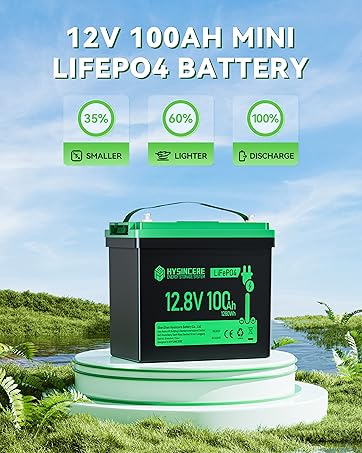
Figure 8: Important tips regarding LiFePO4 battery charging behavior.
9. Warranty and Support
HYSINCERE is committed to providing quality products and customer satisfaction. For any product-related issues or questions, please contact HYSINCERE customer support.
- Return Policy: This product is typically eligible for a 30-day return/replacement policy from the date of purchase. Please refer to your retailer's specific return policy for details.
- After-Sales Service: HYSINCERE provides professional solutions with fast response within 24 hours.
- Contact Support: Visit the official HYSINCERE Store for support and further information: HYSINCERE Store on Amazon.
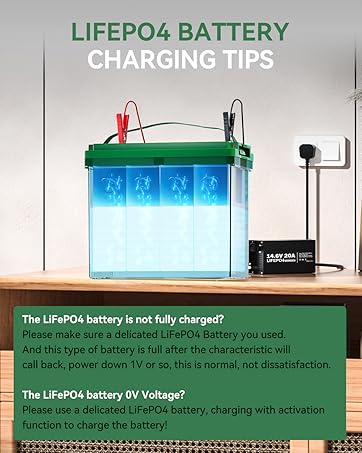
Figure 9: HYSINCERE's commitment to after-sales service.