
ROCKBROS fc76513b-f880-42e9-ba17-c8f55f887465
ROCKBROS Bike Phone Holder Instruction Manual
Model: fc76513b-f880-42e9-ba17-c8f55f887465
Introduction
This manual provides detailed instructions for the installation, operation, and maintenance of your ROCKBROS Aluminum Bike Phone Holder. Please read this manual thoroughly before use to ensure proper functionality and safety.

Image: The ROCKBROS Bike Phone Holder, featuring a robust black aluminum alloy construction with a red adjustment knob, designed for secure phone mounting on bicycle handlebars.
Safety Information
Always ensure the phone holder is securely mounted and your phone is firmly seated before riding. Do not operate your phone while cycling. This product is designed exclusively for bicycles and is not compatible with other vehicle types. Regularly check all screws and connections for tightness.
Package Contents
- ROCKBROS Aluminum Bike Phone Holder (Handlebar Mount)
- Anti-slip cushioning pads
- Handlebar diameter adapters (22.2mm, 25.4mm, 31.8mm)
- Installation tool (e.g., Allen wrench)
Setup and Installation
1. Choose the Correct Adapter
Identify the diameter of your bicycle's handlebar. The package includes adapters for 22.2mm, 25.4mm, and 31.8mm handlebars. Select the appropriate adapter for a snug fit.

Image: Illustration showing the phone holder's screw adjustment mechanism for phone size and the three included handlebar diameter adapters (22.2mm, 25.4mm, 31.8mm).
2. Mount the Holder to the Handlebar
Place the selected adapter around your handlebar. Position the phone holder's clamp over the adapter and secure it using the provided screw and tool. Ensure the mount is firmly attached and does not rotate freely on the handlebar.
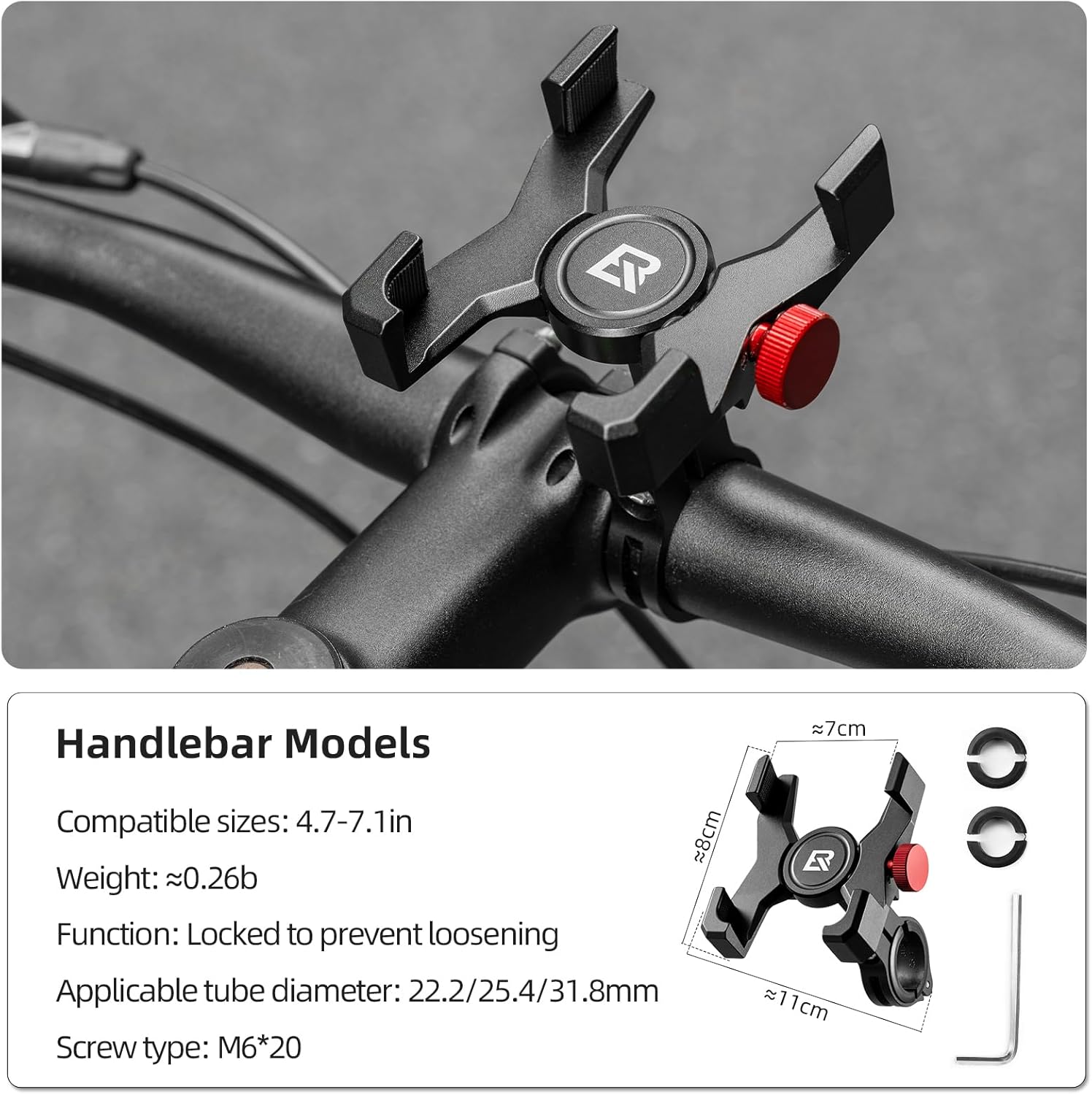
Image: A visual representation of the handlebar mount model installed on a bicycle handlebar, showing its dimensions and the screw type for installation.
3. Apply Anti-slip Cushion Pads
The phone holder comes with anti-slip cushioning pads. Apply these pads to the four corners of the phone grip area to prevent scratches on your phone and enhance grip stability, especially on uneven terrain.

Image: Close-up view of the phone holder's anti-slip cushion pads, demonstrating its sturdy support across various road conditions like speed bumps, brick roads, gravel, and muddy roads.
Operating Instructions
1. Adjust for Phone Size
The phone holder is compatible with phones ranging from 4.7 to 7.1 inches. Use the spiral adjustment knob (red knob) to extend or shorten the holder's arms to fit your specific phone model. The adjustment range is approximately 2.36 inches to 3.54 inches.
2. Insert Your Phone
Carefully place your phone into the holder, ensuring it is centered and securely gripped by all four corners. The design features reserved charging port and button positions, allowing easy access to charging cables and headphones without obstruction.
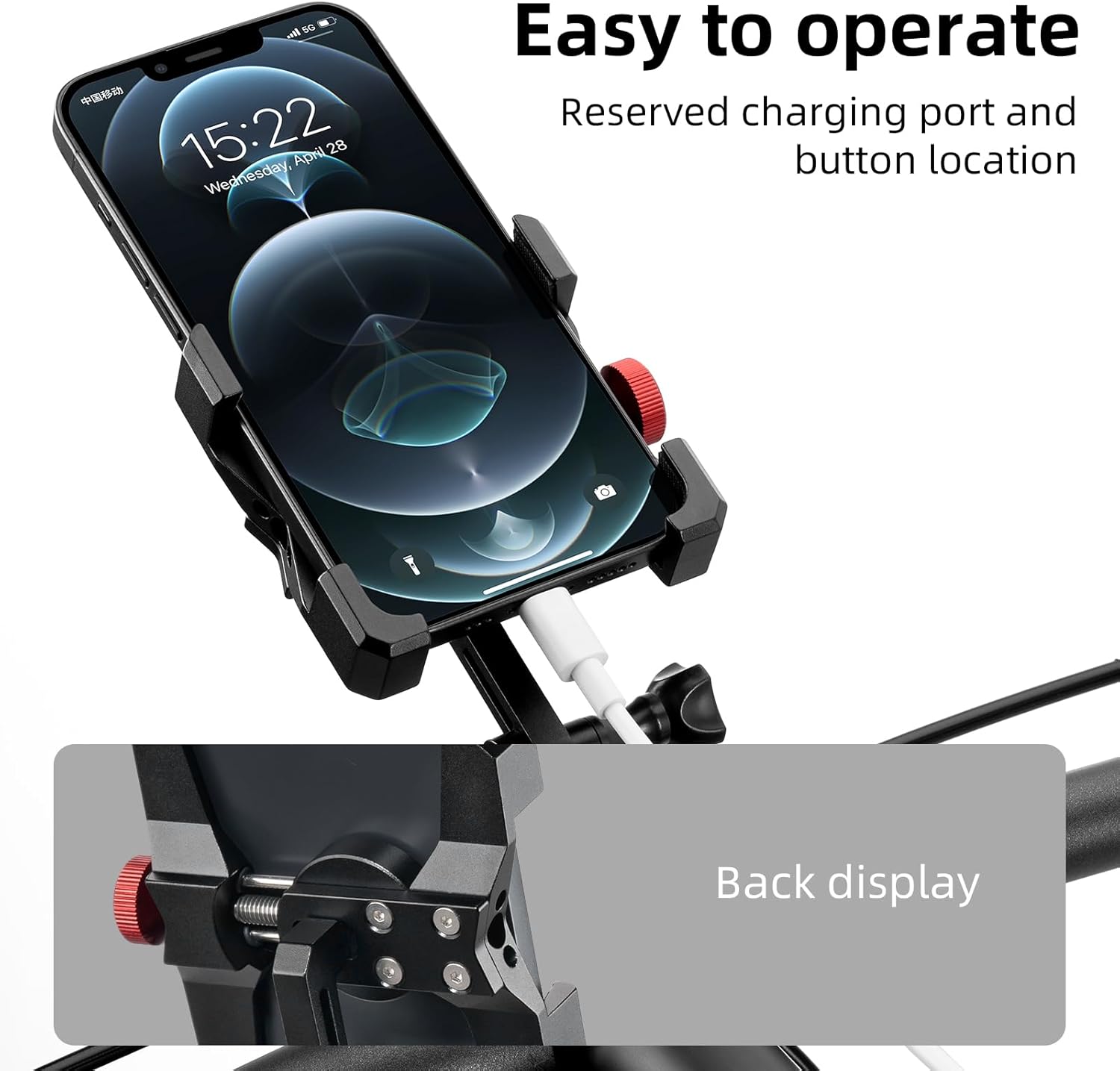
Image: A smartphone securely held in the ROCKBROS phone mount, demonstrating the accessible charging port and button locations for convenient use while mounted.
3. Remove Your Phone
To remove your phone, loosen the spiral adjustment knob slightly and carefully lift your phone out of the holder.
Maintenance
The ROCKBROS phone mount is crafted from lightweight and durable aluminum alloy with excellent anti-rust properties. To maintain its condition:
- Cleaning: Wipe the holder with a soft, damp cloth to remove dust and dirt. Avoid abrasive cleaners.
- Inspection: Periodically check all screws and connections to ensure they remain tight. Re-tighten if necessary.
- Storage: When not in use for extended periods, store the holder in a clean, dry place away from direct sunlight.
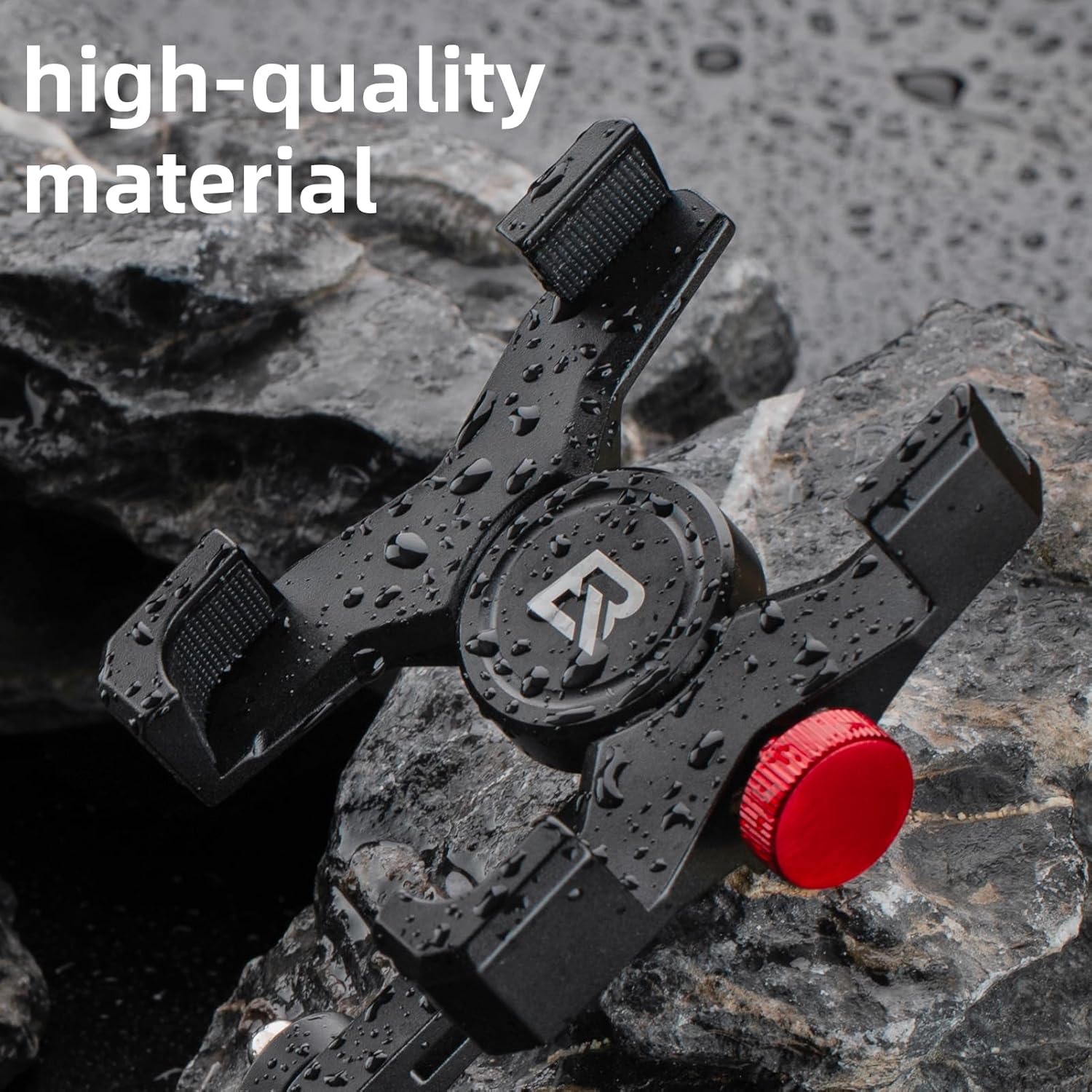
Image: Close-up of the phone holder's aluminum alloy material, showcasing its durable and water-resistant properties.
Troubleshooting
| Problem | Possible Cause | Solution |
|---|---|---|
| Phone does not fit or buttons are pressed. | Phone dimensions or button placement are incompatible. | Ensure your phone is within the 4.7-7.1 inch range. Some phone models (e.g., Pixel 8/9) may have button placements that interfere with the holder's arms. Adjust phone position or consider a different mount if interference persists. |
| Mount feels loose on the handlebar. | Incorrect adapter size or insufficient tightening. | Verify you are using the correct handlebar adapter. Re-tighten the mounting screw firmly using the provided tool. |
| Phone rattles or slips in the holder. | Anti-slip pads not installed or holder not tightened enough. | Ensure all anti-slip cushioning pads are properly applied. Tighten the spiral adjustment knob until the phone is held securely without excessive force. |
Specifications
- Brand: ROCKBROS
- Model: fc76513b-f880-42e9-ba17-c8f55f887465
- Compatible Phone Sizes: 4.7 - 7.1 inches
- Handlebar Diameter Compatibility: 22.2mm, 25.4mm, 31.8mm
- Material: Aluminum Alloy
- Color: Black
- Item Weight: 5.9 ounces
- Mounting Type: Handlebar
- Special Features: Anti-slip cushion pads, Reserved charging port/button positions
Warranty and Support
For warranty information or technical support, please contact ROCKBROS customer service through the retailer where the product was purchased or visit the official ROCKBROS website. Please retain your proof of purchase for any warranty claims.
Ask a question about this manual
Ask about setup, troubleshooting, compatibility, parts, safety, or missing instructions. Manuals+ will review the question and use this page’s manual context to help answer it.