
1. Introduction
Thank you for purchasing the OKYUK CSQ-02 Electric Dehumidifier. This appliance is designed to efficiently remove excess moisture from the air, creating a more comfortable and healthier indoor environment. Please read this manual thoroughly before operating the unit and retain it for future reference.

Image 1.1: The OKYUK CSQ-02 Electric Dehumidifier, a compact and efficient unit designed for moisture removal.
The OKYUK CSQ-02 dehumidifier effectively absorbs up to 49 ounces of excess moisture per day (tested at 77°F, 85% relative humidity) and can reduce humidity in areas up to 800 square feet. Its advanced semiconductor technology ensures quiet and rapid moisture extraction.

Image 1.2: Visual representation of humidity reduction from 85% to 50% after dehumidification.
2. Important Safety Instructions
To reduce the risk of fire, electric shock, or injury, always follow these basic precautions:
- Read all instructions before using the appliance.
- Do not operate the dehumidifier with a damaged cord or plug.
- Ensure the power outlet voltage matches the unit's requirements.
- Do not block air inlets or outlets.
- Keep the unit upright during operation and transport.
- Do not immerse the unit, power cord, or plug in water or other liquids.
- Unplug the unit before cleaning or performing any maintenance.
- This appliance is for indoor use only.
- Keep out of reach of children.
3. Product Overview
3.1 Components
- Control Panel with Digital Display
- Air Inlet Grille
- Air Outlet Grille
- Water Tank
- Power Cord
- LED Indicator Light (on water tank)
3.2 Control Panel Functions

Image 3.1: User-friendly smart touchscreen control panel with power, light mode, night mode, and dehumidification mode buttons, along with a digital display.
- Power Button: Turns the unit on or off.
- Light Mode Button: Activates or changes the 7-color LED ambient light.
- Night Mode Button: Engages quiet operation mode for undisturbed sleep.
- Dehumidification Mode Button: Switches between forced and automatic dehumidification modes.
- Digital Display: Shows current room humidity and internal temperature.
3.3 Key Features
The OKYUK CSQ-02 dehumidifier incorporates several features to enhance its performance and user experience:

Image 3.2: The unit features a triple air purification system, including a pre-filter, HEPA filter, and activated carbon layer for improved air quality.
- Triple Air Purification: Includes a pre-filter for large particles, a HEPA filter for fine dust and bacteria, and an activated carbon layer for odor removal.
- Negative Ion Generator: Equipped with a negative ion generator to further enhance air quality through electrolysis.
- Dual-Core Condensation Technology: Utilizes advanced condensation technology for efficient and energy-saving dehumidification.

Image 3.3: The dehumidifier is equipped with a negative ion generator to improve air quality.
4. Setup
4.1 Unpacking
- Carefully remove the dehumidifier from its packaging.
- Remove all packing materials and dispose of them properly.
- Inspect the unit for any signs of damage. If damaged, do not operate and contact customer support.
4.2 Placement
For optimal performance, place the dehumidifier in an area where humidity is highest and air circulation is good. Ensure there is at least 20 cm (8 inches) of space around the unit for proper airflow.
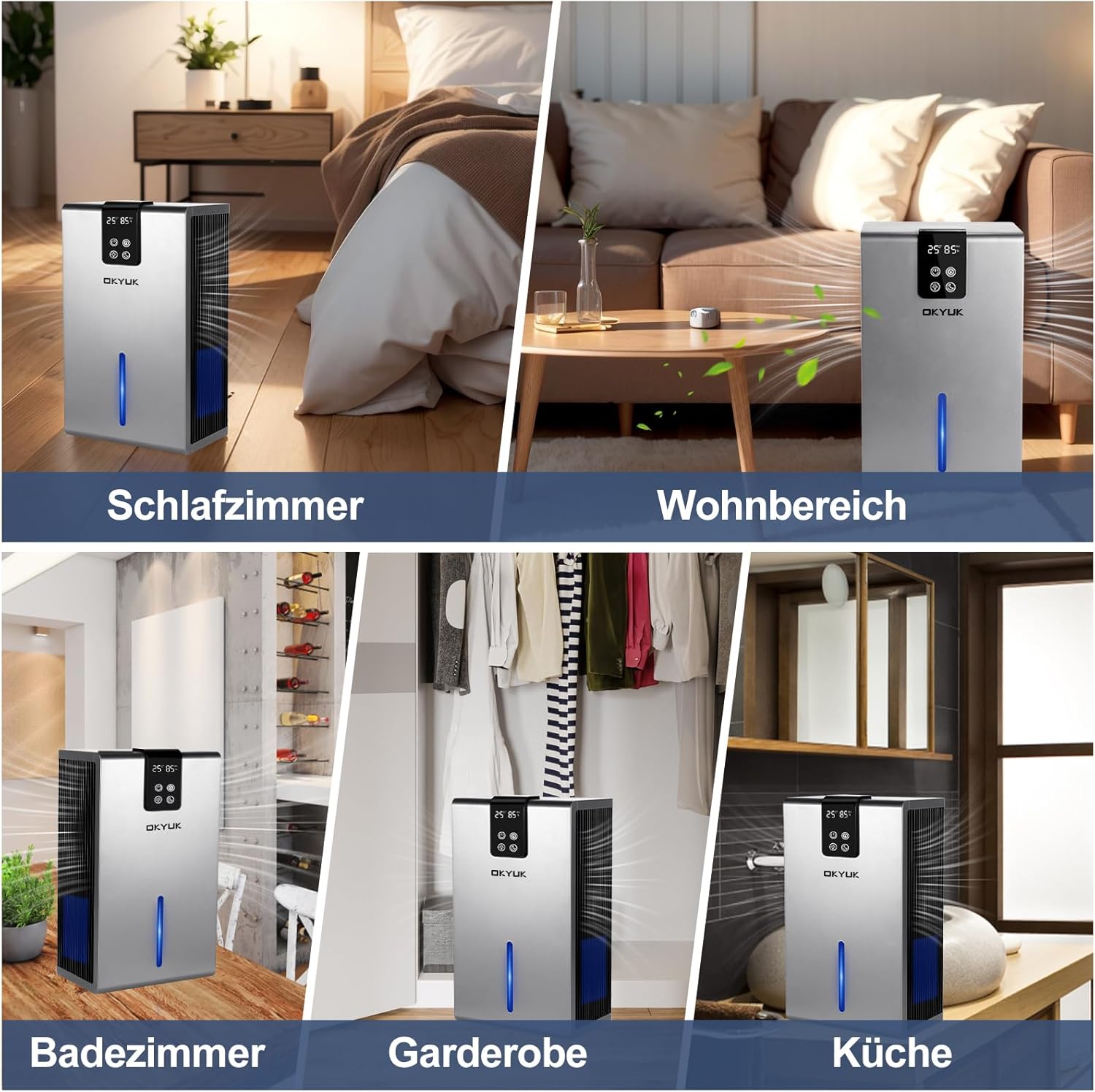
Image 4.1: The dehumidifier is suitable for various indoor spaces such as bedrooms, living areas, bathrooms, wardrobes, and kitchens.
- Avoid placing the unit near heat sources or in direct sunlight.
- Do not place it in a closet or other enclosed space where airflow is restricted.
- Ensure the unit is placed on a stable, level surface.
4.3 Power Connection
Plug the power cord into a grounded electrical outlet. The unit is now ready for operation.
5. Operation
5.1 Power On/Off
Press the Power Button on the control panel to turn the dehumidifier on or off. The digital display will illuminate when the unit is on, showing the current humidity and temperature.
5.2 Dehumidification Modes
Press the Dehumidification Mode Button to cycle through available modes:
- Forced Dehumidification Mode: Operates continuously at maximum power to quickly reduce humidity.
- Automatic Dehumidification Mode: The unit will operate to maintain a comfortable humidity level, typically around 50-60% RH.

Image 5.1: Illustration of the two dehumidification modes: Forced and Automatic.
5.3 Sleep Mode
Press the Night Mode Button to activate Sleep Mode. In this mode, the unit operates at a reduced noise level (approximately 35 dB) for quiet operation, ideal for bedrooms or quiet environments. The display lights may dim or turn off.

Image 5.2: Sleep mode provides quiet operation, reducing noise levels for a peaceful environment.
5.4 Ambient LED Light
Press the Light Mode Button to turn on the 7-color LED ambient light. Press again to cycle through colors or turn off the light.
5.5 Clothes Drying Function
The dehumidifier can assist in drying clothes by reducing ambient humidity. Place the unit in a small, enclosed room with wet laundry for faster drying.

Image 5.3: The dehumidifier supports drying clothes by removing moisture from the air in a wardrobe setting.
5.6 Emptying the Water Tank
The dehumidifier features an automatic shut-off function. When the 2700ml water tank is full, the unit will stop operating, and an indicator light will signal that the tank needs to be emptied. To empty:
- Gently pull out the water tank from the back of the unit.
- Carefully carry the tank to a sink or drain.
- Pour out the collected water.
- Slide the empty water tank back into the unit until it clicks into place. The unit will resume operation automatically.

Image 5.4: The unit automatically stops when the water tank is full, and the tank can be easily removed for emptying.
6. Maintenance
Regular maintenance ensures optimal performance and extends the lifespan of your dehumidifier.
6.1 Cleaning the Exterior
- Always unplug the unit before cleaning.
- Wipe the exterior with a soft, damp cloth.
- Do not use abrasive cleaners, solvents, or harsh chemicals.
6.2 Cleaning the Water Tank
Clean the water tank regularly to prevent mold and bacteria growth.
- Remove the water tank as described in Section 5.6.
- Wash the tank with mild soap and warm water.
- Rinse thoroughly and dry before reinserting into the unit.
6.3 Filter Maintenance
The dehumidifier features a multi-layer filtration system for improved air quality. Regular cleaning of the filters is recommended.
Refer to the product packaging or contact customer support for specific filter replacement intervals and availability.
7. Troubleshooting
Before contacting customer support, please refer to the following troubleshooting guide for common issues:
| Problem | Possible Cause | Solution |
|---|---|---|
| Unit does not turn on. | No power supply. Power cord not properly connected. | Check if the unit is plugged into a working outlet. Ensure the power cord is securely connected. |
| Dehumidifier is not collecting water. | Room humidity is too low. Temperature is too low. Air inlets/outlets are blocked. | The unit will only collect water if humidity is above 40% RH. Optimal operating temperature is above 5°C (41°F). Ensure proper clearance around the unit. |
| Unit stops operating. | Water tank is full. Unit has reached desired humidity level (in Auto mode). | Empty the water tank. The unit will resume operation when humidity rises. |
| Unusual noise during operation. | Unit not on a level surface. Obstruction in fan. | Place the unit on a flat, stable surface. Unplug and check for any foreign objects. |
8. Specifications
| Feature | Detail |
|---|---|
| Brand | OKYUK |
| Model Number | CSQ-02 (GB-0828) |
| Color | Grey |
| Dimensions (L x W x H) | 10 x 16 x 25 cm (3.9 x 6.3 x 9.8 inches) |
| Weight | 2.6 kg (5.7 lbs) |
| Water Tank Capacity | 2700 ml (99 oz) |
| Dehumidification Capacity | Up to 49 oz (1450 ml) per day (at 77°F, 85% RH) |
| Coverage Area | Up to 800 sq ft |
| Power | 60 Watts |
| Noise Level (Sleep Mode) | 35 dB |
| Material | Acrylonitrile Butadiene Styrene (ABS) |
| Special Features | Digital Display, Automatic Shut-off, Sleep Mode, Removable Tank, 7-Color LED Light, Negative Ion Generator, Triple Air Purification |
9. Warranty and Support
OKYUK provides the following support for your dehumidifier:
- 6 Months Free Replacement: For qualifying defects within the first six months of purchase.
- 2 Years Maintenance Directive: Guidance and support for maintenance issues for two years.
- Lifetime Professional Technical Support: Ongoing technical assistance for the lifespan of the product.
If you have any questions, require assistance, or need to claim warranty service, please contact OKYUK customer support through your purchase platform or the official OKYUK website. Please have your model number (CSQ-02) and purchase details ready.


