
1. Introduction
This manual provides comprehensive instructions for the installation, operation, and maintenance of your cogamichi 6.9 Inch Android 12 Single Din Touchscreen Car Stereo. Please read this manual thoroughly before using the product to ensure proper functionality and to maximize your user experience. Keep this manual for future reference.
2. Product Overview
2.1 Key Features
- Wireless CarPlay and Android Auto: Seamless smartphone integration for calls, messages, music, and navigation. Supports both wired and wireless connections.
- High-Resolution Touchscreen Display: 6.9-inch IPS display with 1280x480 resolution for clear visuals and responsive control.
- Android 12 System: Provides a modern, intuitive interface and allows for app downloads from the Google Play Store.
- Enhanced Connectivity: Built-in Bluetooth for wireless audio streaming and hands-free calls, Wi-Fi support, and multiple USB inputs.
- Integrated Navigation: Supports both online (via mobile hotspot) and offline (downloadable Google Maps packages) navigation.
- Audio Features: FM radio, 2.1 channels pre-amplifier RCA output, and customizable EQ controls.
- Steering Wheel Control (SWC) Compatibility: Allows control of essential functions without taking hands off the wheel.
- Ample Storage: 2GB RAM and 32GB ROM for smooth operation and data storage.
- Camera Inputs: Supports front camera/dash cam video input and rear view (reverse) camera input.
2.2 What's in the Box
The product package includes the following components:
- Single Din Touchscreen Radio Unit
- Power Cable
- External Microphone
- 4 Pin USB Cable
- 6 Pin USB Cable
- GPS Antenna
- RCA Cable
- Video Input Cable
- User Manual

Image: The cogamichi 6.9-inch single DIN touchscreen radio, showing the front display, rear connections, external microphone, and icons for Apple CarPlay and Android Auto.

Image: A diagram illustrating the dimensions of the single DIN car stereo and a visual representation of all included components in the packing list, such as cables, antenna, and microphone.
3. Setup and Installation
Important Note: Before installation and wiring, please disconnect the battery's "-" (negative) terminal. Reconnect it only after the installation is complete. Some vehicles may require the purchase of additional accessories (wiring harness, dash kit, antenna adapter, Canbus decoder) from third-party suppliers for perfect fitment. Car stereos require power from the ACC. If your car does not have ACC, you may need to purchase a Canbus or power it through the fuse. For a very small number of vehicles, a single DIN radio edge may obscure air vents, emergency switch buttons, or other controls. Please check compatibility with your vehicle before purchasing.
3.1 Installation Steps
- Separate the Short Sleeve: Carefully separate the short sleeve from the main radio body.
- Insert Short Sleeve: Insert the short sleeve into your car's radio installation window.
- Secure Iron Piece: Press the iron piece on the short sleeve with the provided mounting tools to fasten it securely to the car's dashboard.
- Insert Radio Body: Push the radio body into the short sleeve until it snaps firmly into place.

Image: A four-step visual guide demonstrating how to install the single DIN car stereo into a vehicle's dashboard, including separating the sleeve, inserting it, securing it, and sliding the unit in.

Image: A comparison showing a car's dashboard with an older radio before installation and the same dashboard with the new cogamichi single DIN touchscreen radio installed, highlighting its seamless integration.
4. Operating Instructions
4.1 Wireless CarPlay & Android Auto
Enjoy seamless integration with your smartphone. Access Siri or Google Assistant directly from the touchscreen. Make calls, send messages, play music, and use navigation apps like Google Maps and Waze. The unit supports both wired and wireless connections for CarPlay and Android Auto.
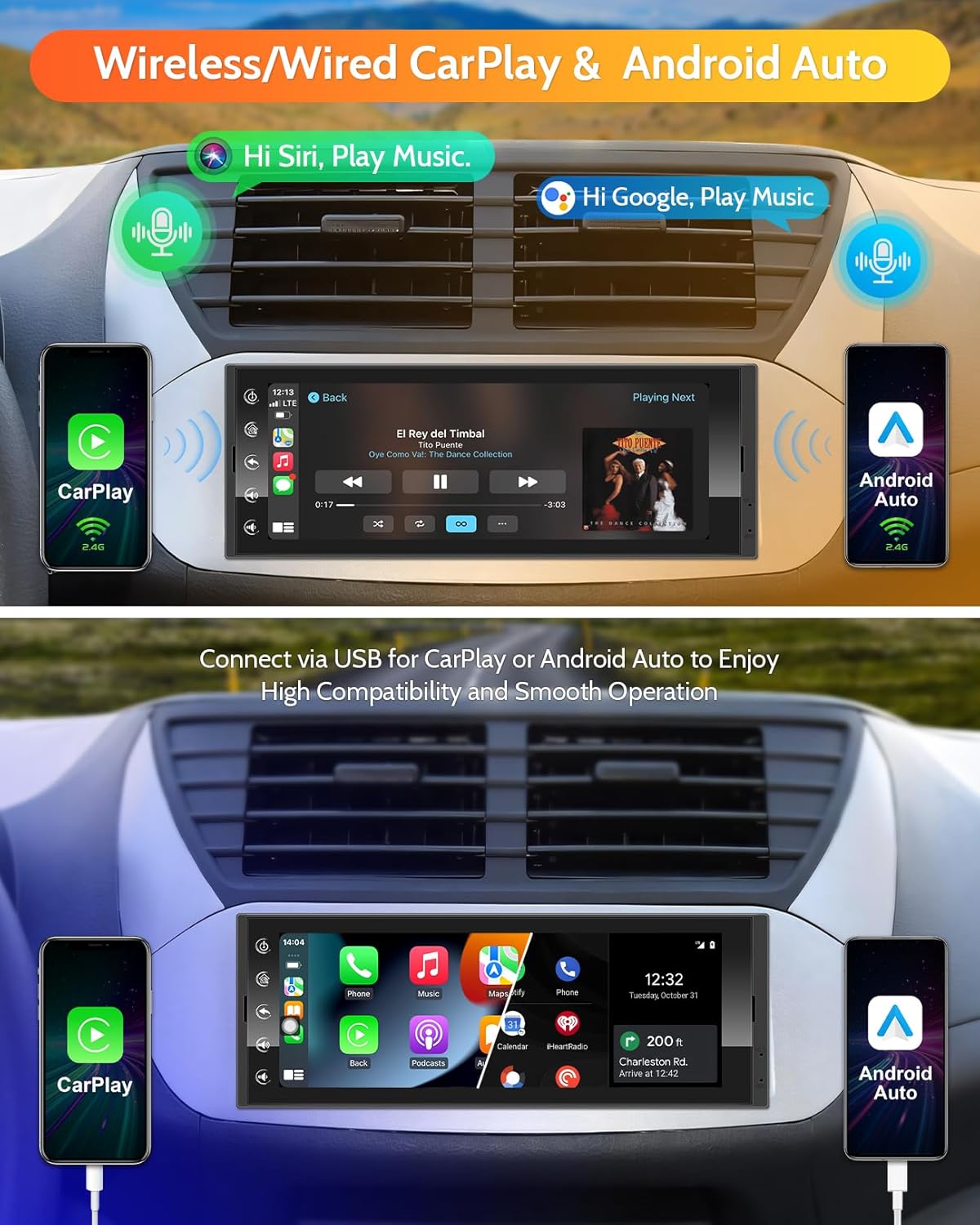
Image: A visual representation of the car stereo screen displaying Apple CarPlay and Android Auto interfaces, demonstrating both wireless voice commands (Siri, Google) and wired USB connectivity for smartphone integration.
4.2 High-Resolution Touchscreen Display
The 6.9-inch IPS touchscreen provides a clear and responsive interface. Its 1280x480 resolution ensures optimal visibility from any angle and vivid color reproduction for all your media and navigation needs.
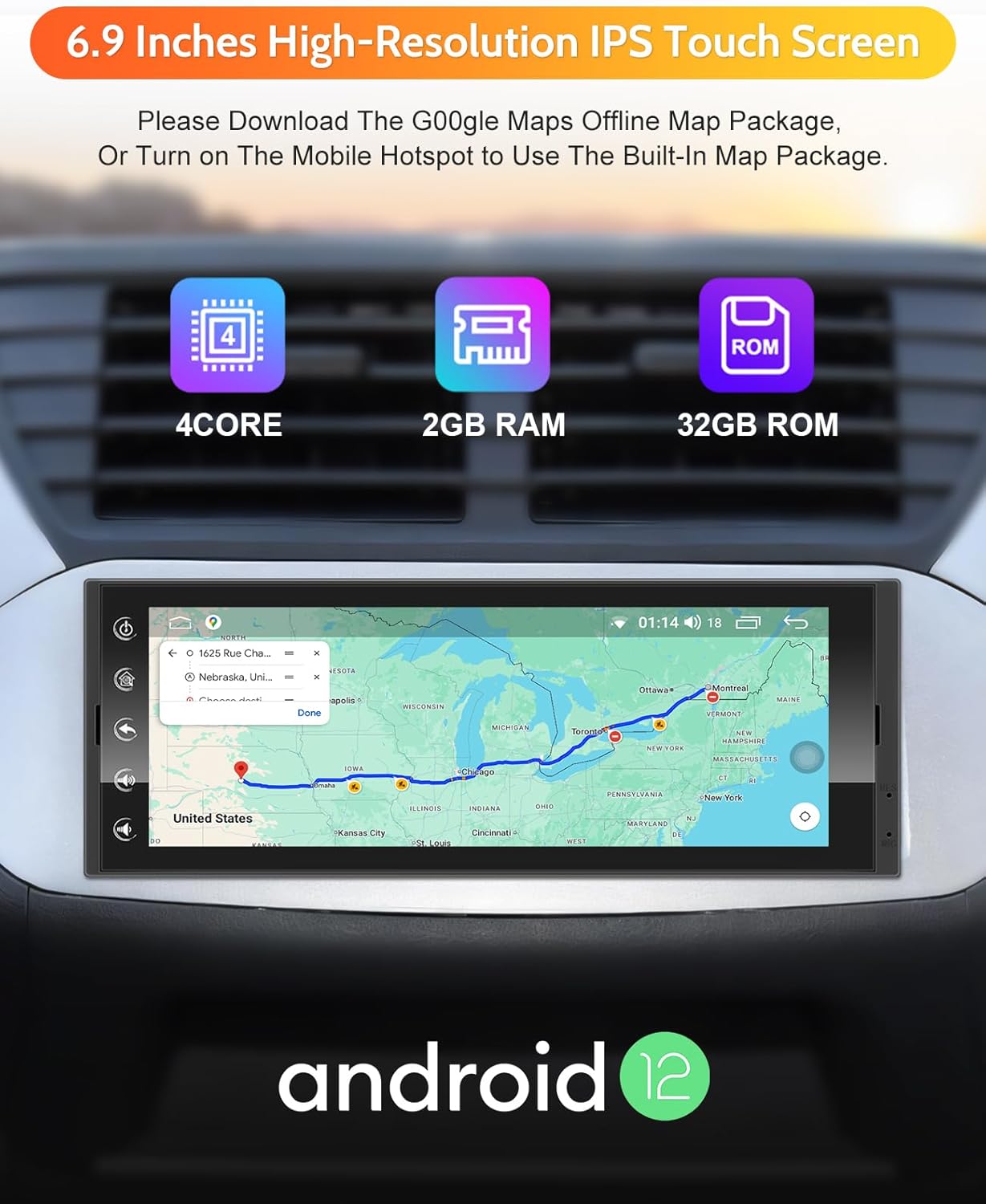
Image: The 6.9-inch high-resolution IPS touchscreen displaying the Android 12 interface, with overlays highlighting its 4-core processor, 2GB RAM, and 32GB ROM, along with a map application.
4.3 Bluetooth Connectivity
Connect your smartphone via Bluetooth for wireless audio streaming and hands-free calling. The built-in microphone and external microphone ensure clear voice pickup during calls, enhancing safety and convenience while driving.
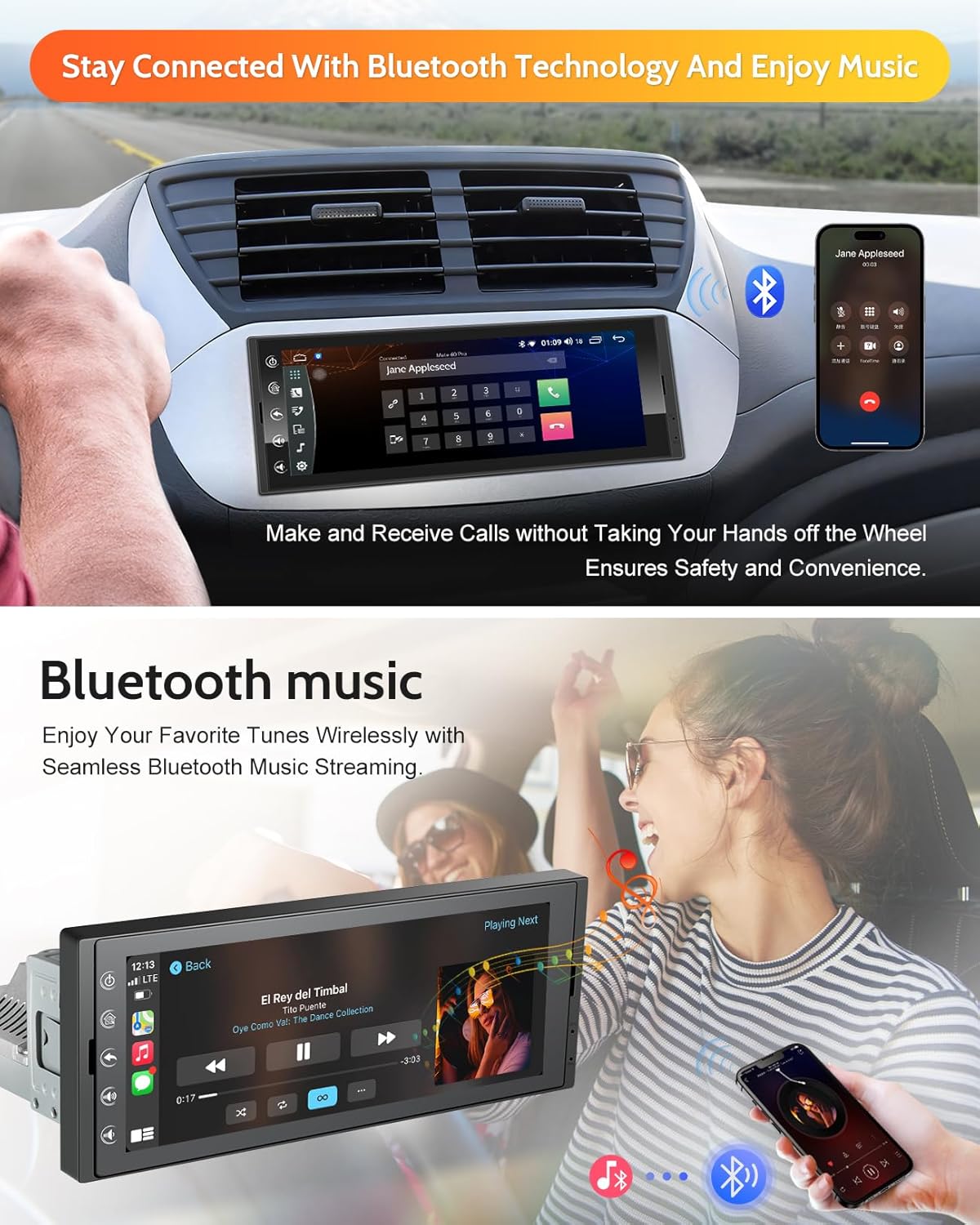
Image: A driver using the car stereo for Bluetooth phone calls, with a smartphone displaying a call interface. Below, a person is shown enjoying music streamed wirelessly via Bluetooth from their phone to the car stereo.
4.4 GPS Navigation
Navigate confidently with the built-in GPS functionality. The system supports both online navigation (by turning on your mobile hotspot) and offline navigation apps (by downloading Google Maps offline map packages).

Image: The car stereo display showing a GPS navigation map, with icons for Google Maps and other navigation services, indicating built-in navigation capabilities.
4.5 FM/RDS Radio
Expand your entertainment options with the integrated FM/RDS radio. Enjoy FM AM radio, news, music, and other entertainment broadcasts.

Image: The car stereo display showing the FM/AM/RDS radio interface with various frequency options and controls, indicating its radio reception capabilities.
4.6 Steering Wheel Control (SWC)
The SWC integration enables you to control various radio functions, such as volume adjustment, track selection, and mode switching, without taking your hands off the steering wheel. This provides convenient access to essential functions while driving.
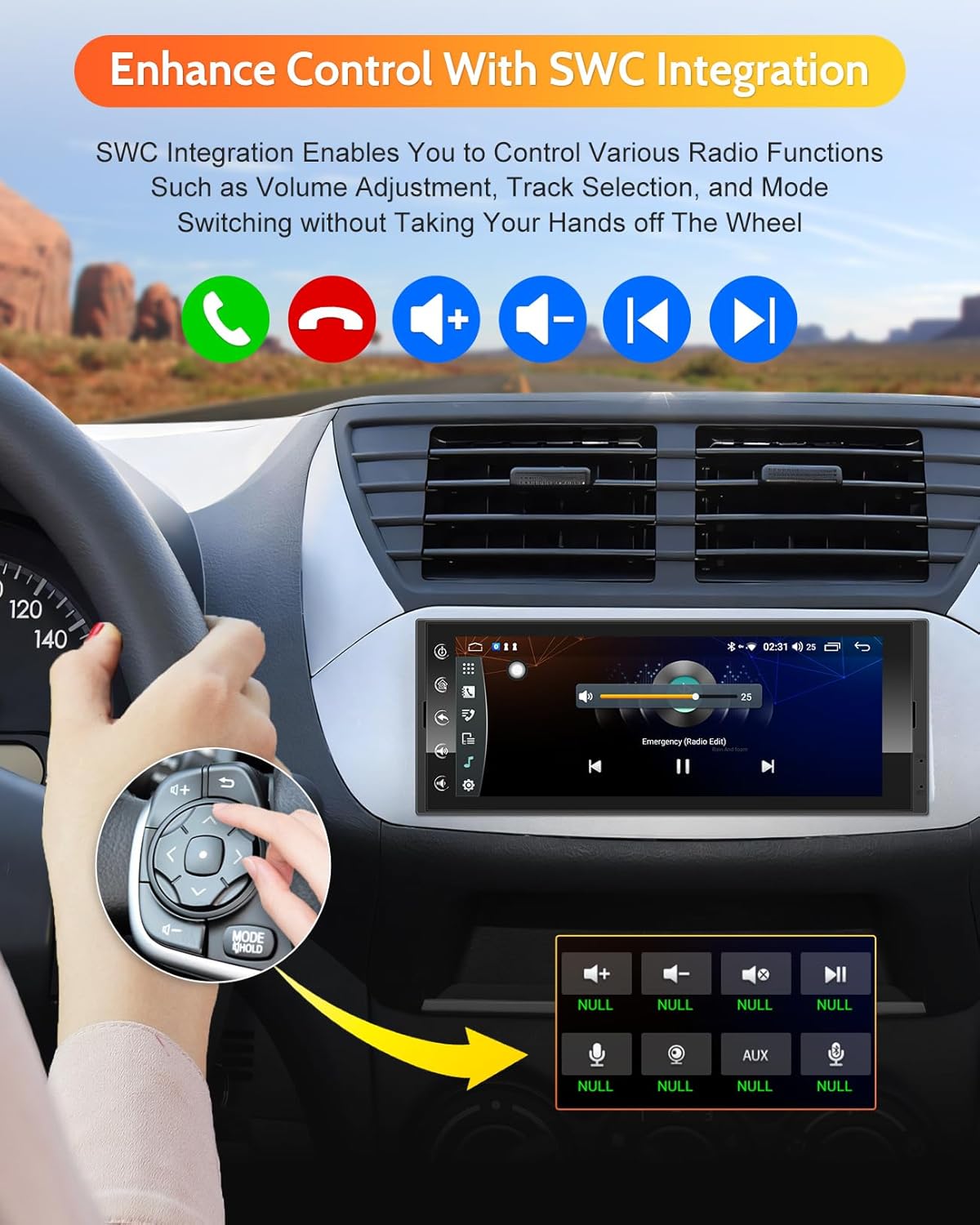
Image: A hand operating steering wheel controls, with the car stereo displaying a music player interface, illustrating how the unit integrates with vehicle's steering wheel controls for safe operation.
4.7 Application Downloads (Wi-Fi)
With built-in Wi-Fi, you can browse, stream, and download additional applications directly from the Google Play Store. This includes popular apps like Spotify, Pandora, and YouTube, expanding your entertainment and utility options.

Image: The car stereo display showing various app icons floating above it, representing the ability to download and use applications like YouTube, Spotify, and Google Maps directly on the unit.

Image: The car stereo display showing a YouTube video, with a Wi-Fi signal icon, indicating the unit's capability to connect to Wi-Fi for online content streaming.
4.8 Equalizer
Customize your audio experience with the built-in Equalizer (EQ) controls. Adjust sound frequencies to match your preferences and optimize audio output.

Image: The car stereo display showing an equalizer interface with adjustable frequency bands, surrounded by musical notes, illustrating its audio customization capabilities.
4.9 Offline Media Playback
Enjoy high-fidelity audio and video playback from offline media sources. The unit supports various formats for music and videos stored on USB drives.

Image: The car stereo display showing a video playing, with icons for a USB drive and media files, indicating its ability to play offline video content from external storage.
5. Compatibility
The cogamichi Single Din Touchscreen Radio is designed for broad compatibility with both iPhone (CarPlay) and Android phones (Android Auto). However, specific requirements and incompatible models exist.
5.1 Wireless CarPlay Requirements
- The iPhone's CarPlay system and voice system (Siri) must be turned on.
- Ensure Siri is enabled on your iPhone.
5.2 Wireless Android Auto Requirements
- A phone that supports 5GHz Wi-Fi.
- A phone running Android 11 or above.
- A phone that supports the Android Auto app, and the app should be updated to the latest version.
5.3 Incompatible Phone Models (Android)
Please note that some Android phone models may not be fully compatible with wireless Android Auto. These include, but are not limited to:
- OnePlus Nord 2T, OnePlus Nord CE2 5G
- Oppo CPH2161, Oppo A16s, Oppo Reno 2, Oppo Reno2 Z
- Samsung S23, Samsung Note 20, Samsung S20, Samsung M22, Samsung S23 Ultra, Galaxy A20 (model SM-A205g)
- Huawei P30, Huawei P30 Pro, Huawei P40 Pro, Huawei P20, Huawei P30 lite MAR-LX1A, Huawei Mate 20, Huawei Mate 20 pro
- Huawei P smart 2019-POT-LX1, Huawei Nova 5t, Huawei MATE LITE 10, Honor 90, Xiaomi 11 lite, Xiaomi 12 pro, Redmi 9
General Compatibility Notes:
- Not supported on iPad.
- Not perfectly compatible with Samsung Note series as well as S series.
- Before purchasing, please make sure your phone supports wireless Android Auto.

Image: A detailed chart outlining compatibility requirements for Wireless CarPlay and Android Auto, including specific Android phone models that are incompatible, and general notes on device support.
6. Specifications
| Feature | Specification |
|---|---|
| Model Number | S609 |
| Display Size | 6.9 Inches (Visible screen diagonal: 7" / 18 cm) |
| Display Resolution | 1280x480 (IPS Technology) |
| Operating System | Android 12 |
| RAM | 2GB |
| ROM | 32GB |
| Processor | 4-Core |
| Connectivity Technology | Bluetooth, USB, Wi-Fi |
| Audio Output Mode | Surround (2.1 Channel) |
| Max. Power Output | 4*45W |
| RMS Power Output | 4*24W |
| Item Weight | 2.44 pounds |
| Package Dimensions | 8.86 x 7.64 x 4.69 inches |
7. Troubleshooting
If you encounter any problems when using this single DIN car stereo, please refer to the following general troubleshooting tips:
- No Power: Ensure all power cables are securely connected. Check the vehicle's fuse box for any blown fuses related to the car stereo. Verify that the ACC power source is correctly wired.
- No Sound: Check speaker connections. Ensure the volume is not muted or set to minimum. Verify audio output settings in the system menu.
- Touchscreen Unresponsive: Try restarting the unit. If the issue persists, a factory reset might be necessary (note: this will erase user data).
- CarPlay/Android Auto Not Connecting:
- For wireless connection, ensure your phone supports 5GHz Wi-Fi and meets the OS requirements (Android 11+).
- Check if CarPlay/Android Auto is enabled in your phone's settings.
- Try a different USB cable for wired connection.
- Ensure your phone's software and the Android Auto app are updated.
- Refer to the compatibility section for known incompatible phone models.
- GPS Signal Issues: Ensure the GPS antenna is properly installed and has a clear line of sight to the sky. Check GPS settings in the system.
- Bluetooth Pairing Issues: Ensure Bluetooth is enabled on both the stereo and your phone. Delete previous pairings and try re-pairing.
For persistent issues or complex problems, please contact cogamichi customer support for assistance.
8. Maintenance
Proper maintenance ensures the longevity and optimal performance of your car stereo:
- Cleaning the Screen: Use a soft, lint-free cloth to gently wipe the touchscreen. For stubborn smudges, slightly dampen the cloth with water or a screen-safe cleaner. Avoid abrasive materials or harsh chemicals.
- General Cleaning: Keep the unit and surrounding dashboard area clean and free of dust. Use a soft brush or compressed air to clean vents and crevices.
- Software Updates: Periodically check for software updates provided by cogamichi to ensure the system runs efficiently and has the latest features and bug fixes.
- Avoid Extreme Temperatures: Do not expose the unit to extreme heat or cold for prolonged periods, as this can affect electronic components.
- Protect from Liquids: Prevent any liquids from spilling onto or into the unit.
9. Warranty and Support
cogamichi provides professional after-sales service for its products. If you encounter any problems or have questions regarding your single DIN car stereo, please contact us.
- Customer Service: We provide 7*24 hours of professional after-sales service.
- Software Updates: Software updates and other services are available to ensure your product remains current and performs optimally.
- Warranty: The product typically comes with a 12-month replacement warranty. Please refer to your purchase documentation for specific warranty terms.
For support, please visit the official cogamichi store or contact their customer service channels as provided at the time of purchase.