
1. Introduction
Thank you for choosing the YOUNGDO Portable Bicycle Air Pump. This manual provides detailed instructions for the safe and efficient operation, maintenance, and troubleshooting of your new air pump. Please read this manual thoroughly before use and retain it for future reference.
2. Safety Instructions
- Keep the device away from children.
- Do not operate the pump in wet conditions or near flammable liquids/gases.
- Avoid prolonged continuous operation to prevent overheating. Allow the pump to cool down if it becomes hot.
- Do not point the inflation nozzle at people or animals.
- Ensure the correct pressure setting for the item being inflated to prevent over-inflation and potential damage or injury.
- Use only the provided charging cable and adapters.
- Store the pump in a cool, dry place when not in use.
3. Package Contents
Please check the package for the following items:
- YOUNGDO Portable Bicycle Air Pump
- Inflation Hose
- Various Nozzle Adapters (Presta valve adapter, ball needle, swimming ring nozzle)
- USB Charging Cable
- User Manual
4. Product Overview
Familiarize yourself with the components and overall design of your air pump.
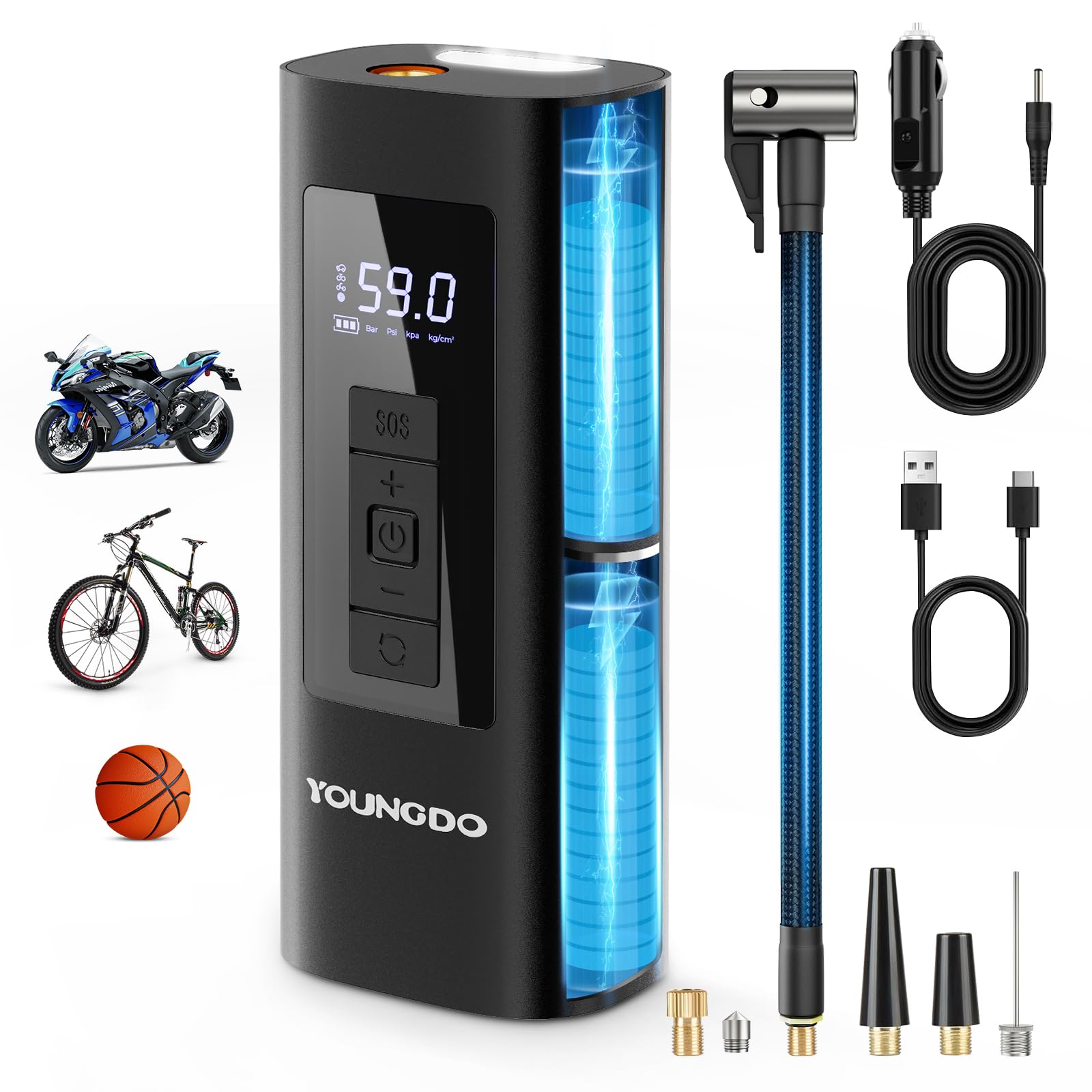
Image: A general view of the YOUNGDO Portable Bicycle Air Pump, showcasing its compact and modern design.

Image: The YOUNGDO Portable Bicycle Air Pump featuring an LED display and control buttons, shown alongside its instruction manual. This image highlights the user-friendly interface and compact design.
- LED Digital Display: Shows current pressure, target pressure, and battery level.
- Control Buttons: Power, Mode, Increase/Decrease Pressure, SOS/Light.
- Inflation Port: Where the inflation hose connects.
- USB-C Charging Port: For recharging the pump.
- USB-A Output Port: For using the pump as a power bank.
- LED Light: Provides illumination and SOS signal.
5. Setup
5.1 Initial Charging
Before first use, fully charge the air pump. Connect the provided USB charging cable to the pump's USB-C port and a suitable USB power adapter (not included). The battery indicator on the LED display will show charging progress.

Image: The air pump displaying its 6000mAh battery capacity, indicating its power reserve for multiple inflations or as a power bank.
5.2 Attaching the Inflation Hose
Screw the inflation hose securely into the inflation port on the top of the pump. Ensure it is finger-tight to prevent air leakage.
6. Operating Instructions
6.1 Power On/Off
Press and hold the Power button to turn the pump on or off.
6.2 Selecting Inflation Mode
Press the Mode button to cycle through different preset inflation modes: Bicycle, Motorcycle, Car, and Ball. Each mode has a default pressure unit and recommended pressure range.
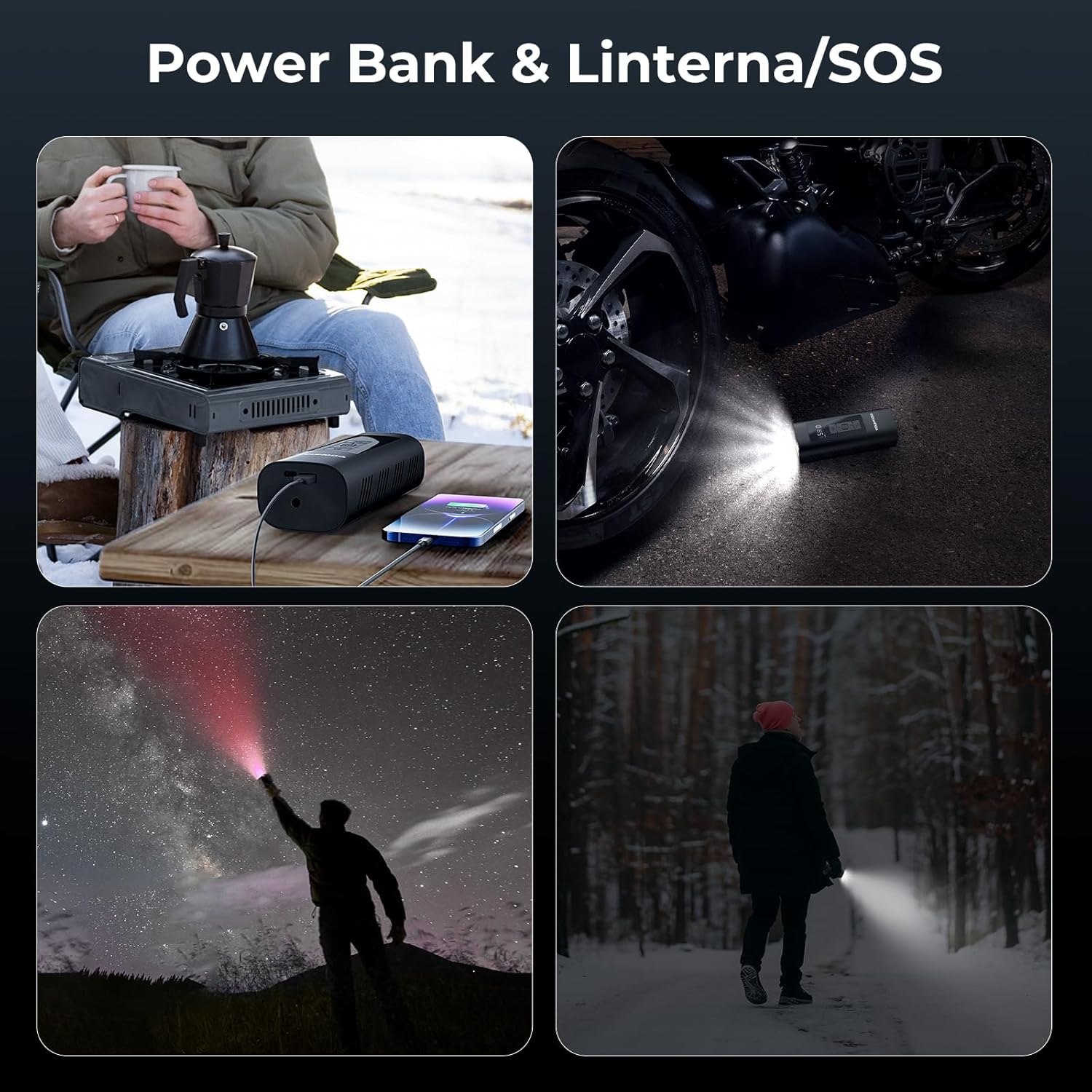
Image: The air pump demonstrating its preset modes for various items, including bicycles (45 PSI), motorcycles (2.4 bar), and basketballs (8 PSI), ensuring safe and accurate inflation.
6.3 Setting Target Pressure
After selecting a mode, use the '+' and '-' buttons to adjust the target pressure. The display will show the real-time pressure as well as the set target pressure.
6.4 Connecting to Valve
Screw the appropriate nozzle adapter onto the inflation hose, then securely attach it to the item's valve. For Presta valves, ensure the valve core is unscrewed before attaching the adapter.
6.5 Starting and Stopping Inflation
Press the Power button once to start inflation. The pump will automatically stop when the target pressure is reached. To manually stop inflation, press the Power button again.

Image: The air pump actively inflating a bicycle tire, demonstrating its rapid inflation capability (e.g., 0-120 PSI in under 70 seconds for a 700*25C tire, or 0-38 PSI in under 2 minutes for a 27.5"x2.2" tire).
6.6 Using as a Power Bank
Connect your device (e.g., smartphone) to the USB-A output port on the pump using your device's charging cable. The pump will begin charging your device.
6.7 Using the LED Light / SOS Function
Press the Light button once to turn on the LED light. Press again to cycle through different light modes (e.g., steady light, flashing, SOS). Press and hold to turn off the light.

Image: The air pump being used as a power bank to charge a phone and as a flashlight, illustrating its multi-functional capabilities for outdoor activities and emergencies.
7. Maintenance
- Cleaning: Wipe the pump with a soft, damp cloth. Do not use harsh chemicals or abrasive cleaners.
- Storage: Store the pump and its accessories in a dry, cool place, away from direct sunlight and extreme temperatures.
- Battery Care: For optimal battery life, charge the pump at least once every three months if not used regularly.
8. Troubleshooting
| Problem | Possible Cause | Solution |
|---|---|---|
| Pump does not turn on. | Low battery. | Charge the pump fully. |
| Pump inflates slowly or not at all. | Hose not securely attached; Nozzle adapter not properly connected; Leak in the item being inflated. | Ensure hose and adapter are tightly connected. Check the item for punctures. |
| Pump stops before reaching target pressure. | Overheating; Low battery. | Allow the pump to cool down. Recharge the battery. |
| Inaccurate pressure reading. | Incorrect pressure unit selected; Sensor malfunction. | Ensure the correct pressure unit (PSI, BAR, KPA, kg/cm²) is selected. If problem persists, contact support. |
9. Specifications
- Brand: YOUNGDO
- Model: Portable Bicycle Air Pump
- Item Weight: 598 Grams
- Battery Capacity: 6000mAh (Inferred from image)
- Max Inflation Pressure: Up to 150 PSI (Common for such pumps, inferred from "0-120PSI" in image)
- Input: USB-C (Details not specified, common for charging)
- Output: USB-A (Details not specified, common for power bank)
- Dimensions: Approximately 17.2cm (Height) x 7cm (Width) (Inferred from image)

Image: The compact dimensions of the air pump, measuring approximately 17.2cm in height and 7cm in width, highlighting its portability.
10. Warranty and Support
YOUNGDO products come with a standard warranty. For detailed warranty information, product support, or to report any issues, please contact YOUNGDO customer service through the retailer where you purchased the product or visit the official YOUNGDO website.
Website: YOUNGDO Store on Amazon