
Introduction
Thank you for choosing the Haino Teko RW34 Smartwatch. This device combines advanced technology with a modern design to enhance your daily life. Featuring a large, high-resolution AMOLED IPS display, wireless charging, and versatile strap options, the RW34 is designed for convenience and style. This manual provides essential information for setting up, operating, and maintaining your smartwatch.

Image: Haino Teko RW34 Smartwatch packaging, displaying the watch face with an incoming call notification.
Package Contents
Please check the package for the following items:
- Haino Teko RW34 Smartwatch
- Wireless Charging Cable
- Stainless Steel Strap
- Leather Strap
- Silicone Strap
- User Manual (this document)
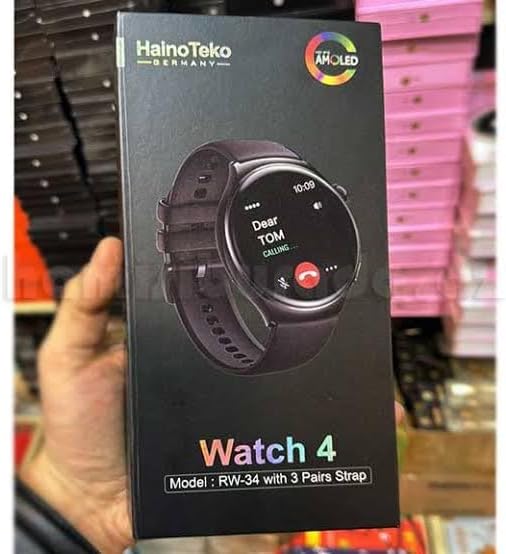
Image: The Haino Teko RW34 Smartwatch box, held in a hand, showcasing the product packaging.
Setup
1. Charging the Smartwatch
Before first use, fully charge your Haino Teko RW34 Smartwatch.
- Connect the wireless charging cable to a USB power adapter (not included).
- Place the back of the smartwatch onto the charging pad. Ensure the watch is properly aligned for charging to begin.
- The watch display will indicate charging status. A full charge typically takes approximately 2 hours.
2. Powering On/Off
- Power On: Press and hold the side button until the screen lights up.
- Power Off: Press and hold the side button, then select "Power Off" on the screen.
3. App Installation and Pairing
To unlock the full functionality of your smartwatch, pair it with your smartphone via the dedicated companion application.
- Scan the QR code provided in the watch's initial setup screen or search for the "Haino Fit" (example app name, assuming a common naming convention) app in your smartphone's app store (Google Play Store for Android, Apple App Store for iOS).
- Download and install the app.
- Open the app and follow the on-screen instructions to create an account or log in.
- Enable Bluetooth on your smartphone.
- In the app, navigate to "Add Device" or "Pair Device" and select "RW34" from the list of available devices.
- Confirm the pairing request on both your smartphone and the smartwatch.
Once paired, your smartwatch will synchronize data and notifications with your smartphone.
Operating the Smartwatch
1. Basic Navigation
- Touchscreen: Swipe up, down, left, or right to navigate through menus and notifications. Tap to select items.
- Side Button: Press to return to the home screen or wake the display. Press and hold for power options or to access a shortcut menu.
2. Key Features
- Notifications: Receive alerts for calls, messages, and app notifications directly on your wrist.
- Health Monitoring: Track your heart rate, steps taken, distance covered, and calories burned.
- Sports Modes: Access various sports modes to track specific activities.
- Music Control: Control music playback on your connected smartphone.
- Call Management: Answer or reject incoming calls directly from the watch.
- Customizable Watch Faces: Personalize your watch face through the companion app.
3. Strap Replacement
Your Haino Teko RW34 comes with three interchangeable straps (stainless steel, leather, silicone). To change a strap:
- Locate the quick-release pins on the underside of the strap where it connects to the watch body.
- Slide the pin inwards to detach the strap from the watch.
- Align the new strap with the watch lugs and slide the quick-release pin inwards.
- Release the pin once the strap is in place, ensuring it clicks securely into the watch body. Gently pull on the strap to confirm it is attached.
Maintenance
- Cleaning: Wipe the watch screen and body with a soft, damp, lint-free cloth. Avoid using harsh chemicals or abrasive materials.
- Water Resistance: While the watch may have some water resistance, avoid prolonged submersion or exposure to hot water/steam. Refer to product specifications for exact water resistance ratings.
- Storage: Store the watch in a cool, dry place when not in use.
Troubleshooting
| Problem | Solution |
|---|---|
| Watch does not power on. | Ensure the watch is fully charged. Connect it to the wireless charger for at least 30 minutes. |
| Cannot pair with smartphone. |
|
| Notifications are not received. |
|
| Inaccurate health data. | Ensure the watch is worn snugly on your wrist, not too tight or too loose. Clean the sensor on the back of the watch. |
Specifications
| Feature | Detail |
|---|---|
| Model Number | RW34 |
| Display | Large, High-Resolution AMOLED IPS |
| Connectivity | Bluetooth |
| Charging | Wireless Charging |
| GPS | No built-in GPS |
| Strap Material Options | Stainless Steel, Leather, Silicone |
| Item Shape | Square |
| Item Weight | 122 grams |
| Operating System | Smartwatch OS |
| Country of Origin | China |
Warranty and Support
The Haino Teko RW34 Smartwatch comes with a standard manufacturer's warranty. For detailed warranty information, please refer to the warranty card included in your product packaging or visit the official Haino Teko website.
For technical support, troubleshooting assistance, or service inquiries, please contact Haino Teko customer support through their official channels.


