
1. Introduction
Thank you for purchasing the Actualia C138 RC Helicopter. This 1/30 scale remote control aircraft is designed for enthusiasts aged 16 and above, offering stable flight and precise control. It features a 6-axis gyro system, altitude hold, and optical flow positioning for an enhanced flying experience. Please read this manual thoroughly before operating the helicopter to ensure safe and correct usage.
2. Safety Precautions
- Always operate the helicopter in open areas, away from people, animals, buildings, and power lines.
- Do not fly in strong winds or adverse weather conditions.
- Keep hands, face, and loose clothing away from rotating blades.
- Ensure the battery is fully charged before each flight.
- Never leave charging batteries unattended.
- This product is not a toy. It is intended for users aged 16 and above.
- Perform pre-flight checks before every use.
- In case of a crash, immediately cut power to the helicopter and inspect for damage.
3. Package Contents
Verify that all items listed below are included in your package:
- Helicopter (C138) x 1
- Remote Controller x 1
- Lithium Battery (7.4V) x 3
- USB Charger x 1
- Main Rotors x 2 (spare)
- Tail Rotor x 1 (spare)
- Screwdriver x 1
- Hex Wrench x 1
- Instruction Manual x 1
4. Product Overview and Features
The Actualia C138 RC Helicopter is engineered for stable and precise flight control. Key features include:
- 6-Axis Gyro System: Ensures ultra-stable flight and easy maneuverability.
- 6CH Design with 3 Digital Servos: Provides precise control for various flight actions.
- Barometer Altitude Hold: Maintains a steady altitude automatically.
- Optical Flow Positioning: Enhances stability and precise hovering.
- One-Key Takeoff/Landing: Simplifies operation for beginners.
- Advanced Protections: Includes low voltage alarm, stuck protection, and loss control protection.
- Modular Battery: For convenient replacement and charging.

Image 1: Diagram illustrating the C138 helicopter's automatic stabilization system and key features like barometric height setting, 6-axis gyroscope, easy maintenance, high simulation modeling, one-key lift, three-speed control, aileron-free design, modular battery, multidirectional flight, optical flow positioning, and easy modification.
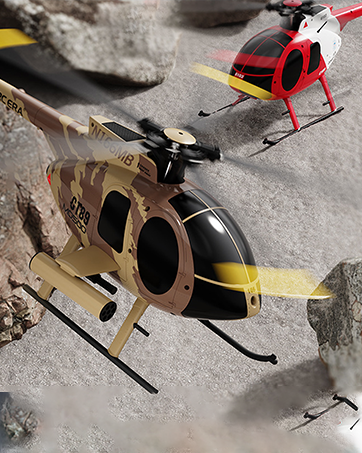
Image 2: Illustration showing the C138 helicopter's one-click takeoff and landing feature, highlighting its ease of use for beginners, and intelligent anti-stuck protection to prevent propeller damage.
5. Setup
5.1 Battery Installation and Charging
- Insert the 7.4V Lithium Battery into the helicopter's battery compartment. Ensure it is securely connected.
- Connect the USB Charger to the battery.
- Plug the USB Charger into a compatible USB power source (e.g., computer, USB wall adapter).
- The charging indicator light will show the charging status. Charging time is approximately 50-60 minutes.
- Once fully charged, disconnect the battery from the charger.
5.2 Remote Controller Setup
- Install appropriate batteries (not included) into the remote controller.
- Turn on the remote controller.
- Turn on the helicopter.
- The remote controller and helicopter will automatically pair. Wait for the indicator lights to stabilize.
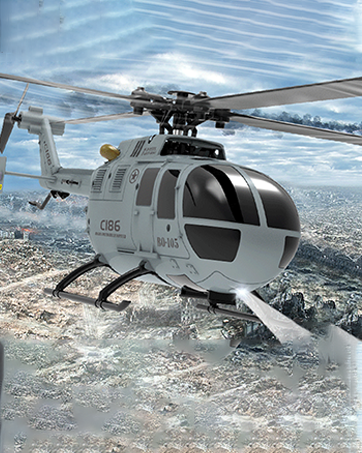
Image 3: The standard remote control unit for the C138 RC Helicopter, showing its various joysticks and buttons for flight control.
6. Operating Instructions
6.1 Basic Flight Controls
Familiarize yourself with the remote controller's functions:
- Throttle Stick (Left Stick): Controls ascending (push up) and descending (pull down).
- Directional Stick (Right Stick): Controls forward/backward movement (push up/down) and left/right movement (push left/right).
- Rudder Trim: Adjusts yaw (rotation) to keep the helicopter stable.
- One-Key Takeoff Button: Initiates automatic takeoff to a stable hover.
- One-Key Landing Button: Initiates automatic landing.
6.2 Flight Modes and Adjustments
The C138 offers multiple speed adjustments for different skill levels:

Image 4: Visual representation of the C138 helicopter's three-speed adjustment settings (low, moderate, high) and its six-channel variable pitch structure with three steering engines, designed for wind resistance and stable flight.
- Low Speed: Recommended for beginners and indoor flight.
- Moderate Speed: For intermediate pilots.
- High Speed: For experienced pilots and outdoor flight.
Use the speed adjustment button on the remote controller to cycle through these modes.
6.3 Special Functions
- Altitude Hold: The helicopter will automatically maintain its current altitude when the throttle stick is released to the center position.
- Optical Flow Positioning: Assists in maintaining a stable position, especially indoors or in areas with clear ground patterns.
- Stunt Maneuvers: The 6CH design allows for advanced maneuvers such as flight path flying, rotating left/right, and other stunt actions. Refer to the remote controller diagram for specific button functions.
Video 1: An official product video demonstrating the flight capabilities and stability of the C138 RC Helicopter. The video shows the helicopter taking off, hovering, and performing various controlled movements, highlighting its ease of control and smooth operation.
7. Maintenance
- Cleaning: Use a soft, dry cloth to clean the helicopter and remote controller. Do not use water or chemical cleaners.
- Blade Inspection: Regularly check main and tail rotors for damage. Replace any bent or cracked blades with the provided spares.
- Battery Care: Store batteries in a cool, dry place. Do not overcharge or over-discharge. If storing for extended periods, charge to approximately 50%.
- Storage: When not in use, store the helicopter and remote controller in a safe place, away from direct sunlight and extreme temperatures.
8. Troubleshooting
| Problem | Possible Cause | Solution |
|---|---|---|
| Helicopter does not respond to remote. | Low battery in helicopter or remote; not paired. | Charge helicopter battery; replace remote batteries; re-pair helicopter and remote. |
| Helicopter flies erratically or drifts. | Uncalibrated gyro; damaged blades; strong wind. | Recalibrate gyro (refer to remote control instructions); replace damaged blades; fly in calm conditions. |
| Short flight time. | Battery not fully charged; aging battery. | Ensure full charge; consider replacing battery if performance degrades significantly. |
| One-Key Takeoff/Landing not working. | Obstruction; low battery. | Ensure clear takeoff/landing area; check battery level. |
9. Specifications

Image 5: A diagram detailing the product parameters of the C138 helicopter, including its dimensions (rotor diameter, fuselage length, fuselage height), material composition, applicable age, product functions, remote control distance, battery capacity, and charging time.
| Parameter | Value |
|---|---|
| Model | BELL 206 (C138) |
| Material | PA/PC (Composite engineering materials/electronic components) |
| Rotor Diameter | 306mm |
| Fuselage Dimensions | 306 x 79 x 101mm (12.28 x 3.11 x 3.98 inches) |
| Helicopter Weight | 105g (400g total product weight) |
| Helicopter Battery | 7.4V Lithium Battery (7.4V350mAh) |
| RC Distance | 80-200m |
| Charging Time | 50-60 minutes |
| Usage Time | 10-13 minutes |
| Recommended Age | 16+ years |
10. Warranty and Support
For warranty information and technical support, please refer to the contact details provided with your purchase documentation or visit the official Actualia website. Keep your purchase receipt as proof of purchase for any warranty claims.
If you encounter any issues not covered in this manual, please contact Actualia customer service for assistance.