
1. Introduction
This manual provides essential information for the safe and efficient use of your GIONIEN 30 Inch 4 Burner Electric Induction Cooktop, Model GITS472. Please read these instructions thoroughly before installation and operation, and retain this manual for future reference. Proper installation, operation, and maintenance are crucial for optimal performance and safety.
2. Safety Information
General Safety Precautions:
- Ensure the cooktop is installed by a qualified electrician in accordance with local electrical codes.
- Do not operate the cooktop if the ceramic glass surface is cracked or broken. Contact service immediately.
- Keep children away from the cooktop during operation and while it is cooling down. Utilize the Child Lock feature.
- Do not store flammable materials on or near the cooktop.
- Use only cookware compatible with induction cooking (magnetic base).
- The cooktop features a Residual Heat Indicator and Automatic Shut-Off for enhanced safety.
Electrical Requirements:
- This appliance requires a 220-240V, 7200W electrical supply.
- The connection is a two-wire plus ground system; a neutral wire is not required.
3. Product Overview
The GIONIEN Induction Cooktop Model GITS472 is a 30-inch, 4-burner electric cooktop designed for drop-in installation. It features a smooth ceramic glass surface, touch controls, and various cooking functions.
Cooktop Layout

Figure 3.1: Top-down view of the GIONIEN 30 Inch 4 Burner Electric Induction Cooktop, showing four cooking zones and the central control panel.
Control Panel Functions
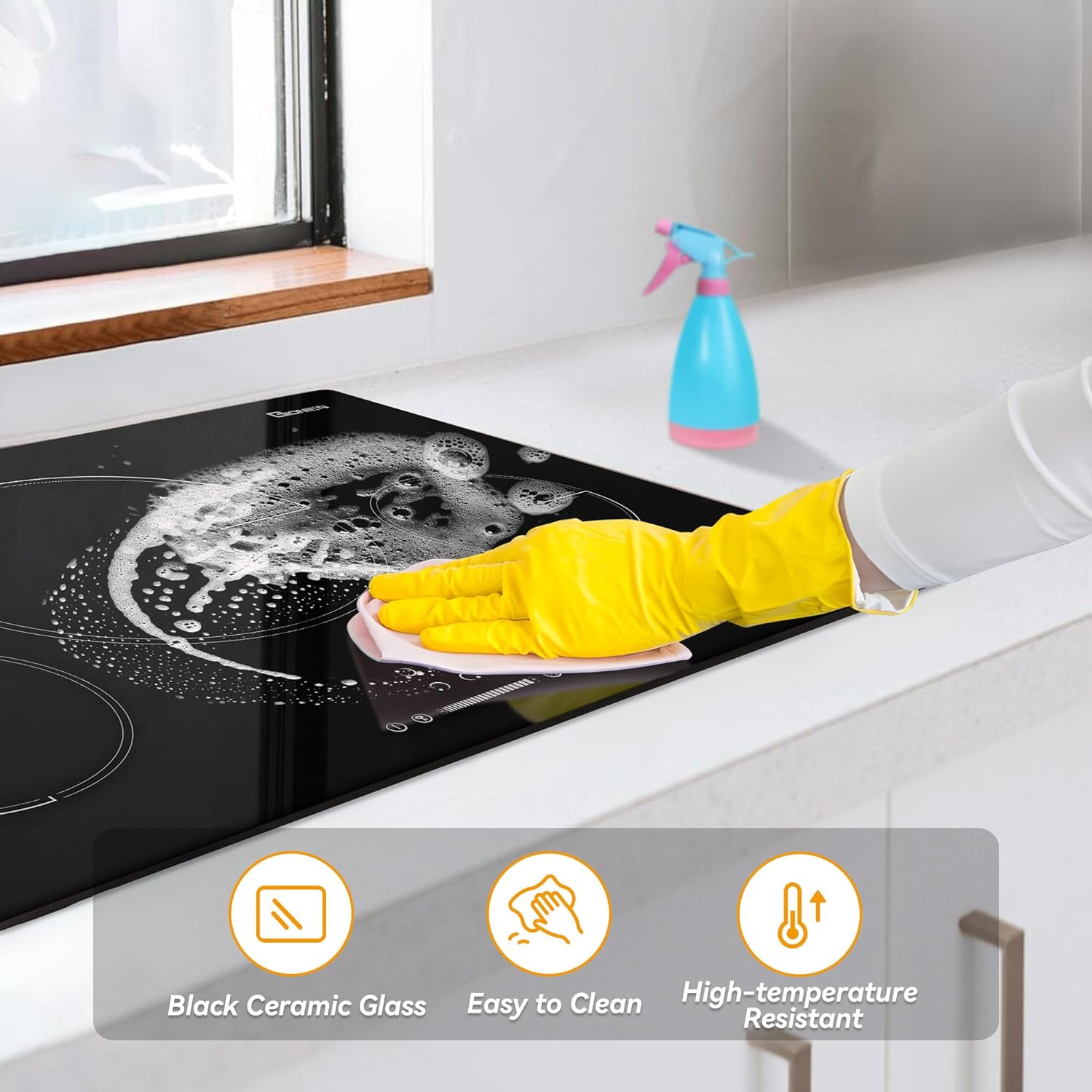
Figure 3.2: Detailed view of the cooktop's touch control panel, indicating the Zone Select Key, ON/OFF Key, Child Lock Key, Timer/Pause Key, Boost Control/Keep Warm Key, and Power/Timer Slider Regulating Key.
Compatible Cookware
Induction cooktops require cookware with a magnetic base. Use a magnet to test if your pots and pans are compatible. If the magnet sticks to the bottom, the cookware is suitable for induction.

Figure 3.3: Examples of compatible cookware (iron pot, stainless steel pot, enameled iron, composite bottom pot) and incompatible cookware (glass pot, copper pot, aluminum pot, ceramic cookware).
4. Setup and Installation
This cooktop is designed for drop-in installation into a countertop. Ensure adequate ventilation space around the appliance as specified in the installation diagram.
Dimensions and Electrical Connection

Figure 4.1: Installation diagram detailing the cooktop's overall dimensions (20.47"D x 30.31"W x 2.08"H) and cutout requirements. Also shown are electrical connection options for 220-240V hard-wired setup, including ground, L1, and L2 wires.
Installation Steps:
- Prepare the countertop cutout according to the dimensions provided in Figure 4.1.
- Ensure the electrical supply meets the specified voltage and wattage requirements (220-240V, 7200W).
- Connect the cooktop to the electrical supply following the wiring diagram. This connection should be performed by a certified electrician.
- Carefully lower the cooktop into the cutout, ensuring it sits flush with the countertop.
- Secure the cooktop using the provided mounting clips or brackets.
5. Operating Instructions
The GIONIEN Induction Cooktop features intuitive touch controls for easy operation.
Basic Operation
- Power On/Off: Touch the ON/OFF key to turn the cooktop on or off.
- Select Cooking Zone: After powering on, touch the Zone Select key for the desired burner.
- Adjust Power Level: Use the Power/Timer Slider Regulating key to set the power level from 1 to 9.
Special Functions
- Power Boost: Touch the Boost Control key (P) to activate maximum power for rapid heating. This function is time-limited and will automatically reduce power after a set period.
- Timer Function: Touch the Timer key and use the slider to set a cooking duration (1-99 minutes). The cooktop will automatically shut off the selected zone when the timer expires.
- Pause Function: Touch the Pause key to temporarily stop cooking on all active zones. Touch it again to resume.
- Child Lock: Touch and hold the Child Lock key to lock the control panel, preventing accidental operation. Repeat to unlock.
- Keep Warm Function: Touch the Keep Warm key to maintain a low temperature for keeping food warm.

Figure 5.1: The cooktop in operation, illustrating its capacity for various cooking styles across four burners with 9 power settings.

Figure 5.2: User interacting with the slider-touch controls for precise temperature adjustment.
6. Maintenance and Cleaning
Regular cleaning and maintenance will ensure the longevity and performance of your cooktop.
Cleaning the Ceramic Glass Surface

Figure 6.1: Demonstrating the ease of cleaning the black ceramic glass surface, which is also high-temperature resistant.
- Always allow the cooktop to cool completely before cleaning.
- Wipe spills immediately with a damp cloth.
- For stubborn stains, use a ceramic cooktop cleaner and a non-abrasive sponge or scraper (one scraper is included with your cooktop).
- Avoid using abrasive pads, harsh chemicals, or sharp objects that could scratch the surface.
- Ensure the control panel is dry before operating to prevent malfunctions.
7. Troubleshooting
If you encounter issues with your cooktop, refer to the following common problems and solutions:
| Problem | Possible Cause | Solution |
|---|---|---|
| Cooktop does not turn on. | No power supply; Child Lock activated. | Check circuit breaker. Deactivate Child Lock. |
| Cooktop displays 'E1' error. | Internal error or malfunction. | Turn off power at the breaker for a few minutes, then restore. If error persists, contact support. |
| Cooking zone not heating. | Incompatible cookware; no pot detected. | Use induction-compatible cookware. Ensure pot is centered on the zone. |
| Controls unresponsive. | Wet control panel; Child Lock activated. | Ensure control panel is dry. Deactivate Child Lock. |
For issues not listed here or if problems persist, please contact customer support.
8. Specifications
| Feature | Specification |
|---|---|
| Brand | GIONIEN |
| Model | GITS472 |
| Installation Type | Drop-In |
| Dimensions (L x W x H) | 30.31 x 20.47 x 2.08 inches |
| Item Weight | 27.8 pounds |
| Voltage | 220-240 Volts |
| Wattage | 7200 watts |
| Heating Elements | 4 Induction Burners |
| Material Type | Ceramic Glass |
| Special Features | Pause Function, Keep Warm Function, Boost Function, Timer, Hot Surface Indicator, Automatic Shut-Off, Child Lock |
| Included Components | 30 Inch Induction Cooktop, Instruction Manual, Scraper |
9. Warranty and Support
For warranty information and customer support, please refer to the documentation included with your purchase or contact the retailer/manufacturer directly. Ensure you have your model number (GITS472) and purchase date available when seeking support.