
xuanshaigundong P10 106*20 CM
P10 Programmable LED Sign User Manual
Model: P10 106*20 CM
Brand: xuanshaigundong
1. Important Notice and Initial Setup
Thank you for choosing the xuanshaigundong P10 Programmable LED Sign. For optimal performance and to avoid common issues, please read this manual carefully.
Urgent Notice: Some users have encountered operational issues due to outdated manuals. Please contact the seller to obtain the latest manual and ensure smooth, error-free operation. This is especially important for software settings and resolving garbled text displays.
Package Contents:
- P10 Programmable LED Sign (106*20 CM)
- Power Adapter (US Plug)
- Hanging Rings/Mounting Hardware
- USB Cable (for USB control option)
- User Manual (this document)

Figure 1: Key components of the P10 Programmable LED Sign, including mounting hardware, power plug, USB port, and internal chip design.
Initial Power-On:
- Unpack the LED sign and all accessories carefully.
- Connect the power adapter to the LED sign's power input port.
- Plug the power adapter into a standard electrical outlet. The sign should power on and display a default message or pattern.
Software Settings Correction:
If you encounter garbled text or display issues, it is crucial to verify and adjust the software settings. The software offers two formats based on the S/N number found on the back panel of your display.
- If the last digits of the S/N number are 41, please select scan number 41 in the software.
- If the last digits of the S/N number are 415, please select scan number 415.
Additionally, adjust the width and height settings in the software according to the actual size of your product (106*20 CM or 40*8 inch) to ensure optimal display performance.

Figure 2: Software settings interface for the P10 40x8 inch LED sign, crucial for correcting display issues and ensuring proper functionality.
2. Operating the LED Sign
The P10 Programmable LED Sign offers flexible control options via WiFi and USB, allowing for dynamic content management.
Control Options:
- WiFi Control: Connect the LED display to your mobile phone or computer via WiFi. This allows for convenient remote updates of information and display content.
- USB Control: For direct content transfer, use a USB drive. This method is ideal for pre-prepared content or when WiFi is not available.

Figure 3: The LED sign can be easily controlled using WiFi from a smartphone or computer, or via USB for direct content transfer.
Content Editing and Programming:
The sign supports multi-program editing with dynamic font features, enabling engaging and visually impactful messages.
- Text Editing: Create vibrant text messages with various font styles, sizes, and colors.
- Dynamic Effects: Utilize scrolling, flashing, and other dynamic effects to capture attention.
- Multi-Program Support: Schedule multiple programs to run at different times or in sequence, allowing for diverse messaging throughout the day.
- Background Settings: Customize background colors and patterns to enhance your messages.

Figure 4: The software interface provides extensive options for customizing display content, including text, colors, and program settings.
Brightness Adjustment:
The display brightness can be adjusted to ensure perfect visibility in various indoor and outdoor environments, day or night.

Figure 5: Adjust the display brightness to suit any environment, ensuring clear visibility 24/7.
3. Maintenance
The P10 Programmable LED Sign is designed for durability and minimal maintenance, especially for outdoor use.
Waterproof and Dustproof Design:
With an IP65 waterproof and dustproof rating, the sign is built to withstand various outdoor environments, ensuring stable operation regardless of rain or dust. IP65 indicates complete protection against contact and dust, and protection against water jets from any direction.

Figure 6: The IP65 rating ensures the LED sign is protected from dust and water, making it suitable for outdoor installation.

Figure 7: The LED display is designed to operate reliably in various weather conditions, including rain.
Cleaning Instructions:
- Ensure the sign is powered off before cleaning.
- Gently wipe the display surface with a soft, damp cloth. Avoid abrasive cleaners or excessive moisture.
- For stubborn dirt, a mild, non-abrasive cleaning solution can be used sparingly.
- Allow the sign to dry completely before powering it back on.
4. Troubleshooting
This section addresses common issues you might encounter with your LED sign.
Common Issues and Solutions:
| Problem | Possible Cause | Solution |
|---|---|---|
| Sign does not power on. | No power supply; faulty power adapter/cable. | Check power connection and outlet. Ensure power adapter is securely connected. Try a different outlet. |
| Garbled text or incorrect display. | Incorrect software settings (S/N, width/height); outdated manual. | Refer to the "Software Settings Correction" in Section 1. Contact the seller immediately for guidance and the latest manual if issues persist. |
| Cannot connect via WiFi. | Incorrect WiFi password; out of range; network interference. | Ensure correct WiFi password. Move closer to the sign. Check for other devices causing interference. Restart the sign and your control device. |
| USB content not displaying. | Incorrect file format; USB drive not properly inserted; corrupted files. | Ensure content is in a compatible format. Re-insert USB drive. Try a different USB drive or re-save files. |
If you encounter any issues not listed here or if the suggested solutions do not resolve the problem, please do not hesitate to contact our customer support team.
5. Specifications
| Feature | Detail |
|---|---|
| Model | P10 |
| Dimensions (Product) | 106*20 CM (approximately 40"L x 8"W) |
| Item Weight | 10.18 pounds (4.62 kg) |
| Color | Full color RGB |
| Material | Aluminum |
| Mounting Type | Wall Mount (Hanging Rings included) |
| Light Type | LED |
| Ingress Protection (IP) Rating | IP65 (Dustproof & Waterproof) |
| Control Options | WiFi, USB |
| Certifications | FCC certified, UL tested |
| Recommended Uses | Indoor and outdoor decoration and advertising |
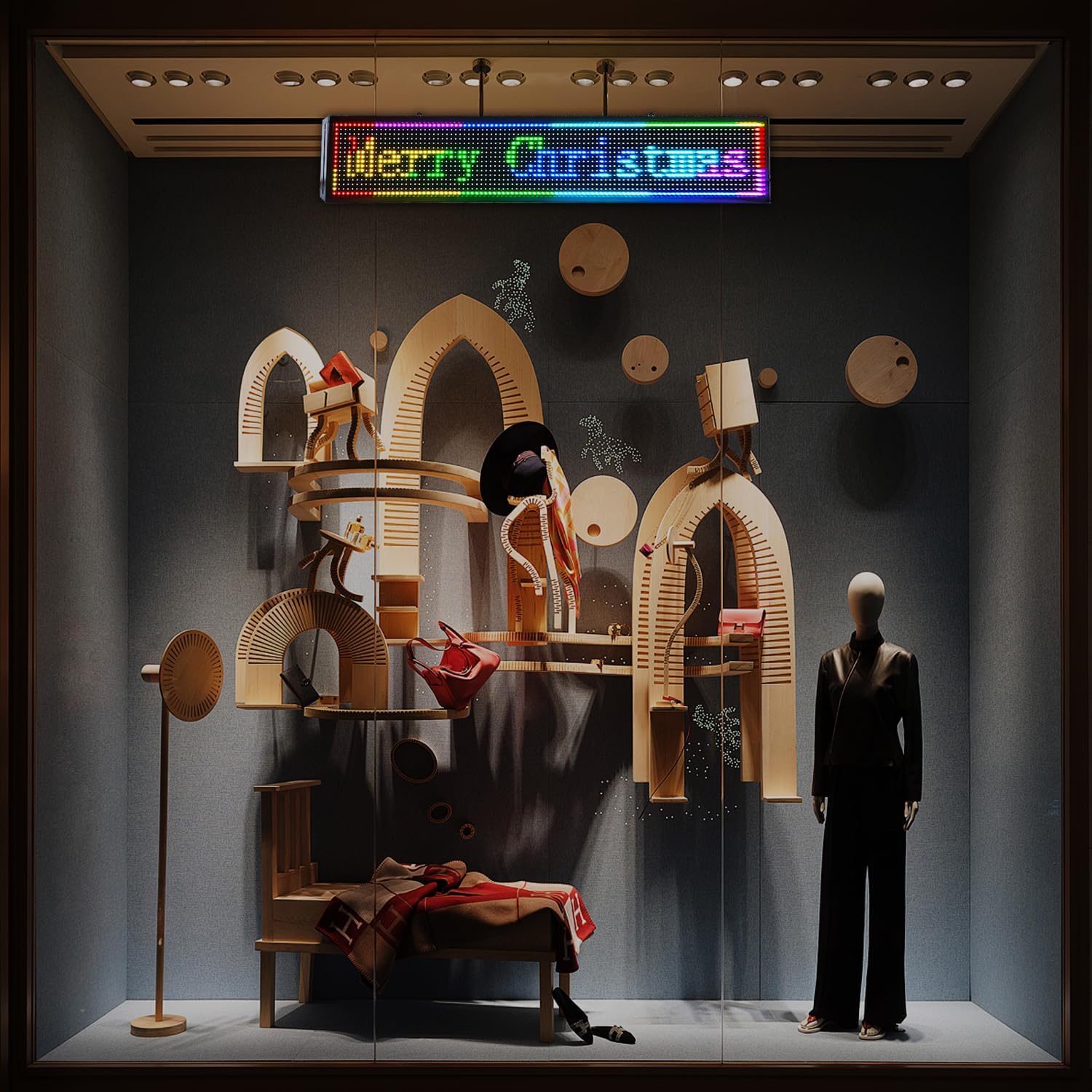
Figure 8: Detailed dimensions and weight of the LED sign, highlighting its compact and robust design.
6. Warranty and Support
Your xuanshaigundong P10 Programmable LED Sign comes with comprehensive support and warranty coverage.
Warranty Information:
The product includes a 2-year warranty, ensuring your purchase is worry-free. This warranty covers manufacturing defects and ensures reliable usage.
Customer Support:
We offer 24-hour after-sale support. If you have any questions about the use of your LED display, encounter any issues, or require technical assistance, please feel free to contact us.
Please refer to the instruction manual (or the updated manual obtained from the seller) for specific contact details. We are committed to replying to your inquiries within 24 hours.
For the most convenient guidance, especially regarding garbled display problems, please contact the seller immediately.
Ask a question about this manual
Ask about setup, troubleshooting, compatibility, parts, safety, or missing instructions. Manuals+ will review the question and use this page’s manual context to help answer it.