
podofo 10.26inch Wireless Carplay Screen for Car
podofo 10.26-inch Wireless Carplay Screen User Manual
Model: 10.26inch Wireless Carplay Screen for Car
1. Introduction
The podofo 10.26-inch Wireless Carplay Screen is a portable car stereo designed to enhance your driving experience. It features a 1080P IPS touch screen and offers seamless integration with your smartphone through wireless Apple CarPlay, Android Auto, and MirrorLink. This device provides access to navigation, music, calls, and more, all controllable via voice commands. It also includes a 1080P front camera for video recording and supports various audio output methods.

Image: Overview of the 10.26-inch HD IPS Carplay Screen highlighting its features.
2. Package Contents
Please verify that all items listed below are included in your package:
- Portable Wireless Carplay Car Stereo (10.26-inch screen with integrated front camera)
- 64GB TF Card
- Power Cord (for cigarette lighter connection)
- 2.5mm Video Cable (for optional rear camera, not included)
- Monitor Base / Bracket
- Bracket Fixing Stickers
- User Manual
- Radio Cable (AUX cable)

Image: Visual representation of the product dimensions and all components included in the package.
3. Product Overview
The podofo Carplay Screen features a sleek design with a 10.26-inch IPS touch display. The integrated 1080P front camera is positioned at the top of the unit. On the side, you will find various ports for connectivity and expansion.
- 3.5mm AUX Port: For connecting to your car's audio system via an AUX cable.
- SD Card Slot: For inserting the provided 64GB TF card for video recording and media playback.
- AV IN Port: For connecting an external video source, typically a rear camera.
- Type-C Slot: For power input.

Image: Front view of the podofo Carplay Screen, illustrating its main components and accessories.
4. Setup and Installation
4.1 Mounting Options
The device offers flexible installation methods to suit various vehicle dashboards. It comes with a monitor base for stable placement. An optional telescopic support bracket is available for separate purchase, allowing for adjustable angles and positioning.

Image: Examples of the Carplay Screen installed in different vehicles, showcasing its universal compatibility and adjustable mounting.

Image: Various installation methods for the device, including different bracket types and angle adjustments.
4.2 Power Connection
Connect the provided power cord to the Type-C slot on the device and plug the other end into your vehicle's cigarette lighter socket. The device is compatible with voltages from 7V to 32V, making it suitable for cars, trucks, vans, buses, and pickups.
4.3 Camera and TF Card Installation
The device comes with a 1080P front camera integrated into the unit. For video recording, insert the included 64GB TF card into the designated SD card slot on the side of the unit. If you have an optional rear camera, connect it to the AV IN port using the 2.5mm video cable.
5. Operating Instructions
5.1 Wireless CarPlay and Android Auto
To use Wireless CarPlay or Android Auto, ensure your smartphone's Bluetooth is enabled. Pair your phone with the podofo device via Bluetooth. Once connected, the system will automatically launch CarPlay or Android Auto, allowing you to access navigation, make calls, send messages, and play music directly from the screen.

Image: Wireless CarPlay and Android Auto functionality with voice control.
5.2 MirrorLink Function
The MirrorLink feature allows you to wirelessly mirror your smartphone's screen onto the 10.26-inch display. This is ideal for watching videos or viewing content from your phone directly on the larger screen.
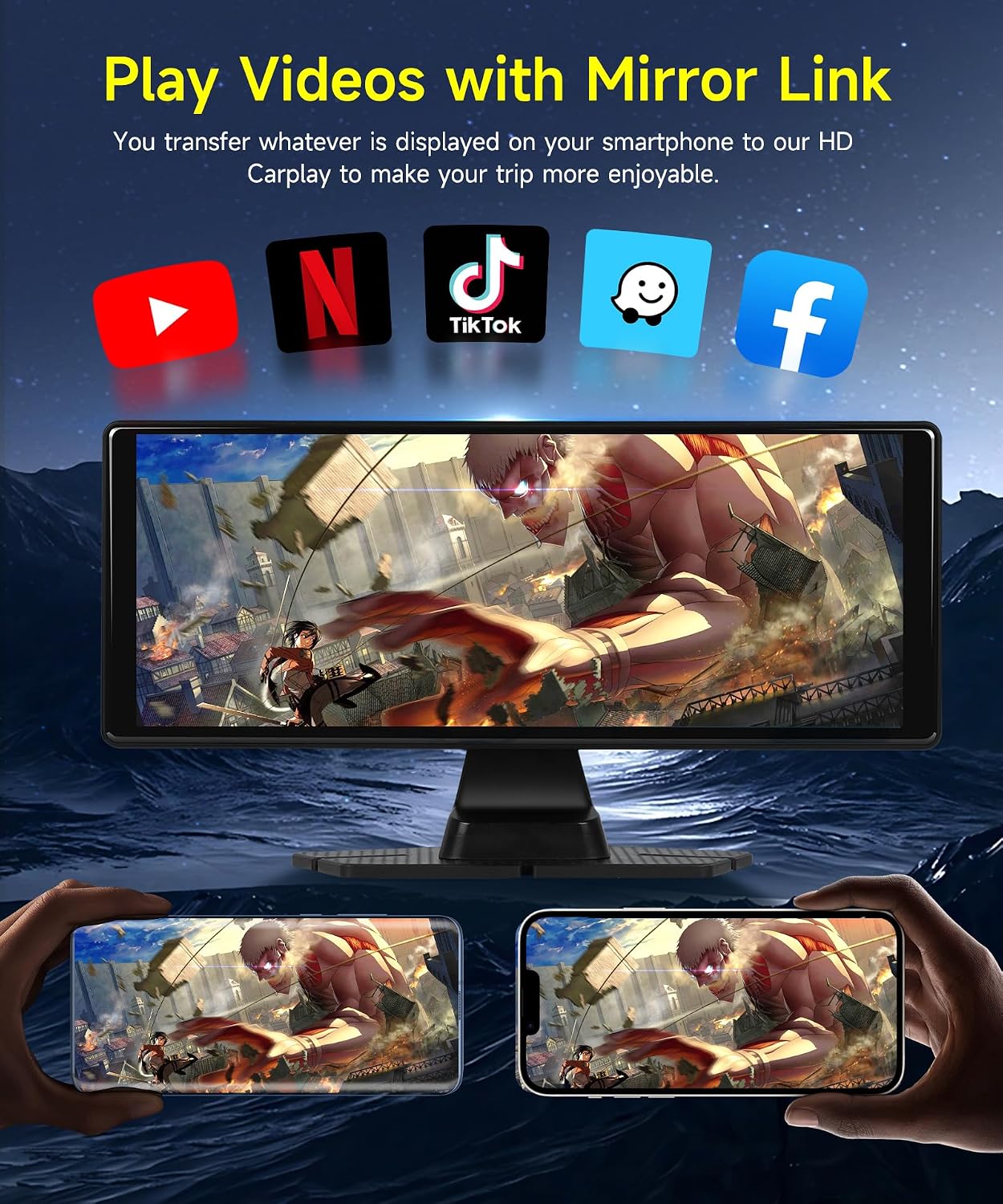
Image: MirrorLink in action, displaying smartphone content on the Carplay screen.
5.3 Audio Output Options
The device offers multiple ways to output audio:
- Built-in Speaker: The unit has an integrated speaker for direct audio output.
- FM Synchronization: Transmit audio to your car's radio by tuning both the device and your car's radio to the same FM frequency.
- AUX Cable: Connect the device to your car's AUX input using the provided radio cable for a wired audio connection.
- Bluetooth: Enjoy stable and high-quality stereo sound by connecting your phone via Bluetooth to the Carplay or Android Auto system.

Image: Different audio output methods available for the device.
5.4 Voice Control
Utilize Siri or Google Assistant for hands-free control. Once connected to your phone, you can use voice commands to navigate, make calls, play music, and access other functions without taking your hands off the wheel.

Image: Smart Voice Control features for hands-free operation.
5.5 Video Recording and Loop Recording
The integrated 1080P front camera supports automatic video recording. The included 64GB TF card stores the footage. When the card's space is full, the system automatically overwrites the oldest recordings, ensuring continuous recording without manual intervention. This feature enhances driving safety by documenting road details.

Image: Full HD Front Camera capabilities, including DVR loop recording.

Image: Explanation of the Loop Recording feature.
5.6 Split Screen and Reversing Camera
The device supports a split-screen display, allowing you to view navigation or media alongside camera feeds. If a rear camera is connected, the screen can automatically switch to the rear view when reversing, providing assistance for parking and maneuvering.

Image: Split screen display with front and rear camera views.

Image: Key features of the reversing camera.
6. Maintenance
To ensure the longevity and optimal performance of your podofo Carplay Screen, follow these maintenance guidelines:
- Cleaning the Screen: Use a soft, lint-free cloth to gently wipe the screen. For stubborn smudges, slightly dampen the cloth with water or a screen-cleaning solution. Avoid harsh chemicals or abrasive materials.
- Cleaning the Unit: Wipe the exterior of the unit with a dry or slightly damp cloth. Do not allow liquids to enter the ports or openings.
- Temperature: Avoid exposing the device to extreme temperatures, both hot and cold, for extended periods.
- Storage: If storing the device for a long time, disconnect it from power and store it in a cool, dry place.
7. Troubleshooting
If you encounter issues with your podofo Carplay Screen, please refer to the table below for common problems and their solutions.
| Problem | Possible Cause | Solution |
|---|---|---|
| Device does not power on. | No power from cigarette lighter; loose connection. | Ensure the power cord is securely plugged into both the device and the cigarette lighter. Check if the cigarette lighter socket is functional. |
| Wireless CarPlay/Android Auto disconnects frequently. | Weak Bluetooth/Wi-Fi signal; interference; phone settings. | Ensure your phone is close to the device. Check for other devices causing interference. Restart both the device and your phone. Verify phone's Wi-Fi and Bluetooth settings. |
| Poor audio quality via FM transmission or AUX. | FM interference; faulty AUX cable; incorrect frequency. | For FM, try a different, clear frequency. For AUX, ensure the cable is fully inserted and not damaged. Consider using Bluetooth audio if available. |
| MirrorLink not working or app issues. | App compatibility; phone settings; outdated app. | Ensure the MirrorLink app on your phone is up-to-date and compatible with the device. Check your phone's mirroring settings. |
| Video recording issues (e.g., not recording, corrupted files). | TF card full or corrupted; camera lens obstructed. | Ensure the 64GB TF card is properly inserted. Format the TF card (this will erase all data). Clean the camera lens. |
8. Specifications
Detailed technical specifications for the podofo 10.26-inch Wireless Carplay Screen:
| Feature | Detail |
|---|---|
| Screen Size | 10.26 Inches |
| Display Type | 1080P IPS Touch Screen |
| Connectivity Technology | Bluetooth, FM Transmit, AUX |
| Special Features | Wireless Carplay, Android Auto, MirrorLink, Voice Control, 1080P Front Camera, Loop Recording |
| Included Components | Portable Wireless Carplay Car Stereo, 64GB TF Card |
| Mounting Type | Desk Mount (adjustable) |
| Color | Black |
| Control Method | Touch |
| Operating Voltage | 7V to 32V |
| Item Weight | 1.76 pounds |
| Package Dimensions | 9.84 x 4.33 x 3.94 inches |
9. Warranty and Customer Support
podofo offers comprehensive support for your product:
- Money-Back Guarantee: 30-day money-back policy.
- Replacement Warranty: 24-month replacement warranty.
- Technical Support: Life-time technical support is provided.
For any questions or assistance, please contact podofo customer service. We are committed to responding within 18 hours to help resolve any issues you may encounter.
Ask a question about this manual
Ask about setup, troubleshooting, compatibility, parts, safety, or missing instructions. Manuals+ will review the question and use this page’s manual context to help answer it.