
1. Introduction
The CUKTECH 45W Power Bank 20000mAh (Model: PB200N) is a high-capacity portable charger designed for fast and efficient power delivery to a wide range of electronic devices. Featuring a massive 20,000mAh capacity, 45W MAX output, and a convenient built-in USB-C cable, this power bank is an ideal solution for keeping your devices charged on the go. It supports simultaneous charging of up to three devices and includes a unique trickle charging mode for low-power gadgets.

Image: The CUKTECH 45W Power Bank 20000mAh, highlighting its large 20,000mAh capacity and ability to provide multiple charges to various devices.
2. Package Contents
- CUKTECH 45W Power Bank 20000mAh (Model: PB200N)
- User Manual
3. Product Overview
The CUKTECH PB200N features a sleek design with a digital display and multiple ports for versatile charging. It includes a unique built-in USB-C cable for convenience.

Image: The CUKTECH 45W Power Bank 20000mAh in white, showcasing its compact design and integrated USB-C cable.

Image: A close-up view of the input and output ports on the CUKTECH 45W Power Bank, including USB-A and USB-C ports.
Video: A brief overview of the CUKTECH CP25 45W 20,000mAh Power Bank, highlighting its design and features.
4. Setup
4.1 Initial Charging of the Power Bank
Before first use, fully charge your CUKTECH 45W Power Bank. Connect the built-in USB-C cable or an external USB-C cable to a 45W or higher PD charger. The digital display will show the charging progress. The power bank fully recharges in approximately 4 hours using a compatible 45W or higher PD charger.

Image: The CUKTECH 45W Power Bank 20000mAh being self-charged via its built-in USB-C cable, illustrating its 40W MAX self-recharging capability.
5. Operating Instructions
5.1 Charging Devices
The power bank offers multiple ways to charge your devices efficiently.
- 45W MAX Super Fast Charging: Connect your device to one of the USB-C output ports for rapid charging. This is ideal for compatible smartphones (e.g., iPhone 16/15 Pro Max, Samsung Galaxy S24 Ultra) and laptops (e.g., MacBook Air).
- Built-in USB-C Cable: Utilize the integrated USB-C cable for convenient charging without needing an extra cable. This cable supports 45W MAX high-speed charging.
- Charging 3 Devices Simultaneously: The power bank features 3 output ports (2 USB-C, 1 USB-A) allowing you to charge up to three devices at the same time.
- Unique Trickle Charging Mode: For low-power gadgets like headphones or smartwatches, double-click the power button to activate trickle charging mode. This mode provides continuous low-power output for 2 hours. Single-click the button to exit.

Image: The CUKTECH 45W Power Bank 20000mAh demonstrating its 45W MAX fast charging, capable of charging a Galaxy S24 Ultra to 50% in 20 minutes.

Image: The CUKTECH 45W Power Bank 20000mAh illustrating its portable design with the built-in USB-C cable also serving as a convenient carry loop.

Image: The CUKTECH 45W Power Bank 20000mAh simultaneously charging a smartphone, a tablet, and a smartwatch, demonstrating its multi-device charging capability.
5.2 Digital Display
The integrated smart LED digital display provides real-time information about the remaining battery power. Press the power button once to activate the display and check the current charge level.
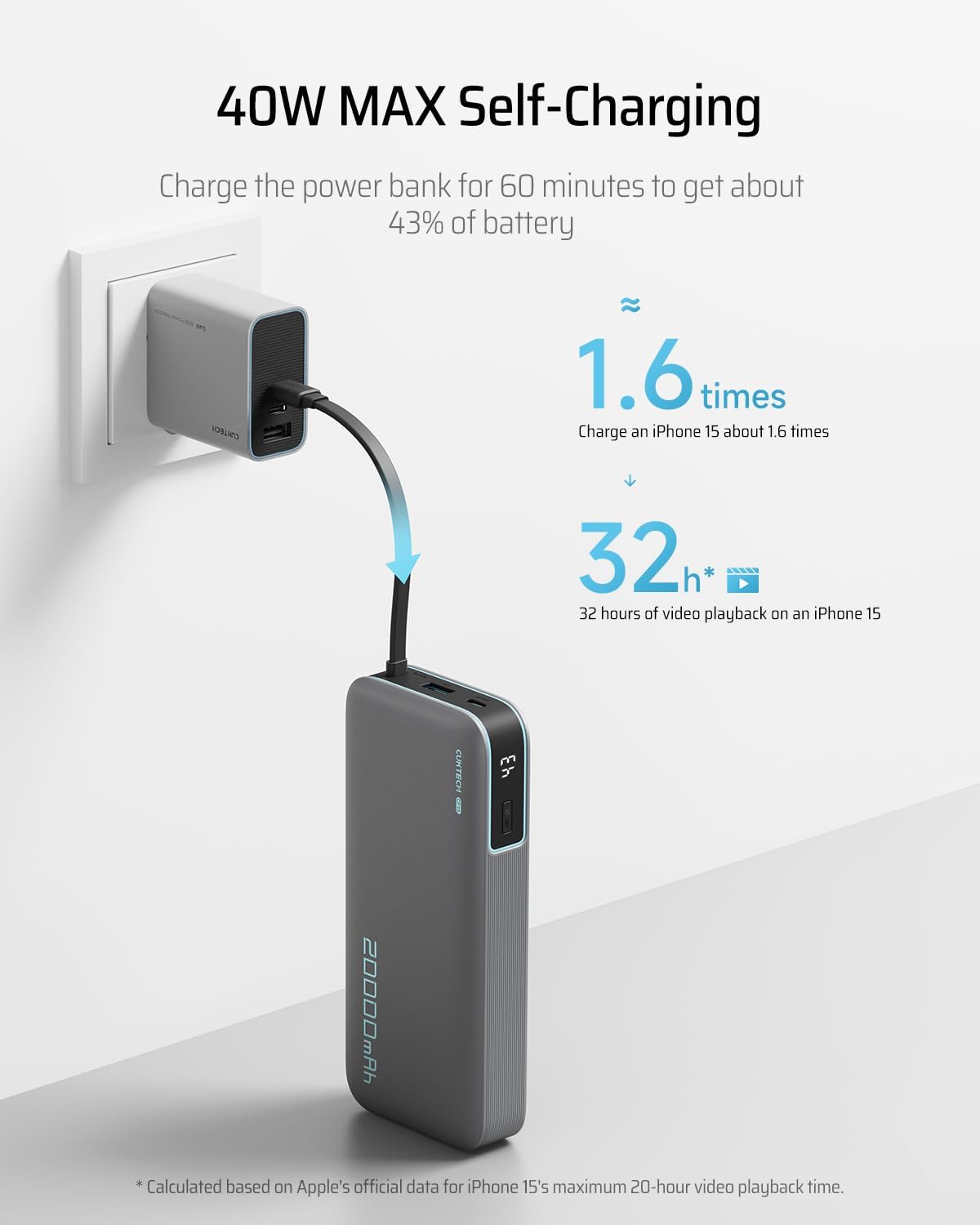
Image: A close-up of the digital display on the CUKTECH 45W Power Bank 20000mAh, showing the battery percentage.
6. Maintenance
- Keep the power bank in a dry place, at room temperature.
- Avoid exposing the device to extreme temperatures, direct sunlight, or high humidity.
- Clean the device with a soft, dry cloth. Do not use harsh chemicals or abrasive materials.
- Do not disassemble, hit, crush, or throw the power bank into fire.
- If the battery is swollen, discontinue use immediately.
7. Troubleshooting
- Device not charging: Ensure the power bank is sufficiently charged. Verify that the charging cable is securely connected to both the power bank and the device. Check if the device requires trickle charging mode.
- Power bank not recharging: Ensure the charging adapter is 45W or higher and compatible with PD (Power Delivery) protocol. Check the USB-C cable connection.
- Trickle charging mode not activating/deactivating: Double-click the power button to activate. Single-click to deactivate. Ensure the power bank is not in a high-power charging cycle.
8. Specifications
| Feature | Detail |
|---|---|
| Model Number | PB200N |
| Battery Capacity | 20000mAh |
| Max Output | 45W |
| Self-Recharging Power | 40W |
| Built-in Cable | USB-C (Input/Output) |
| Other Ports | 1x USB Type-A Output, 1x USB Type-C Input/Output |
| Dimensions | 16.2 x 7.2 x 2.96 inches |
| Item Weight | 1.1 pounds |
| Battery Type | Lithium Polymer |
| Safety Certifications | UL, CE, CB, FCC |
9. Safety Information
- This product has a built-in battery. Do not disassemble, hit, crush, or throw it into fire.
- Discontinue use immediately if the battery is severely swollen.
- Do not use it in a high-temperature environment.
- Do not use the battery if it is immersed in water.
- The battery is hazardous. Please keep the product out of the reach of children.
- Dispose of or recycle dead battery properly according to local laws and regulations.
- If the battery is swallowed, it can cause severe internal burns in just 2 hours and can lead to death. If you think battery might have been swallowed or placed inside any part of the body, seek immediate medical attention.
- Please store this product in a dry place, at room temperature.
10. Warranty and Support
CUKTECH provides a 24-month warranty against manufacturing defects. For any product inquiries or support, please contact CUKTECH customer service at service@cuktech.com.


