
Timever T15
Timever Kids Digital Watch T15 - User Manual
Model: T15 | Brand: Timever
Introduction
Thank you for choosing the Timever Kids Digital Watch T15. This watch is designed to be a fun and functional companion for children aged 5-14, featuring fitness tracking, silent alarms, and durable construction. It requires no phone pairing or external apps, making it simple and safe for kids to use.

Image: The Timever Kids Digital Watch T15 in BlackPink, showcasing its digital display and cat-ear design.
Safety Information
- Do not expose the watch to extreme temperatures (hot or cold).
- Avoid strong impacts or dropping the watch.
- While the watch is daily waterproof, avoid prolonged immersion in water, swimming, or hot baths to ensure long-term performance.
- Keep out of reach of very young children to prevent choking hazards from small parts.
- Use only appropriate USB charging ports for recharging.
Package Contents
Your Timever Kids Digital Watch T15 package should include:
- 1 x Timever Kids Digital Watch T15 (with integrated USB charging port)
- 1 x User Manual (this document)
Setup
Charging the Watch
The Timever T15 watch features a convenient USB charging port integrated directly into the watch face, eliminating the need for a separate charging cable. Simply remove the strap to access the USB plug.
- Gently pull the watch strap away from the watch face on the side with the USB plug. The watch face will detach from the strap.
- Locate the USB plug on the side of the watch face.
- Plug the watch face directly into any standard USB charging port (e.g., smartphone charger, computer USB port, portable power bank). Ensure the plug is inserted in the correct direction.
- The display will show a flashing light or battery icon to indicate charging.
- A full charge typically takes about 1 hour and provides approximately 10-20 days of daily usage.
- Once fully charged, carefully reattach the watch face to the strap.
Video: Demonstrates how to remove the strap and charge the Timever Kids Digital Watch T15 using its integrated USB plug. Also shows the watch's water resistance.
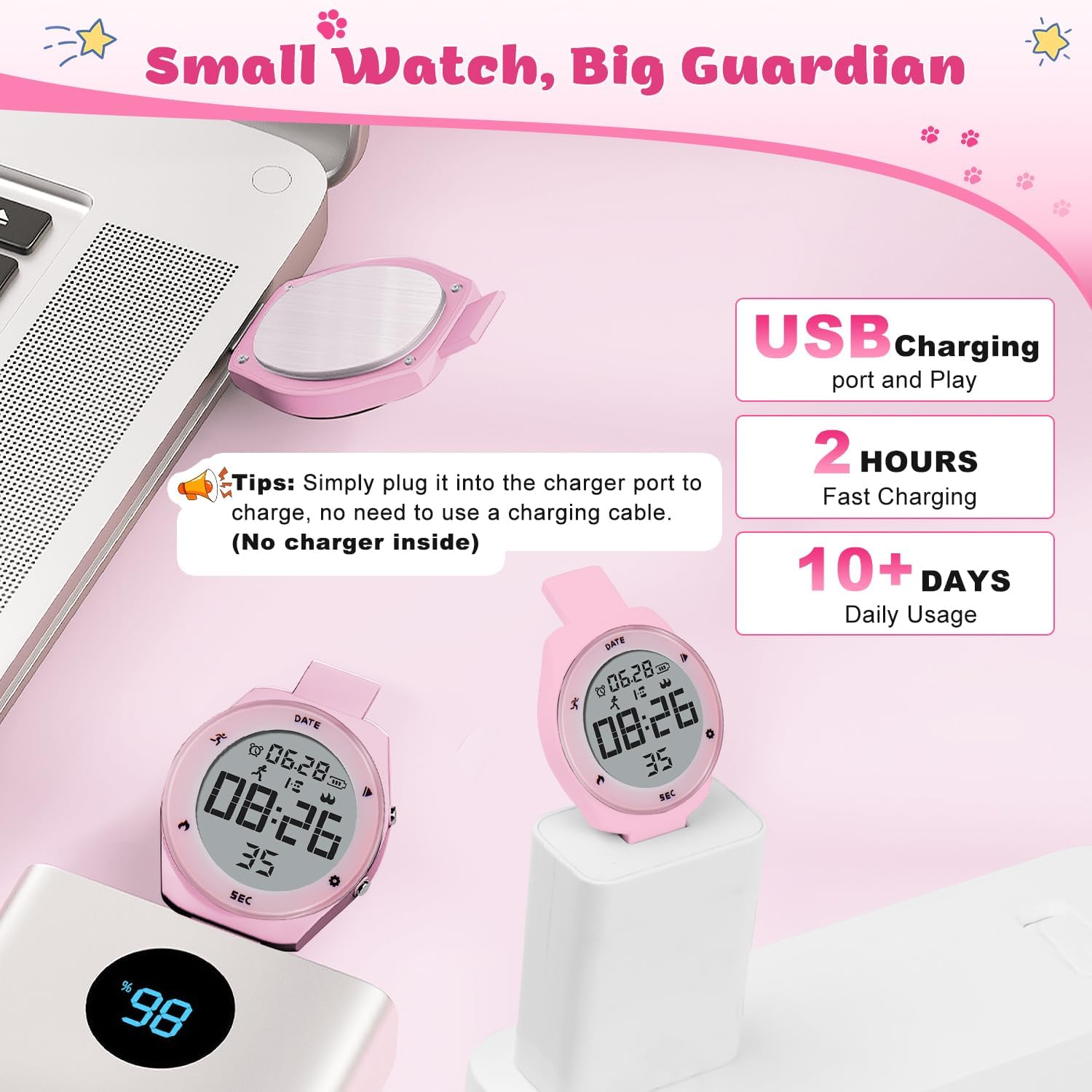
Image: The watch face detached from the strap, plugged into a USB power adapter for charging, highlighting its cable-free charging design.
Operating Instructions
Basic Functions and Display
The watch display shows time, date, and various activity metrics. Use the buttons on the side to navigate through modes and adjust settings.
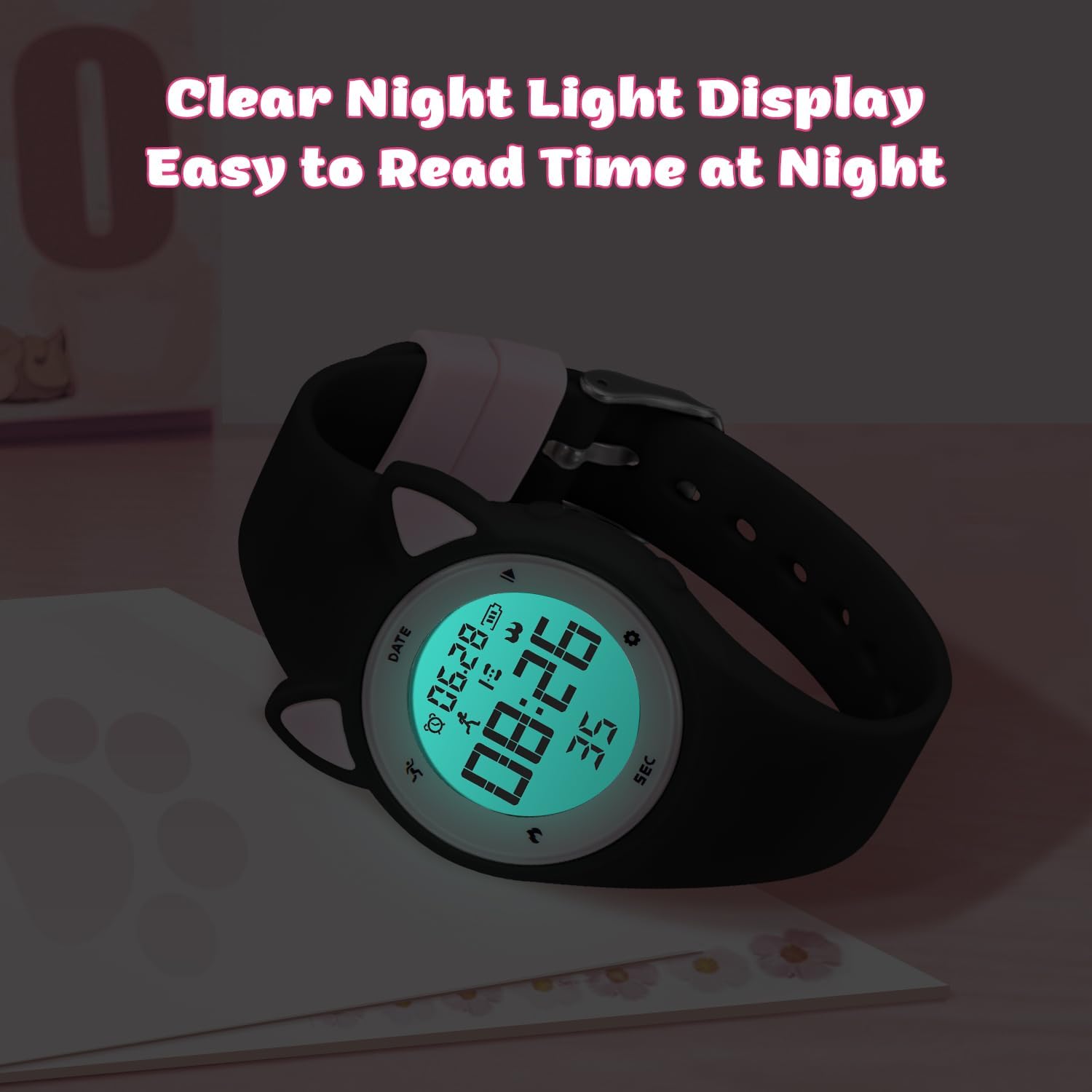
Image: The watch display illuminated with a clear night light, making it easy to read in low light conditions.
Setting Time and Date
(Specific button instructions are not provided in the source, so general guidance will be given.)
- Press the Mode button (usually on the side) repeatedly until you reach the time setting mode.
- Use the Set or Adjust button to change the hour, minute, year, month, and day.
- Press the Mode button again to confirm and exit setting mode.
Fitness Tracking (Pedometer)
The watch automatically tracks steps, calories burned, and distance without needing a smartphone app.
- Wear the watch comfortably on your wrist.
- The watch will automatically begin tracking activity.
- Press the Mode button to cycle through the display modes to view steps, calories, and distance.

Image: A child engaged in sports, wearing the watch which displays tracked steps, meters, and calories, illustrating its fitness tracking capabilities.
Silent Vibration Alarm Clock
The watch features two silent vibration alarms to gently remind children without disturbing others.
- Press the Mode button until you reach the alarm setting mode.
- Use the Set or Adjust button to set the desired alarm time for Alarm 1 and Alarm 2.
- Ensure the alarm is activated (usually indicated by an alarm icon on the display).
- The watch will vibrate gently at the set time.

Image: Illustrates the vibrating alarm clock function, showing children being gently reminded for various activities like learning, drinking water, and waking up.
Stopwatch Function
The integrated stopwatch allows for timing activities.
- Press the Mode button until you reach the stopwatch mode.
- Press the Start/Stop button to begin and pause timing.
- Press the Reset button to clear the stopwatch.
Maintenance
Water Resistance
The Timever T15 watch is designed for daily water resistance. This means it can withstand splashes from hand washing, face washing, or light rain.
- Do NOT use the watch for swimming, showering, bathing, or prolonged water immersion.
- Avoid pressing buttons while the watch is wet or submerged.
- If the watch gets wet, wipe it dry with a soft cloth.

Image: A child washing hands while wearing the watch, demonstrating its daily waterproof capability for splashes, but advising against showering or swimming.
Cleaning
To keep your watch clean, wipe it regularly with a soft, dry or slightly damp cloth. Do not use harsh chemicals or abrasive cleaners.
Troubleshooting
| Problem | Possible Cause | Solution |
|---|---|---|
| Watch does not turn on or display is blank. | Low battery or completely discharged. | Charge the watch for at least 1 hour. Ensure the USB plug is fully inserted into a working USB port. |
| Watch not holding a charge. | Battery degradation or faulty charging port. | Try a different USB charging port or adapter. If the issue persists, contact customer support. |
| Time/Date is incorrect. | Needs to be set manually. | Follow the "Setting Time and Date" instructions in the Operating section. |
| Fitness tracker (pedometer) not accurate. | Watch worn too loosely or incorrect arm movement. | Ensure the watch is worn snugly on the wrist. Pedometer accuracy can vary based on individual movement patterns. |
| Alarm not vibrating. | Alarm not set or not activated. | Verify alarm settings and ensure the alarm function is turned on. |
Specifications
| Feature | Detail |
|---|---|
| Model Number | T15 |
| Brand | Timever |
| Display Type | Digital |
| Clasp Type | Buckle |
| Water Resistance | Daily Waterproof (splashes, light rain) |
| Charging Method | Integrated USB Plug |
| Battery Life | Approx. 10-20 days (after 1 hour charge) |
| Functions | Time, Date, Pedometer, Calories, Distance, Stopwatch, 2 Silent Vibration Alarms, Night Light |
| Materials | Environmentally friendly ABS plastic case, stainless steel metal fittings, food-grade silicone strap |
| Package Dimensions | 5.87 x 2.64 x 1.34 inches |
| Item Weight | 2.89 ounces |
Warranty and Support
Timever products are manufactured with high-quality standards. For any issues or questions regarding your Timever Kids Digital Watch T15, please contact the seller or manufacturer directly through your purchase platform for assistance. Please retain your proof of purchase for warranty claims.
Ask a question about this manual
Ask about setup, troubleshooting, compatibility, parts, safety, or missing instructions. Manuals+ will review the question and use this page’s manual context to help answer it.