
HUABAO A106
User Manual for HUABAO Mini Karaoke Machine
Model: A106
Introduction
Thank you for purchasing the HUABAO Mini Karaoke Machine. This portable Bluetooth singing speaker is designed to provide an enjoyable audio experience with its unique abyss mirror design, colorful lighting, and versatile connectivity options. It comes with two wireless microphones, making it perfect for various occasions. Please read this manual carefully to ensure proper use and maintenance of your device.
What's in the Box
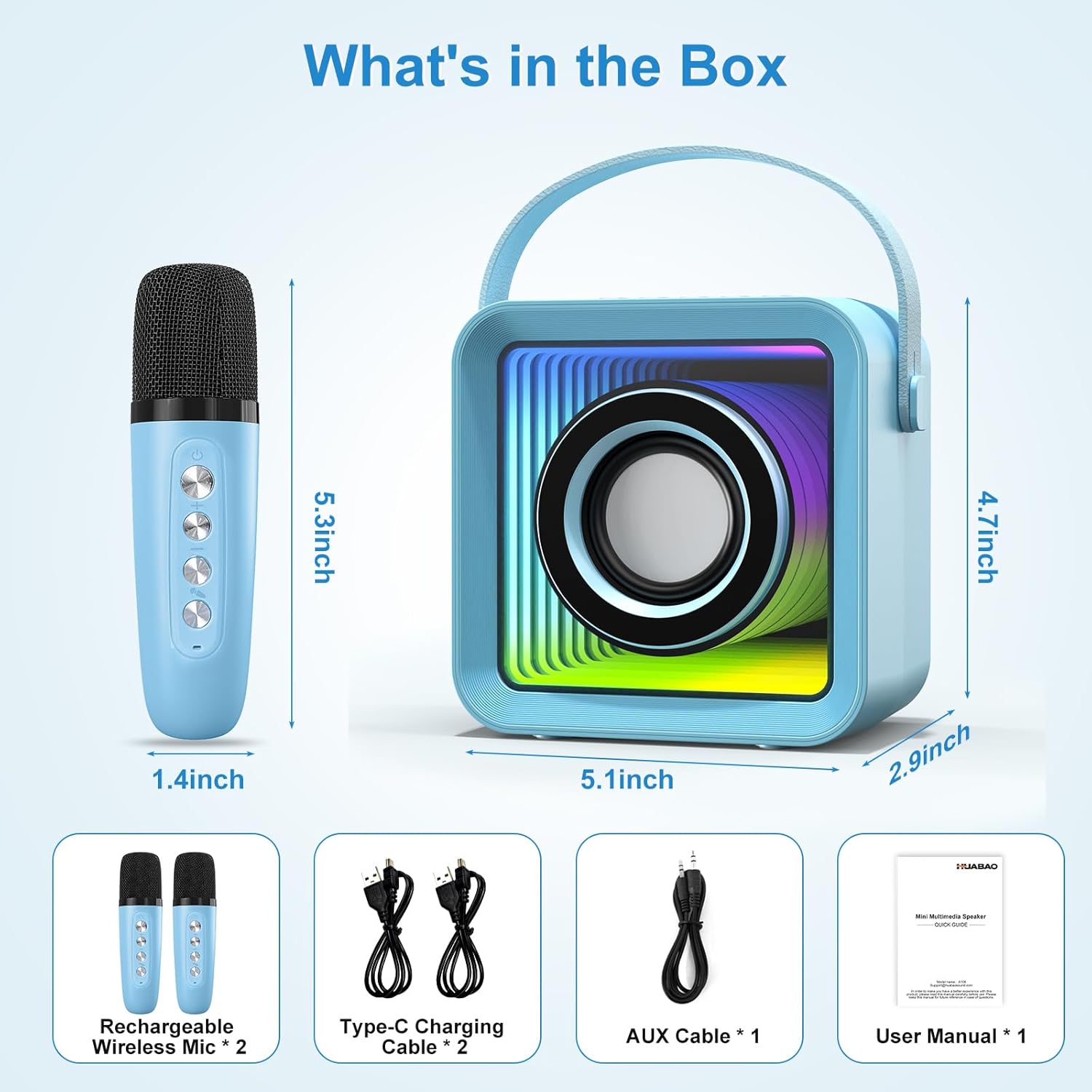
Image: All components included in the HUABAO Mini Karaoke Machine package.
- Mini Speaker x 1
- Rechargeable Wireless Mic x 2
- USB Charging Cable x 2
- AUX Cable x 1
- User Manual x 1
Setup Guide
1. Charging the Device and Microphones
Before first use, fully charge the mini speaker and both wireless microphones. Use the provided USB charging cables. The speaker has a built-in 3000 mAh rechargeable battery.

Image: The mini karaoke machine and its microphones are rechargeable, offering 4-5 hours of playtime on a 3000mAh battery.
2. Powering On and Automatic Pairing
Long press the power button on the speaker to turn it on. Turn on the wireless microphones. They will automatically connect to the speaker once powered on.
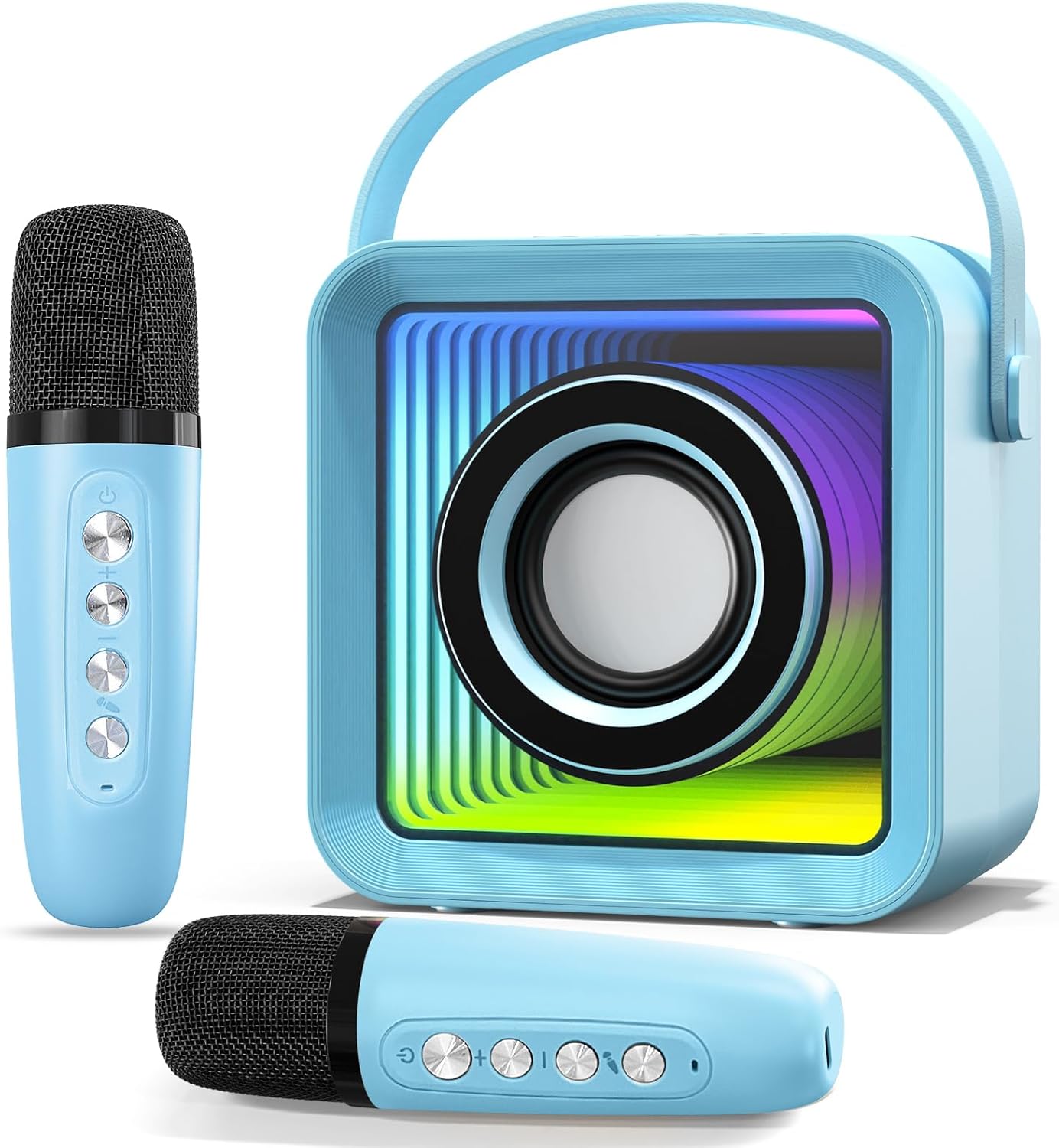
Image: The main components of the HUABAO Mini Karaoke Machine, including the speaker and two wireless microphones.
Operating Instructions
Speaker Controls

Image: Overview of the speaker's control buttons and input ports for easy operation.
- Power Button (On/Off): Long press to turn the speaker on or off.
- Light Mode Button: Short press to switch between 7 different lighting modes.
- Mode Button (M): Short press to switch between Bluetooth, FM, AUX, USB, and TF Card modes.
- Previous Track / Volume Down: Short press for previous track. Long press to decrease volume.
- Play/Pause: Short press to play or pause audio.
- Next Track / Volume Up: Short press for next track. Long press to increase volume.
Microphone Controls and Features

Image: The wireless microphones feature controls for volume, echo, and four fun magic voice effects.
- Power Button: Turn the microphone on/off.
- Volume Control: Adjust microphone volume.
- Echo Control: Adjust the echo effect for singing.
- Magic Sound Effects: Change your voice to baby voice, monster voice, man’s voice, or woman’s voice.
Connectivity Modes
- Bluetooth Mode: Connect your phone, tablet, laptop, computer, or smart TV wirelessly via Bluetooth 5.2.
- FM Mode: Tune into FM radio stations.
- AUX Mode: Connect external audio sources using the provided 3.5mm AUX cable.
- USB/TF Card Mode: Play MP3 files directly from a USB flash drive or TF card inserted into the respective ports.

Image: The speaker offers versatile connectivity options, including Bluetooth 5.2 for seamless pairing with various devices.
Lighting Features
The speaker features a unique abyss mirror design with dynamic lighting. There are 7 lighting modes to choose from:
- Fixed color display
- Clockwise/counter-clockwise light changes
- Lights bouncing to the beat of the music

Image: The Abyss Mirror Design of the speaker, showing its appearance with lights on and off.

Image: The speaker's colorful lights can bounce to the beat of the music, enhancing the party atmosphere.
Maintenance
- Keep the device dry and away from moisture.
- Clean the surface with a soft, dry cloth. Do not use harsh chemicals or abrasive cleaners.
- Store in a cool, dry place when not in use for extended periods.
- Avoid dropping the device or subjecting it to strong impacts.
Troubleshooting
| Problem | Possible Cause | Solution |
|---|---|---|
| Device does not power on. | Low battery or no charge. | Ensure the device is fully charged. |
| Microphones not connecting. | Microphones not powered on or out of range. | Turn on microphones and ensure they are within close proximity to the speaker. |
| No sound from speaker. | Volume too low, incorrect mode, or no audio source. | Increase volume, switch to the correct input mode (Bluetooth, AUX, etc.), or ensure an audio source is playing. |
| Bluetooth connection issues. | Device not in pairing mode or interference. | Ensure speaker is in Bluetooth mode. Turn off and on Bluetooth on your device. Move closer to the speaker. |
Specifications
| Feature | Detail |
|---|---|
| Brand | HUABAO |
| Model Number | A106 |
| Mounting Type | Tabletop |
| Power Source | Battery Powered |
| Connector Type | Aux, USB |
| Material | Plastic |
| Item Weight | 0.99 Pounds (15.8 ounces) |
| Output Wattage | 13 Watts |
| Number of Channels | 2 |
| Audio Input | Microphone, AUX |
| Impedance | 4 Ohm |
| Product Dimensions (L x W x H) | 4.9 x 2.9 x 4.72 inches |
| Batteries | 1 Lithium Ion battery required (included) |
| Connectivity Technology | AUX, Bluetooth, USB |
| Color | Blue |
| Compatible Devices | Laptop, Musical Instruments, Smartphone, Tablet, Television |
Warranty and Support
HUABAO provides a one-year warranty and lifetime technical support for every customer. If you have any questions or concerns regarding your Mini Karaoke Machine, please contact us via Amazon or our support E-mail. We are committed to responding within 12 hours and ensuring your satisfaction.
For further assistance, please refer to the contact information provided on the product packaging or your purchase receipt.
Ask a question about this manual
Ask about setup, troubleshooting, compatibility, parts, safety, or missing instructions. Manuals+ will review the question and use this page’s manual context to help answer it.