
iKyoor K10
iKyoor K10 Wireless Knee Massager User Manual
Model: K10
1. Introduction
Thank you for choosing the iKyoor K10 Wireless Knee Massager. This device is designed to provide comfort and relaxation to your knee muscles through a combination of heat, airbag wave massage, red light therapy, and vibration. Please read this manual thoroughly before use to ensure safe and effective operation.
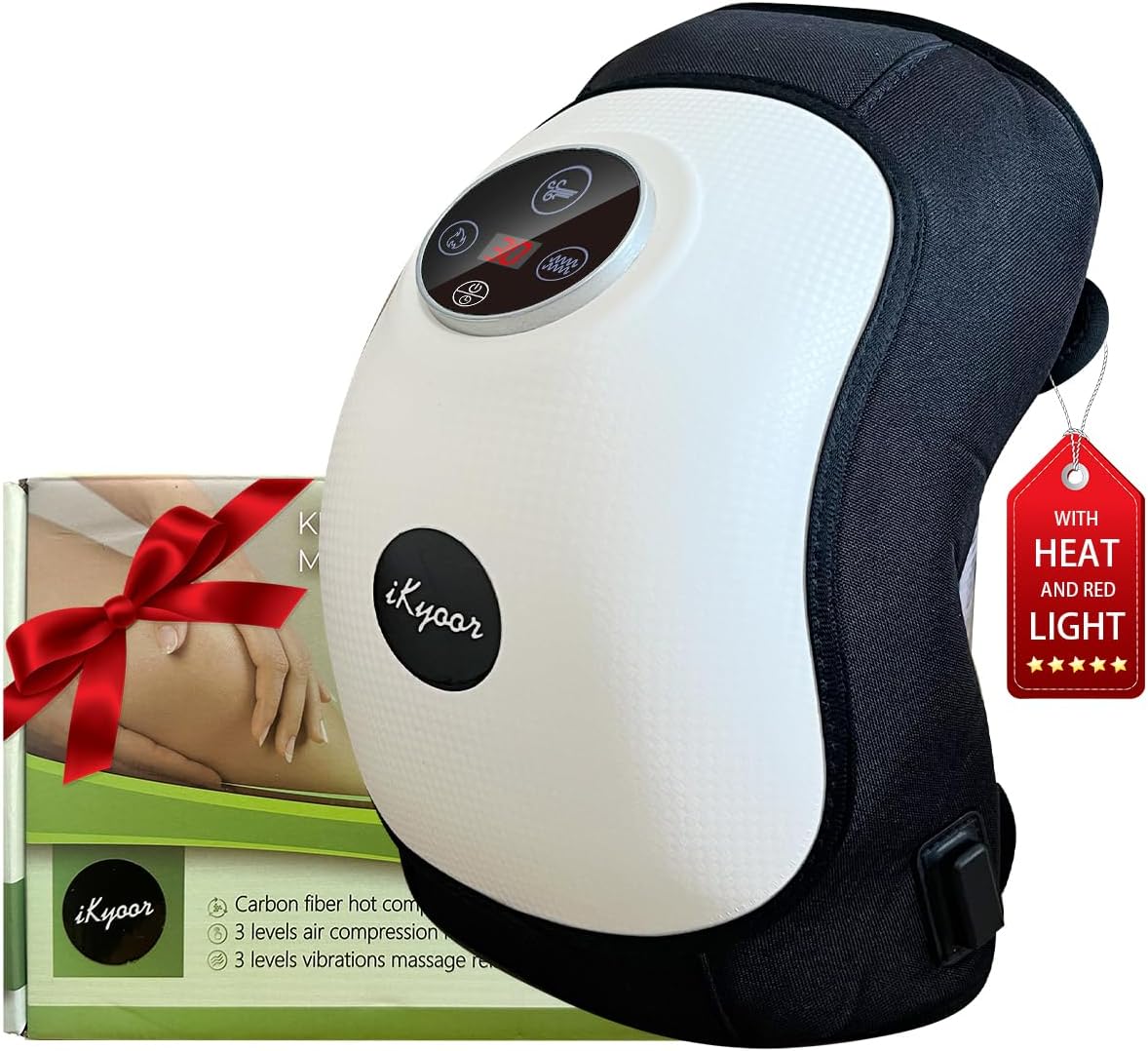
Image 1.1: The iKyoor K10 Wireless Knee Massager.
2. Important Safety Information
Please read and understand all safety warnings before using this product.
- Avoid prolonged use to prevent burns.
- Keep away from direct sunlight and heat sources.
- Do not use while sleeping or taking a bath.
- Charge on a flat, well-ventilated surface.
- Do not use if the battery is damaged or swollen.
- Always follow the instructions for proper use and positioning to avoid injury.
- Consult a physician before use if you have pre-existing medical conditions, are pregnant, or have a pacemaker.
3. Package Contents
Verify that all items are present in the package:
- iKyoor K10 Wireless Knee Massager
- User Manual
- Type-C USB Cable
- Power Adapter
- Gifted Disposable Knee Pad
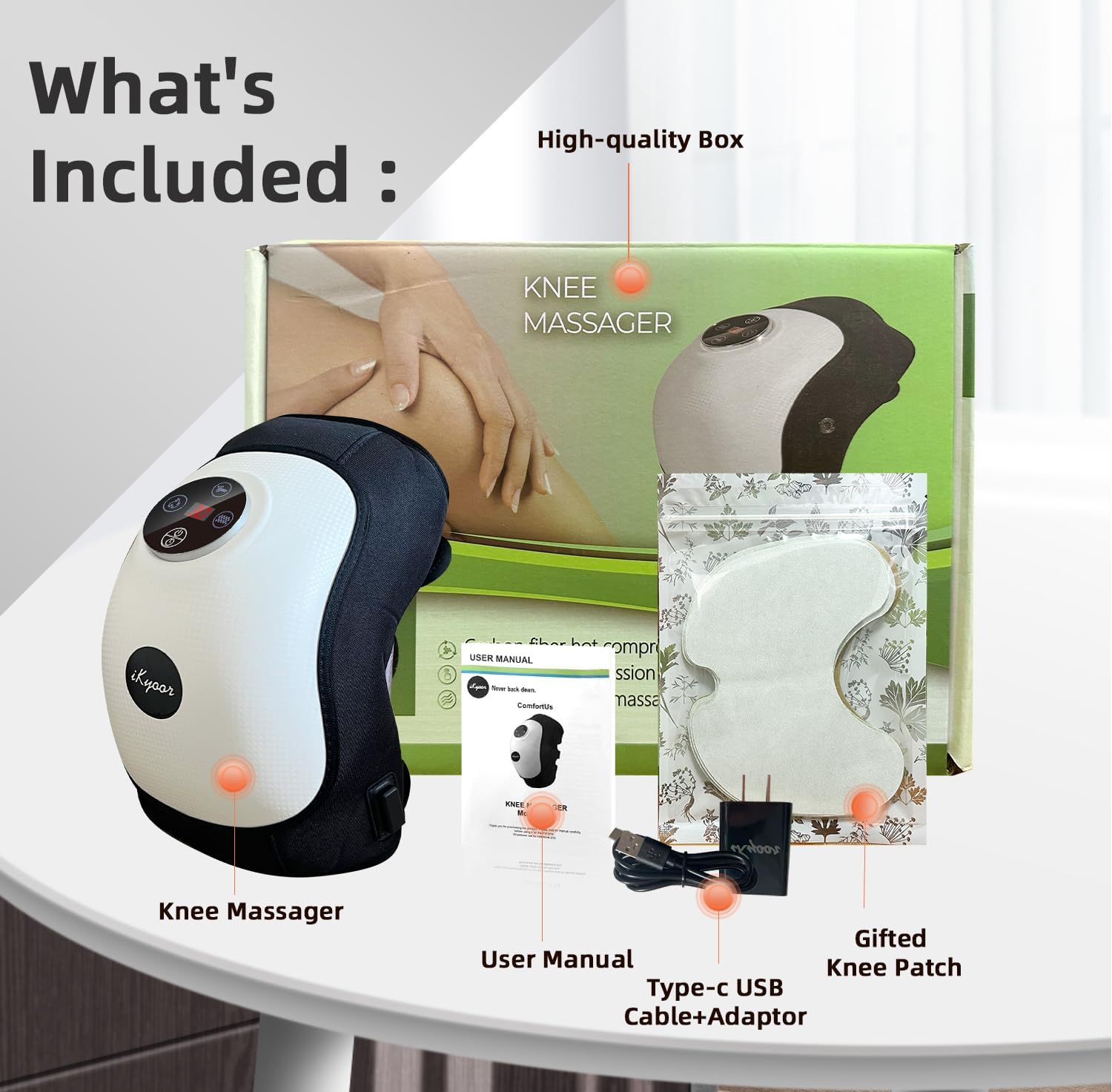
Image 3.1: What's Included in the Box.
4. Initial Setup and Charging
4.1 Charging the Device
- Before first use, fully charge the knee massager.
- Connect the provided Type-C USB cable to the charging port on the massager.
- Plug the other end of the USB cable into the power adapter, then into a standard wall outlet.
- The LCD display will indicate charging status. The massager is fully charged when the LCD display shows a full battery icon.
- A full charge typically takes approximately 3-4 hours and provides up to 1.5 hours of continuous use, depending on the intensity settings.
4.2 Attaching the Massager
- Place the massager on your knee.
- Use the adjustable Velcro straps to secure the device firmly around your knee. Ensure it is snug but not uncomfortably tight.
- The device is designed to fit various knee sizes due to its adjustable straps.
5. Operating Instructions
The iKyoor K10 features a user-friendly control panel with an LED display.
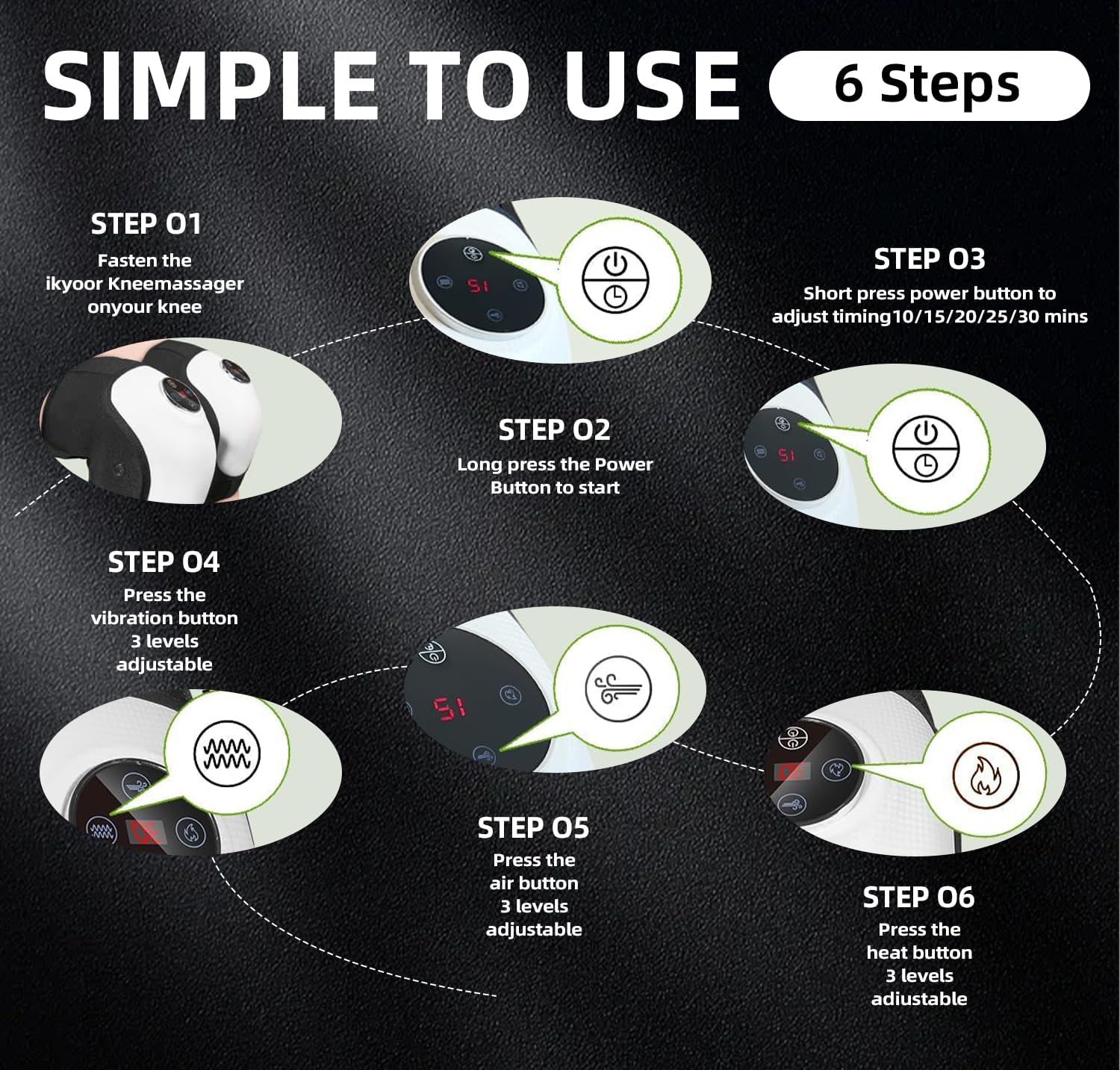
Image 5.1: Simple 6-Step Operation Guide.
5.1 Basic Operation
- Power On/Off: Long press the Power Button (U) to turn the device on or off.
- Set Timer: Short press the Power Button (U) to adjust the massage duration. Available settings are 10, 15, 20, 25, or 30 minutes. The device will automatically shut off after the selected time.
- Vibration Mode: Press the Vibration Button (~) to cycle through 3 levels of vibration intensity.
- Air Compression Mode: Press the Air Button (((()))) to select from 3 levels of airbag compression intensity.
- Heat Mode: Press the Heat Button ()))) to choose from 3 levels of heating.
- Red Light Therapy: The red light therapy function activates automatically when the device is powered on.
The LCD display will show the selected settings for easy monitoring.
6. Key Features
The iKyoor K10 Wireless Knee Massager combines multiple therapeutic elements for comprehensive knee care:
- Airbag Wave Massage: Equipped with airbags on both sides, the device provides a gentle squeezing massage to the knee muscles, promoting relaxation and stress relief. Features 3 adjustable levels.
- Heat Therapy: Built-in physical heating enhances relaxation and comfort during massage. Features 3 adjustable heat levels.
- Comfort Vibration: Provides soothing vibration to help alleviate discomfort and stiffness. Features 3 adjustable vibration levels.
- Red Light Therapy: Integrated red light for additional therapeutic benefits.
- Cordless and Portable: Powered by a high-performing 5000mAh battery, allowing for use at home, in the office, or while traveling.
- Adjustable Fit: Features extended Velcro straps to ensure a secure and comfortable fit for various knee sizes.

Image 6.1: Overview of Product Features.

Image 6.2: Exclusive Airbag Massage and Other Features.
7. Maintenance and Storage
7.1 Cleaning
- Ensure the device is turned off and unplugged before cleaning.
- Wipe the surface of the massager with a soft, damp cloth.
- Do not use abrasive cleaners or immerse the device in water.
7.2 Storage
- Store the massager in a cool, dry place away from direct sunlight and extreme temperatures.
- Keep out of reach of children and pets.
- If storing for an extended period, ensure the battery is partially charged (around 50%) to prolong battery life. Recharge every 3-6 months.
8. Troubleshooting
| Problem | Possible Cause | Solution |
|---|---|---|
| Device does not turn on. | Battery is depleted. | Charge the device fully using the provided USB cable and adapter. |
| No heat/vibration/air compression. | Incorrect mode selected or low battery. | Ensure the specific function button is pressed to activate the mode. Check battery level and recharge if necessary. |
| Device turns off unexpectedly. | Timer expired or low battery. | This is normal if the timer has completed. If not, recharge the device. |
| Discomfort during use. | Straps too tight or intensity too high. | Adjust the Velcro straps for a looser fit. Reduce the intensity level of vibration, heat, or air compression. |
9. Specifications
- Model: K10
- Product Dimensions: 10.3 x 8.7 x 5.6 inches
- Item Weight: 1.32 Pounds (600 Grams)
- Power Source: Battery Powered
- Battery Type: 1 Lithium Polymer battery (included)
- Material: Ethylene Vinyl Acetate
- Manufacturer: Fuzhou Linshi Excellent Industry and Trade CO., LTD
10. Warranty and Support
iKyoor products are manufactured with quality and care. For warranty information or technical support, please refer to the contact details provided with your purchase or visit the official iKyoor website. Please retain your proof of purchase for warranty claims.
11. Legal Disclaimer
Statements regarding dietary supplements have not been evaluated by the FDA and are not intended to diagnose, treat, cure, or prevent any disease or health condition.
Ask a question about this manual
Ask about setup, troubleshooting, compatibility, parts, safety, or missing instructions. Manuals+ will review the question and use this page’s manual context to help answer it.