
JOOAN Q3R-U
JOOAN 2K Outdoor Security Camera User Manual
Model: Q3R-U | Brand: JOOAN
Product Overview
The JOOAN 2K Outdoor Security Camera (Model Q3R-U) is a versatile surveillance solution designed for both indoor and outdoor use. It features 2K HD video, 360° PTZ (Pan/Tilt/Zoom) capabilities, two-way audio, motion detection with instant notifications, and color night vision. The camera supports both 2.4G WiFi and wired connections, offering flexible installation options. It is IP66 waterproof, ensuring durability in various weather conditions. Storage options include cloud service (with a 30-day trial) and local SD card storage (up to 256GB).
What's in the Box
- 1x Security Camera
- 1x USB Cable (3 feet) - Type-C port
- User Manual - English
- 1x Screws Bag
Setup Guide
1. App Download and Registration
To begin, download the "cam720" application from your device's App Store (iOS) or Google Play Store (Android). After installation, register a new account using your email address. A verification code will be sent to your email to complete the registration process.
Video: Demonstrates the process of downloading the cam720 app, registering an account, and connecting the camera via Bluetooth.
2. Power On and Reset the Camera
Connect the camera to a power source using the provided USB cable. Once powered on, locate the reset button (usually a small pinhole) on the camera. Use a pin or a thin object to press and hold the reset button until you hear a "Di-Di-" sound. This indicates the camera is ready for connection. For the first-time connection, ensure the camera is close to your phone and the WiFi router.
Video: Shows how to power on the camera and perform a reset by pressing the reset button until an audible "Di-Di-" sound is heard.
3. Connection Methods
The camera supports both wireless (2.4GHz WiFi) and wired connections.

Image: Illustrates the two primary connection methods: wireless via WiFi and wired via an Ethernet cable to a router.
Wireless (WiFi) Connection Steps:
- Ensure your cellphone is connected to your home's 2.4GHz WiFi network. (Note: 5GHz WiFi is not supported).
- Enable Bluetooth and location services on your cellphone.
- Open the "cam720" app and tap the "+" icon to add a device.
- The app will search for nearby cameras. Select your camera (e.g., "JA-**" or "BQA-****") from the list.
- Enter the password for your 2.4GHz WiFi network in the app. Ensure the password is correct to avoid connection failures.
- Follow the on-screen prompts to complete the connection. The device will connect to the network and bind successfully.
Video: Detailed steps for connecting the camera to your WiFi network using the cam720 app, including enabling necessary phone settings.
Wired Connection Steps:
For a wired connection, connect an Ethernet cable from your router directly to the camera's Ethernet port (if available and supported by your model). Follow the app's instructions for wired device setup.
Operating Instructions
1. Remote Control & 360° View (PTZ)
Utilize the directional controls within the cam720 app to remotely pan (355°) and tilt (90°) the camera, providing a full 360° view of your surveillance area. This allows for comprehensive coverage and monitoring of every corner.

Image: Demonstrates remote control of the camera's pan and tilt functions via a smartphone app, highlighting its 360° viewing capability.
Video: Illustrates the 360-degree pan and tilt functionality of the camera, showcasing its ability to cover a wide area.
2. Two-Way Audio & Instant Notification
The camera features a built-in intercom system, enabling two-way communication. You can speak through the camera to visitors or deter intruders. When motion is detected, your phone will receive instant notifications, allowing you to respond promptly.

Image: Shows the two-way audio feature in action, allowing communication between someone at the door and a person viewing through the app.

Image: Highlights the auto-tracking and alarm capabilities, including a spotlight, notification, and siren to deter unwanted visitors.
3. Night Vision Capabilities
The camera offers clear night vision, ensuring monitoring even in low-light conditions. It supports both infrared (B/W) night vision and full-color night vision, providing enhanced visibility when needed.
Video: Demonstrates the camera's color night vision feature, showing clear and detailed footage in low-light environments.
4. Storage Options
Recordings can be saved to either cloud storage or a local SD card. JOOAN offers a 30-day cloud trial. For local storage, the camera supports high-speed SD cards from 8GB up to 256GB (SD card not included).
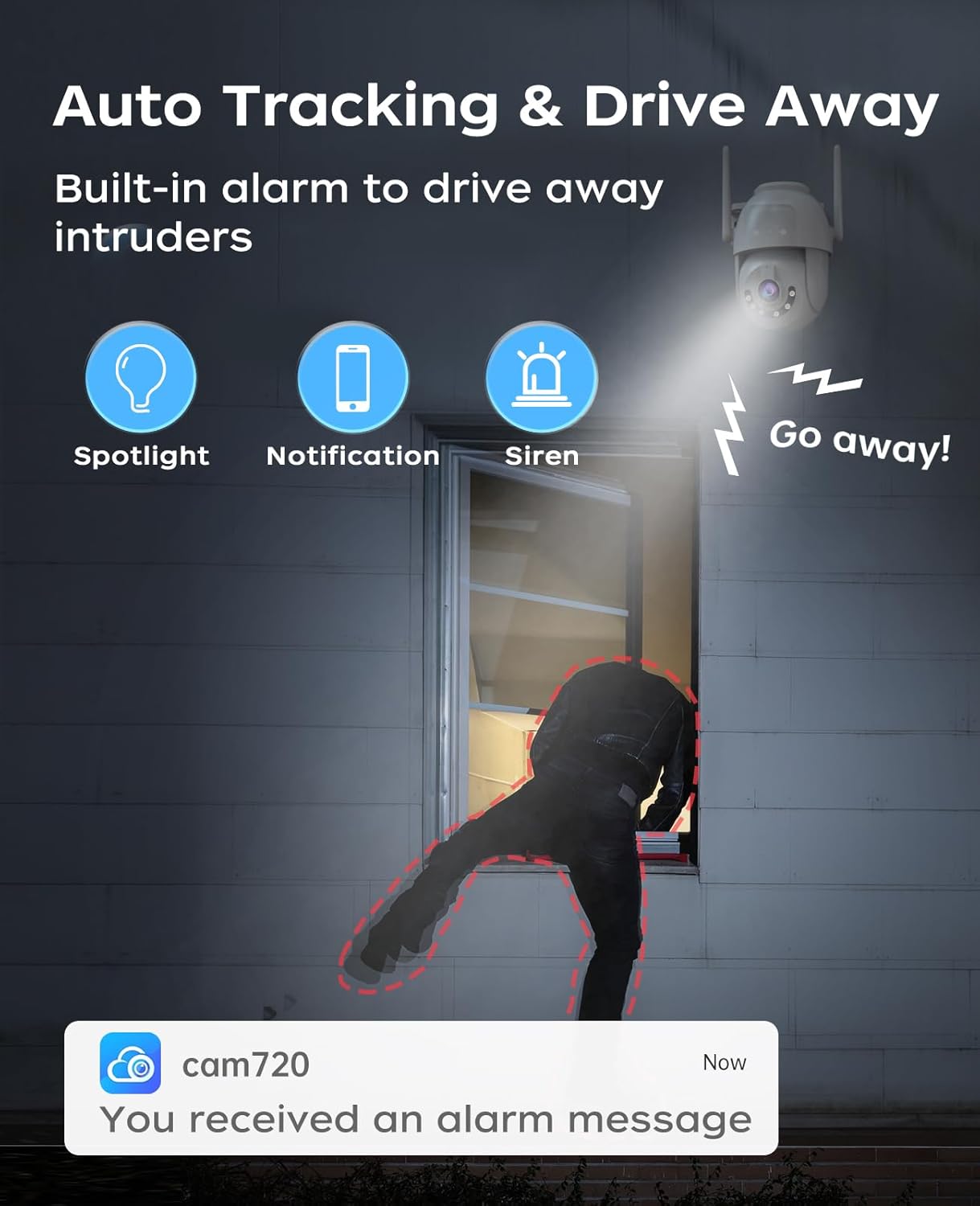
Image: Illustrates the dual storage options available for the camera: cloud storage with a trial period and local SD card storage.
Installation
The JOOAN 2K Outdoor Security Camera is designed for easy installation and can be mounted on ceilings or walls. The power cord is approximately 3 feet long, providing flexibility for placement.

Image: Displays the camera's versatility in mounting, showing both wall-mount and ceiling-mount configurations.
Maintenance
To ensure optimal performance and longevity of your JOOAN security camera, regular maintenance is recommended:
- Cleaning: Gently wipe the camera lens and body with a soft, damp cloth. Avoid using harsh chemicals or abrasive materials that could damage the surface or lens.
- Firmware Updates: Periodically check the cam720 app for available firmware updates. Keeping the camera's firmware up-to-date ensures you have the latest features, security patches, and performance improvements.
- Power Connection: Ensure the power cable is securely connected and free from damage. Avoid bending or pinching the cable excessively.
- Environmental Protection: While the camera is IP66 waterproof, extreme weather conditions (e.g., prolonged heavy rain, snow, or direct sunlight) can still impact performance over time. Ensure proper installation to minimize direct exposure where possible.
Troubleshooting
If you encounter issues with your JOOAN 2K Outdoor Security Camera, refer to the following common troubleshooting tips:
- Connection Issues:
- Ensure your WiFi network is 2.4GHz. The camera does not support 5GHz networks.
- Verify that your phone's Bluetooth and location services are enabled during setup.
- Confirm the WiFi password entered in the app is correct.
- If the camera fails to connect, try resetting it again (press and hold the reset button until you hear "Di-Di-").
- Power/Cable Insertion Issues:
If you experience difficulty inserting the power plug, ensure you are aligning it correctly. The connection is designed to be tight for waterproof integrity. Apply firm, steady pressure to fully insert the plug.
Video: Provides guidance on correctly inserting the power plug, emphasizing the tight fit for waterproof sealing.
- No Video/Offline:
- Check the camera's power supply.
- Verify your internet connection is stable.
- Restart the camera and your router.
Specifications
| Feature | Detail |
|---|---|
| Model Name | Q3R-U |
| Video Capture Resolution | 2K |
| Effective Still Resolution | 3 MP |
| Indoor/Outdoor Usage | Outdoor, Indoor |
| Connectivity Technology | Bluetooth, Wired, WiFi (2.4G) |
| Power Source | Corded Electric (5 Volts, 7.5 watts) |
| Mounting Type | Ceiling Mount/Wall Mount |
| Viewing Angle | 360 Degrees (Pan: 355°, Tilt: 90°) |
| Night Vision Range | 33 Feet |
| Water Resistance Level | IP66 Waterproof |
| Storage | Micro SD (up to 256 GB), Cloud Storage |
| Two-Way Audio | Yes |
| Motion Detection | Yes (Audio and Motion alerts) |
| Dimensions (L x W x H) | 5.4 x 4.7 x 4 inches |
| Item Weight | 12.6 ounces |
Warranty and Support
For warranty information and technical support, please refer to the official JOOAN website or contact their customer service directly. You can also visit the JOOAN Store on Amazon for additional resources and contact details.
Related Documents - Q3R-U
 |
JOOAN Light Bulb Security Camera Quick User Guide A comprehensive guide to setting up and using the JOOAN Light Bulb Security Camera, covering wired and WiFi connections, app usage, playback, installation, troubleshooting, and after-sale services. |
 |
JOOAN WiFi Camera Quick User Guide A concise guide to setting up and using the JOOAN WiFi Camera, covering installation, network connection (WiFi and wired), app usage, sharing features, playback options, and troubleshooting. |
 |
Jooan Wireless Security Camera System Quick User Guide A comprehensive guide to setting up and operating the Jooan Wireless Security Camera System, including NVR and IPC installation, recording, playback, motion detection, email setup, and remote access via PC and mobile devices. |
 |
JOOAN Outdoor WiFi Surveillance Camera User Manual User manual for the JOOAN Outdoor WiFi Surveillance Camera, featuring HD IP Camera, ONVIF, Dual Lens, 5G WiFi, Auto Tracking, and Two-Way Audio. |
 |
JOOAN Smart Video Doorbell Installation and User Guide A comprehensive guide to installing and using the JOOAN Smart Video Doorbell, covering setup, Wi-Fi connection, chime pairing, and feature explanations. |
 |
JOOAN Q7 WiFi Camera Quick User Guide Concise and SEO-optimized guide for the JOOAN Q7 WiFi Camera. Learn how to set up your camera using Bluetooth, WiFi, or network cable, and understand FCC compliance. |
Ask a question about this manual
Ask about setup, troubleshooting, compatibility, parts, safety, or missing instructions. Manuals+ will review the question and use this page’s manual context to help answer it.