
Sdstone YDS50
Sdstone YDS50 Solar-Powered Floodlight Security Camera User Manual
Model: YDS50
1. Introduction
This manual provides detailed instructions for the installation, operation, and maintenance of your Sdstone YDS50 Solar-Powered Floodlight Security Camera. This device is designed for outdoor surveillance, featuring 2K resolution, 360° PTZ control, color night vision, and a solar charging system for continuous operation. Please read this manual thoroughly before use to ensure proper functionality and safety.
2. Product Overview
2.1 Package Contents
Verify that all components are present in your package:
- 1x Sdstone Solar Floodlight PTZ Camera
- 1x Solar Panel
- 1x User Manual
- 1x Positioning Paper
- 1x Screwdriver
- Screw Bags (various screws for installation)
- 1x Tweezers
- 1x Hexagonal Wrench
- 1x Cable Clips Bag
- 1x Solar Panel Bracket
- 1x Camera Bracket
- 1x 64GB Micro SD Card (pre-installed)
2.2 Camera Components
Familiarize yourself with the main parts of your camera system:

Image 2.2.1: Diagram illustrating the various components of the Sdstone YDS50 camera, including the floodlight, solar panel, lens, microphone, infrared lights, indicator lights, PIR sensor, ambient light sensor, MicroSD card slot, SIM card slot, reset button, power on/off switch, speaker, and USB-C charging port.
- Floodlight: Provides 1500 lumens of illumination.
- Solar Panel: 6W high-efficiency panel for continuous charging.
- Camera Lens: 2K resolution for clear video capture.
- Microphone & Speaker: For two-way audio communication.
- PIR Sensor: Passive Infrared sensor for motion detection.
- Indicator Lights: Status indicators.
- MicroSD Card Slot: Supports local storage (64GB card included).
- USB-C Charging Port: For initial charging or supplemental power (5-18V input).
- Reset Button: To reset camera settings.
- Power On/Off Switch: To power the device.
2.3 Key Features
- Wireless & Solar Powered: 100% wire-free operation with 15,000mAh battery and 6W solar panel.
- 2K HDR Video & 1500-Lumen Floodlight: High-resolution video with powerful motion-activated lighting.
- 360° PTZ Control: Pan 360° horizontally and tilt 90° vertically for comprehensive coverage.
- Color Night Vision: Auto-focus lens and floodlight enable full-color clarity in low-light conditions.
- AI-Powered Detection: Reduces false alerts by distinguishing humans, vehicles, and pets.
- Two-Way Talk: Built-in microphone and speaker for remote communication.
- Local & Cloud Storage: Includes a 64GB SD card and offers a 30-day free cloud trial.
- IP65 Weatherproof: Designed to withstand rain, snow, and extreme temperatures (-4°F to 149°F).
- Smart Home Integration: Compatible with Amazon Alexa for voice control.
3. Setup Guide
3.1 Initial Charging
Before installation, fully charge the camera battery using the USB-C port. This ensures the camera has sufficient power for initial setup and optimal solar charging performance.
3.2 App Installation and Account Creation
- Download the Ubox App from your smartphone's app store (available for Android and iOS).
- Open the Ubox App and follow the on-screen instructions to create a new account or log in if you already have one.
3.3 Camera Pairing with Ubox App
- Ensure your camera is powered on and within range of your 2.4GHz Wi-Fi network.
- In the Ubox App, tap "Add a Device" or the "+" icon.
- Follow the app's prompts to scan the QR code on your camera or manually add the device.
- Connect the camera to your 2.4GHz Wi-Fi network by entering your Wi-Fi password when prompted.
- Once connected, the camera will appear in your device list.

Image 3.3.1: Screenshot of the Ubox App interface, showing the device list and options for adding a new camera.
3.4 Mounting the Camera
Choose a location with good Wi-Fi signal and direct sunlight exposure for the solar panel. The recommended installation height is 6.5ft - 9.8ft.
- Use the provided positioning paper to mark drill holes on the wall.
- Drill holes and insert wall anchors if necessary.
- Attach the camera bracket and solar panel bracket to the wall using the screws.
- Secure the camera and solar panel to their respective brackets. Ensure the solar panel is angled to receive maximum sunlight.
- Connect the solar panel cable to the camera's charging port.

Image 3.4.1: The Sdstone YDS50 camera, solar panel, and included 64GB SD card, illustrating the main components for installation.
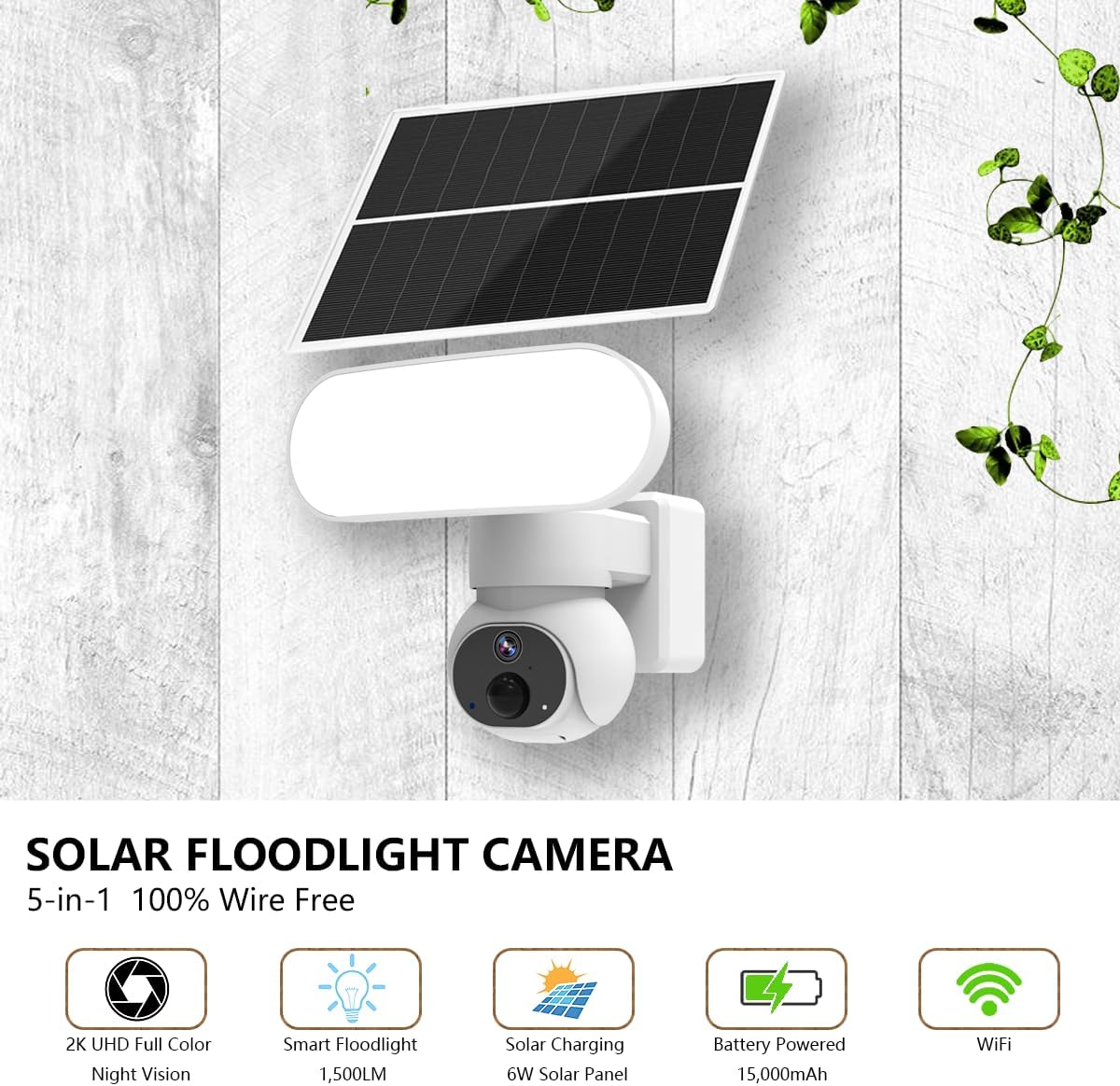
Image 3.4.2: The Sdstone YDS50 camera and solar panel mounted on a wall, showcasing the wire-free installation.
4. Operating Instructions
4.1 Live View and PTZ Control
Open the Ubox App and select your camera from the device list to access the live view.
- Pan/Tilt: Use the directional controls on the app interface to rotate the camera 360° horizontally and 90° vertically.
- Digital Zoom: Pinch to zoom on the live view to magnify details (up to 4x digital zoom).

Image 4.1.1: Illustration of the camera's 360° pan and 90° tilt capabilities, providing wide surveillance coverage.
4.2 Motion Detection and Alerts
The camera uses an AI-powered PIR sensor to detect motion and reduce false alarms.
- PIR Sensor: Detects heat signatures for accurate human, vehicle, and pet detection.
- Alerts: Receive real-time notifications on your smartphone when motion is detected.
- Floodlight Activation: The 1500-lumen floodlight can be set to activate upon motion detection.
- Siren: A 120dB siren can be triggered manually or automatically to deter intruders.
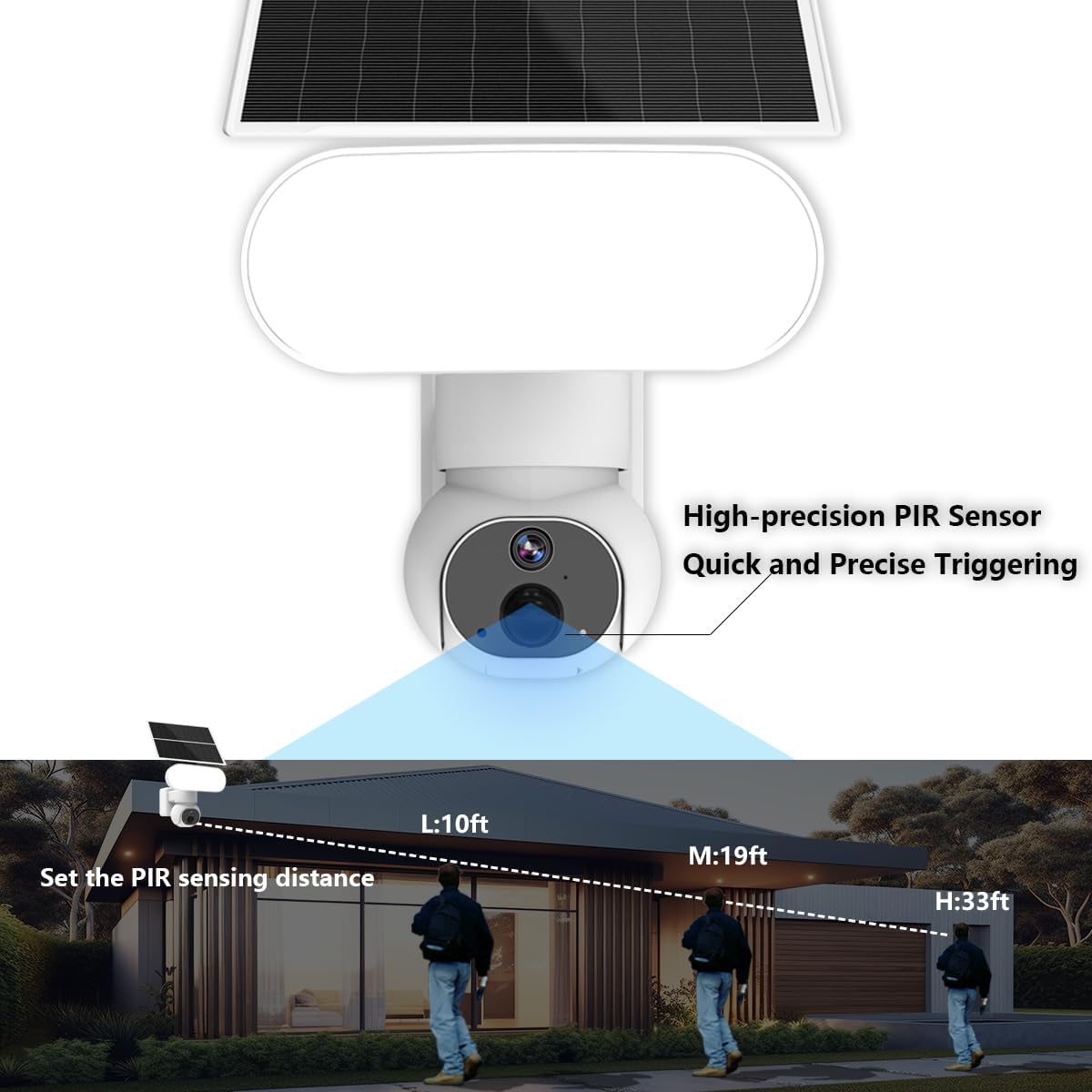
Image 4.2.1: Diagram showing the PIR sensor's detection range, indicating its ability to detect motion at various distances (10ft, 19ft, 33ft).
4.3 Night Vision
The camera offers advanced night vision capabilities:
- Color Night Vision: With the floodlight activated, the camera captures full-color video even in complete darkness.
- Infrared Night Vision: When the floodlight is off, the camera uses infrared LEDs for black and white night vision.
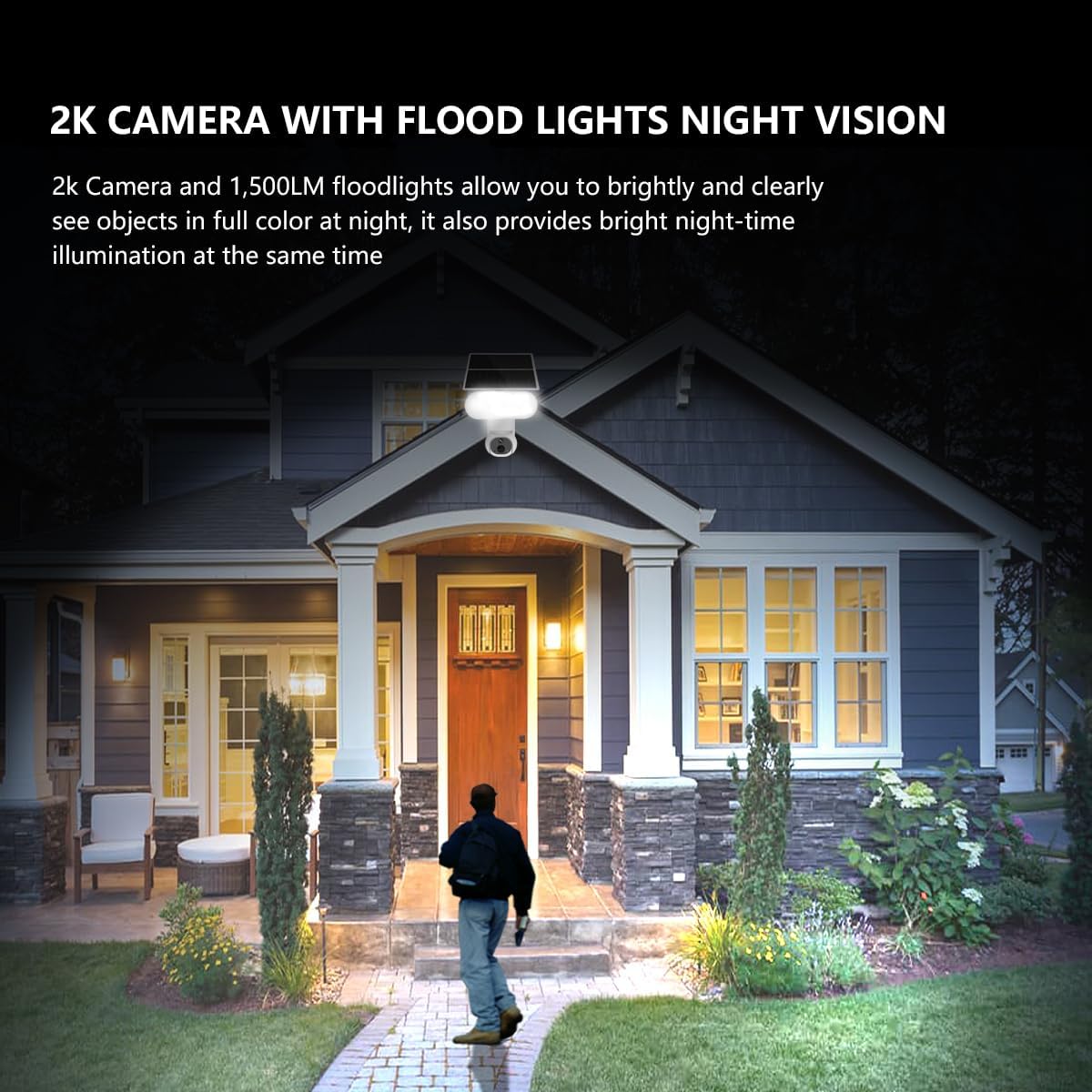
Image 4.3.1: The Sdstone YDS50 camera's floodlights illuminating a person at night, demonstrating its 2K camera and 1500LM floodlight night vision capabilities.
4.4 Two-Way Audio
Use the two-way talk feature to communicate with visitors or deter unwanted guests.
- Tap the microphone icon in the Ubox App's live view to speak through the camera's speaker.
- The camera's microphone will capture audio from the monitored area.
4.5 Storage Options
The camera supports both local and cloud storage:
- MicroSD Card: A 64GB MicroSD card is pre-installed for local storage. When the card is full, older recordings are automatically overwritten.
- Cloud Storage: A 30-day free trial is available. Cloud storage provides an off-site backup of your recordings.

Image 4.5.1: Diagram showing the MicroSD card slot location on the camera and an icon representing cloud storage, highlighting the dual storage options.
4.6 Ubox App Settings
The Ubox App provides various settings to customize your camera's behavior:
- Resolution: Switch between SD and HD quality for live view and recordings.
- Battery Percentage: Enable or disable the display of battery level.
- Motion Detection Sensitivity: Adjust the sensitivity of the PIR sensor.
- Recording Duration: Set the length of video clips recorded upon motion detection.
- Alarm Settings: Configure siren and floodlight activation.
- Share Access: Share camera access with family members.

Image 4.6.1: Screenshots of the Ubox App's common settings and device settings pages, illustrating options for resolution, battery display, and recording duration.
5. Maintenance
5.1 Solar Panel Care
To ensure optimal charging efficiency, regularly clean the surface of the solar panel to remove dust, dirt, and debris. A clean panel receives more sunlight.
5.2 Battery Management
The camera's battery status can be monitored within the Ubox App. While the solar panel provides continuous charging, prolonged periods of cloudy weather may require supplemental charging via the USB-C port.
5.3 General Cleaning
Wipe the camera lens and floodlight with a soft, damp cloth to maintain clear vision and light output. Avoid using harsh chemicals.
6. Troubleshooting
- Camera frequently goes offline:
Ensure the camera is within range of a strong 2.4GHz Wi-Fi signal. Obstructions or distance can weaken the signal. Consider repositioning the camera or adding a Wi-Fi extender. Check the battery level; if consistently low, ensure the solar panel is receiving adequate sunlight or charge manually.
- Battery drains quickly:
Verify the solar panel is installed in a location with direct, unobstructed sunlight for several hours daily. Adjust PIR sensitivity settings in the Ubox App to reduce frequent triggers, which consume battery power. Ensure the camera is not in an area with constant motion, leading to excessive recording.
- Memory card full / not recording:
The included 64GB SD card automatically overwrites the oldest files when full. If you are not seeing new recordings, check the card's status in the Ubox App. Ensure the card is properly inserted. If issues persist, try formatting the SD card via the app or replacing it. For continuous backup, consider activating cloud storage.
- Poor night vision quality:
Ensure the camera lens and floodlight are clean. Check if the floodlight is enabled in the app settings for color night vision. If only black and white vision is desired, ensure infrared lights are not obstructed.
- Cannot connect to Ubox App:
Confirm your Wi-Fi network is 2.4GHz. Ensure your Wi-Fi password is entered correctly. Try resetting the camera using the reset button and re-pairing it with the app. Check your router settings to ensure no MAC address filtering is preventing connection.
7. Specifications
| Feature | Detail |
|---|---|
| Model Name | YDS50 |
| Brand | Sdstone |
| Video Capture Resolution | 2K (3 MP Max Webcam Image Resolution) |
| Floodlight Brightness | 1500 Lumens |
| Pan/Tilt Range | 360° Horizontal, 90° Vertical |
| Digital Zoom | 4x |
| Night Vision Range | 100 Feet (Color Night Vision with Floodlight) |
| Power Source | Battery Powered (15,000mAh), Solar Powered (6W Panel) |
| Connectivity Technology | 2.4GHz Wi-Fi |
| Storage | 64GB MicroSD Card (included), Cloud Storage (optional) |
| Weather Resistance | IP65 Waterproof |
| Operating Temperature | -4°F to 149°F (-20°C to 65°C) |
| PIR Sensor | AI-Powered Human/Vehicle/Pet Detection |
| Audio | Two-Way Talk |
| Compatible Devices | Android phones, tablets, Apple phones and iPads |
| Controller Type | Amazon Alexa |
| Mounting Type | Wall Mount |
| Material | Acrylonitrile Butadiene Styrene (ABS) |
| Item Weight | 3.8 pounds |
| Package Dimensions | 10 x 9 x 4.9 inches |
8. Warranty and Support
For any issues during the APP setup process or general inquiries, Sdstone provides 24-hour online customer service. Please refer to the contact information provided with your product packaging or within the Ubox App for support.
Specific warranty details are typically included with your purchase documentation. Please retain your proof of purchase for warranty claims.
Ask a question about this manual
Ask about setup, troubleshooting, compatibility, parts, safety, or missing instructions. Manuals+ will review the question and use this page’s manual context to help answer it.