
1. Introduction
This manual provides detailed instructions for the setup, operation, maintenance, and troubleshooting of your YEOIZO WIFI32 Wireless Backup Camera. Please read this manual thoroughly before using the product to ensure proper function and safety.
Package Contents
- Wireless Camera
- Type-C Charging Cable
- User Manual
- 5DB Antenna (x2)
- Extended Antenna (x1)
- Cigarette Lighter Switch
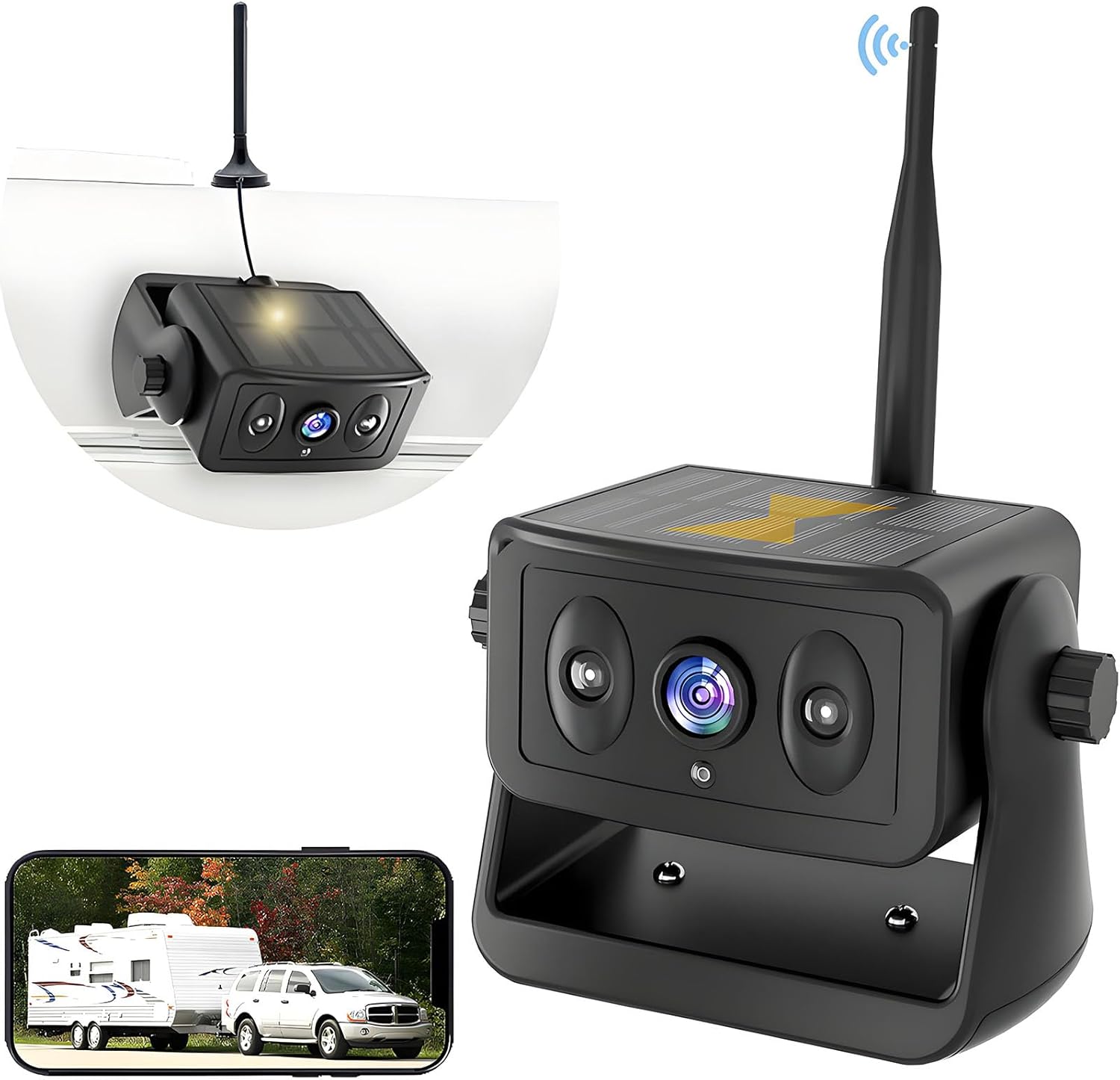
Image: YEOIZO WIFI32 Wireless Backup Camera with its live feed displayed on a smartphone.
2. Setup
2.1 Charging the Camera
The camera is equipped with a rechargeable Lithium Polymer battery. Before initial use, fully charge the camera using the provided Type-C charging cable. A 6-hour USB charge provides approximately 18-20 hours of working time. The integrated 5W solar panel can extend battery life during sunny conditions, providing about 2 hours of power after 8 hours of direct sunlight.
Important: Use only the charging cable that came with your camera. Other cables may not work and could prevent it from charging.

Image: Multiple charging methods for the camera, including USB and solar.
2.2 Installation
The YEOIZO WIFI32 camera features a strong magnetic base for easy, no-drilling, no-wiring installation. Simply attach the magnetic camera to any suitable metal surface on your vehicle. It is ideal for RVs, trucks, campers, and trailers.
- Magnetic Attachment: The camera's strong magnetic base allows for instant attachment to any iron surface.
- Adjustable Angle: The camera's angle can be adjusted by loosening the side knobs, positioning the camera, and then tightening the knobs to secure it.
- Extended Antenna: For longer vehicles or to boost signal transmission, an extended antenna can be used. This antenna should be installed on the top or side of the vehicle for optimal performance.

Image: Magnetic installation of the camera on a vehicle.

Image: Illustration of extended antenna placement for enhanced signal.
2.3 App Download & WiFi Connection
To use the camera, download the companion app (e.g., "JoyTrip" or "MS Cam") from your device's app store. The app is compatible with Android 10 or above and iOS 10 or above. After installing the app, connect your smartphone or tablet to the camera's dedicated WiFi network.
- Download the app from the App Store or Google Play.
- Power on the camera.
- Go to your smartphone's WiFi settings and connect to the camera's WiFi network (e.g., "Car-XXXXXXX").
- Open the app to view the live camera feed.

Image: Visual guide for app download and WiFi connection.
3. Operating Instructions
3.1 Live View and Features
Once connected, the app will display a live, high-definition feed from the camera. The camera provides a 1280x720P resolution with a 150° wide-angle view.
- Parking Guidelines: The app offers adjustable parking guidelines that can be turned on or off according to user preference.
- Image Adjustment: Adjust brightness, chroma, contrast, and saturation settings within the app for optimal viewing.
- Image Flip: The image can be flipped horizontally or vertically to suit different mounting orientations.
- Night Vision: The camera features HD night vision with infrared LEDs and light sensors, providing clear, true-color images in low-light conditions.
- Voice Control: The app supports intelligent voice control for hands-free operation (e.g., "Hey, Siri, open JoyTrip").

Image: Day and night vision capabilities of the camera.

Image: Voice control feature for opening the camera app.
3.2 Video Playback and Recording
The app allows for recording video and taking still images directly from the live feed. These recordings and images are saved to your connected smart device.
Video: Demonstration of the YEOIZO Wireless Backup Camera for iPhone, showcasing its features and ease of use.
4. Maintenance
4.1 Cleaning and Care
Regularly clean the camera lens and solar panel with a soft, damp cloth to ensure optimal performance. Avoid using harsh chemicals or abrasive materials.
4.2 Durability
The YEOIZO WIFI32 camera is designed for all-weather use with an IP68 durability rating. It is waterproof, dustproof, and built to withstand extreme temperatures from -20°C to 60°C, ensuring year-round reliability.

Image: IP68 waterproof feature of the camera.

Image: Camera's resistance to high and low temperatures.
5. Troubleshooting
5.1 Signal Stability
The camera provides a stable 5G WiFi signal with a reliable transmission range of up to 32ft. If you experience signal interference or a weak signal, especially in longer vehicles or with obstacles, consider using the provided extended antenna to boost the signal.
5.2 App Compatibility
Ensure your smart device's operating system is Android 10 or above, or iOS 10 or above. Older or less powerful Android devices may not fully support the app's functionality. Confirm your device meets the minimum requirements for optimal performance.
Video: A seller's demonstration of the camera's easy setup and functionality.
Video: A seller's overview of the wireless backup camera for trailers.
Video: A seller's review of the MHCABSR Magnetic Wireless Backup Camera for RV Trailer.
6. Specifications
| Product Dimensions | 1.6 x 8 x 1.2 inches (1.6"L x 8"W x 1.2"H) |
| Item Weight | 1.52 pounds |
| Item Model Number | WIFI32 |
| Batteries | 1 Lithium Polymer batteries required (included) |
| Other Display Features | Wireless |
| Manufacturer | YEOIZO |
| Screen Size | 7 Inches (referring to compatible device screen size) |
| Compatible Devices | Tablet, Smartphone (Android 10+ / iOS 10+) |
| Installation Type | Surface Mount (Magnetic) |
| Voltage | 12 Volts |
| Optical Sensor Technology | CMOS |
| Lens Type | Wide Angle |
| Real Angle of View | 170 Degrees |
| Connector Type | WiFi |
7. Warranty and Support
For any product-related inquiries, technical support, or warranty information, please contact YEOIZO customer service. Refer to the contact details provided in your product packaging or on the official YEOIZO website.
Optional protection plans are available for purchase separately to extend coverage beyond the standard manufacturer's warranty. Please check the product listing or contact your retailer for details on available protection plans.