
1. Introduction
The nwm ONE Wireless Open-Ear Headphones offer a unique audio experience designed for seamless integration with your surroundings. Featuring advanced PSZ (Personalized Sound Zone) Technology and Magic Focus Voice, these headphones deliver high-quality sound while maintaining awareness of your environment. Enjoy up to 20 hours of battery life, Bluetooth 5.3 connectivity, and multipoint pairing for versatile use.

Image: nwm ONE Wireless Open-Ear Headphones in Light Gray.
Key Features:
- PSZ (Personalized Sound Zone) Technology: Minimizes sound leakage while allowing ambient sounds.
- Magic Focus Voice: Cuts out surrounding noise for clear calls and online meetings.
- Open-Ear Design: Ensures comfort and situational awareness.
- Two-Way Driver System: Features a φ12mm tweeter and φ35mm woofer for rich, distortion-free sound.
- Bluetooth 5.3 & Multipoint Connectivity: Stable wireless connection and simultaneous pairing with multiple devices.
- 20-Hour Battery Life: Extended listening time for daily use.
- USB Audio Connection: Flexible connectivity options via included USB Type-C cable.
Video: An overview of the nwm ONE Wireless Open-Ear Headphones, showcasing their design and key functionalities.
2. What's in the Box
Verify that all items are present in the package:
- nwm ONE Wireless Open-Ear Headphones
- USB Type-C Charging Cable
- User Manual (this document)

Image: The nwm ONE headphones shown with the included USB Type-C charging cable.
3. Setup
3.1 Charging the Headphones
- Connect the provided USB Type-C cable to the charging port on the headphones.
- Connect the other end of the USB cable to a compatible USB power adapter (not included) or a computer's USB port.
- The indicator light will show the charging status. A full charge provides approximately 20 hours of playback.

Image: The nwm ONE headphones being charged via a USB Type-C cable.
3.2 Bluetooth Pairing
- Ensure the headphones are fully charged and powered off.
- Press and hold the power button until the indicator light flashes, indicating pairing mode.
- On your device (smartphone, tablet, computer), enable Bluetooth and search for available devices.
- Select "nwm ONE" from the list of devices.
- Once connected, the indicator light will change to a steady color, confirming successful pairing.
For multipoint connectivity, pair the headphones with the first device, then put them back into pairing mode and connect to the second device. The headphones will automatically switch between the two connected devices.
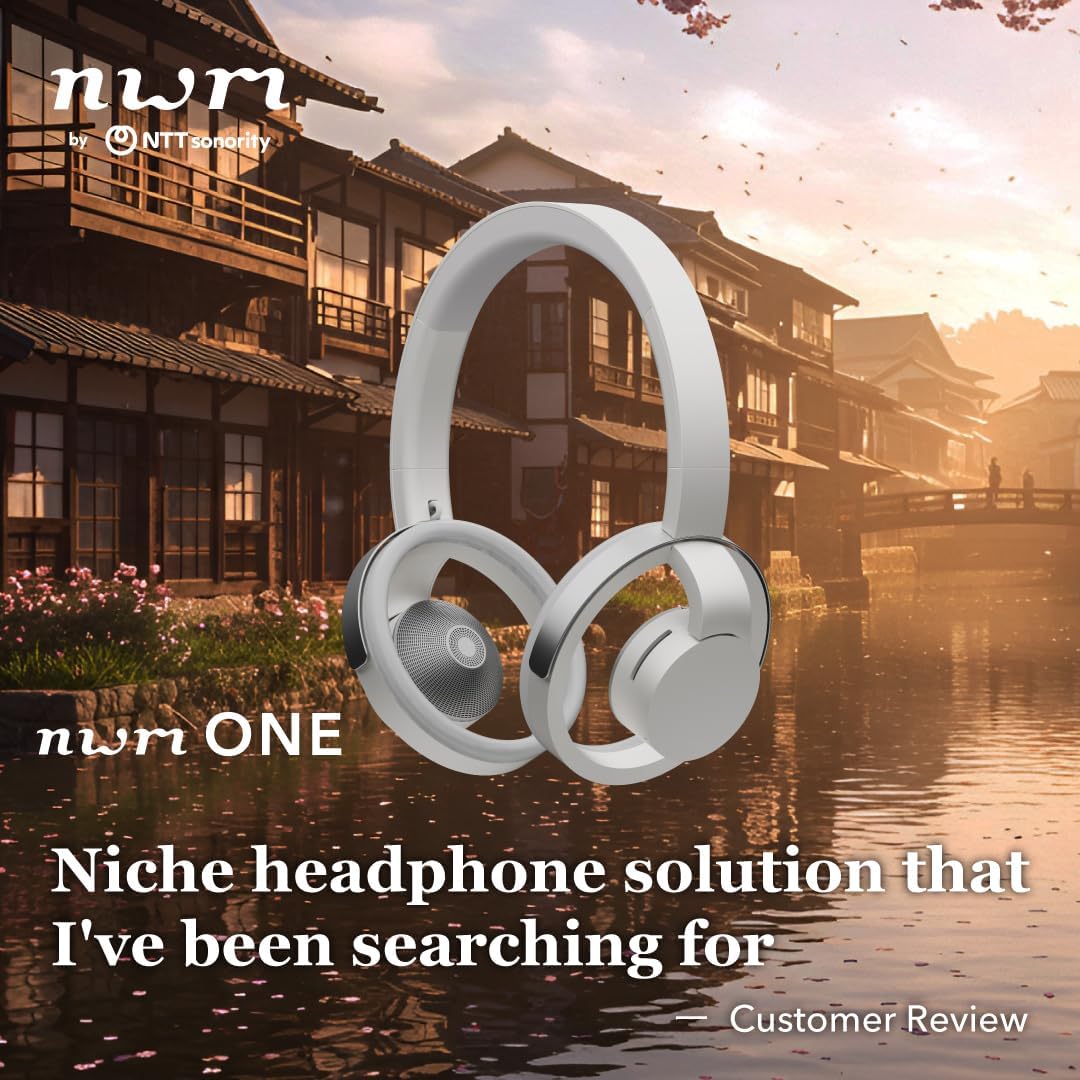
Image: A person wearing the nwm ONE headphones, demonstrating their fit.
4. Operating Instructions
4.1 Basic Controls
The nwm ONE headphones feature intuitive controls for managing your audio and calls:
- Power Button: Press and hold to power on/off. Short press to play/pause music or answer/end calls.
- Volume Control: Use the dedicated volume buttons to adjust audio levels.
- Microphone: Integrated microphone for hands-free calls and voice commands.

Image: A person enjoying music with nwm ONE headphones in an outdoor setting.
4.2 PSZ (Personalized Sound Zone) Technology
PSZ technology is designed to encapsulate sound close to your ears, minimizing audio leakage to your surroundings. This allows you to enjoy your music or calls privately while remaining aware of ambient sounds, enhancing safety and comfort in various environments.
Video: An animated explanation of PSZ (Personalized Sound Zone) technology, demonstrating how it minimizes sound leakage.
4.3 Magic Focus Voice
NTT's patented Magic Focus Voice technology utilizes beamforming and spectral filtering to isolate your voice during calls. It effectively cuts out surrounding background noise, ensuring that only your voice is delivered clearly to the other person, even in noisy environments like cafes or busy offices.
Video: An animated explanation of Magic Focus Voice technology, illustrating how it isolates and clarifies your voice during calls.
4.4 nwm Connect Application
Download the dedicated "nwm Connect" application to access additional features, including equalizer adjustments to personalize your audio experience.
5. Maintenance
- Cleaning: Gently wipe the headphones with a soft, dry cloth. Do not use harsh chemicals or abrasive materials.
- Storage: Store the headphones in a cool, dry place away from direct sunlight and extreme temperatures.
- Water Resistance: These headphones are not water-resistant. Avoid exposure to water or excessive moisture.
6. Troubleshooting
| Problem | Solution |
|---|---|
| Headphones do not power on. | Ensure the headphones are fully charged. Connect to a power source using the USB Type-C cable. |
| Cannot pair with a device. |
|
| No sound or low volume. |
|
| Call quality is poor. |
|
7. Specifications
| Feature | Detail |
|---|---|
| Brand | nwm |
| Model Number | MBH001WA |
| Color | Light Gray |
| Ear Placement | Open Ear |
| Form Factor | Over Ear |
| Noise Control | None (relies on PSZ for sound leakage prevention) |
| Built-In Media | Cable (USB Type-C) |
| Item Weight | 185 Grams |
| Battery Average Life | 20 Hours |
| Frequency Range | 20 Hz - 20,000 Hz |
| Audio Driver Size | 12 Millimeters (Tweeter), 35 Millimeters (Woofer) |
| Additional Features | Volume Control, Personalized Sound Zone (PSZ), Magic Focus Voice |
| Connectivity Technology | Wireless (Bluetooth), Wired (USB Audio) |
| Wireless Technology | Bluetooth |
| Bluetooth Version | 5.3 |
| Water Resistance Level | Not Water Resistant |
8. Warranty Information
The nwm ONE Wireless Open-Ear Headphones come with a 1-year warranty from the date of purchase. This warranty covers manufacturing defects and malfunctions under normal use. Please retain your proof of purchase for warranty claims.
For detailed warranty terms and conditions, please refer to the official nwm website or contact customer support.
9. Customer Support
For further assistance, technical support, or inquiries regarding your nwm ONE Wireless Open-Ear Headphones, please:
- Visit the official nwm website: nwm Store on Amazon
- Refer to the "nwm Connect" application for FAQs and troubleshooting tips.