1. Introduction
This manual provides essential instructions for the safe and effective use of your Vineyuan BL1508 Li-ion rechargeable battery. This battery is designed to power compatible HYT Hytera walkie talkies, offering reliable performance for your communication needs. Please read this manual thoroughly before using the battery.
2. Product Compatibility
The Vineyuan BL1508 battery is specifically designed for use with the following HYT Hytera two-way radio models:
- HYT Hytera HP500
- HYT Hytera HP560
- HYT Hytera HP505

Figure 2.1: Compatible Radio Models. The image displays the BL1508 battery with an attached belt clip, alongside illustrations of the Hytera HP560 and HP500 handheld walkie talkies, indicating compatibility.
Always verify your radio's model number to ensure compatibility before installing the battery.
3. Package Contents
Your package should contain the following items:
- 5 x Vineyuan BL1508 Li-ion Replacement Battery
- 5 x Belt Clip

Figure 3.1: Package Contents. This image shows multiple BL1508 Li-ion batteries, each equipped with a belt clip, as they would appear in the package.
4. Specifications
| Battery Model | BL1508 |
| Chemistry | Li-ion (Lithium-ion) |
| Voltage | 7.2V |
| Capacity | 1500mAh |
| Watt Hours | 10.8Wh |
| Weight (per piece) | 114g / 0.25lb / 4.02oz |
| Dimensions (Battery) | Approx. 11.25cm (4.43inch) x 5cm (1.97inch) |
| Dimensions (Belt Clip) | Approx. 8cm (3.15inch) x 3cm (1.18inch) x 1.3cm (0.51inch) |

Figure 4.1: Battery Specifications. This image highlights the BL1508 battery's label, detailing its model, voltage, capacity, and watt-hours.

Figure 4.2: Product Dimensions and Weight. This image provides visual measurements for the battery and belt clip, along with the weight per piece.
5. Setup and Installation
5.1 Attaching the Belt Clip
- Align the belt clip with the designated slots on the back of the battery.
- Slide the belt clip firmly into place until it clicks, ensuring it is securely fastened.
5.2 Installing the Battery into the Radio
- Ensure the radio is turned off before battery installation.
- Align the battery with the battery compartment on the back of your HYT Hytera walkie talkie.
- Gently slide the battery into the compartment, ensuring the connectors align properly.
- Push the battery firmly until it locks into place. A click sound usually indicates a secure connection.
- Verify that the battery is properly connected and does not wobble.

Figure 5.1: Product Details and Installation Components. This image displays various angles of the BL1508 battery and its detachable belt clip, illustrating how the components fit together.
6. Charging Instructions
Your BL1508 Li-ion battery may be shipped with little to no power. It is essential to fully charge the battery before its first use to ensure optimal performance.
6.1 Recommended Charger
Use a compatible Li-ion charger, such as the CH10A07, for charging your BL1508 battery. Using low-quality or incompatible third-party chargers can shorten the battery's lifespan or cause damage.
6.2 Charging Procedure
- Place the battery (or the radio with the battery installed) into the charging cradle.
- Ensure the battery makes proper contact with the charger's terminals.
- Observe the charger's indicator light. A green light typically indicates successful charging.
- Allow the battery to charge completely.

Figure 6.1: Charging with CH10A07 Charger. This image illustrates the BL1508 battery being charged in a CH10A07 Li-ion charger, with a green light indicating the charging status.
7. Operating Guidelines
Once the battery is fully charged and installed, you can operate your HYT Hytera walkie talkie according to its specific user manual. The BL1508 battery provides a reliable power source for extended communication.
8. Maintenance and Care
- Initial Conditioning: For new batteries, it is recommended to perform 2 to 8 complete charge and discharge cycles to achieve optimal performance. This means fully charging the battery, then using it until it is fully drained, and repeating this process several times.
- Regular Charging: Recharge the battery when its power level is low. Avoid letting the battery remain fully discharged for extended periods.
- Storage: If storing the battery for a long time, charge it to about 50% capacity and store it in a cool, dry place. Avoid extreme temperatures.
- Cleaning: Keep battery contacts clean. Use a dry, soft cloth to wipe off any dust or dirt.
- Avoid Damage: Do not puncture, disassemble, or expose the battery to fire or water.
9. Troubleshooting
- Radio does not turn on:
- Ensure the battery is fully charged. New batteries may arrive with little to no charge.
- Verify that the battery is correctly installed and the connectors are properly aligned and secured.
- Battery not charging:
- Check if the charger is properly connected to a power source.
- Ensure the battery is correctly seated in the charging cradle and making good contact with the terminals.
- Confirm that you are using a compatible charger (e.g., CH10A07).
- Reduced battery life:
- Perform 2-8 full charge/discharge cycles for new batteries to optimize performance.
- Avoid extreme temperatures during use and storage.
- Ensure the battery is fully charged before each use.
10. Important Notices and Warnings
- Compatibility Check: Always carefully check the model number of your device and the part number of your original battery to confirm compatibility with this BL1508 battery.
- Initial Performance: A new battery will achieve its best performance after 2 or 8 complete cycles of charge and discharge.
- Secure Connection: When installing the battery, ensure the connector has been properly connected to your device.
- Charger Quality: Do not use low-quality third-party adapter chargers to charge your device, as this can shorten the battery's life.
- Storage Temperature: Do not store above 60°C (140°F).
- Disposal: Do not dispose of the battery in fire or water. Recycle properly.
- Safety: Do not disassemble, puncture, short circuit, or dispose of in fire.
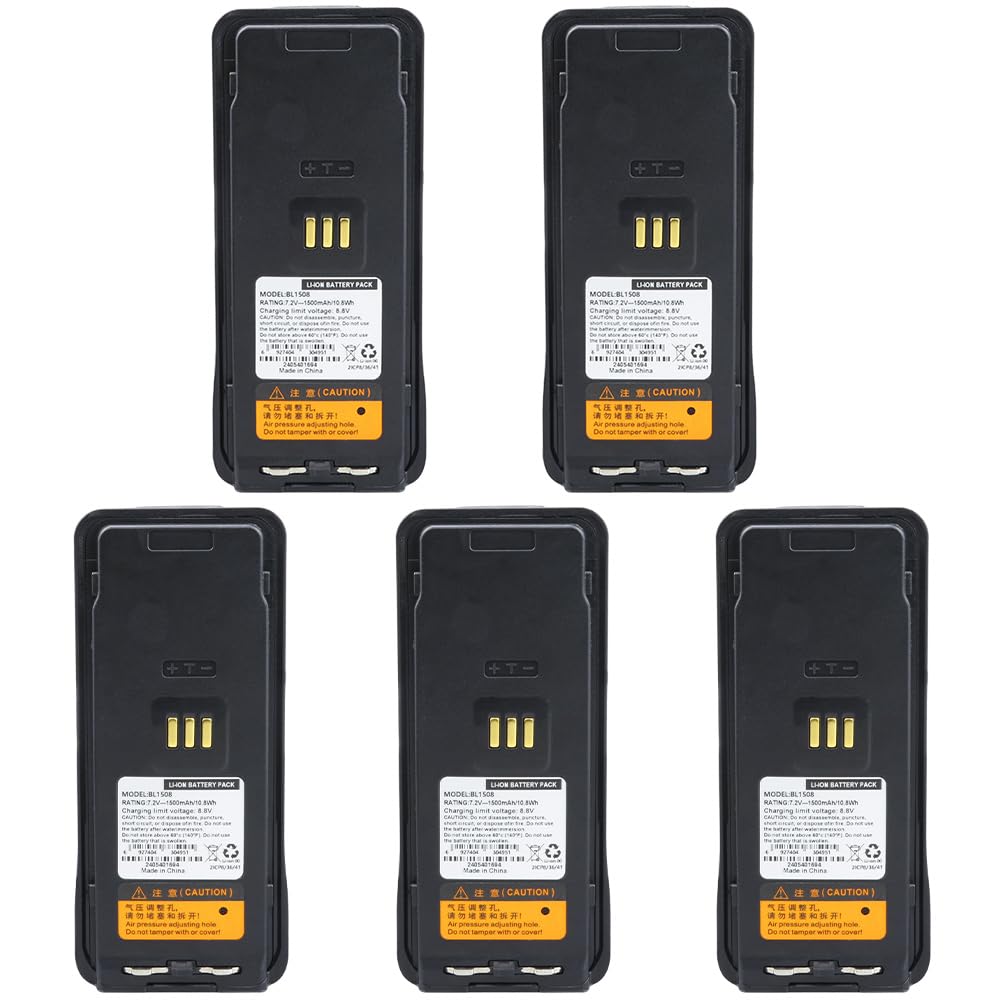
Figure 10.1: Important Notices. This image combines a visual of the battery and a user with a radio, emphasizing critical warnings and recommendations for battery use and purchase.
11. Warranty and Support
For warranty information or technical support, please refer to the seller's contact information provided at the point of purchase. Keep your purchase receipt for warranty claims.