
RICHCHO BW4-4PC-G
RICHCHO BW4-4PC-G 2K Dual-Band Wireless Outdoor Security Camera System User Manual
Model: BW4-4PC-G
1. Introduction
This manual provides detailed instructions for the installation, operation, and maintenance of your RICHCHO BW4-4PC-G 2K Dual-Band Wireless Outdoor Security Camera System. This system includes four battery-powered cameras designed for home security, featuring 5G/2.4G WiFi connectivity, AI motion detection, siren, color night vision, two-way talk, and IP65 weather resistance.
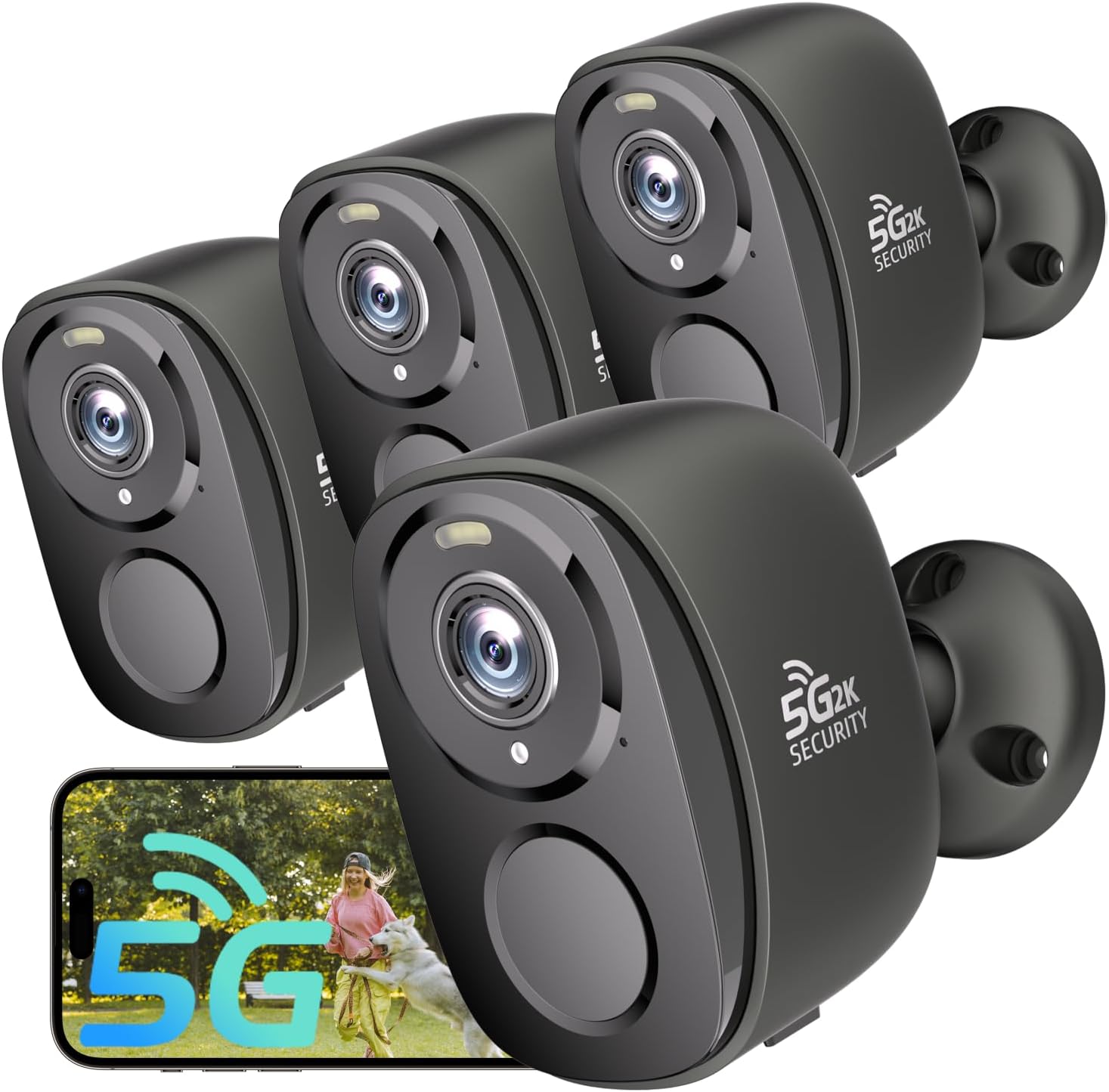
Figure 1: RICHCHO BW4-4PC-G 2K Dual-Band Wireless Outdoor Security Camera System (4-pack).
2. Setup
2.1 Package Contents
Please verify that all components are present:
- 4 x RICHCHO BW4-4PC-G Security Cameras
- 4 x Mounting Brackets
- Mounting Screws and Wall Anchors
- USB Charging Cable (for initial charge)
- User Manual
2.2 Initial Charging
Before first use, fully charge each camera using the provided USB cable. The charging indicator will change color when charging is complete.
2.3 App Installation and Pairing
Download the dedicated mobile application (e.g., "O-KAM" or similar, as implied by Alexa skill) from your device's app store. Follow the in-app instructions to create an account and add your cameras. The cameras support Bluetooth for easy, one-tap setup and dual-band 5G/2.4G WiFi for flexible connectivity.

Figure 2: Easy setup with Bluetooth pairing via the mobile application.

Figure 3: Step-by-step guide for connecting and installing the camera using the app.
Extracted WiFi Information from Image:
- SSID: JSS-2.4G
- Password: Rraycom123
- User ID: 16929223
- Binding Status: 6cd7049e1188
2.4 Physical Installation
Mount the cameras at a recommended height of approximately 7 feet (2.1 meters) for optimal coverage. Angle the camera downwards between 15-30 degrees to capture horizontal motion effectively. Avoid facing the camera directly towards white walls, columns, water surfaces, or electrical wires, as these can interfere with night vision performance and motion detection.
Video 1: Instructions on how to properly install the security camera, including recommended height and angle for optimal motion detection.

Figure 4: Overview of camera features and IP65 weather resistance for outdoor use.

Figure 5: Example camera placements for optimal 2.4GHz WiFi coverage around a home.
3. Operation
3.1 Video Monitoring and Recording
The cameras provide 2K UHD resolution for clear day and night viewing. Full-color night vision is available, enhancing visibility in low-light conditions. Footage can be stored on a Micro SD card (up to 256GB, sold separately) or via cloud storage (free 1-day loop storage included, subscription options available for longer playback).

Figure 6: Demonstrating 2K UHD and Full-Color Night Vision capabilities.

Figure 7: Night vision comparison: spotlight off vs. spotlight on.

Figure 8: Storage options: Free 1-day cloud storage and Micro SD card support (up to 256GB).
3.2 AI Motion Detection and Alerts
The cameras feature advanced AI motion detection to differentiate between humans and other objects, reducing false alarms. When motion is detected, you will receive instant phone alerts. The system can also trigger a 110dB siren and blinding spotlight to deter intruders.

Figure 9: AI Motion Detection with real-time alerts, siren, and spotlight.

Figure 10: Smart 24/7 defense with instant alarms, siren, and spotlight warnings.

Figure 11: Motion detection range and sensitivity settings.
3.3 Two-Way Audio
Utilize the built-in microphone and speaker for two-way communication. You can speak to visitors, delivery personnel, or deter unwanted individuals directly through the camera via your smartphone.

Figure 12: Two-way audio communication via the mobile app.

Figure 13: Using two-way audio for communication at the front door.
3.4 Alexa Integration
Connect your RICHCHO cameras with Amazon Alexa for hands-free control and live-stream viewing on compatible Alexa devices. Enable the "OKAM" skill in the Alexa app.

Figure 14: Alexa integration for viewing camera feeds.

Figure 15: Hands-free monitoring with Alexa.
Video 2: Guide on how to connect your RICHCHO security camera to Amazon Alexa.
3.5 Multi-User and Multi-Camera Management
The system supports multiple users sharing access to camera feeds. You can combine multiple cameras for full home coverage and manage them all through the same application.

Figure 16: Multi-user sharing of camera access.
4. Maintenance
4.1 Battery Life Optimization
To prolong battery life, consider the following settings in the app:
- Change Power Mode: Switch from continuous working mode to sleep mode when continuous monitoring is not required.
- Adjust Video Recording Length: Shorter recording clips (e.g., 5-15 seconds) consume less power.
- Map Monitoring Area: Customize specific activity zones to focus detection on critical areas, reducing unnecessary recordings.
- Motion Detection Schedule: Set schedules for motion detection to reduce alerts and recordings during periods when activity is expected or not needed.
Video 3: Tips on how to prolong the battery life of your security camera.
4.2 Cleaning
Periodically wipe the camera lens and body with a soft, damp cloth to remove dust and debris. Avoid using harsh chemicals that could damage the device.
4.3 Firmware Updates
Ensure your camera's firmware is up-to-date through the mobile application to benefit from the latest features and security enhancements.
5. Troubleshooting
5.1 Connectivity Issues
- No Connection/Frequent Disconnections: Ensure the camera is within range of your WiFi router. The camera supports both 2.4GHz and 5GHz bands; try switching bands if experiencing instability.
- Slow Live Feed/Buffering: This can be due to network congestion or weak WiFi signal. Ensure your router is not overloaded and the camera has a strong signal.
5.2 Motion Detection Problems
- False Alarms: Adjust the motion detection sensitivity in the app. Utilize customizable activity zones to exclude areas with frequent non-human movement (e.g., trees swaying, pets).
- No Detection: Verify the camera's placement and angle. Ensure no objects are obstructing the view. Check motion detection settings in the app to ensure it's enabled and sensitivity is appropriate.

Figure 17: Advanced PIR Human Detection distinguishing humans from other objects.

Figure 18: Customizable activity zones to reduce false alerts.
Video 4: Instructions on how to avoid false alarms by optimizing camera placement and settings.
5.3 Night Vision Issues
- Poor Night Vision Clarity: Ensure there are no reflective surfaces (white walls, glass) directly in front of the camera that could cause infrared glare.
Video 5: Visual examples of how to ensure proper IR night vision by avoiding common obstructions.
5.4 Two-Way Audio Quality
- Low Volume/Unclear Audio: Ensure your smartphone's volume is up. Check the camera's microphone and speaker for any obstructions. Ensure a stable network connection for clear audio transmission.
6. Specifications
| Feature | Detail |
|---|---|
| Model | BW4-4PC-G |
| Video Capture Resolution | 2K, 4 MP |
| Connectivity Technology | Wireless (Wi-Fi) |
| Wireless Communication Technology | Wi-Fi (Dual-Band 5G/2.4G) |
| Power Source | Battery Powered (Solar Powered compatible, accessory not included) |
| International Protection Rating | IP65 (Weatherproof) |
| Special Features | 2-Way Audio, 2K QHD Resolution, Night Vision (Color), Built-In Light (Spotlight), Motion Sensor (AI), Portable |
| Indoor/Outdoor Usage | Outdoor (also suitable for indoor) |
| Compatible Devices | Android, iOS, Amazon Alexa |
| Storage Options | Micro SD Card (up to 256GB, sold separately), Cloud Storage (1-day free loop) |
| Number of Items | 4 Cameras |
| Item Weight | 2.72 pounds (total for 4 cameras) |
| Manufacturer | RICHCHO |
7. Warranty and Support
7.1 Warranty Information
Specific warranty details are not provided in this manual. Please refer to the product packaging or contact RICHCHO customer service for warranty terms and conditions.
Optional protection plans may be available for purchase separately. Please check with your retailer for details.
7.2 Customer Support
For technical assistance, troubleshooting, or any inquiries regarding your RICHCHO security camera system, please contact our customer support team:
- Email: tuya.kams@gmail.com
- Online Store: Visit the RICHCHO Store on Amazon for more products and information.

Figure 19: RICHCHO Customer Service Contact Information.
Ask a question about this manual
Ask about setup, troubleshooting, compatibility, parts, safety, or missing instructions. Manuals+ will review the question and use this page’s manual context to help answer it.