
1. Introduction
This manual provides essential information for the safe and efficient operation, maintenance, and troubleshooting of your Banfluxion RC-210E Precision Metal Bench Lathe. Please read this manual thoroughly before operating the machine to ensure proper usage and to prevent injury or damage.
1.1 Safety Information
Always prioritize safety when operating machinery. Wear appropriate personal protective equipment (PPE) including safety glasses, hearing protection, and suitable clothing. Ensure the work area is clean, well-lit, and free from obstructions. Disconnect power before performing any maintenance or adjustments.
2. Product Overview
The Banfluxion RC-210E is a versatile 8"x32" precision metal bench lathe featuring a 1100W brushless motor and variable speeds from 50-2500rpm. It is designed for various metalworking tasks including turning, threading, and polishing.
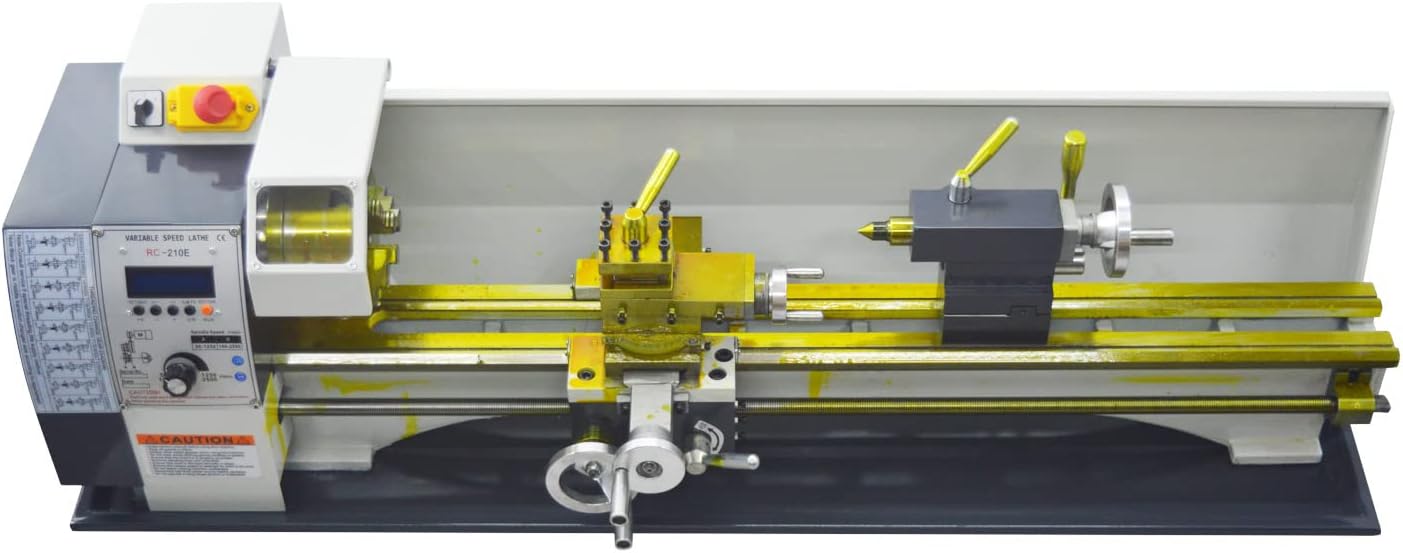
Figure 2.1: Overview of the Banfluxion RC-210E Precision Metal Bench Lathe.
2.1 Key Features
- Thread Switch: Automatic switching between metric and inch threads via the control panel, eliminating the need for manual gear changes.
- Indexing Function: DIR button on the control panel allows switching the turning tool direction and clearing the angle with one click.
- Automatic Feed: Achieves automatic feed in the X-axis direction with a range of 0.01mm-0.4mm.
- Multiple Operation Modes: Supports manual start, automatic start, and delay automatic start for turning operations.
- Multifunctionality: Suitable for metal turning, screw threading, internal and external thread cutting, wood turning, and polishing.

Figure 2.2: Control panel for thread selection and illustration of the gearless belt drive system.
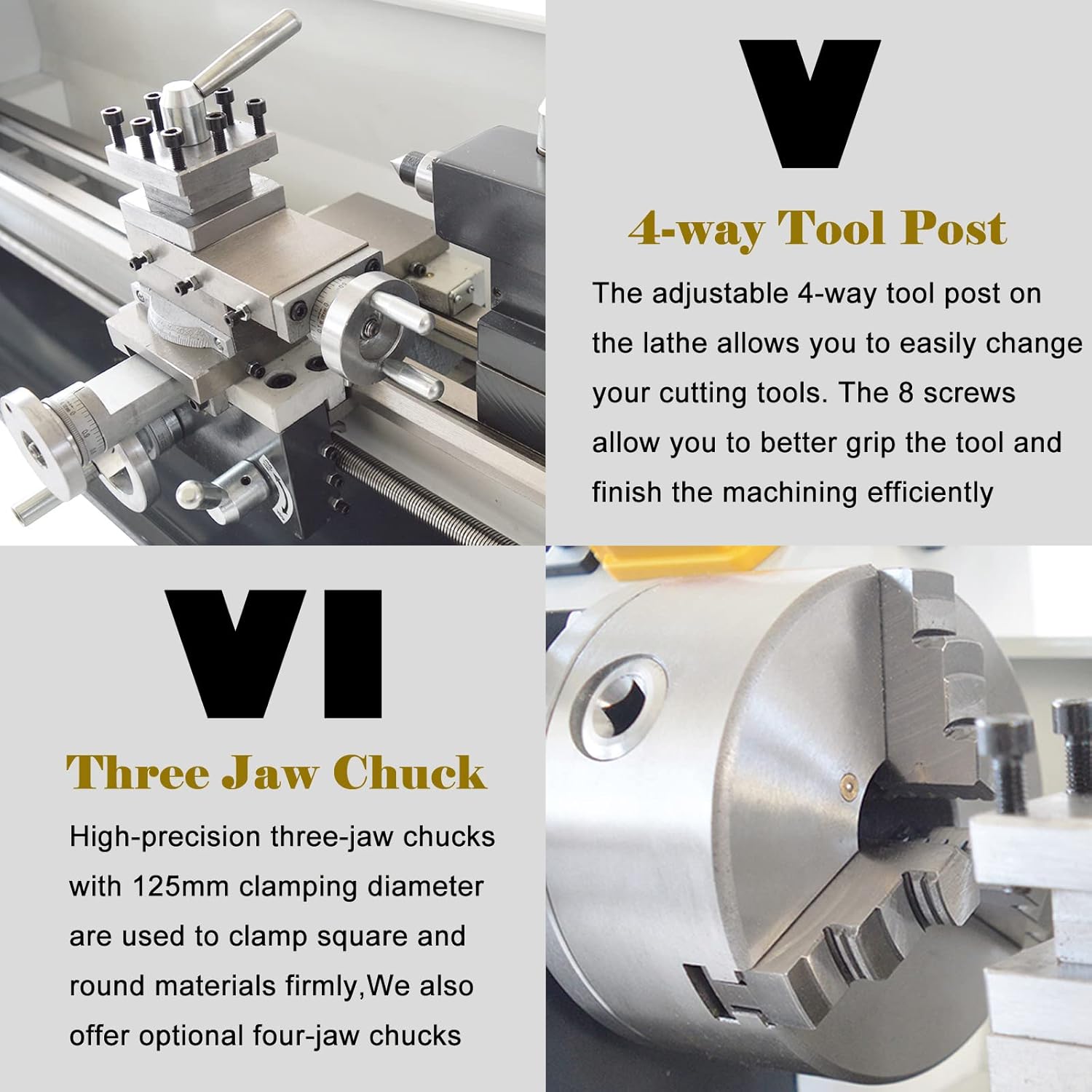
Figure 2.3: Details of the 4-way tool post and the high-precision three-jaw chuck.
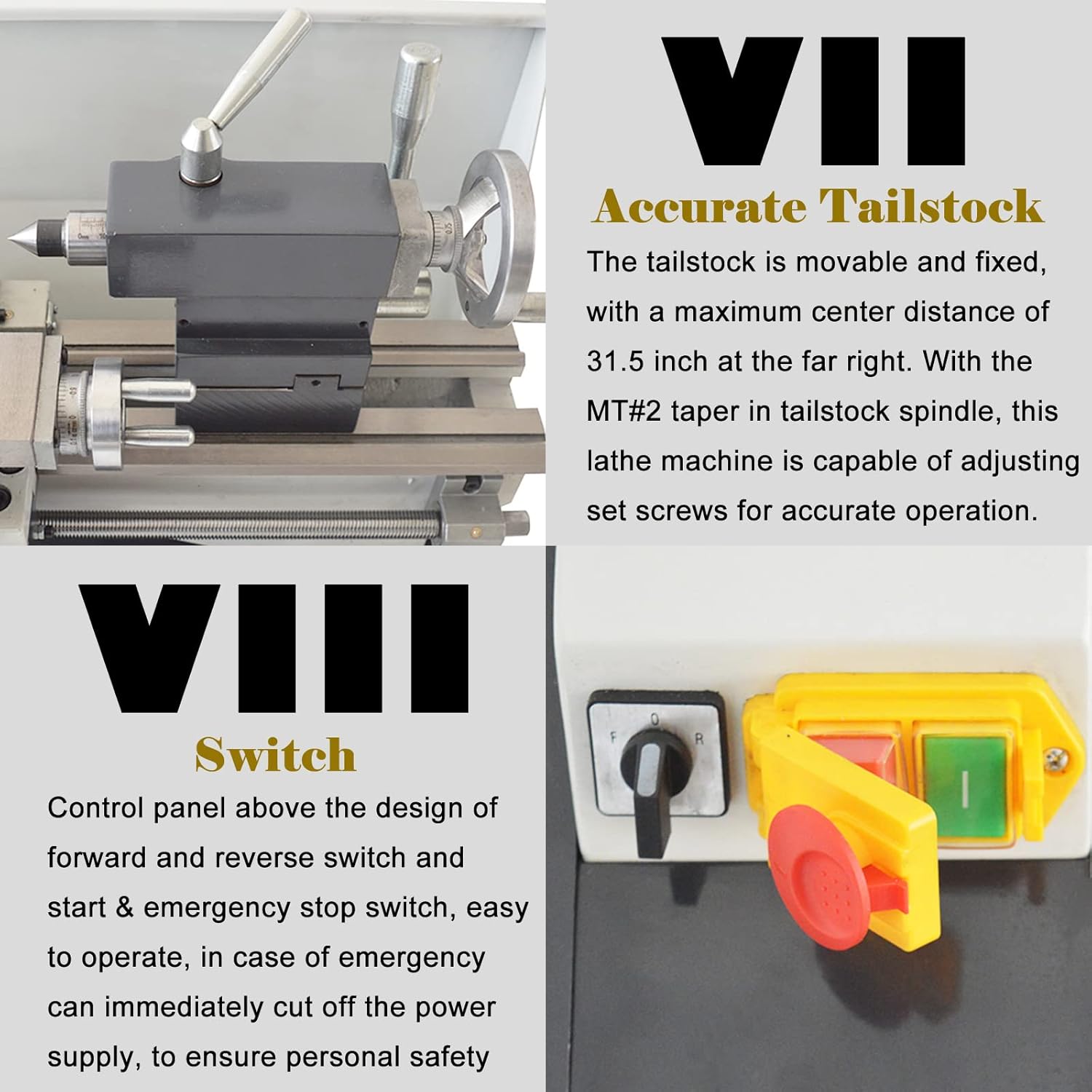
Figure 2.4: The movable and fixed tailstock with MT#2 taper and the safety control switches.
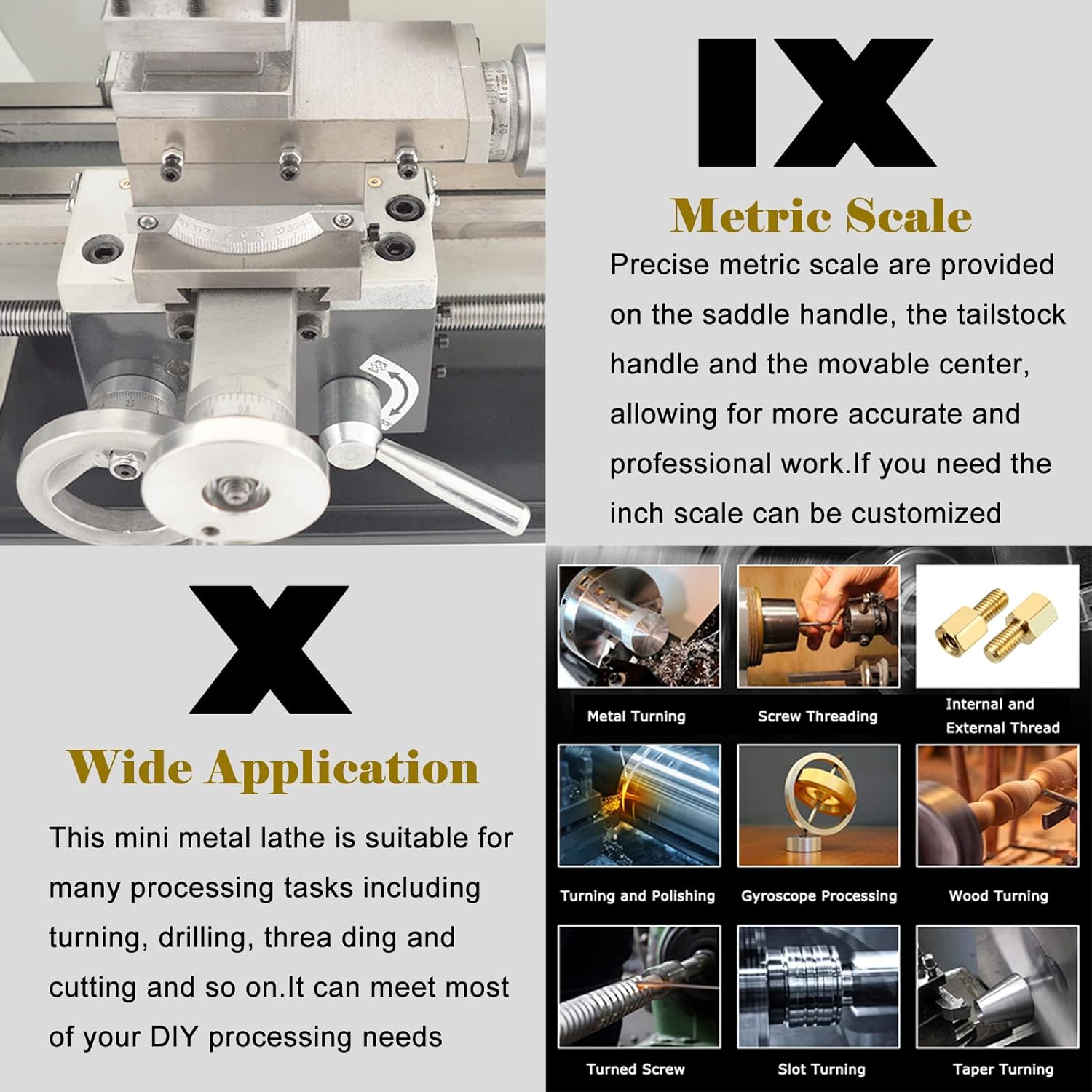
Figure 2.5: Precise metric scales for accurate work and examples of lathe applications.
3. Specifications
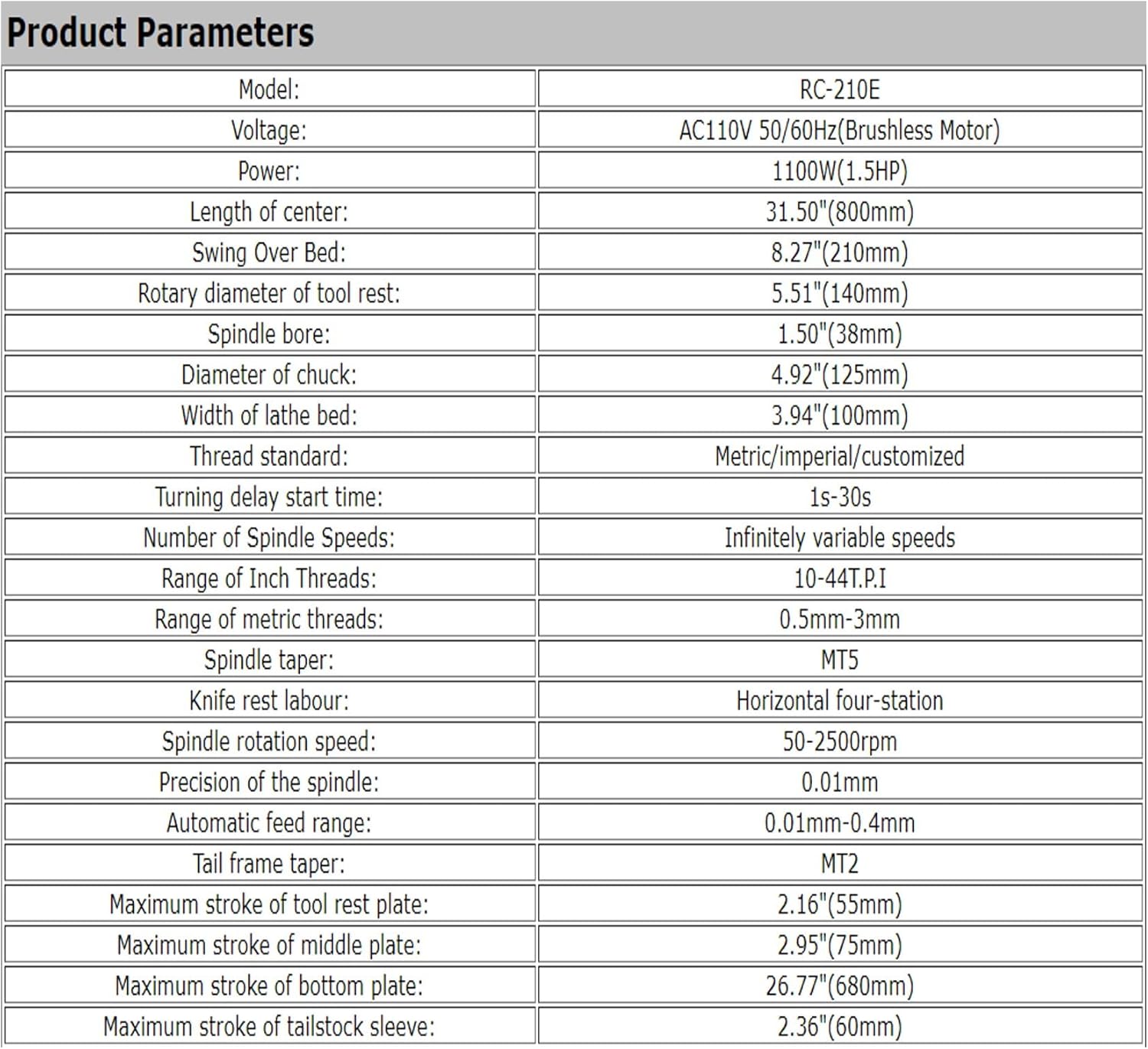
Figure 3.1: Detailed product parameters for the RC-210E lathe.
| Parameter | Value |
|---|---|
| Model | RC-210E |
| Voltage | AC110V 50/60Hz (Brushless Motor) |
| Power | 1100W (1.5HP) |
| Length of Center | 31.50" (800mm) |
| Swing Over Bed | 8.27" (210mm) |
| Rotary Diameter of Tool Rest | 5.51" (140mm) |
| Spindle Bore | 1.50" (38mm) |
| Diameter of Chuck | 4.92" (125mm) |
| Width of Lathe Bed | 3.94" (100mm) |
| Thread Standard | Metric/Imperial/Customized |
| Turning Delay Start Time | 1s-30s |
| Number of Spindle Speeds | Infinitely variable speeds |
| Range of Inch Threads | 10-44 T.P.I |
| Range of Metric Threads | 0.5mm-3mm |
| Spindle Taper | MT5 |
| Knife Rest Labour | Horizontal four-station |
| Spindle Rotation Speed | 50-2500rpm |
| Precision of the Spindle | 0.01mm |
| Automatic Feed Range | 0.01mm-0.4mm |
| Tail Frame Taper | MT2 |
| Maximum Stroke of Tool Rest Plate | 2.16" (55mm) |
| Maximum Stroke of Middle Plate | 2.95" (75mm) |
| Maximum Stroke of Bottom Plate | 26.77" (680mm) |
| Maximum Stroke of Tailstock Sleeve | 2.36" (60mm) |
| Product Dimensions | 46.1 x 13 x 14.2 inches (117 x 33 x 36 cm) |
| Item Weight | 187.4 pounds |

Figure 3.2: Physical dimensions of the RC-210E lathe.
4. Unpacking and Initial Setup
4.1 Included Items
Verify that all the following items are present in the packaging:
- RC-210E Lathe (1 unit)
- Base Oil Pan (1 unit)
- English Manual (1 unit)
- Oil Can (1 unit)
- Hexagon Wrench (5 units)
- Open Spanner (2 units)
- Screwdriver (2 units)
- Chuck Jaw (3 units)
- Chuck Spanner (1 unit)
4.2 Placement and Installation
- Choose a stable, level workbench capable of supporting the lathe's weight (approximately 187.4 lbs).
- Ensure adequate clearance around the machine for safe operation and maintenance.
- Mount the lathe securely to the workbench using appropriate fasteners (not included).
- Install the base oil pan beneath the lathe to collect chips and coolant.
- Connect the lathe to a grounded 110V AC power outlet.
5. Operation
5.1 Control Panel Overview
The control panel provides access to all operational settings, including speed adjustment, thread selection, and start/stop functions. Familiarize yourself with each button and display before operation.
5.2 Spindle Speed Adjustment
The RC-210E features infinitely variable spindle speeds from 50-2500rpm. Use the speed control knob on the panel to adjust the rotation speed according to the material and cutting tool requirements.
5.3 Threading Operations
To perform threading, select the desired thread standard (metric or imperial) directly from the control panel. The machine automatically adjusts for the selected thread pitch (Metric: 0.5mm-3mm; Inch: 10-44 T.P.I) without requiring manual gear changes.
5.4 Automatic Feed
Engage the automatic feed function for consistent material removal along the X-axis. The automatic feed range is adjustable from 0.01mm to 0.4mm. Refer to the control panel for specific settings.
5.5 Starting and Stopping the Lathe
- Manual Start: Press the green 'Start' button on the control panel.
- Automatic Start: Set parameters on the control panel and save to initiate reciprocating turning or thread turning.
- Delay Automatic Start: Utilize the delay function (1s-30s) for timed starts.
- Emergency Stop: In case of an emergency, press the red emergency stop button immediately to cut off power.
6. Maintenance
Regular maintenance is crucial for the longevity and optimal performance of your lathe.
- Cleaning: After each use, clean the lathe bed, chuck, and tool post to remove chips and debris. Use a brush or air gun, ensuring power is disconnected.
- Lubrication: Regularly lubricate all moving parts, including lead screws, gears, and slides, with appropriate machine oil. Refer to the lubrication points indicated in the machine diagram (if available).
- Inspection: Periodically inspect belts, electrical connections, and fasteners for wear or looseness. Tighten or replace as necessary.
- Chuck Maintenance: Keep chuck jaws clean and lubricated. Ensure they operate smoothly.
7. Troubleshooting
This section provides general guidance for common issues. For complex problems, contact customer support.
- Machine Does Not Start: Check power connection, ensure emergency stop button is disengaged, and verify all safety interlocks are correctly positioned.
- Abnormal Noise/Vibration: Inspect for loose components, worn bearings, or improper lubrication. Adjust or replace as needed.
- Inaccurate Cuts: Verify tool sharpness, proper workholding, and correct machine settings. Check for play in slides or lead screws.
- Automatic Feed Not Working: Ensure the automatic feed mechanism is engaged and the settings on the control panel are correctly configured.
8. Warranty and Support
For warranty information, technical support, or spare parts, please refer to the contact details provided with your purchase documentation or visit the official Banfluxion website. Keep your purchase receipt as proof of purchase for warranty claims.


