
Introduction
Welcome to your new chalvh B01 Wireless Earbuds. These earbuds are designed for an optimal audio experience with advanced features like Bluetooth 5.4, noise cancellation, and a secure fit for active lifestyles. This manual provides detailed instructions for setup, operation, and maintenance.
What's in the Box
The chalvh B01 Wireless Earbuds package includes:
- chalvh B01 Wireless Earbuds (Left and Right)
- Charging Case
- USB-C Charging Cable
- Multiple Sizes of Eartips (S, M, L)
- User Manual

Image: Contents of the chalvh B01 Wireless Earbuds package, including earbuds, charging case, USB-C cable, and eartips.
Product Overview
The chalvh B01 Wireless Earbuds feature a robust design with ear hooks for a secure fit, ideal for sports and active use. Key features include:
- Bluetooth 5.4: Provides a stable and fast wireless connection.
- Extended Battery Life: Up to 10 hours on a single charge, with an additional 40 hours from the charging case, totaling 50 hours.
- Hi-Fi Stereo Sound: Delivers clear audio with enhanced bass.
- CVC 8.0 Noise Cancelling: Reduces ambient noise for clearer calls.
- IP7 Waterproof: Designed to withstand sweat and rain.
- LED Digital Power Display: Shows battery levels for both earbuds and the charging case.
- Smart Touch Control: Intuitive controls for music, calls, and voice assistant.
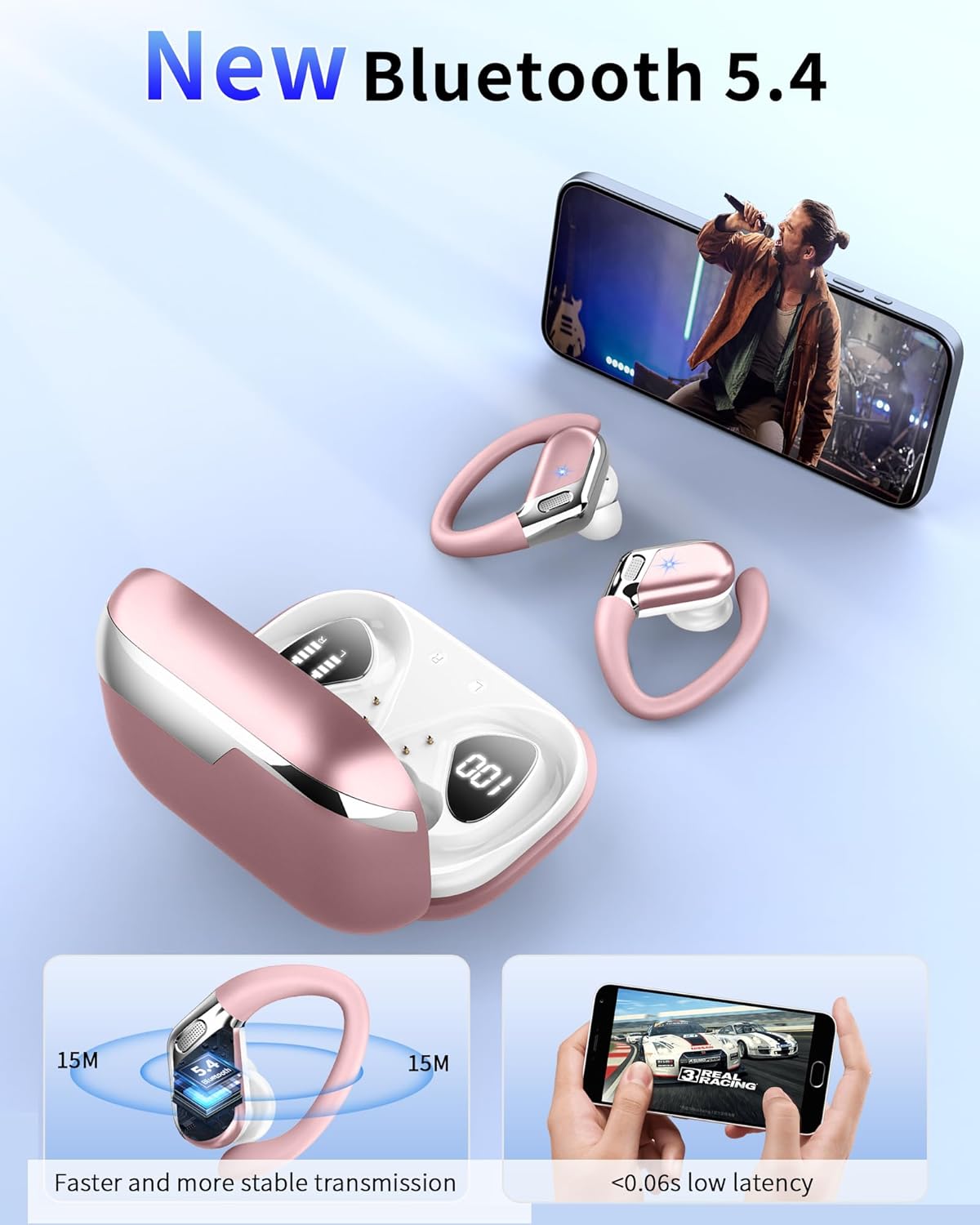
Image: chalvh B01 Wireless Earbuds and charging case, highlighting Bluetooth 5.4 connectivity and low latency.

Image: chalvh B01 Wireless Earbuds and charging case, illustrating 50 hours total battery life with 10 hours per single charge and 1.5 hours fast charging.

Image: Close-up of a chalvh B01 earbud, emphasizing HiFi Stereo Sound and CVC 8.0 Noise Cancelling features.

Image: chalvh B01 Wireless Earbuds in their charging case, showing the LED digital power display for battery levels.
Setup
Charging the Earbuds and Case
Before first use, fully charge the earbuds and charging case.
- Place the earbuds into the charging case. Ensure they are correctly seated.
- Connect the USB-C charging cable to the charging case and a power source (e.g., USB wall adapter, computer USB port).
- The LED display on the case will show the charging status. A full charge for the case takes approximately 1.5 hours.
- The earbuds will charge automatically when placed in the case.
Pairing with Your Device
- Open the charging case. The earbuds will automatically enter pairing mode.
- On your device (smartphone, tablet, etc.), enable Bluetooth.
- Search for "B01" in the list of available Bluetooth devices and select it to connect.
- Once connected, the earbuds will automatically pair with your device in the future when removed from the case.

Image: A chalvh B01 earbud next to a smartphone displaying Bluetooth settings, indicating the pairing process.
Operating Instructions
Wearing the Earbuds
For optimal sound and a secure fit, especially during physical activity:
- Choose the eartips that best fit your ear canal (S, M, L sizes are provided).
- Insert the earbud into your ear.
- Adjust the ear hook over your ear to ensure a snug and comfortable fit.
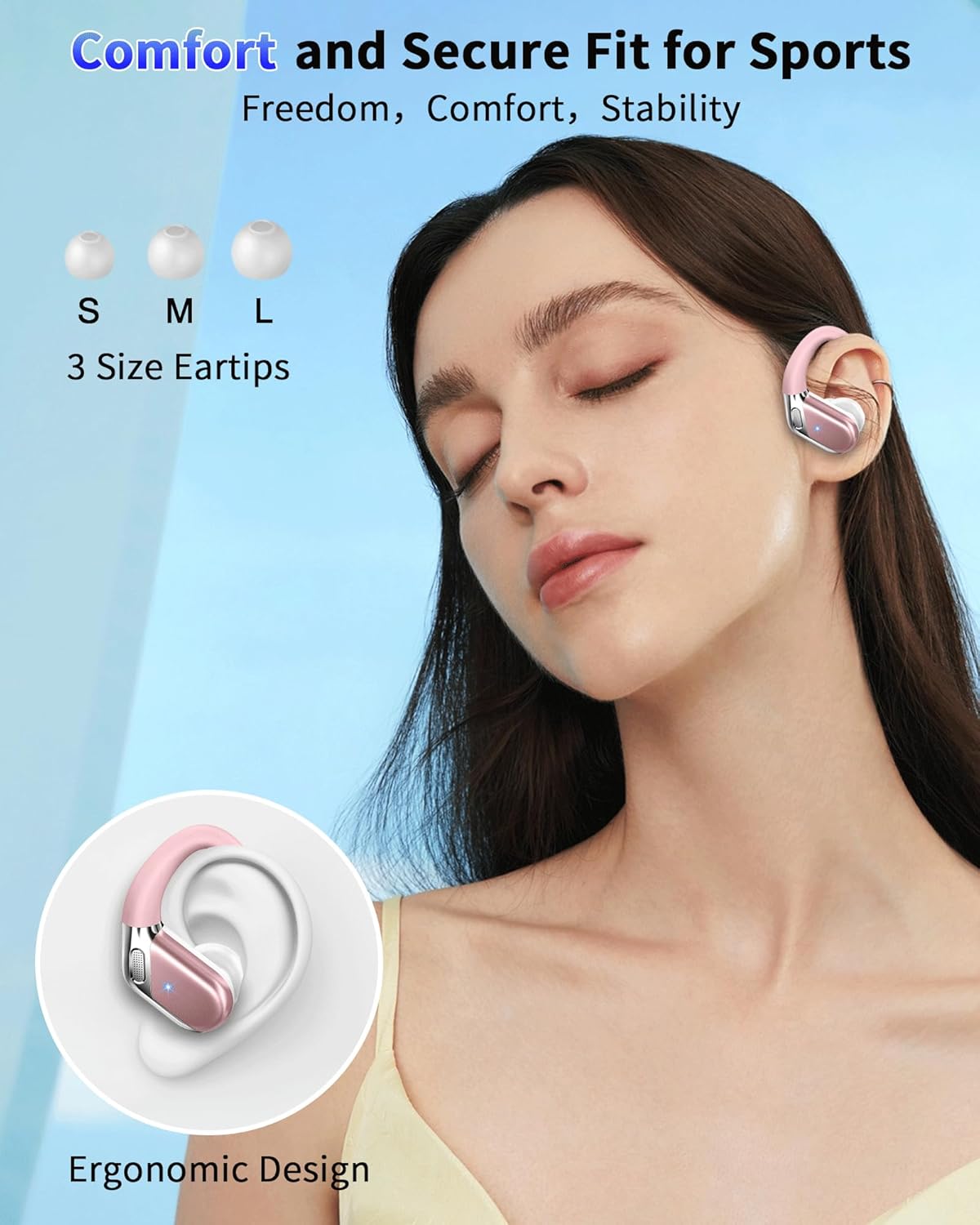
Image: Woman wearing chalvh B01 Wireless Earbuds, demonstrating the comfortable and secure fit with ear hooks and different eartip sizes (S, M, L).
Smart Touch Controls
The earbuds feature touch-sensitive controls on the outer surface. Refer to the diagram for specific functions:
- Play/Pause: Single tap on L/R earbud.
- Next Track: Double tap on R earbud.
- Previous Track: Double tap on L earbud.
- Volume Up: Triple tap on R earbud.
- Volume Down: Triple tap on L earbud.
- Answer/End Call: Single tap on L/R earbud during an incoming call.
- Reject Call: Press and hold L/R earbud for 2 seconds during an incoming call.
- Activate Voice Assistant (Siri/Google Assistant): Press and hold L/R earbud for 2 seconds (when not on a call).

Image: Diagram illustrating the smart touch controls for chalvh B01 Wireless Earbuds, including functions for play/pause, track skipping, volume, and voice assistant.
Maintenance
Cleaning
Regular cleaning helps maintain optimal performance and hygiene.
- Use a soft, dry, lint-free cloth to wipe the earbuds and charging case.
- For stubborn dirt, slightly dampen the cloth with water. Avoid using harsh chemicals or abrasive materials.
- Gently clean the eartips with a damp cloth and allow them to dry completely before reattaching.
- Ensure charging contacts on both earbuds and case are clean and free of debris.
Storage
When not in use, store the earbuds in their charging case to protect them from dust, damage, and to keep them charged. Avoid storing in extreme temperatures or high humidity.
Troubleshooting
No Sound or Intermittent Connection
- Ensure earbuds are charged.
- Check if Bluetooth is enabled on your device and "B01" is selected.
- Move closer to your device to avoid interference.
- Try resetting the earbuds by placing them back in the case, closing it, and then reopening.
- Forget "B01" from your device's Bluetooth settings and re-pair.
Earbuds Not Charging
- Ensure the charging case is charged.
- Verify that the earbuds are correctly seated in the charging case.
- Clean the charging contacts on both the earbuds and the case with a dry cotton swab.
- Try a different USB-C cable and power adapter.
Touch Controls Not Responding
- Ensure your fingers are clean and dry.
- Try restarting the earbuds by placing them in the case and taking them out again.
Specifications
| Feature | Detail |
|---|---|
| Model Number | B01 |
| Bluetooth Version | 5.4 |
| Earpiece Shape | In-Ear with Ear Hooks |
| Noise Control | Active Noise Cancellation (CVC 8.0 for calls) |
| Water Resistance | IP7 Waterproof |
| Control Method | Touch |
| Battery Life (Earbuds) | Up to 10 hours |
| Battery Life (with Case) | Up to 50 hours |
| Charging Time (Case) | Approx. 1.5 hours |
| Item Weight | 50 Grams (1.76 ounces) |
| Product Dimensions | 2.5 x 2 x 1 inches |
| Compatible Devices | Smartphones, Tablets, Laptops, Desktops, Smart TVs, Smart Speakers |
Warranty and Support
Warranty Information
Your chalvh B01 Wireless Earbuds come with a 3-year warranty from the date of purchase, covering manufacturing defects. This warranty does not cover damage caused by misuse, accidents, unauthorized modifications, or normal wear and tear.
Customer Support
For any questions, technical assistance, or warranty claims, please contact chalvh customer service. We offer 24-hour customer service support. You can find contact information on the chalvh official website or through your purchase platform.