
Introduction
This manual provides instructions for the proper setup, operation, and maintenance of your Vanguard VEO 5 264CO28 Full-Size Carbon Fiber Tripod with VEO PH-28 2-Way Pan Head. The VEO 5 264CO28 is designed for stability and precision, featuring CNC-machined components and an Arca-compatible quick-release plate. Please read this manual thoroughly before using the product to ensure optimal performance and longevity.
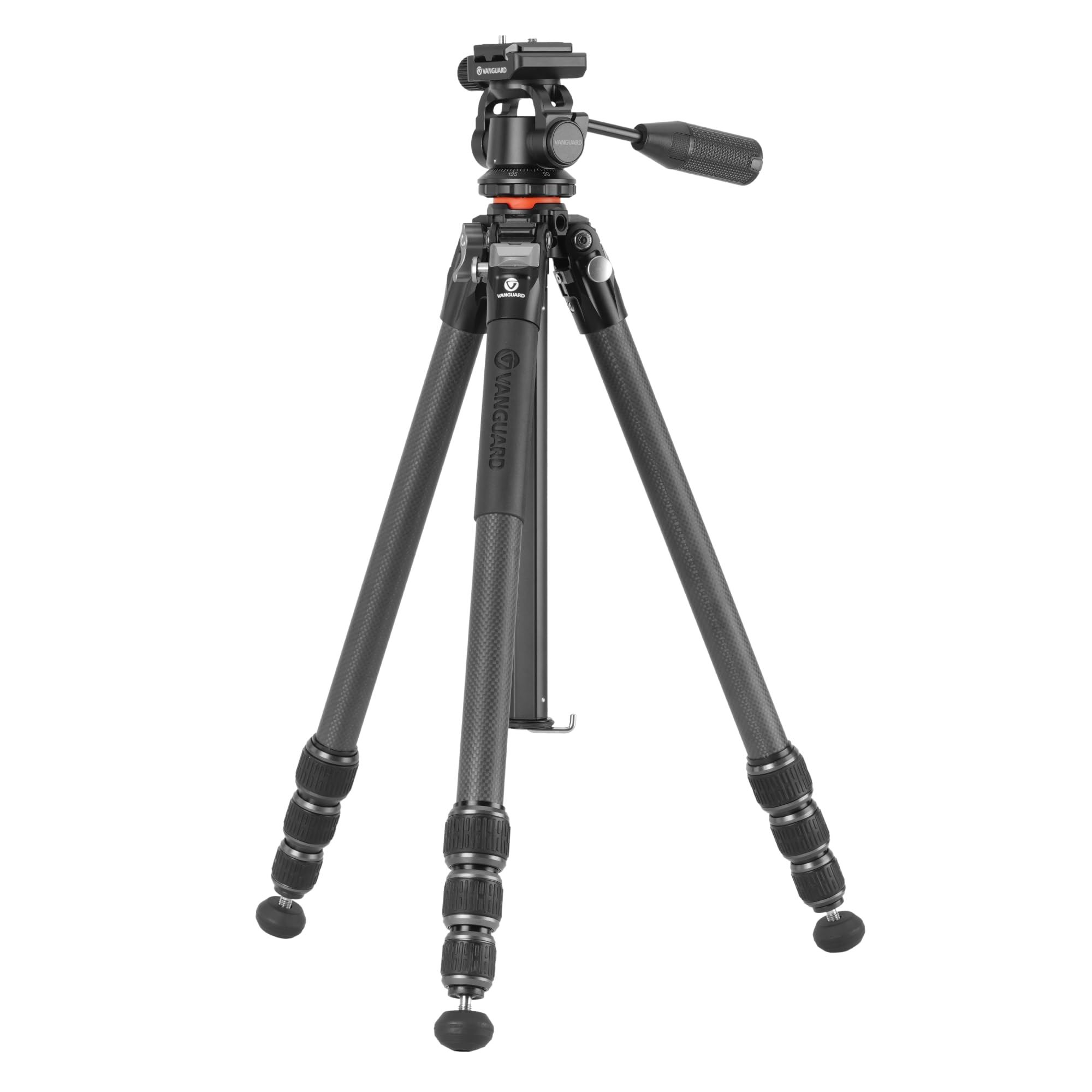
Image: The Vanguard VEO 5 264CO28 Carbon Fiber Tripod with its PH-28 2-Way Pan Head, shown in its assembled state.
What's in the Box
Upon unpacking, ensure all the following components are present:
- Vanguard VEO 5 264CO28 Carbon Fiber Tripod
- VEO PH-28 2-Way Pan Head (pre-attached)
- QS-55P Arca-compatible Quick-Release Plate
- Tripod Bag
- Allen Wrenches (for adjustments)

Image: A person carrying the Vanguard VEO 5 264CO28 tripod in its included carrying bag, demonstrating its portability.
Setup
1. Attaching the Quick-Release Plate to Your Device
- Locate the QS-55P quick-release plate.
- Attach the plate to the base of your camera or spotting scope using the integrated screw. Ensure it is securely tightened.
2. Extending and Adjusting Tripod Legs
- Unlock the twist leg locks on each leg section by rotating them counter-clockwise.
- Extend the leg sections to the desired height.
- Rotate the twist leg locks clockwise to secure the leg sections in place.
- Adjust the leg angles by pulling out the angle adjustment tabs located at the top of each leg. The tripod offers 23, 50, and 80-degree angle settings.

Image: The tripod legs demonstrating the adjustable angle mechanism, allowing for various shooting positions.
3. Converting Rubber Feet to Spikes
- The rubber feet can be retracted to reveal built-in spikes for enhanced stability on soft or uneven terrain.
- To expose the spikes, twist the rubber foot counter-clockwise until it retracts and the spike is visible.
- To cover the spikes, twist the rubber foot clockwise until it extends and covers the spike.
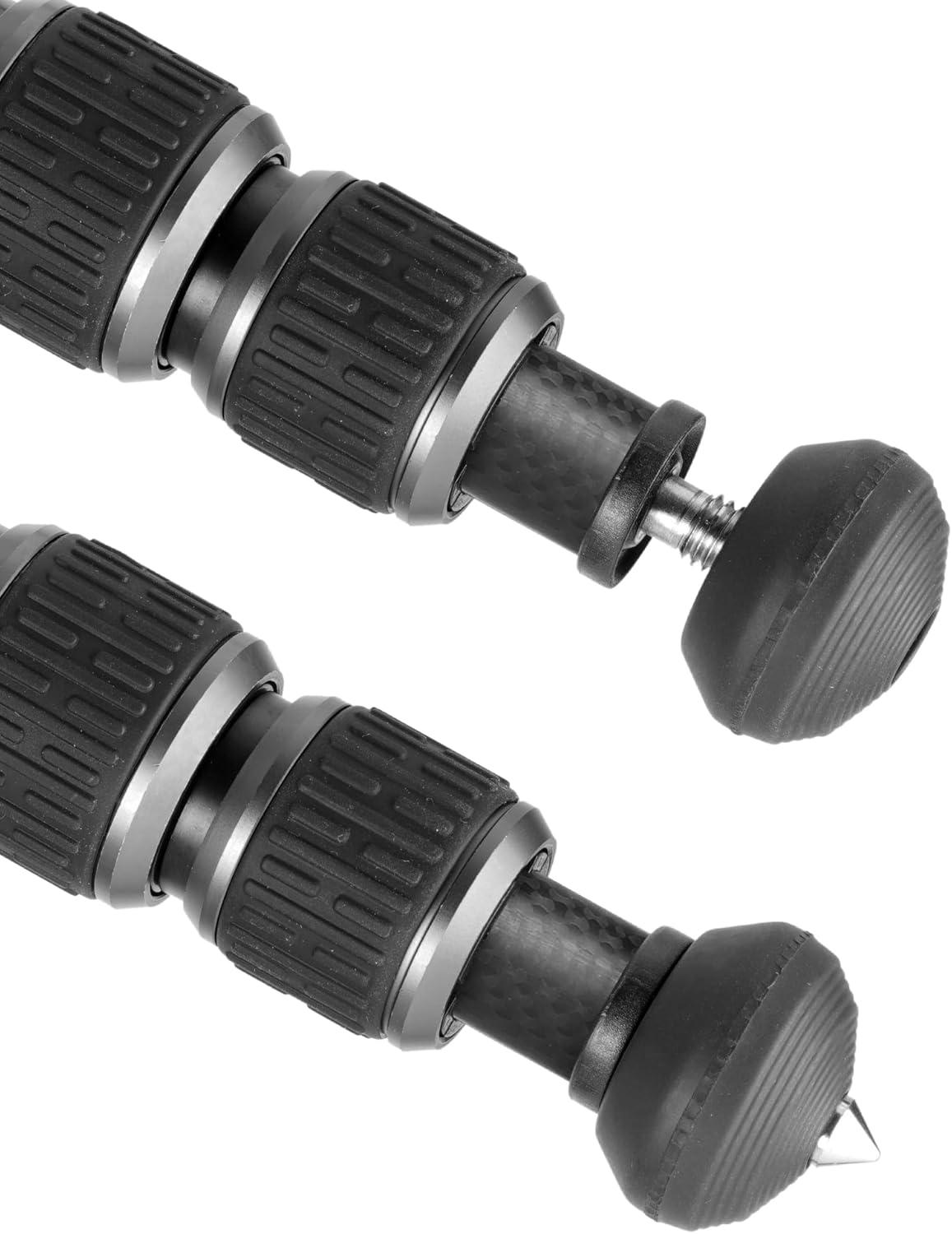
Image: A close-up view of the tripod feet, illustrating the conversion between rubber feet and metal spikes for different terrains.
4. Mounting Your Device
- Ensure the quick-release plate is securely attached to your camera or spotting scope.
- Open the quick-release clamp on the VEO PH-28 pan head.
- Slide the quick-release plate with your device into the clamp.
- Close the quick-release clamp to secure your device. Verify it is firmly seated before releasing your grip.
5. Adjusting the Center Column
- To raise or lower the center column, loosen the center column lock knob.
- Adjust the column to the desired height and tighten the lock knob.
- For low-angle shooting, the hexagonal center column can be reversed or replaced with the built-in short column. Consult the included diagram for detailed instructions on reversing or swapping the center column.

Image: Components of the hexagonal center column, showing how it can be separated or reversed for low-angle photography.
Operating the Tripod
1. Using the VEO PH-28 2-Way Pan Head
- The VEO PH-28 pan head allows for smooth horizontal (panning) and vertical (tilting) movements.
- To adjust the pan and tilt, loosen the main handle. This allows for fluid movement in both axes simultaneously.
- Once your desired position is achieved, tighten the main handle to lock the head in place. This one-hand control allows for quick adjustments while keeping your other hand free for camera controls.

Image: A detailed view of the VEO PH-28 2-Way Pan Head, highlighting the quick-release plate and control handle.
2. Enhancing Stability with the Spring-Loaded Hook
- A spring-loaded hook is located at the bottom of the center column.
- For increased stability, especially in windy conditions or with heavy equipment, you can hang additional weight (e.g., a camera bag) from this hook.
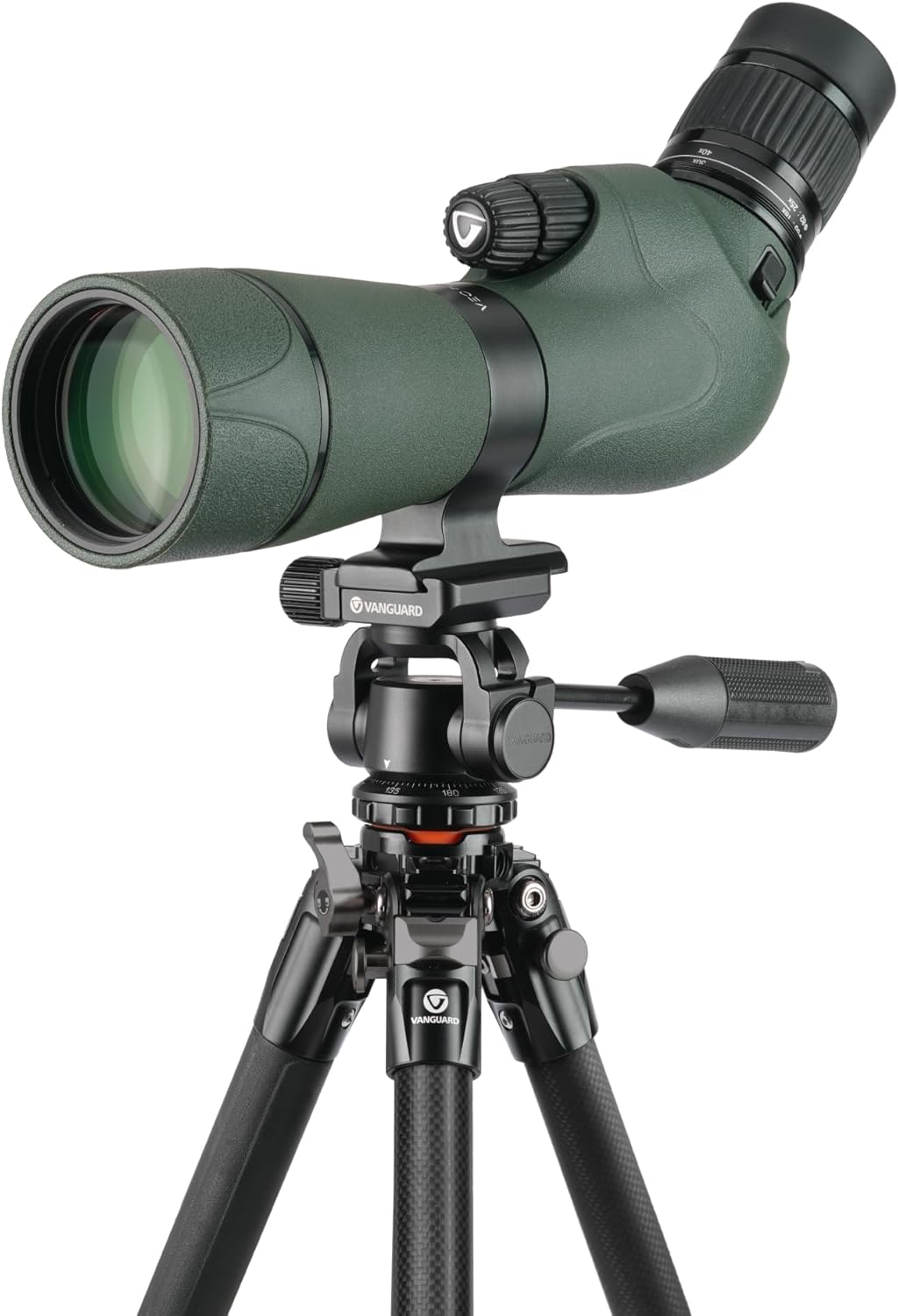
Image: The Vanguard VEO 5 264CO28 tripod supporting a spotting scope, demonstrating its use for stable observation.

Image: Two individuals using the Vanguard VEO 5 264CO28 tripod with a spotting scope and binoculars in an outdoor setting.

Image: A photographer using the Vanguard VEO 5 264CO28 tripod with a camera and telephoto lens in a natural landscape.
Maintenance
1. Cleaning
- After use, especially in dusty or sandy environments, wipe down the tripod with a soft, damp cloth.
- The twist leg locks are designed to be easily disassembled for cleaning. Periodically unscrew them to clean out any accumulated dirt or debris, then reassemble.
- Avoid using harsh chemicals or abrasive materials, which can damage the carbon fiber and other finishes.
2. Storage
- When not in use, store the tripod in its included bag in a dry, cool place.
- Ensure the tripod is fully collapsed and the legs are folded for maximum portability and compact storage. The folded diameter is under 4 inches.
Troubleshooting
1. Pan Head Movement is Stiff or Loose
- Issue: The pan head movement feels too stiff or too loose.
- Solution: Ensure the main handle is properly tightened or loosened. The handle controls both pan and tilt friction. Adjust it to achieve the desired resistance for smooth operation.
2. Tripod Legs Not Locking Securely
- Issue: Leg sections slide down after being extended.
- Solution: Ensure the twist leg locks are fully rotated clockwise until snug. If the issue persists, disassemble the leg locks as described in the Maintenance section and clean any debris that might be preventing a secure lock.
3. Device Wobbles on Tripod Head
- Issue: Camera or spotting scope is not stable on the pan head.
- Solution: Verify that the QS-55P quick-release plate is securely attached to your device and that the quick-release clamp on the pan head is fully closed and tightened.
Specifications
| Feature | Detail |
|---|---|
| Brand | VANGUARD |
| Model Name | Vanguard VEO 5 264CO28 Full-Size Carbon Fiber Tripod with VEO PH-28 2-Way Pan Head |
| Model Number | VEO 5 264CO28 |
| Material | Carbon Fiber |
| Color | Black |
| Compatible Devices | Camera, Spotting Scope |
| Item Weight | 4.2 Pounds (1.9 kg) |
| Weight Limit (Max. Load) | 17.6 Pounds (8 kg) |
| Maximum Height | 65.9 Inches (167.4 cm) |
| Minimum Height | 8.2 Inches (21 cm) |
| Folded Length | 22.8 Inches (57.9 cm) |
| Leg Diameter | 26 Millimeters |
| Number of Leg Sections | 4 |
| Tripod Head Type | Pan Heads (VEO PH-28 2-Way Pan Head) |
| Special Feature | Adjustable leg angles (23, 50, 80 degrees), Convertible rubber feet/spikes, Hexagonal center column, Spring-loaded hook |
| UPC | 026196357827 |
Warranty Information
The Vanguard VEO 5 264CO28 Tripod comes with a 5-year warranty. For specific terms, conditions, and registration details, please refer to the warranty card included with your product or visit the official Vanguard website.
Support
For further assistance, technical support, or inquiries regarding your Vanguard VEO 5 264CO28 Tripod, please contact Vanguard customer service. Contact information can typically be found on the Vanguard official website or on the product packaging.
You can also visit the VANGUARD Store on Amazon for additional product information and resources.


