
1. Introduction
This manual provides essential information for the safe and effective operation of your OKAIDI OD8050 HD 720P 5-Inch Baby Monitor. This device features a 720P HD screen, a large 5-inch display, remote pan-tilt-zoom, infrared night vision, two-way talk, temperature monitoring, and lullabies. It operates using 2.4GHz FHSS technology, ensuring a secure, private connection without Wi-Fi or app requirements.
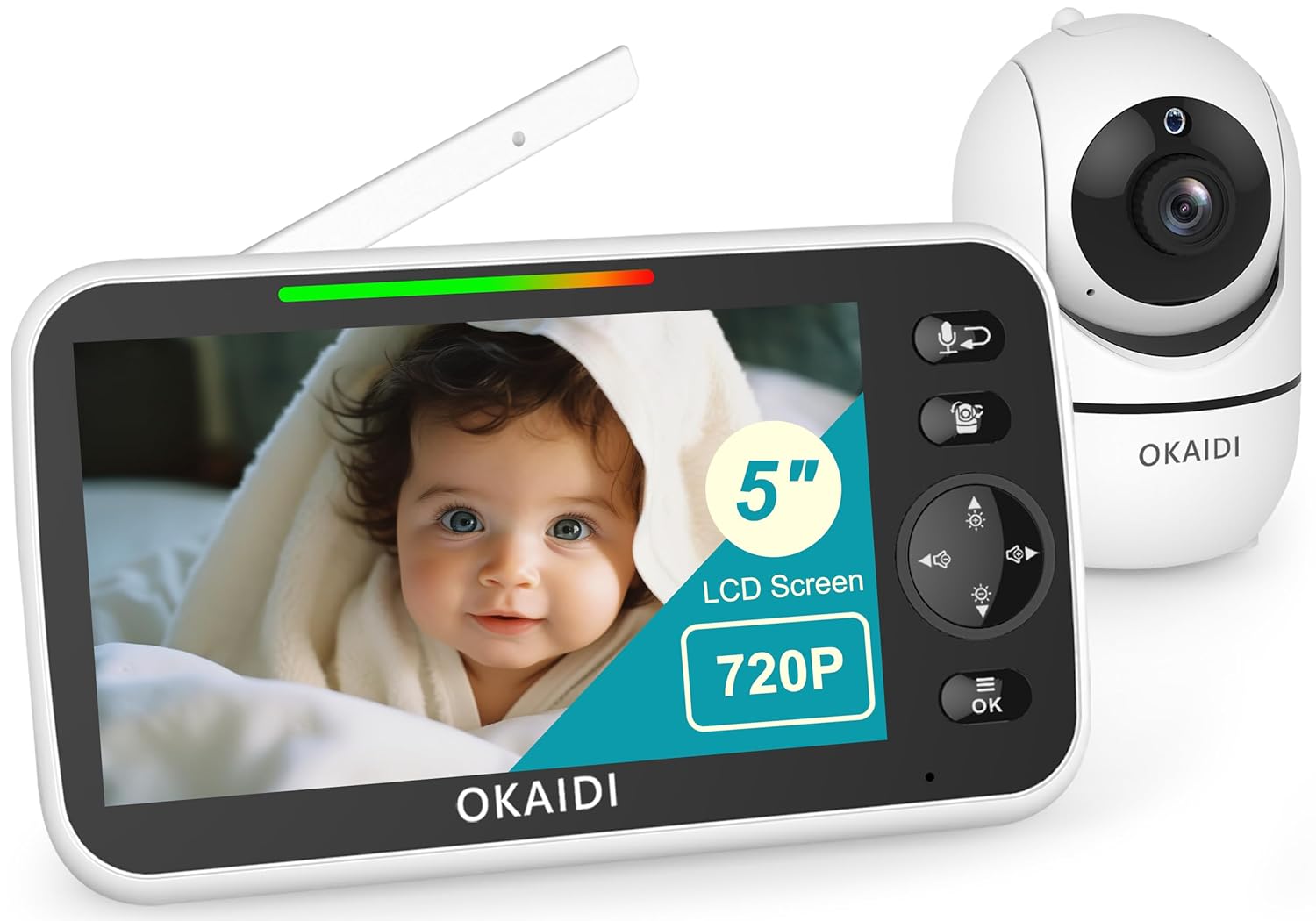
Image 1.1: The OKAIDI OD8050 HD 720P 5-Inch Baby Monitor system, showing the parent unit and camera unit.
2. Safety Information
- Strangulation Hazard: Keep all cords out of reach of children. Ensure the camera and monitor are placed at least 3 feet (1 meter) away from the crib or playpen. Never place the camera or cords within a child's reach.
- Choking Hazard: This product contains small parts. Keep out of reach of children.
- Water and Moisture: Do not expose the product to rain or moisture. Do not use near water (e.g., bathtub, sink).
- Heat Sources: Keep the product away from heat sources such as radiators, heat registers, stoves, or other heat-producing appliances.
- Ventilation: Ensure proper ventilation. Do not block any ventilation openings.
- Power Sources: Use only the AC adapters provided with the product. Using other adapters may damage the device and void the warranty.
- Interference: This product uses radio frequencies. Avoid placing it near other electronic devices that may cause interference.
3. Package Contents
Verify that all items are present in the package:
- Parent Unit (Monitor)
- Baby Unit (Camera)
- Power Adapter for Parent Unit
- Power Adapter for Baby Unit
- Wall Mounting Kit (screws and anchors)
- User Manual (this document)
4. Product Overview
4.1 Parent Unit (Monitor)
- 5-Inch HD Display: For clear video viewing.
- Control Buttons: Volume, Lullaby, Temperature, Timer, Camera selection, Brightness, ECO Mode, Language, Pan/Tilt/Zoom controls, Talk button, OK/Menu button.
- Antenna: For stable signal reception.
- Microphone & Speaker: For two-way communication.
- Power Port: For charging and continuous power.
- Kickstand: For convenient placement.
4.2 Baby Unit (Camera)
- 720P HD Camera Lens: Captures video.
- Infrared LEDs: For night vision.
- Microphone & Speaker: For two-way communication and lullaby playback.
- Temperature Sensor: Monitors room temperature.
- Power Port: For continuous power.
- Antenna: For stable signal transmission.

Image 4.1: Overview of key features including 5-inch 720P HD display, 5000mAh battery, no WiFi, 288° pan/120° tilt, VOX, night vision, two-way talk, zoom, 1000ft range, temperature sensor, and lullabies.
5. Setup
5.1 Initial Power-Up
- Charge the Parent Unit: Connect the parent unit power adapter to the monitor and a power outlet. Charge the monitor fully before first use (approximately 4-5 hours). The 5000mAh battery provides up to 12 hours of continuous use with the screen on, or 30 hours in audio-only mode.
- Power the Baby Unit: Connect the baby unit power adapter to the camera and a power outlet. The camera requires continuous power to operate.
- Automatic Connection: The parent unit and baby unit are pre-paired at the factory. Once both units are powered on, they will automatically connect. No Wi-Fi connection or app download is required, ensuring privacy and security.
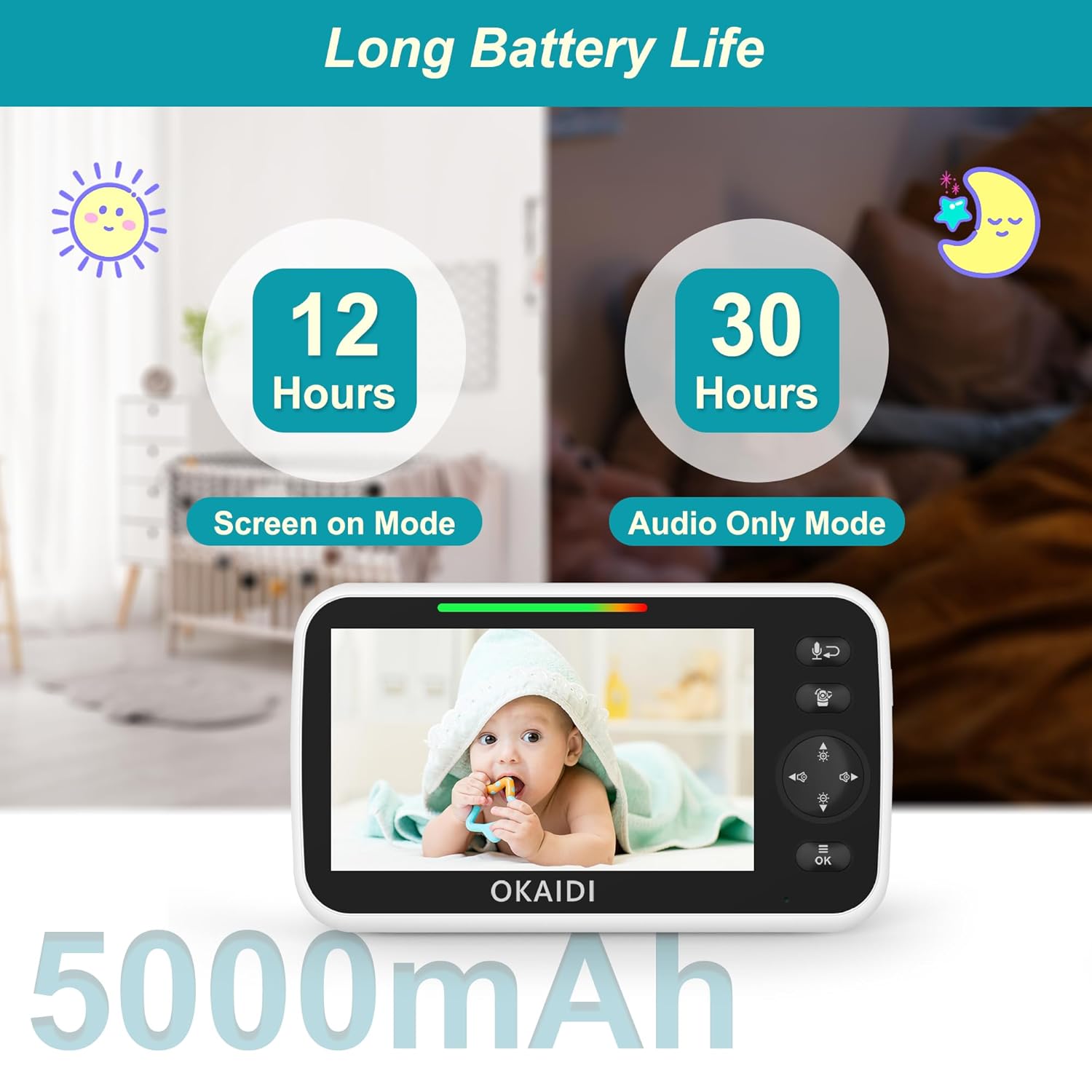
Image 5.1: The monitor and camera units illustrating the secure 2.4GHz FHSS technology, requiring no Wi-Fi or app.
5.2 Camera Placement
- Place the baby unit on a flat surface or mount it on a wall using the provided kit.
- Ensure the camera is at least 3 feet (1 meter) away from the baby's crib or playpen to prevent strangulation hazards from the power cord.
- Position the camera to provide a clear view of the baby, avoiding direct sunlight or strong light sources.
- The optimal viewing distance is typically between 3 to 6 feet (1 to 2 meters) from the baby.
6. Operating Instructions
6.1 Basic Functions
- Power On/Off: Press and hold the Power button on the parent unit to turn it on or off.
- Volume Adjustment: Use the Volume buttons on the parent unit to increase or decrease the sound level.
- Brightness Adjustment: Access the menu to adjust the screen brightness for optimal viewing in various lighting conditions.
6.2 Remote Pan, Tilt, and Zoom
Use the directional control buttons on the parent unit to remotely adjust the camera's viewing angle.
- Pan: Press the left/right arrows to rotate the camera horizontally up to 288°.
- Tilt: Press the up/down arrows to tilt the camera vertically up to 120°.
- Zoom: Press the Zoom button to activate the 3X digital zoom function, allowing you to see finer details.

Image 6.1: The camera unit demonstrating its 288° horizontal pan and 120° vertical tilt capabilities, controlled from the parent unit.

Image 6.2: A comparison of 1X and 3X digital zoom on the monitor, highlighting the ability to view details up close.
6.3 Two-Way Talk
To speak to your baby, press and hold the Talk button on the parent unit. Release the button to listen.
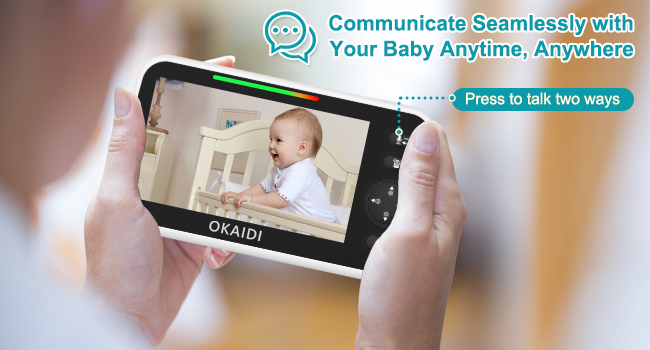
Image 6.3: A hand holding the monitor with a speech bubble icon, indicating the two-way talk function.
6.4 Lullabies
The monitor includes 8 built-in lullabies. Access the menu on the parent unit to select and play lullabies to soothe your baby.
6.5 Temperature Monitoring
The baby unit features a temperature sensor that displays the room temperature on the parent unit's screen. You can set temperature alerts in the menu.
6.6 ECO Mode (VOX)
ECO mode (Voice Operated Exchange) helps conserve battery life by turning off the monitor screen when no sound is detected from the baby unit. The screen will automatically turn on when sound is detected. Adjust the sensitivity level in the menu.
6.7 Feeding Timer
Set a feeding timer through the menu to remind you of feeding schedules.
6.8 Night Vision
The baby unit automatically activates infrared night vision in low-light conditions, providing a clear black-and-white image of your baby without disturbing their sleep.
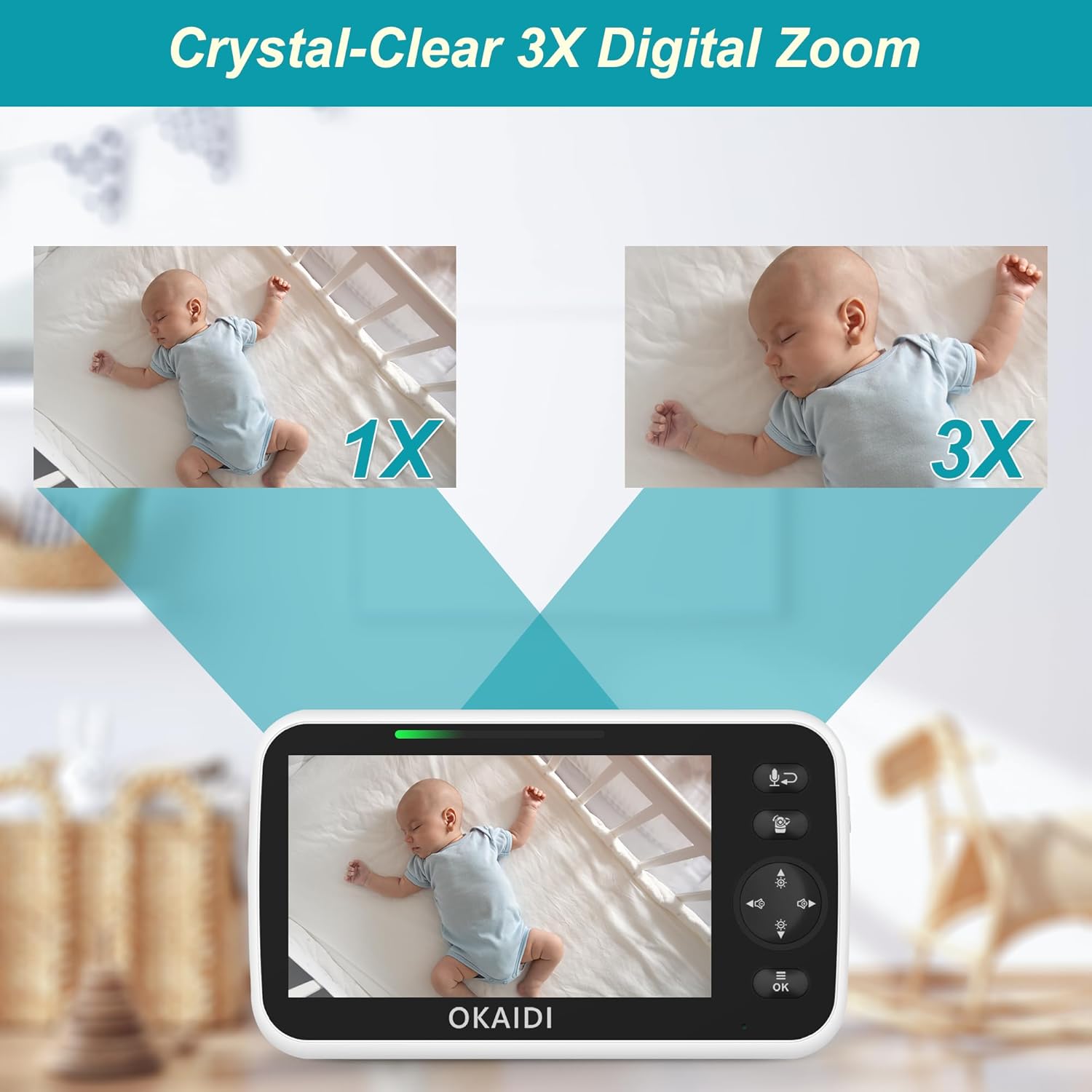
Image 6.4: A visual comparison between the 720P HD display of the OKAIDI monitor and a standard 480P screen, highlighting enhanced clarity.
6.9 Multiple Cameras (Optional)
If you have additional baby units, you can pair them with your parent unit and switch between camera views using the Camera selection button in the menu.
7. Maintenance
- Cleaning: Use a soft, dry cloth to clean the surfaces of the monitor and camera. Do not use abrasive cleaners or solvents.
- Battery Care: To prolong the life of the monitor's battery, avoid extreme temperatures and store it in a cool, dry place when not in use for extended periods.
- Lens Cleaning: Gently wipe the camera lens with a lens cleaning cloth to ensure optimal image quality.
8. Troubleshooting
- No Picture/Sound:
- Ensure both the parent unit and baby unit are powered on and connected to their respective power adapters.
- Check if the units are within range (up to 1000ft in open areas). Obstacles like walls and floors can reduce range.
- Adjust the volume on the parent unit.
- Poor Picture Quality:
- Ensure the camera lens is clean.
- Check for strong light sources directly facing the camera.
- Move the units closer to each other to improve signal strength.
- Interference:
- Move the monitor away from other electronic devices (e.g., microwaves, Wi-Fi routers) that may cause interference.
- Battery Not Charging:
- Ensure the power adapter is securely connected to the parent unit and the power outlet.
- Try using a different power outlet.
9. Specifications
| Feature | Specification |
|---|---|
| Model Name | OD8050-NEW |
| Display Size | 5 inches |
| Video Capture Resolution | 720p HD |
| Connectivity Technology | 2.4GHz FHSS Wireless (No Wi-Fi) |
| Operating Range | Up to 1000 feet (open area) |
| Battery Capacity (Parent Unit) | 5000mAh |
| Battery Life (Screen On) | Up to 12 hours |
| Battery Life (Audio Only Mode) | Up to 30 hours |
| Remote Pan Angle | 288° |
| Remote Tilt Angle | 120° |
| Digital Zoom | 3X |
| Night Vision | Infrared |
| Two-Way Talk | Supported |
| Lullabies | 8 built-in |
| Temperature Sensor | Supported |
| ECO Mode (VOX) | Supported |
| Item Weight | 1.57 pounds |
| UPC | 646414460421 |
10. Official Product Video
Video 10.1: An official product video demonstrating the OKAIDI baby monitor's features and ease of use, including remote camera control and clear display.
11. Warranty and Support
This product is designed for reliability and performance. For any questions, technical support, or warranty inquiries, please contact our customer service team.
- Email Support: service@okaidicare.com
- Website: www.okaidicare.com
Please retain your proof of purchase for warranty claims.