
Product Overview
The TEMEIKE 4-IN-1 Portable Air Conditioner functions as an Air Cooler, Humidifier, and Fan, designed to provide optimal cooling and humidity without excessive drying. It is particularly effective in dry climates. This portable unit is easy to install and energy-efficient, offering personalized comfort for small to medium areas such as living rooms, bedrooms, kitchens, and offices. Its lightweight design and integrated wheels allow for easy movement between rooms.

Figure 1: TEMEIKE 4-IN-1 Portable Air Conditioner with remote and ice packs.
What's Included
Upon unboxing, ensure all components are present:
- Portable Air Conditioner Unit (1)
- Swivel Wheels (4)
- User Manual (1)
- Ice Packs (4)
- Remote Control (1)
Video 1: Unboxing and initial setup of the TEMEIKE Portable Air Cooler, showing included components.
Setup
The TEMEIKE Portable Air Conditioner is designed for quick and easy setup, requiring no complex installation or window kits.
Initial Placement
Place the unit on a flat, stable surface. Ensure there is adequate space around the unit for proper airflow. The unit comes with pre-installed swivel wheels for easy mobility.
Video 2: Demonstrates the ease of moving the unit with its 4 swivel wheels.
Water Tank and Ice Packs
To enhance cooling, utilize the included ice packs. Pull out the water tank from the bottom rear of the unit. Place the frozen ice packs into the water tank, then fill the tank with water up to the MAX line. Reinsert the water tank securely.

Figure 2: Illustration of the 2-gallon water tank, providing up to 20 hours of continuous cooling.

Figure 3: Details on the 2024 upgraded ice packs, which freeze in 6 hours for 8 hours of continuous cooling.
Operating Instructions
The unit can be controlled via the top touch panel or the included remote control.
Control Panel and Remote
The intuitive touch control panel features clear icons for easy operation. An illuminated indicator light ensures visibility even at night. The remote control allows for convenient adjustments from up to 17 feet away.

Figure 4: Overview of the top touch control panel and the handy remote control.
Video 3: Demonstrates the touch control panel and adjustable air outlet features.
Modes and Fan Speeds
Select from 4 operating modes and 3 fan speeds to customize your cooling experience:
- Modes: Cooling, Sleep, Normal, Nature
- Fan Speeds: Low (13ft/s), Medium (20ft/s), High (27ft/s)

Figure 5: Visual representation of the four modes and three fan speeds available.
Oscillation and Timer
The unit features 120° wide-angle oscillation to distribute cool air across an area of up to 300 sq.ft. Use the 1-15 hour timer for smart auto shut-off, allowing you to set the unit to turn off automatically after a desired duration.

Figure 6: Illustrates the 120° wide-angle oscillation for broad cooling coverage.
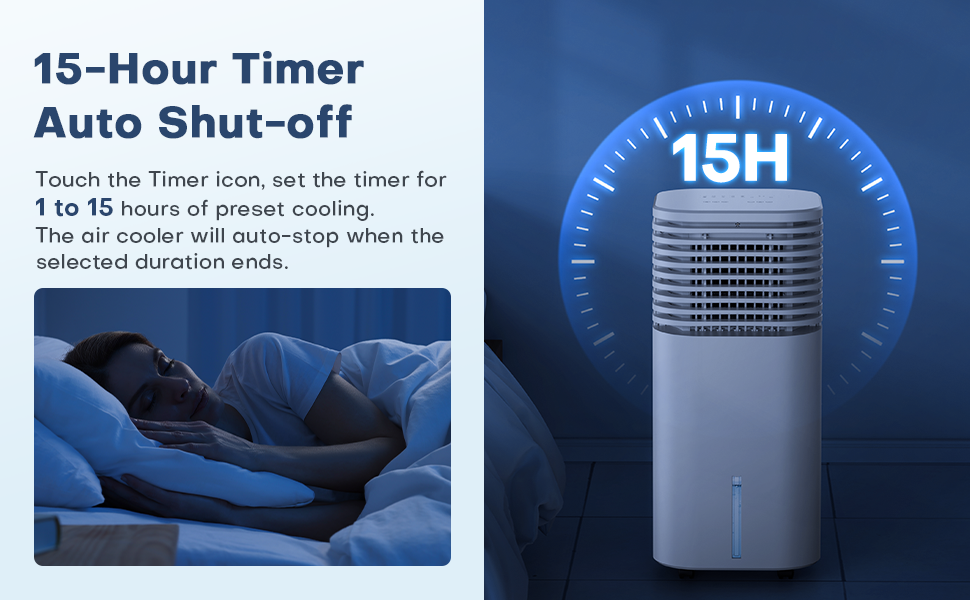
Figure 7: Explains the 15-hour timer function for automatic shut-off.
Maintenance
Regular maintenance ensures optimal performance and longevity of your air cooler.
Cleaning the Exterior
Wipe the product with a damp towel to keep it clean and free of dust.
Video 4: Demonstrates how to clean the exterior of the portable air conditioner.
Cleaning the Water Tank and Cooling Pad
The rear cover, water tank, and cooling pad are removable for easy cleaning. Regularly clean these components to maintain air quality and cooling efficiency.

Figure 8: Shows the removable rear cover, water tank, and cooling pad for easy cleaning.
Video 5: Detailed instructions on how to clean the detachable water tank.
Troubleshooting
If you encounter any issues with your TEMEIKE Portable Air Conditioner, please refer to the common troubleshooting tips below. For problems not listed, contact customer support.
- Unit not turning on:
- Ensure the power cord is securely plugged into a working electrical outlet.
- Check if the power button on the unit or remote is pressed.
- No or weak cooling:
- Verify the water tank is filled to the appropriate level.
- Ensure ice packs are frozen and placed in the water tank.
- Check if the cooling pad is clean and properly installed.
- Confirm the unit is set to "Cooling" mode.
- Ensure the air intake and outlet are not obstructed.
- Unusual noise:
- Check if the unit is on a flat, stable surface.
- Ensure no foreign objects are inside the unit or obstructing the fan.
- Water leakage:
- Ensure the water tank is correctly inserted and sealed.
- Do not overfill the water tank beyond the MAX line.
Specifications
| Model | DL3 |
| Wattage | 65W |
| Fan Speed | Low (13ft/s), Medium (20ft/s), High (27ft/s) |
| Functions | Normal, Sleep, Nature, Cooling |
| Max Humidifier Usage Time | 20 Hours |
| Cord Length | 5 FT |
| Product Dimensions | 12 x 11 x 24 inches |
| Item Weight | 10.14 pounds |
| Water Tank Capacity | 2 Gallons |
| Coverage Area | 300 Square Feet |
| Voltage | 120 Volts |
| Noise Level | 50 dB |
Warranty and Support
TEMEIKE offers a 1-Year Warranty for this product. For any questions or concerns, please contact our customer service team.
- Customer Service: 7/24 Support
- Email: service@behomey.net
- Phone: +1 833 303 0068 (Mon-Fri 9AM-5PM EST)