
Introduction
The Lenyes LR204 is a compact Bluetooth 5.1 USB receiver designed to add wireless audio streaming capabilities to your car's audio system. This device offers a simple plug-and-play solution for enjoying music and calls wirelessly.
Setup Guide
Follow these steps to set up your Lenyes LR204 Bluetooth receiver:
- Insert the Receiver: Plug the Lenyes LR204 Bluetooth receiver into an available USB port in your car. Ensure the USB port provides power.
- Power On: The device will automatically power on once plugged into a powered USB port.
- Pairing Mode: The LR204 will automatically enter pairing mode. A small LED indicator on the device may flash to indicate it is ready to pair.
- Connect via Bluetooth: On your mobile device (smartphone, tablet, etc.), go to your Bluetooth settings. Search for available devices and select "LR204" (or similar name) from the list to connect.
- Confirmation: Once successfully paired, the LED indicator on the LR204 may change to a solid light, and your car's audio system should recognize the device as an audio source.
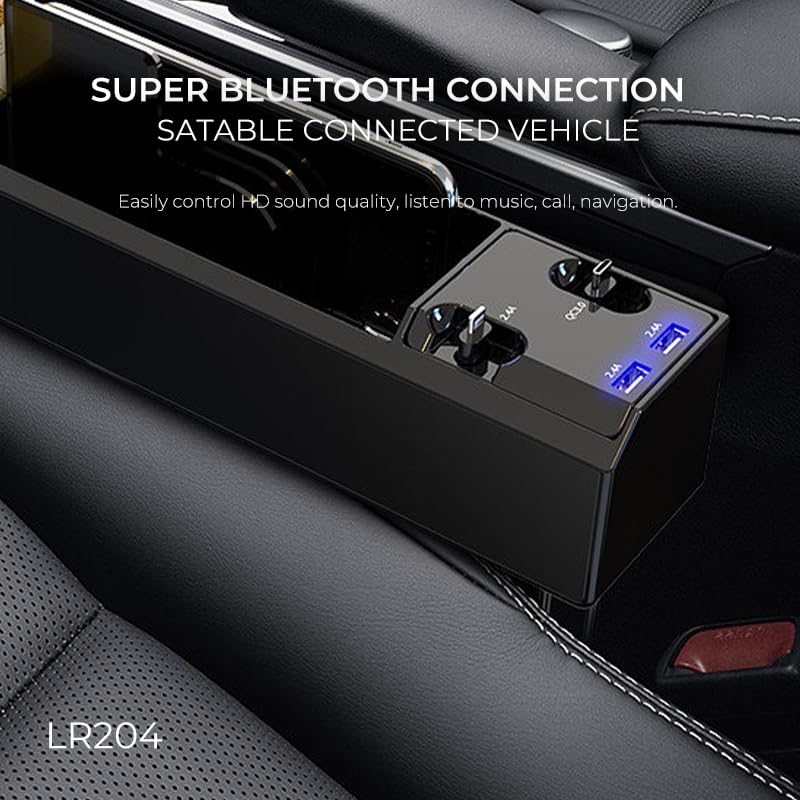
Image: The Lenyes LR204 Bluetooth receiver inserted into a car's USB port, ready for use.
The LR204 is a plug-and-play device, requiring no additional apps or drivers for operation.
Operating Instructions
After successful pairing, you can begin using your Lenyes LR204:
- Audio Streaming: Play music or other audio from your paired mobile device. The audio will be transmitted wirelessly to your car's sound system through the LR204.
- Call Handling: If your car's audio system supports hands-free calling through its USB input, you may be able to handle calls via the LR204. Refer to your car's manual for details on managing calls through its audio input.
- Wireless Range: The device offers a stable wireless transmission distance of up to 20 meters (approximately 65 feet), allowing flexibility within and around your vehicle.
- Sound Quality: The LR204 is designed to deliver clear, high-definition sound for an enhanced in-car listening experience.

Image: Illustration of the LR204's function, enabling Bluetooth reception in cars, connecting to power amplifiers for stable data transmission, and delivering sound to speakers.
Maintenance and Care
To ensure the longevity and optimal performance of your Lenyes LR204, follow these simple care guidelines:
- Cleaning: Use a soft, dry cloth to clean the device. Avoid using harsh chemicals, solvents, or abrasive cleaners.
- Storage: When not in use, store the device in a cool, dry place, away from direct sunlight and extreme temperatures.
- Protection: Avoid dropping the device or exposing it to water or excessive moisture.
- Handling: Handle the USB connector carefully to prevent damage.
Troubleshooting
If you encounter issues with your Lenyes LR204, refer to the following common solutions:
| Problem | Solution |
|---|---|
| Device does not power on. | Ensure the USB port in your car is functional and providing power. Try a different USB port or a different power source if available. |
| Cannot pair with mobile device. |
|
| Poor sound quality or static. |
|
| Audio lag or delay. |
|
Specifications
| Feature | Detail |
|---|---|
| Brand | Lenyes |
| Model Number | LR204 |
| Bluetooth Version | 5.1 |
| Wireless Type | Bluetooth |
| Hardware Interface | Bluetooth 5, USB |
| Data Link Protocol | Bluetooth 5.1 |
| Data Transfer Rate | 3 Megabits Per Second |
| Wireless Range | Up to 20 meters |
| Power Source | USB Powered |
| Color | Black |
| Product Dimensions (LxWxH) | 5.6 x 2 x 1 Centimeters |
| Item Weight | 20 Grams |
| Compatible Devices | Desktop, Laptop, Speaker, Tablet, Car USB Ports |
| Included Components | 1 - USB Adapter, User manual, Warranty certificate |
| Country of Origin | China |
Warranty Information
The Lenyes LR204 Bluetooth 5.1 USB Receiver comes with a warranty. Please refer to the included "Warranty certificate" in the product packaging for detailed terms, conditions, and duration of the warranty. Keep your purchase receipt as proof of purchase for any warranty claims.
Customer Support
For further assistance, technical support, or inquiries regarding your Lenyes LR204 Bluetooth receiver, please contact Lenyes customer service or the retailer from whom you purchased the product. Contact information can typically be found on the product packaging or the official Lenyes website.