
Wahl 3025698
Wahl DualTech Pro Series 2-in-1 Lithium Trimmer Instruction Manual
Model: 3025698
Introduction
Thank you for choosing the Wahl DualTech Pro Series 2-in-1 Lithium Trimmer. This device is designed for precise and comfortable grooming of nose, ear, and eyebrow hair. Please read this instruction manual thoroughly before initial use to ensure proper operation, maintenance, and safety.
Important Safety Information
To reduce the risk of electric shock, injury, or damage, please observe the following:
- This appliance is intended for household use only.
- Do not immerse the trimmer in water or other liquids.
- Do not reach for an appliance that has fallen into water. Unplug immediately.
- Always unplug this appliance before cleaning.
- Keep the appliance away from children.
- Do not operate the appliance with a damaged cord or plug, or if it malfunctions or has been dropped or damaged.
- Use this appliance only for its intended use as described in this manual.
- Do not use attachments not recommended by the manufacturer.
- Store the appliance in a dry place.
- Note: We test our Wahl hair trimmers for cutting performance prior to packaging with a hygienic fiber. We do our best to clean the product to remove any testing particles, but it is possible a few may remain. They are not hair and can be simply wiped off.
Package Contents
Your Wahl DualTech Pro Series Trimmer package includes the following items:
- Wahl DualTech Pro Series Trimmer body
- DualTech Eyebrow Trimmer head (double-sided detail trimmer blade)
- Rotary Nose/Ear Trimmer head
- Eyebrow trimming guide (for 4 cutting lengths)
- 1 AA Lithium Battery

Image: Contents of the Wahl DualTech Pro Series Trimmer package, including the trimmer body, two interchangeable heads, an eyebrow guide, and an AA battery.
Setup: Battery Installation
Your trimmer operates on one AA Lithium battery (included).
- Ensure the trimmer is in the "OFF" position. The rotational on/off switch is located on the body of the trimmer.
- Gently twist the bottom part of the trimmer body counter-clockwise to open the battery compartment.
- Insert one AA Lithium battery, ensuring the positive (+) and negative (-) terminals align correctly with the markings inside the compartment.
- Twist the bottom part of the trimmer body clockwise until it is securely closed.
- To turn the trimmer ON, twist the bottom part clockwise until it clicks into the "ON" position. To turn OFF, twist counter-clockwise to the "OFF" position.

Image: The Wahl DualTech Pro Series Trimmer shown with an AA Lithium battery, illustrating the battery compartment and power source.
Operating Instructions
Attaching/Removing Trimmer Heads
To change trimmer heads, ensure the trimmer is OFF. Gently twist the currently attached head counter-clockwise to unlock and remove it. Align the desired head with the trimmer body and twist clockwise until it clicks securely into place.
Using the DualTech Eyebrow Trimmer Head
The DualTech head features a precision double-sided detail trimmer blade, allowing for trimming at various angles. This head is suitable for eyebrows, and can also be used for ear and nose hair if preferred.
- Turn the trimmer ON.
- Gently guide the trimmer along the desired area, using light pressure.
- For eyebrows, trim in the direction of hair growth.

Image: A man using the DualTech Eyebrow Trimmer head to trim hair around his ear, demonstrating its angled design for comfortable grooming.
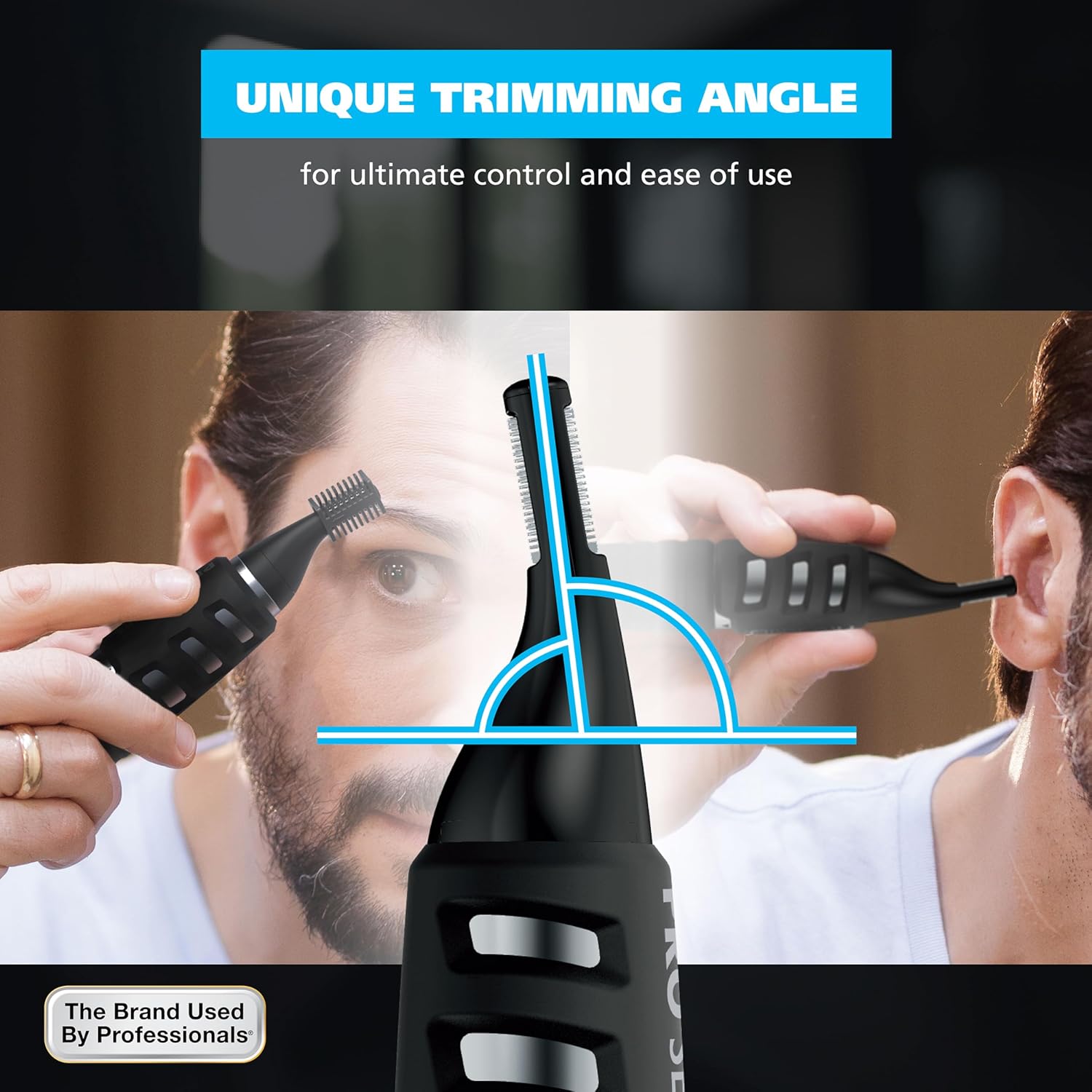
Image: A diagram illustrating the unique trimming angle of the DualTech head, designed for control and ease of use in various areas.
Using the Eyebrow Trimming Guide
The included eyebrow trimming guide allows for up to 4 different cutting lengths. This guide is used with the DualTech Eyebrow Trimmer head.
- Ensure the DualTech Eyebrow Trimmer head is attached to the trimmer.
- Slide the eyebrow trimming guide onto the DualTech head, aligning it with the notches.
- The guide has two sides: a "long" side and a "short" side. Each side offers two length settings (Slot 1 and Slot 2) by rotating its position.
- Select the desired length by rotating the guide before reattaching it to the trimmer head.
- Turn the trimmer ON and gently comb through your eyebrows against the direction of hair growth to achieve an even trim.

Image: A detailed diagram demonstrating how to attach and adjust the detail trimmer guide comb to achieve four different trimming lengths for eyebrows.
Using the Rotary Nose/Ear Trimmer Head
The separate rotary trimmer head is specifically designed for safe and comfortable removal of unwanted nose and ear hairs.
- Ensure the rotary nose/ear trimmer head is securely attached.
- Turn the trimmer ON.
- Gently insert the trimmer tip into your nostril or ear canal. Do not insert too deeply.
- Move the trimmer in a circular motion to trim hairs.
- Avoid pressing the trimmer too firmly against the skin.

Image: A man using the rotary nose/ear trimmer head to safely and hygienically trim nose hair.
Maintenance
Cleaning the Trimmer Heads
The trimmer heads are rinseable for easy cleaning. Always ensure the trimmer is OFF before cleaning.
- Remove the trimmer head from the trimmer body by twisting it counter-clockwise.
- Rinse the detached trimmer head under clean running water.
- Thoroughly dry the trimmer head before reattaching it to the trimmer body.
- Do not rinse the trimmer body under water.

Image: A detached trimmer head being rinsed under running water, demonstrating the rinseable blade feature for easy cleanup.
Storage
Store the trimmer in a cool, dry place when not in use. Ensure the trimmer is turned OFF and the battery compartment is securely closed.
Troubleshooting
| Problem | Possible Cause | Solution |
|---|---|---|
| Trimmer does not turn on. | Battery incorrectly installed or depleted. | Check battery polarity. Replace with a new AA Lithium battery if necessary. Ensure the power switch is in the "ON" position. |
| Trimmer pulls hair or cuts poorly. | Blades are dull or clogged with hair. | Clean the trimmer head thoroughly. If blades are dull, contact customer support for assistance. |
| Trimmer head does not attach securely. | Head not aligned correctly or debris present. | Ensure the head is properly aligned with the notches on the trimmer body. Check for any debris preventing a secure fit. |
If you experience issues not listed here, please refer to the support section for contact information.
Specifications
- Model Number: 3025698
- Power Source: 1 x AA Lithium Battery (included)
- Trimmer Heads: DualTech Eyebrow Trimmer, Rotary Nose/Ear Trimmer
- Blades: High-quality stainless steel, rinseable
- Eyebrow Guide: 4 trimming lengths
- Weight: Approximately 0.14 Kilograms (4.94 ounces)
- Manufacturer: Wahl
Warranty Information
Wahl products are designed and manufactured to the highest quality standards. This product comes with a 3-year warranty against defects in material and workmanship from the date of original purchase. Please retain your receipt as proof of purchase.
This warranty does not cover damage caused by misuse, abuse, improper maintenance, unauthorized modification, or normal wear and tear. For warranty service, please contact Wahl Customer Service.
Customer Support
For assistance with your Wahl DualTech Pro Series Trimmer, please contact Wahl Customer Service:
- Phone: 1-800-767-9245 (M-F, 8am - 4pm CST)
- Email: info@wahlclipper.com
- Website: wahlusa.com
- Address: Wahl Clipper Corporation, 2900 North Locust Street, Sterling, IL 61081
When contacting support, please have your model number (3025698) and date of purchase available.
Ask a question about this manual
Ask about setup, troubleshooting, compatibility, parts, safety, or missing instructions. Manuals+ will review the question and use this page’s manual context to help answer it.