
1. Introduction
This manual provides essential information for the safe and efficient operation, assembly, maintenance, and troubleshooting of your BLACK+DECKER BEMW461BH-GB 1400W Electric Lawn Mower. Please read these instructions carefully before using the product and retain them for future reference.

Figure 1: BLACK+DECKER BEMW461BH-GB Electric Lawn Mower
The BLACK+DECKER BEMW461BH-GB is a 1400W electric lawn mower designed for efficient grass cutting in small to medium-sized gardens. It features a 13-inch (33cm) winged blade, a 40L grassbox capacity, and a 12m cable length for extended reach.
2. Safety Information
Always observe basic safety precautions to reduce the risk of fire, electric shock, and personal injury when using this appliance. Familiarize yourself with the controls and proper use of the equipment.
General Safety Warnings:
- Read all instructions before operating the appliance.
- Keep children and bystanders away from the operating area.
- Wear appropriate personal protective equipment, including eye protection and sturdy footwear.
- Do not operate the mower in wet conditions or rain.
- Inspect the area to be mowed and remove any objects that could be thrown by the blade.
- Always disconnect the power supply before cleaning, adjusting, or servicing the mower.
- Ensure all guards and safety devices are in place and functioning correctly before use.
3. Package Contents
Your BLACK+DECKER BEMW461BH-GB Electric Lawn Mower package includes:
- 1 x Electric Lawn Mower unit
- 1 x Grass Collection Box (40 litres capacity)
- Instruction Manual
4. Assembly
Before first use, some assembly is required. Refer to the diagram below for component identification.

Figure 2: Labeled Components of the Lawn Mower
4.1. Handle Assembly
- Attach the lower handle to the mower body using the provided handle knobs. Ensure they are securely tightened.
- Connect the upper handle (bike handle) to the lower handle. Align the holes and secure with the remaining handle knobs.
- Ensure all cables are routed correctly and not pinched during assembly.
4.2. Grass Collection Box Assembly
Assemble the two halves of the grass collection box if they are separate. Ensure the handle is firmly attached. Once assembled, hook the grass collection box onto the rear of the mower, ensuring it is seated correctly under the rear flap.
5. Operating Instructions
5.1. Power Connection
Connect the 12-meter power cable to a suitable outdoor power outlet. Ensure the cable is positioned to avoid accidental cutting during operation.
5.2. Adjusting Cutting Height
The mower features an easy-adjust height mechanism. To change the cutting height:
- Ensure the mower is switched off and disconnected from the power supply.
- Locate the height adjustment lever on the side of the mower deck.
- Move the lever to select one of the available cutting height settings. The mower offers 4 cutting height settings for optimal lawn care.

Figure 3: Cutting Height Adjustment Lever

Figure 4: Height Adjustment Chart
5.3. Starting and Stopping the Mower
To start the mower, press the power button and hold the comfort grip handle. To stop, release the comfort grip handle.

Figure 5: Handle Controls (Power Button and Comfort Grip)
5.4. Mowing Techniques
For best results, mow in straight, overlapping lines. Avoid mowing wet grass, as it can clog the mower and reduce cutting efficiency. The 40L collection box helps collect more grass, reducing emptying frequency. An intuitive bag full indicator will signal when the grass box needs emptying.
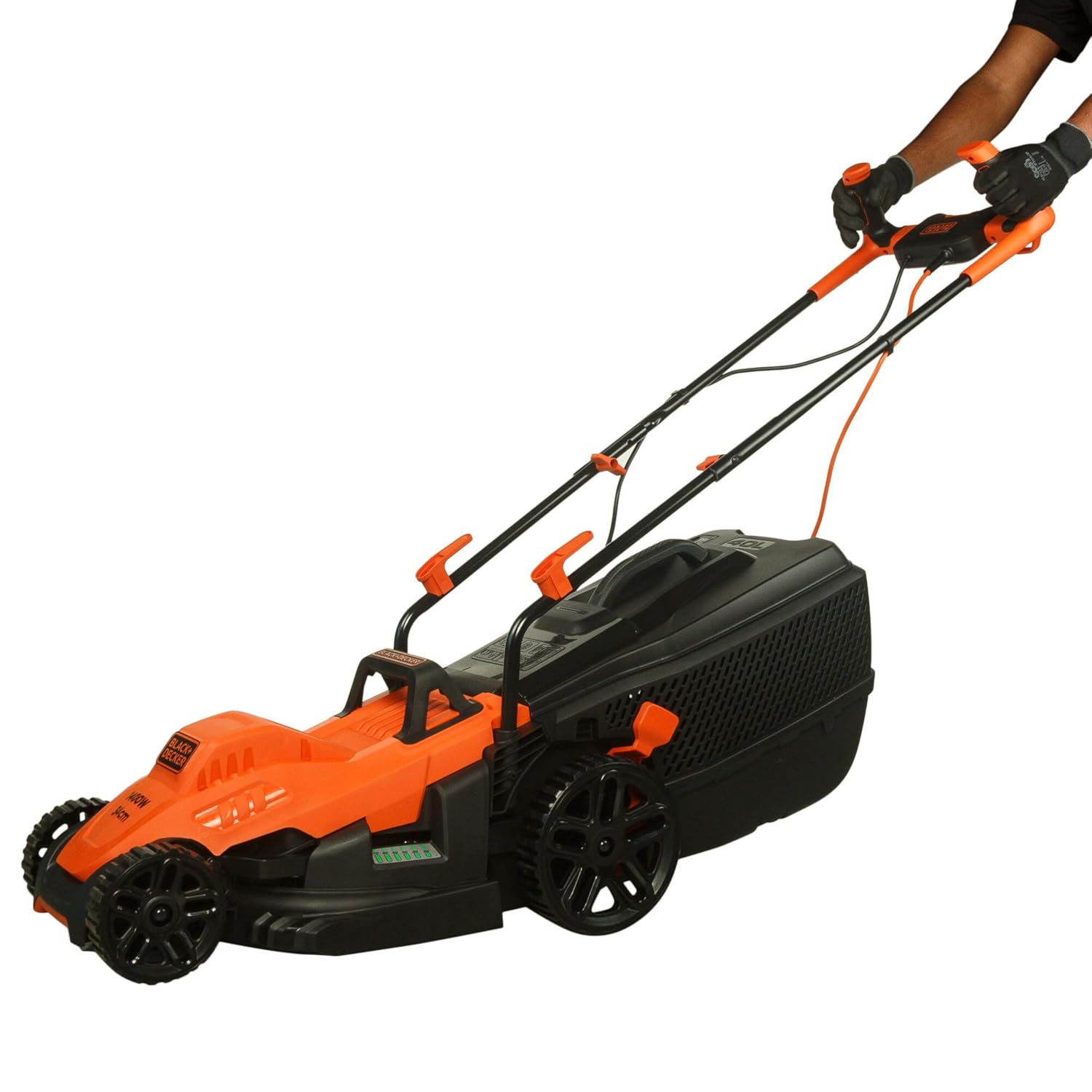
Figure 6: Operating the Lawn Mower

Figure 7: Emptying the Grass Collection Box
5.5. Suitable Grass Types
The BLACK+DECKER BEMW461BH-GB is suitable for various grass types. Refer to the chart below for guidance.

Figure 8: Grass Types Suitable for Trimming
Note: The mower is not suitable for grass clumps, weeds, or brown/tangled grass.
6. Maintenance
Regular maintenance ensures optimal performance and extends the life of your lawn mower. Always disconnect the power supply before performing any maintenance.
6.1. Cleaning
- After each use, clean the underside of the mower deck to remove grass clippings.
- Wipe down the exterior with a damp cloth. Do not use abrasive cleaners or solvents.
- Ensure the grass collection box is clean and free of debris.
6.2. Blade Care
Periodically inspect the blade for sharpness and damage. A blunt or damaged blade can affect cutting performance. For blade replacement or sharpening, it is recommended to contact an authorized BLACK+DECKER service center.
6.3. Storage
Store the mower in a dry, secure location, away from children and pets. The handle can be folded for compact storage.
7. Troubleshooting
If your appliance does not operate properly, refer to the troubleshooting guide below. Always disconnect the power supply before inspecting the mower.

Figure 9: Troubleshooting Chart
If the issue persists after following these steps, please contact an authorized BLACK+DECKER service center.
8. Specifications
| Feature | Specification |
|---|---|
| Model Number | BEMW461BH-GB |
| Power | 1400 W |
| Cutting Width | 13 inches (33 cm) |
| Grassbox Capacity | 40 Litres |
| Cutting Height Settings | 4 (Adjustable up to 8 cm) |
| Cable Length | 12 Metres |
| Blade Type | Winged Blade |
| Operation Mode | Electric |
| Material | Plastic |
| Color | Red and Black |
| Item Weight | 100 Grams (Note: This weight seems incorrect based on typical lawn mower weights and other product details. Please refer to product packaging for accurate weight.) |
| Product Dimensions (LxWxH) | 75.2 x 38.2 x 41.4 cm |
| Country of Origin | China |
9. Warranty and Support
BLACK+DECKER provides comprehensive support for its products. Your lawn mower comes with a 1-year manufacturer warranty.

Figure 10: BLACK+DECKER Total Care Support
Contact Information:
- Phone: 1800-203-0644 (Mon-Sat, 09:00 AM - 06:00 PM IST, except government holidays)
- Email: SBD-CUSTOMERCOMMUNICATIONS@SBDINC.COM
- WhatsApp: Scan QR code or click here to contact us
- Service Network: Over 500 authorized service centers.
For warranty claims, original parts, or further information, please reach out to the BLACK+DECKER support team.