
1. Product Overview
The TAEMVV LS-SY13 Mini Portable Bluetooth Karaoke Machine is designed for entertainment, featuring a compact speaker and two wireless microphones. It offers clear audio, vibrant LED lighting, and multiple connectivity options for a versatile user experience.
Included Components:
- Bluetooth Speaker (1)
- Wireless Microphones (2)
- USB Charging Cable (1)
- Instruction Manual (1)
Key Features:
- Dual Wireless Microphones for simultaneous use.
- Advanced Audio Driver and Digital Signal Processor for clear sound.
- Dynamic LED Lights that synchronize with music.
- Compact and Portable design with a built-in rechargeable battery.
- Multiple Playback Options: Bluetooth, TF Card, USB drive, Auxiliary input.
- Voice Changer Modes on microphones.
2. Setup
2.1 Charging the Device
Before first use, fully charge the karaoke machine and both wireless microphones. Use the provided USB charging cable.
- Connect the USB charging cable to the charging port on the speaker.
- Connect the other end of the USB cable to a compatible USB power adapter (not included) or a computer USB port.
- The charging indicator light will illuminate. Once fully charged (approximately 2-3 hours), the light may change color or turn off.
- Charge the microphones by placing them into their designated slots on the speaker or by connecting them directly via USB if supported.
A full charge provides approximately 10-12 hours of playback time.
2.2 Power On/Off
- To power on the speaker: Press and hold the power button on the speaker until the LED lights illuminate.
- To power on the microphones: Press and hold the power button on each microphone. They should automatically pair with the speaker.
- To power off: Press and hold the power button on the speaker and each microphone until they turn off.
2.3 Bluetooth Pairing
The speaker and microphones are designed for instant Bluetooth pairing. If they do not connect automatically:
- Ensure the speaker and microphones are powered on and within close proximity.
- Activate Bluetooth on your external device (e.g., smartphone, tablet, PC).
- Search for available Bluetooth devices and select "LS-SY13" (or similar model name) to connect the speaker.
- The microphones should automatically connect to the speaker once the speaker is paired with your device.

Figure 1: Effortless connections via Bluetooth, TF Card/USB, AUX, Cellphone, Laptop, and iPad.
3. Operating Instructions
3.1 Playing Music
- Bluetooth: After successful pairing, play music from your connected device. Use the play/pause and volume buttons on the speaker or your device.
- TF Card/USB: Insert a TF card or USB drive containing MP3 audio files into the respective slot on the speaker. The speaker will automatically detect and play the music.
- Auxiliary Input: Connect an external audio device using a 3.5mm audio cable (not included) to the AUX port on the speaker.

Figure 2: The karaoke machine supports TF cards, potentially pre-loaded with content like nursery rhymes.
3.2 Microphone Functions
- Volume Control: Use the volume buttons on the microphone to adjust your vocal output.
- Voice Changer: The microphone features multiple sound modes (e.g., female voice, original voice, monster voice, baby voice, male voice). Press the dedicated button to cycle through these effects.
- Echo/Reverb: Short press the mic volume button to reduce echo. Double-click to further reduce reverb.
3.3 LED Lights
The speaker features vibrant LED lights that can be controlled. Press the light button on the speaker to change light modes (e.g., flashing rainbow, solid colors). The lights sync with the music for an immersive experience.
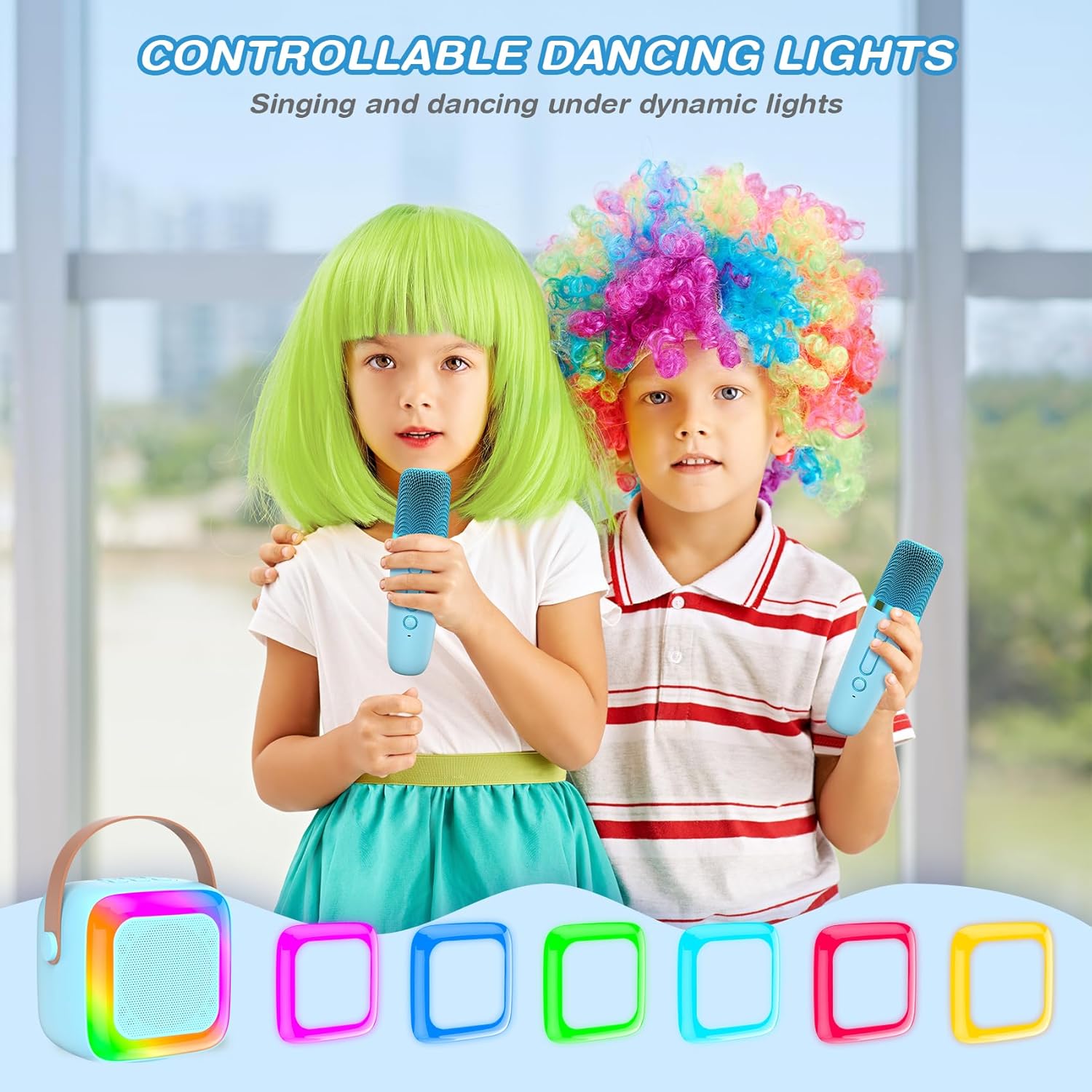
Figure 3: Controllable dancing lights enhance the karaoke experience.
4. Maintenance
- Cleaning: Use a soft, dry cloth to clean the speaker and microphones. Do not use liquid cleaners or abrasive materials.
- Storage: Store the device in a cool, dry place away from direct sunlight and extreme temperatures.
- Battery Care: To prolong battery life, avoid fully discharging the battery frequently. Charge the device regularly, even if not in use for extended periods.
5. Troubleshooting
- No Sound: Ensure the speaker and your connected device's volume are turned up. Check if the device is properly paired via Bluetooth or if the audio cable is securely connected.
- Microphone Not Working: Ensure the microphone is powered on and fully charged. Re-pair the microphone with the speaker if necessary.
- Feedback/Squealing Sound: Keep the microphones a sufficient distance from the speaker to prevent audio feedback. Reduce microphone volume if necessary.
- Bluetooth Disconnection: Ensure no obstacles are between the speaker and your device. Move closer to the speaker. Disconnect and re-pair the device.
- Device Not Charging: Verify the USB cable is correctly connected to both the device and the power source. Try a different USB port or power adapter.
6. Specifications
| Feature | Detail |
|---|---|
| Brand | TAEMVV |
| Model Name | LS-SY13 |
| Color | Blue |
| Connectivity Technology | Auxiliary, Bluetooth |
| Connector Type | 3.5 mm Jack, USB Type C |
| Special Features | Built-In Microphone, Light Up Speaker, Portable, Rechargeable, SD Card Slot |
| Power Source | Battery Powered |
| Number of Speakers | 2 |
| Item Dimensions (D x W x H) | 3.38"D x 3.46"W x 2.63"H |
7. Warranty and Support
This TAEMVV product comes with a 6-month manufacturer's warranty from the date of purchase. For warranty claims or technical support, please contact the seller, Dawn-Yearn, or refer to the contact information provided with your purchase documentation.
8. Product Videos
Mini Karaoke Machine for Kids Adults
This video provides an overview of the TAEMVV Mini Karaoke Machine, demonstrating its features and use for both children and adults. It highlights the dual wireless microphones and the speaker's sound capabilities.
Cool Upgrade SY13 Warm Moment
This video showcases the upgraded features of the SY13 model, focusing on the enhanced user experience and the fun moments it can create for families and friends.
