
Introduction
Welcome to the user manual for your NOTODD N00 14-inch laptop. This guide provides essential information on setting up, operating, maintaining, and troubleshooting your device. Please read this manual thoroughly to ensure optimal performance and longevity of your laptop.
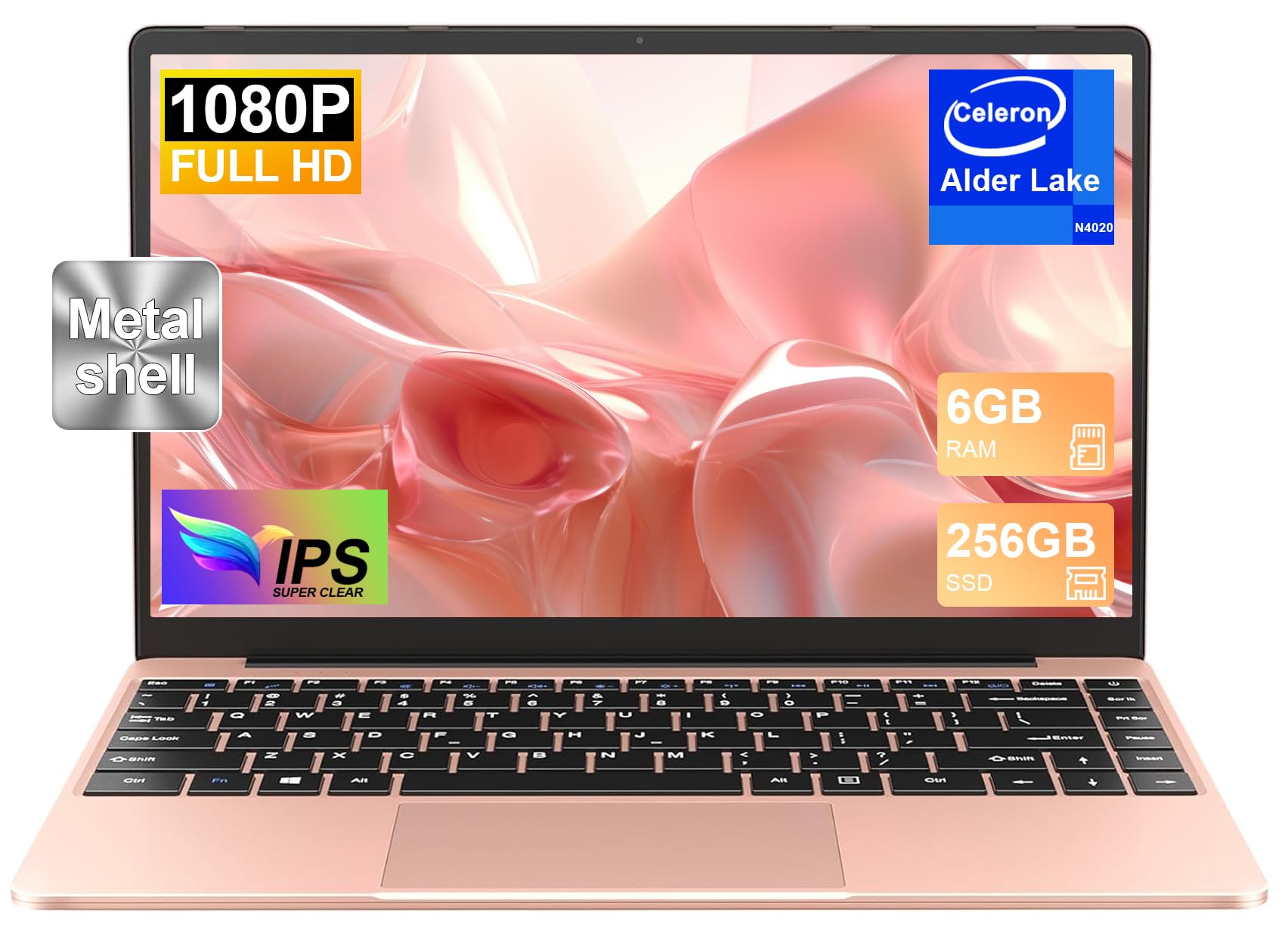
The NOTODD N00 is a versatile and portable laptop designed for various tasks, from daily productivity to entertainment. It features a 14.1-inch Full HD IPS display, an Intel Celeron N4020 processor, 6GB RAM, and a 256GB SSD, running on Windows 11.

Safety Information
To prevent damage to your device or injury to yourself and others, please observe the following safety precautions:
- Do not expose the laptop to extreme temperatures, direct sunlight, or high humidity.
- Avoid dropping or subjecting the laptop to strong impacts.
- Use only the original power adapter and accessories provided with your laptop.
- Keep liquids away from the laptop to prevent electrical shock or damage.
- Do not attempt to disassemble or repair the laptop yourself. Refer to qualified service personnel.
- Ensure proper ventilation when using the laptop to prevent overheating.
Package Contents
Please check the package for the following items:
- NOTODD N00 14-inch Laptop
- Power Adapter
- Wireless Mouse
- AZERTY Keyboard Cover
- User Manual (this document)
Setup Guide
1. Charging the Battery
Before first use, fully charge your laptop's battery. Connect the power adapter to the DC charging port on the side of the laptop and then plug it into a power outlet. The charging indicator light will illuminate.
2. Initial Power On and Windows 11 Setup
- Press and hold the power button located on the keyboard until the screen turns on.
- Follow the on-screen instructions to complete the initial Windows 11 setup. This includes selecting your language, region, connecting to a Wi-Fi network, and creating a user account.
3. Keyboard Configuration
Your laptop comes with an AZERTY keyboard cover. To ensure correct input:
- During the Windows 11 setup, select the AZERTY keyboard layout when prompted.
- Place the provided AZERTY keyboard cover over the laptop's keyboard. This cover is designed to align with the physical keys and provide the correct layout for French-speaking users.
Operating Instructions
1. Overview of Ports and Connections
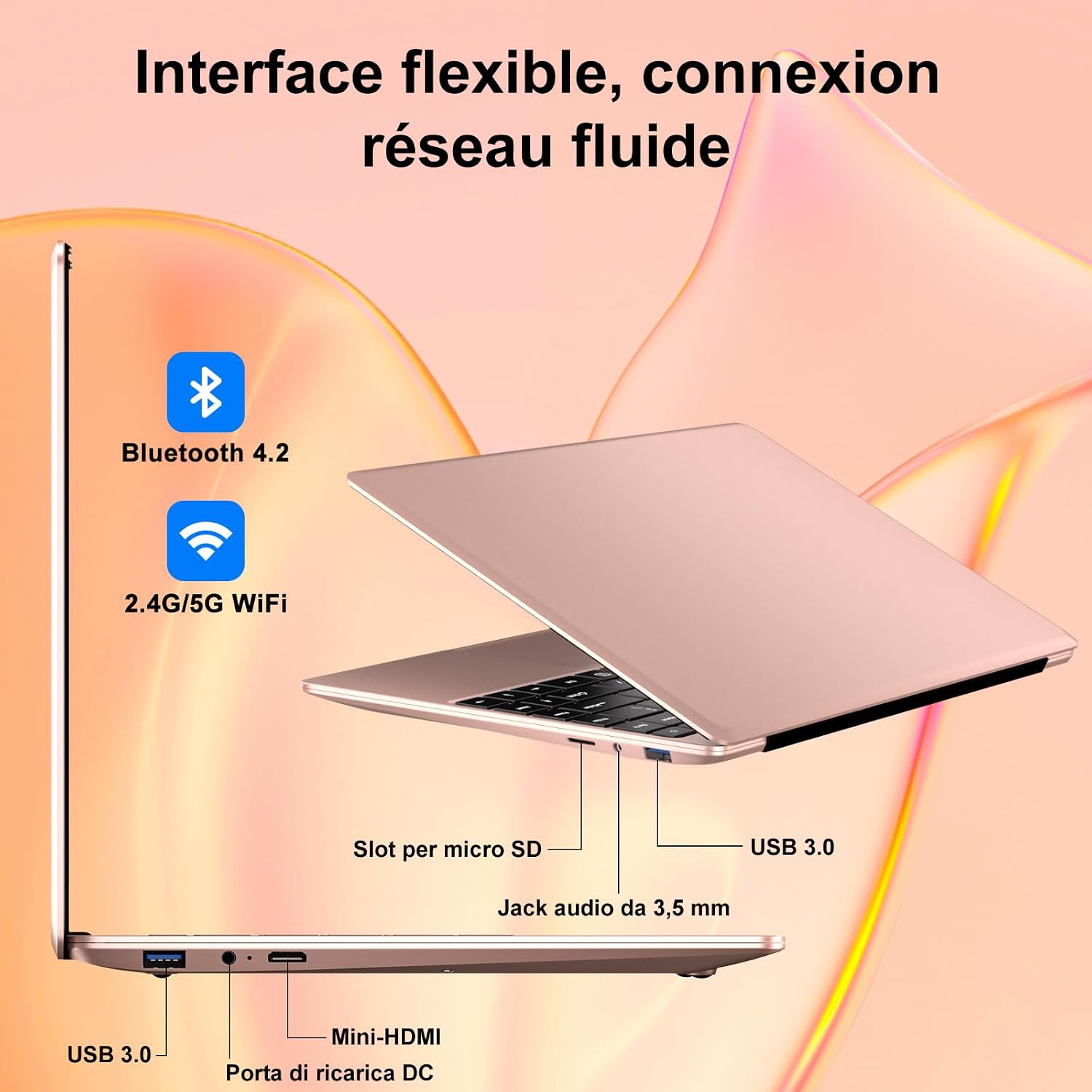
The NOTODD N00 laptop offers a range of ports for connectivity:
- USB 3.0 Ports (x2): For connecting external devices like USB drives, mice, and keyboards.
- Mini HDMI Port: For connecting to external displays or projectors.
- Micro SD Card Slot: For expanding storage with a Micro SD card (up to 512GB).
- 3.5mm Audio Jack: For connecting headphones or external speakers.
- DC Charging Port: For connecting the power adapter.
2. Wireless Connectivity
- Wi-Fi: The laptop supports dual-band 2.4G and 5G Wi-Fi (802.11a/b/g/n/ac) for fast and stable internet connections. To connect, go to Settings > Network & Internet > Wi-Fi, turn Wi-Fi on, and select your network.
- Bluetooth: Integrated Bluetooth 4.2 allows you to connect wireless peripherals such as headphones, speakers, and mice. To connect, go to Settings > Bluetooth & devices, turn Bluetooth on, and pair your device.
3. Display Features
The 14.1-inch Full HD (1920x1080) IPS display provides clear and vibrant visuals. The screen can be rotated up to 180 degrees, offering flexibility for various viewing angles and collaboration.

4. External Display Connection
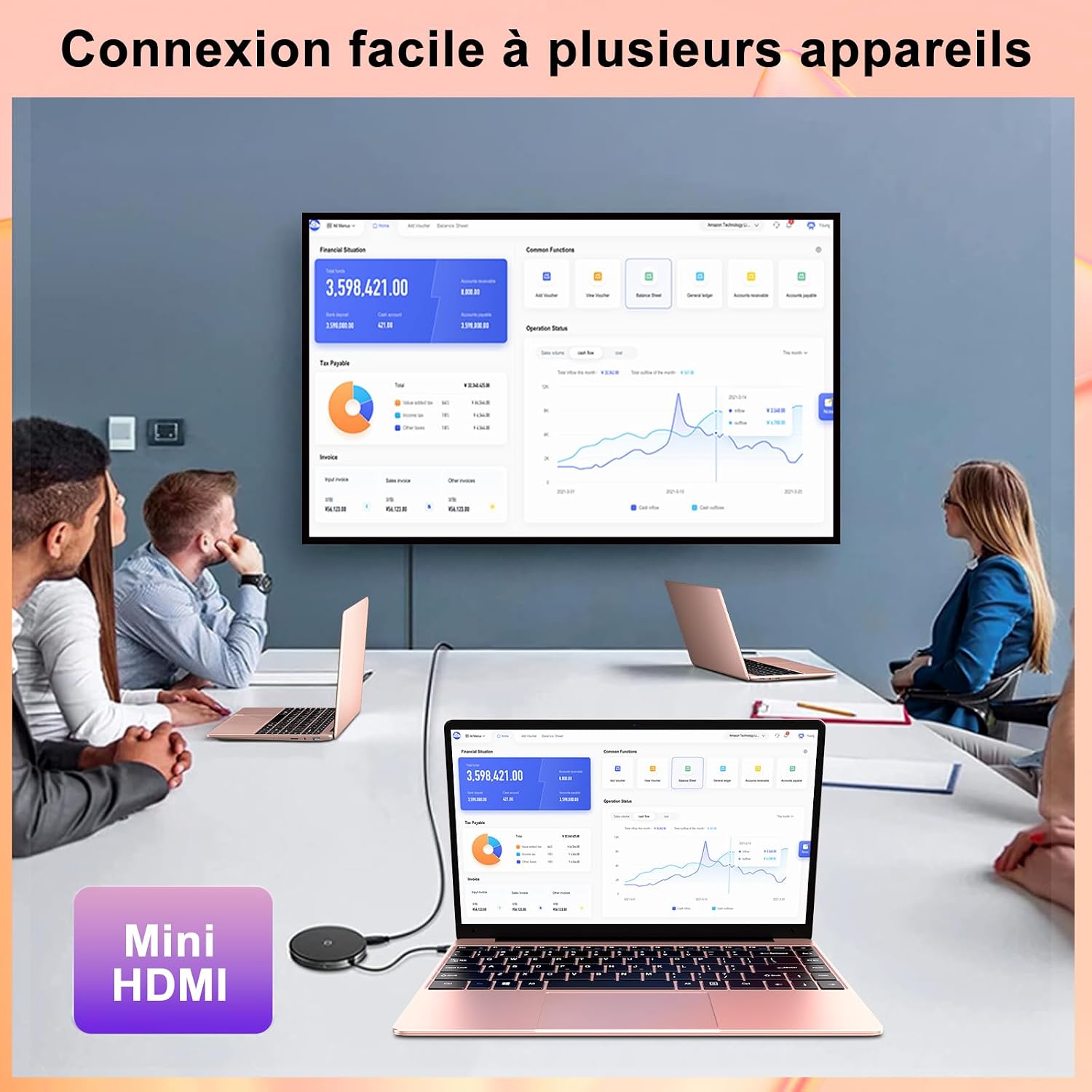
You can connect your NOTODD N00 laptop to an external monitor or projector using the Mini HDMI port. This allows for extended desktop space or mirroring your display for presentations.
5. Storage Management
Your laptop comes with a 256GB SSD for fast boot times and application loading. You can expand your storage in several ways:
- Micro SD Card: Insert a Micro SD card into the dedicated slot to add up to 512GB of storage.
- SSD Expansion: The laptop supports upgrading the internal SSD to up to 1TB. This requires technical knowledge and may void your warranty if not performed correctly.

6. Battery Life and Power Management
The laptop is equipped with a 5000mAh lithium-polymer battery, offering approximately 5-6 hours of mixed use or video playback and up to 200 hours of standby time. To optimize battery life:
- Adjust screen brightness to a comfortable level.
- Close unnecessary applications running in the background.
- Enable Windows 11 battery saver mode when battery is low.

7. Processor Performance
The Intel Celeron N4020 dual-core processor provides efficient performance for everyday computing tasks, multitasking, and multimedia consumption. Coupled with 6GB of RAM, it ensures smooth operation for most applications.

Maintenance
1. Cleaning Your Laptop
- Use a soft, lint-free cloth to clean the screen and exterior.
- For stubborn smudges, slightly dampen the cloth with water or a screen-cleaning solution.
- Avoid using harsh chemicals, abrasives, or solvents.
- Gently brush away dust from the keyboard and ports.
2. Software Updates
Regularly update your Windows 11 operating system and drivers to ensure optimal performance, security, and compatibility. Go to Settings > Windows Update to check for and install updates.
3. Storage Optimization
To maintain fast performance, periodically manage your storage:
- Delete unnecessary files and applications.
- Use Windows Disk Cleanup tool.
- Consider moving large files to external storage or cloud services.
Troubleshooting
If you encounter issues with your NOTODD N00 laptop, refer to the following common solutions:
| Problem | Possible Solution |
|---|---|
| Laptop does not power on | Ensure the power adapter is securely connected and the battery is charged. Try holding the power button for 10-15 seconds for a hard reset. |
| Screen is blank or flickering | Adjust screen brightness. Connect to an external monitor via Mini HDMI to check if the issue is with the laptop's display. Restart the laptop. |
| Wi-Fi or Bluetooth not connecting | Check if Wi-Fi/Bluetooth is enabled in Windows settings. Restart your router/modem. Update network drivers. |
| Slow performance | Close unnecessary programs. Check for Windows updates. Run a disk cleanup. Ensure sufficient free storage space. |
| Keyboard input issues | Ensure the AZERTY keyboard cover is correctly placed. Check keyboard language settings in Windows. |
If the problem persists, please contact customer support.
Specifications
| Feature | Detail |
|---|---|
| Brand | NOTODD |
| Model Number | N00 |
| Series | N500 |
| Color | Rose Gold |
| Operating System | Windows 11 |
| Keyboard | AZERTY standard (with cover) |
| Processor Brand | Intel |
| Processor Type | Celeron N4020 |
| Processor Speed | 1.1 GHz |
| Number of Cores | 2 |
| Installed RAM | 6 GB |
| Max Memory | 6 GB |
| Hard Drive Size | 256 GB |
| Hard Drive Technology | SSD |
| Display Technology | IPS |
| Screen Size | 14.1 Inches |
| Screen Resolution | 1920 x 1080 pixels (Full HD) |
| Graphics Card | Integrated (Celeron Chipset) |
| Wireless Technology | 802.11a/b/g/n/ac (Dual-band 2.4G/5G WiFi) |
| Bluetooth | Yes (BT4.2) |
| USB Ports | 2x USB 3.0 Type A |
| Video Output | Mini HDMI |
| Other Interfaces | Micro SD Card Slot, 3.5mm Audio Jack, DC Charging Port |
| Battery Life | Approx. 5-6 hours (mixed use), 200 hours (standby) |
| Dimensions (L x W x H) | 32.2 x 2.1 x 21 cm |
| Weight | 1.32 Kilograms |
| Special Features | Advanced processing, Pre-installed Windows 11 |
Warranty Information
Your NOTODD N00 laptop is covered by a limited manufacturer's warranty. Please refer to the warranty card included in your package or visit the official NOTODD website for detailed terms and conditions. Keep your proof of purchase for warranty claims.
Customer Support
For technical assistance, troubleshooting beyond this manual, or warranty inquiries, please contact NOTODD customer support. Contact information can typically be found on the NOTODD official website or on the packaging of your product.
When contacting support, please have your laptop's model number (N00) and serial number ready.

