
BRESSER A.8*25
BRESSER 8x25 Binoculars Instruction Manual
Model: A.8*25
Introduction
Thank you for choosing the BRESSER 8x25 Binoculars. These high-quality binoculars are designed for exceptional clarity and durability, featuring an HD optical system with FMC Green Film and BAK4 Prism. They are built to withstand various outdoor conditions, being waterproof, fogproof, and shockproof. This manual provides detailed instructions for setup, operation, maintenance, and troubleshooting to ensure optimal performance and longevity of your binoculars.
What's in the Box
- BRESSER 8x25 Binoculars
- Carrying Bag
- Neck Strap
- Lens Cleaning Cloth
- Instruction Manual
- Warranty Card

Image: All included accessories for your BRESSER binoculars.
Setup
1. Adjusting Interpupillary Distance
Hold the binoculars firmly and adjust the distance between the two barrels until you see a single, clear circular field of view. This ensures the binoculars are aligned with your eyes.

Image: Key components of the BRESSER binoculars, illustrating the ocular and objective lenses, diopter, and focusing wheels.
2. Adjusting Diopter and Focus
- Close your right eye and look through the left barrel. Rotate the central focus wheel until the image is sharp.
- Close your left eye and look through the right barrel. Rotate the diopter adjustment ring (usually on the right eyepiece) until the image is sharp.
- Now, with both eyes open, use only the central focus wheel to focus on objects at varying distances. The diopter setting should remain unchanged unless your vision changes significantly.

Image: Detailed view of the diopter and central focus adjustments on the binoculars.
3. Attaching the Neck Strap
Thread the provided neck strap through the strap loops on the sides of the binoculars. Adjust the length for comfortable carrying around your neck, ensuring the binoculars hang securely and are easily accessible.
Operating Instructions
General Usage
Hold the binoculars steady with both hands. Bring them up to your eyes, ensuring your eyes are aligned with the eyepieces. Use the central focus wheel to bring your target into sharp focus. The 8x magnification provides a clear and detailed view of distant objects, while the 25mm objective lens diameter ensures sufficient light gathering for bright images.
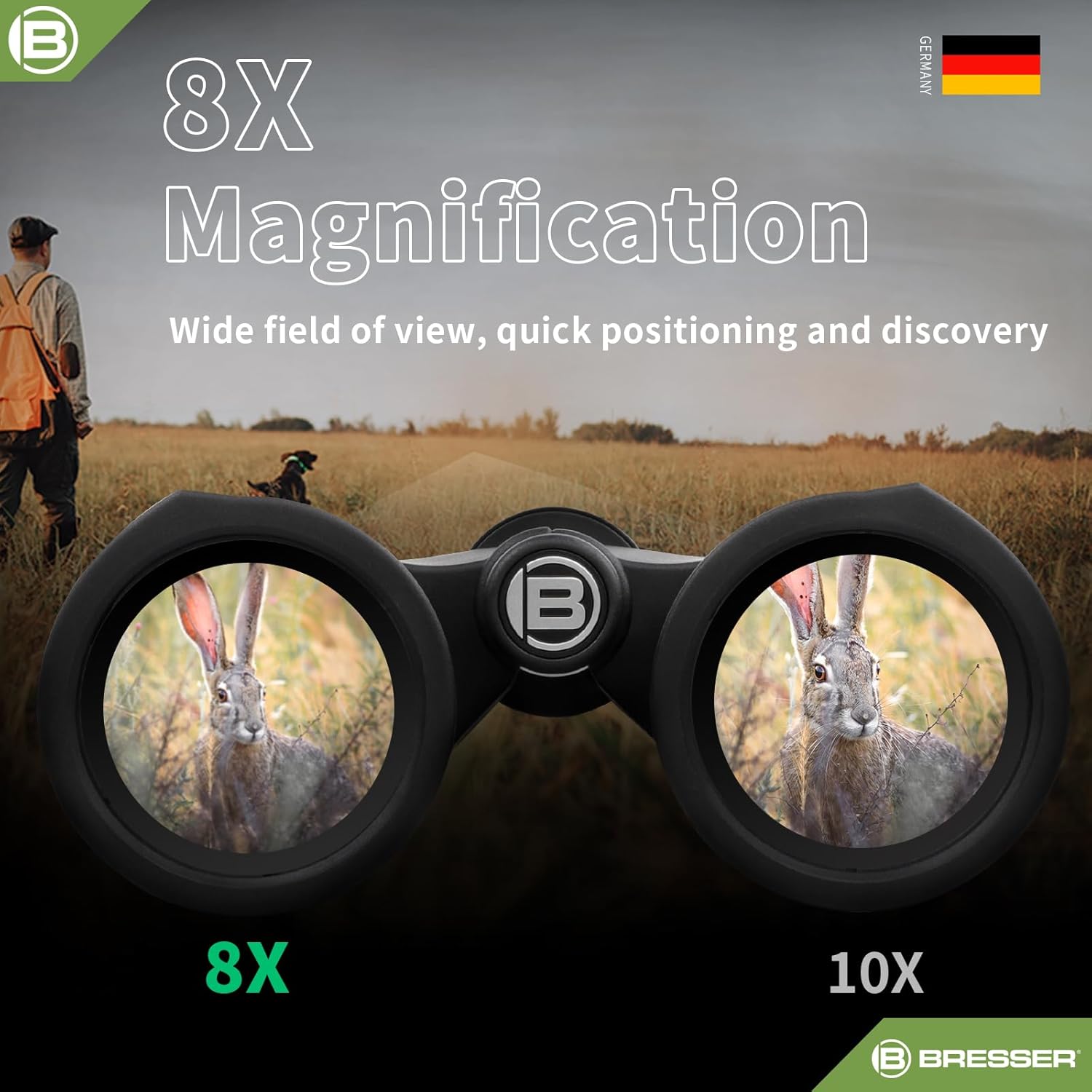
Image: Visual representation of the 8x magnification capability, offering a wide field of view for quick positioning and discovery.
Optical System Features
Your BRESSER binoculars are equipped with an HD Optical System, FMC (Fully Multi-Coated) Green Film, and BAK4 Prism. The FMC lenses significantly reduce light reflection and increase light transmission, resulting in brighter, clearer, and higher-contrast images with excellent color fidelity. The BAK4 prism ensures a perfectly round exit pupil and crisp, clear images across the entire field of view.

Image: Demonstration of FMC coated lenses providing superior anti-reflective properties compared to ordinary coatings.
Maintenance
Cleaning Lenses
To clean the lenses, first, use a soft brush or compressed air to remove any dust or large particles. Then, gently wipe the lenses with the provided lens cleaning cloth. For stubborn smudges, a small amount of lens cleaning fluid can be applied to the cloth, not directly to the lens.
Storage
When not in use, store your binoculars in the provided carrying bag to protect them from dust, dirt, and scratches. Store them in a cool, dry place away from direct sunlight and extreme temperatures.
Waterproof and Fogproof Features
These binoculars are Argon purged and O-ring sealed, providing IPX7 waterproof rating and thermal stability. This prevents internal fogging and protects against rain and moisture. While designed for rugged use, avoid prolonged submersion in water.

Image: Binoculars demonstrating their waterproof and fogproof design, suitable for extreme weather conditions.
Troubleshooting
| Problem | Possible Cause | Solution |
|---|---|---|
| Blurry Image | Incorrect focus or diopter setting. | Adjust the central focus wheel and diopter ring as described in the Setup section. |
| Double Image | Interpupillary distance is not correctly set. | Adjust the distance between the barrels until a single circular field of view is achieved. |
| Fogging Lenses (Internal) | Extreme temperature changes or seal compromise. | The binoculars are Argon purged to prevent internal fogging. If fogging occurs, contact customer support. |
| Difficulty Adjusting | Dirt or debris in mechanisms. | Ensure mechanisms are clean. Do not force adjustments. |
Specifications
| Feature | Detail |
|---|---|
| Magnification Maximum | 8 x |
| Objective Lens Diameter | 25 Millimeters |
| Special Feature | Fog Proof |
| Age Range (Description) | Adult |
| Brand | BRESSER |
| Manufacturer | BRESSER |
| Item Weight | 1.41 pounds |
| Package Dimensions | 6.93 x 6.65 x 2.64 inches |
Warranty and Support
BRESSER is committed to innovation and quality. Your purchase includes BRESSER's lifetime US warranty, ensuring long-term support for your product. For any inquiries, technical assistance, or warranty claims, please contact our 24-Hour Customer Experience Center. We are dedicated to providing excellent customer service.
For more information, visit the official BRESSER Store: BRESSER Store on Amazon
Ask a question about this manual
Ask about setup, troubleshooting, compatibility, parts, safety, or missing instructions. Manuals+ will review the question and use this page’s manual context to help answer it.