
Introduction
Thank you for choosing the ASHATA M9 Video Doorbell. This device is designed to enhance your home security by providing real-time video monitoring, two-way audio communication, and instant mobile notifications. This manual will guide you through the setup, operation, and maintenance of your new video doorbell to ensure optimal performance and a secure environment.
Product Overview
Key Features
- HD Image: The video doorbell features a high-definition camera, providing a clear image to allow users to see clearly what is happening outside the door. It is easy to install and pair.
- Two-Way Talk: This doorbell includes a built-in microphone and speaker, enabling two-way communication between your mobile phone and the doorbell, convenient for interacting with visitors.
- Real-Time Video: The camera doorbell supports real-time video functionality, allowing you to view live footage outside your door via your mobile phone to ensure home security.
- Mobile Phone Notification: When someone presses the doorbell or enters the monitoring area, a notification will be sent to your mobile phone, informing you of the situation outside the door immediately.
- HD Night Vision: The doorbell provides clear black and white images at night through infrared night vision technology, ensuring you can clearly see your visitors after dark.
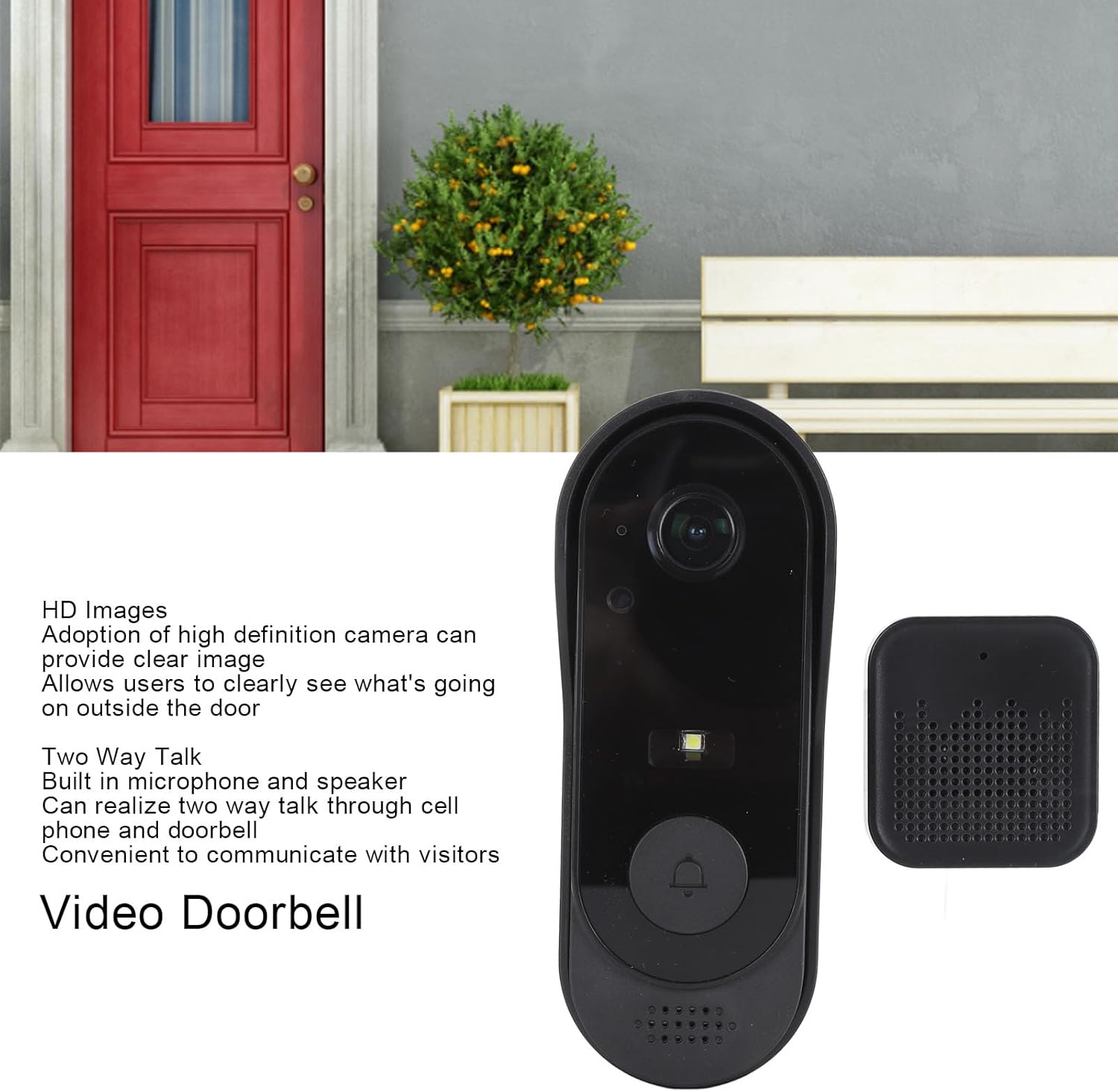
Figure 1: ASHATA M9 Video Doorbell highlighting HD image and two-way talk.

Figure 2: ASHATA M9 Video Doorbell highlighting real-time video, notifications, and night vision.
Package Contents
Please check the package for the following items:
- 1 x Video Doorbell
- 1 x Back Cover / Mounting Bracket
- 1 x Chime Unit
- 1 x Double-Sided Adhesive Sticker
- 3 x Screws
- 2 x Screw Covers
- 1 x Data Cable (USB)
- 1 x User Manual
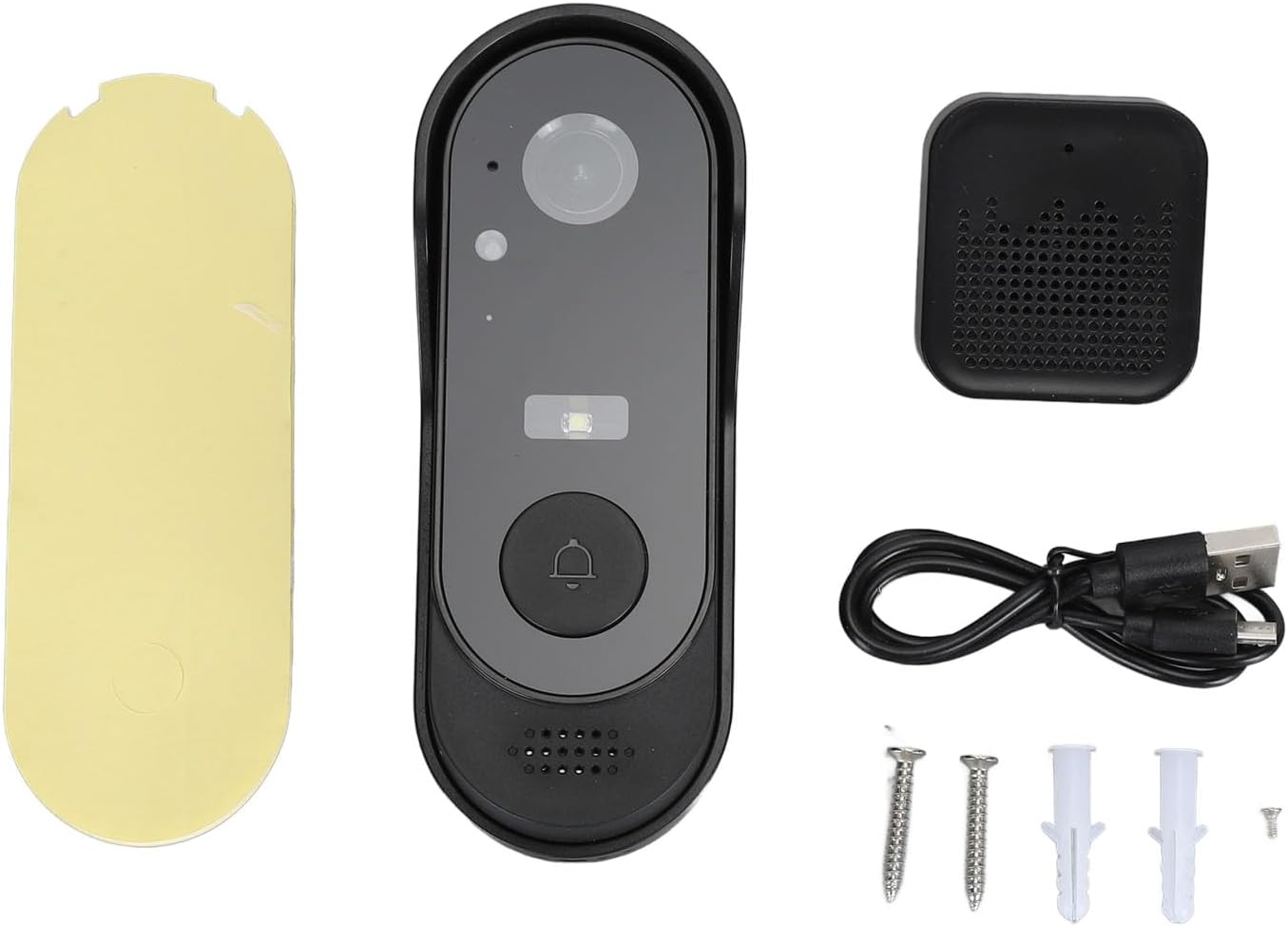
Figure 3: Contents of the ASHATA M9 Video Doorbell package.
Setup
1. Charge the Doorbell
Before initial use, fully charge the video doorbell using the provided USB data cable. Connect the cable to the charging port on the back of the doorbell and a standard USB power adapter (not included). The charging indicator light will show the charging status.

Figure 4: Charging port and reset button on the doorbell unit.
2. Install the Mobile App and Pair
- Download the dedicated mobile application from your smartphone's app store (iOS or Android). Refer to the QR code in the quick start guide for direct download.
- Register an account and log in.
- Follow the in-app instructions to add your ASHATA M9 Video Doorbell. This typically involves powering on the doorbell, resetting it if necessary (using the reset button near the charging port), and connecting it to your home Wi-Fi network.
- Pair the chime unit by pressing its pairing button and then pressing the doorbell button.
3. Mount the Doorbell
Choose a suitable location near your front door, ensuring a clear view and good Wi-Fi signal. You can use either the provided screws or the double-sided adhesive sticker for mounting.
- Screw Mounting: Attach the back cover/mounting bracket to the wall using the screws. Then, slide the doorbell unit onto the bracket until it clicks into place.
- Adhesive Mounting: Clean the mounting surface thoroughly. Apply the double-sided adhesive sticker to the back cover/mounting bracket, then firmly press the bracket onto the desired location. Once secure, attach the doorbell unit.

Figure 5: Doorbell unit, mounting bracket, and chime assembly.
Operating Instructions
Live View
Open the mobile app to access the live video feed from your doorbell camera at any time. This allows you to monitor your doorstep in real-time.
Two-Way Communication
When a visitor presses the doorbell or you access the live view, you can initiate two-way audio communication through the app. Speak into your phone, and your voice will be transmitted through the doorbell's speaker, allowing you to converse with the visitor.
Mobile Notifications
The doorbell will send instant notifications to your mobile phone when motion is detected in its monitoring area or when the doorbell button is pressed. Tap the notification to view the live feed or recorded event.
Night Vision
The ASHATA M9 Video Doorbell automatically switches to HD infrared night vision mode in low-light conditions, providing clear black and white video footage even in complete darkness.
Video Storage
The doorbell supports local storage via a Micro SD card (up to 32GB, not included). Insert the SD card into the designated slot on the doorbell unit. Recorded events can be reviewed through the mobile app.
Maintenance
Cleaning
Wipe the doorbell camera lens and body with a soft, damp cloth to remove dust and smudges. Avoid using harsh chemicals or abrasive cleaners.
Battery Care
The doorbell has a built-in 1000 mAh lithium battery. Recharge the doorbell when the battery level is low, as indicated by the app or a specific LED indicator on the device. Regular charging ensures continuous operation.
Troubleshooting
- No Power: Ensure the doorbell is fully charged. If it's not turning on, try charging it for several hours.
- Cannot Connect to Wi-Fi: Verify your Wi-Fi network is 2.4GHz (5GHz is not supported). Ensure the doorbell is within range of your router. Try resetting the doorbell and re-pairing it through the app.
- Poor Video Quality: Check your Wi-Fi signal strength. A weak signal can affect video streaming. Ensure the camera lens is clean and free from obstructions.
- No Notifications: Check your phone's app settings to ensure notifications are enabled for the doorbell app. Also, verify the doorbell's motion detection settings in the app.
- Chime Not Ringing: Ensure the chime unit is plugged in and paired with the doorbell. Re-pair if necessary.
Specifications
| Manufacturer | ASHATA |
| Item Model Number | ASHATA53cysxi0tu |
| Product Dimensions (L x W x H) | 16 x 9 x 6 cm |
| Weight | 208 grams |
| Mounting Type | Wall Mount |
| Battery Type | Built-in 1000 mAh Lithium Battery |
| Storage | Supports up to 32GB Micro SD card (not included) |
| Country of Origin | China |
| ASIN | B0D7W7DPK4 |
| Date First Available | June 24, 2024 |
Warranty and Support
For warranty information or technical support, please refer to the documentation provided at the time of purchase or contact your retailer. Specific warranty terms and support channels may vary by region and seller.