
ZACO V5 Max
ZACO V5 Max Robot Vacuum Cleaner User Manual
Model: V5 Max
1. Introduction
Thank you for choosing the ZACO V5 Max Robot Vacuum Cleaner. This device is designed to provide efficient and convenient cleaning for your home, offering both vacuuming and mopping functionalities. This manual provides essential information for setting up, operating, maintaining, and troubleshooting your robot vacuum cleaner to ensure optimal performance and longevity.
The ZACO V5 Max features a 2-in-1 design with a combined dustbin and water tank, intelligent gyro navigation for systematic cleaning paths, and powerful 3000 Pa suction with carpet boost technology. It can be controlled via the ZACO Smart app, voice commands (Alexa/Google Home), or the included remote control.
2. Important Safety Instructions
Before using your ZACO V5 Max, please read and understand all safety instructions. Keep this manual for future reference.
- This appliance can be used by children aged 8 years and above and persons with reduced physical, sensory or mental capabilities or lack of experience and knowledge if they have been given supervision or instruction concerning use of the appliance in a safe way and understand the hazards involved.
- Children should be supervised to ensure they do not play with the appliance.
- Cleaning and user maintenance shall not be made by children without supervision.
- Only use the original power adapter provided by the manufacturer.
- Do not use the robot in wet environments or near water.
- Remove any loose cables, small objects, or fragile items from the cleaning area before operation.
- Do not operate the robot if it is damaged. Contact customer support for assistance.
- Do not use the robot to pick up large debris, liquids, burning or smoking objects.
3. Package Contents
Please check that all items are included in the package:
- ZACO V5 Max Robot Vacuum Cleaner
- Charging Station
- Power Adapter Cable
- Cleaning Brush
- Remote Control (including batteries)
- 2x Extra Side Brushes
- 1x Extra Filter
- 2-in-1 Suction and Mopping Tank (300ml dustbin + 250ml water tank)
- 1x HEPA Filter (pre-installed)
- Mopping Module + 2 Microfiber Cloths
- User Manual
- Quick Start Guide
4. Product Overview
Familiarize yourself with the components of your ZACO V5 Max robot vacuum cleaner.
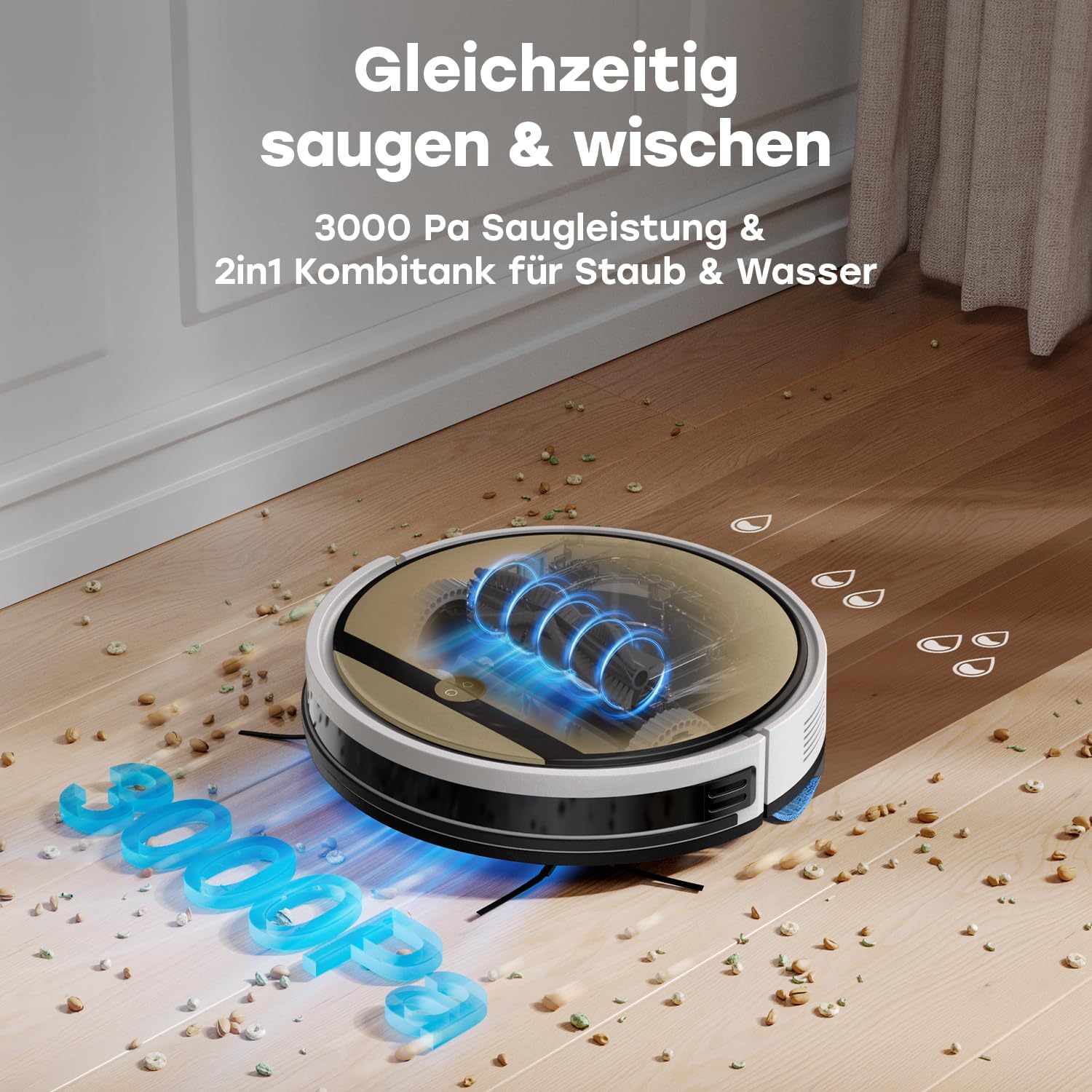
Figure 4.1: Top view of the ZACO V5 Max robot vacuum cleaner, showing the main body and control button.
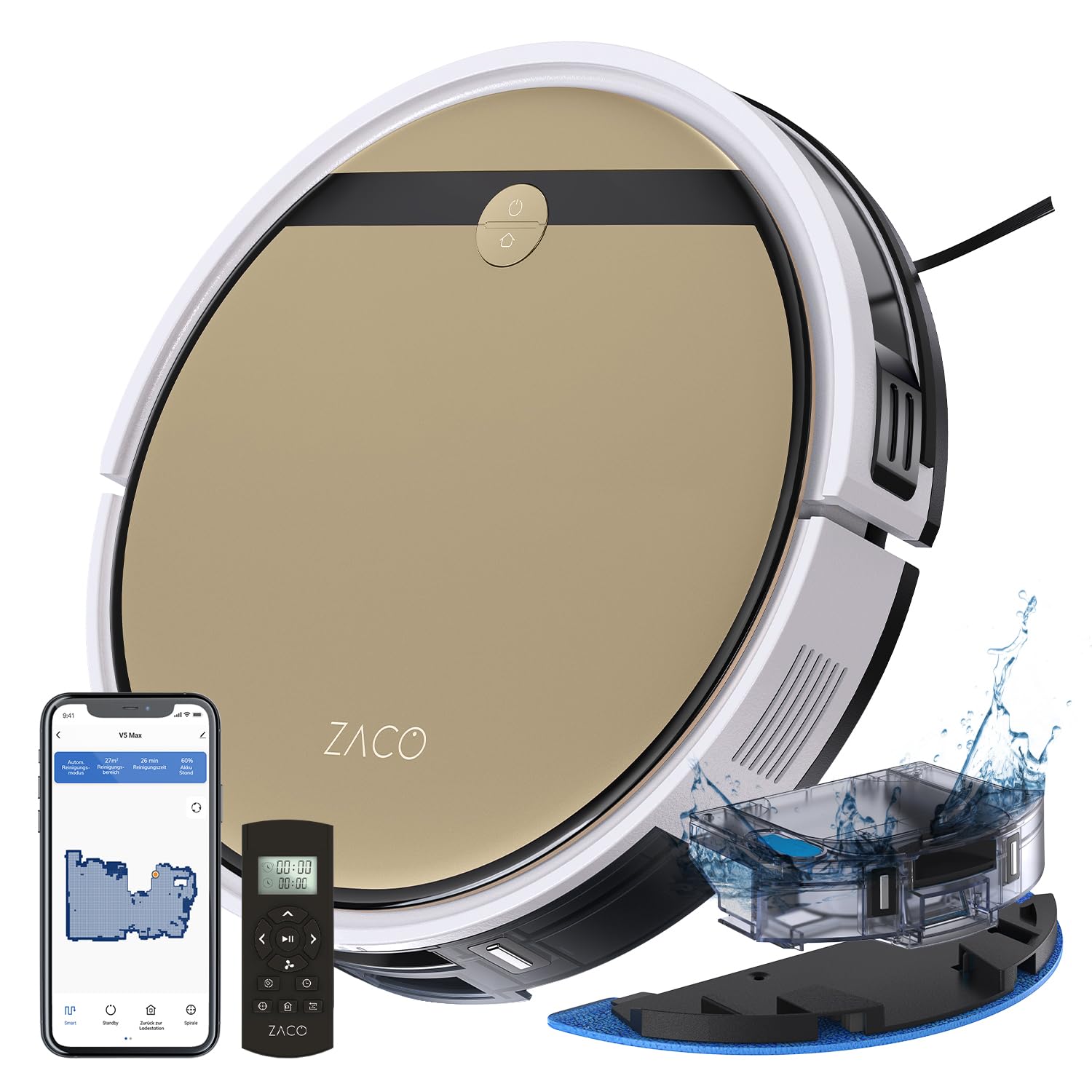
Figure 4.2: The ZACO V5 Max demonstrating simultaneous vacuuming and mopping, highlighting its 3000 Pa suction and 2-in-1 tank for dust and water.
Robot Components:
- Main Body: Contains the motor, battery, and control systems.
- 2-in-1 Tank: Integrated dustbin (300ml) and water tank (250ml) for combined cleaning.
- Side Brushes: Two rotating brushes that sweep debris into the suction path.
- Main Brush: Central brushroll for deep cleaning carpets and hard floors.
- Mopping Cloth: Attaches to the mopping module for wet cleaning.
- Sensors: Anti-drop, anti-collision, and carpet detection sensors.
- Charging Contacts: Located on the bottom of the robot, for connecting to the charging station.
5. Setup
5.1 Charging Station Placement
Place the charging station against a wall in an open, uncluttered area. Ensure there is at least 1 meter (3 feet) of clear space on both sides and 2 meters (6 feet) in front of the station. Plug the power adapter into the charging station and then into a wall outlet.
5.2 Initial Charging
Place the ZACO V5 Max onto the charging station, ensuring the charging contacts align. The robot will begin charging automatically. For first-time use, fully charge the robot for at least 5-6 hours.
5.3 Installing Side Brushes
Press the side brushes onto the square posts at the bottom of the robot until they click into place. Ensure the L and R markings on the brushes match the corresponding markings on the robot.
5.4 Preparing for Mopping
To use the mopping function, fill the water tank portion of the 2-in-1 tank with clean water. Attach a clean microfiber cloth to the mopping module and then install the module onto the robot. Ensure the tank is securely inserted into the robot.
6. Operating Instructions
6.1 Cleaning Modes
The ZACO V5 Max offers several cleaning modes to suit different needs:
- Auto Cleaning: The robot cleans systematically using intelligent gyro navigation, covering the entire area in efficient paths. This is the default and most common cleaning mode.
- Edge Cleaning: The robot cleans along walls and furniture edges.
- Spot Cleaning: The robot cleans a specific area in a spiral pattern, ideal for concentrated dirt.

Figure 6.1: Illustration of the ZACO V5 Max utilizing systematic cleaning paths via gyro-navigation, compared to random paths of other models.
6.2 Intelligent Carpet Boost Technology
The V5 Max is equipped with unique carpet sensors. When a carpet is detected, the robot automatically increases its suction power to 3000 Pa to thoroughly clean deep-seated dirt from the carpet fibers. This feature ensures effective cleaning on both hard floors and carpets.

Figure 6.2: Diagram illustrating the Intelligent Carpet Boost Technology, where the robot automatically increases suction on carpets for deeper cleaning.
6.3 App and Voice Control
For advanced control and customization, download the "ZACO Smart" app on your smartphone. The app allows you to:
- Schedule cleaning times.
- Adjust suction power and water volume.
- Monitor the cleaning path in real-time.
- Check the wear status of brushes and filters.
The V5 Max also supports voice control via Amazon Alexa or Google Home for convenient hands-free operation.

Figure 6.3: The ZACO V5 Max being controlled via the ZACO Smart App and compatible with Alexa/Google Home, showing options for scheduled cleaning, water volume, suction power, and maintenance.
6.4 Remote Control and On-Device Operation
For basic operation, you can use the included remote control or the button on the robot itself. These methods allow you to start, pause, and send the robot back to its charging station.
6.5 Automatic Cleaning Resumption
The ZACO V5 Max has a battery life of up to 120 minutes, capable of cleaning up to 120 m² on a single charge. If the battery runs low during a cleaning cycle, the robot will automatically return to its charging station. Once sufficiently charged, it will resume cleaning from where it left off, ensuring complete coverage for larger areas.

Figure 6.4: The ZACO V5 Max returning to its charging station for recharging and then resuming its cleaning path, illustrating the automatic cleaning resumption feature for large areas.

Figure 6.5: The ZACO V5 Max with a 2900 mAh battery capacity, providing a long battery life for cleaning up to 120 m².
7. Maintenance
Regular maintenance is crucial for the optimal performance and longevity of your ZACO V5 Max.
7.1 Emptying the Dustbin
Empty the dustbin after each cleaning cycle or when the 'full' indicator appears. Remove the 2-in-1 tank, open the dustbin compartment, and discard the collected debris. Rinse the dustbin with water if necessary, ensuring it is completely dry before reinserting.
7.2 Cleaning Filters
The HEPA filter and primary filter should be cleaned regularly. Tap the filters to remove dust. Replace the HEPA filter every 3-6 months, depending on usage.
7.3 Cleaning Side Brushes and Main Brush
Periodically remove and clean the side brushes and main brush. Use the provided cleaning tool to cut and remove any tangled hair or debris. Replace worn-out brushes as needed.
7.4 Cleaning Sensors
Wipe the anti-drop and anti-collision sensors with a clean, dry cloth to ensure they function correctly. Dirty sensors can affect navigation.
7.5 Cleaning the Mopping Cloth and Water Tank
After mopping, remove the microfiber cloth and wash it. Empty any remaining water from the water tank and rinse it. Allow all components to air dry completely before reassembly.
8. Troubleshooting
If you encounter issues with your ZACO V5 Max, refer to the following common problems and solutions:
| Problem | Possible Cause | Solution |
|---|---|---|
| Robot does not start or respond. | Low battery; Power switch off; Robot stuck. | Charge the robot; Turn on the power switch; Clear obstacles. |
| Robot returns to charging station frequently. | Low battery; Charging contacts dirty. | Ensure robot is fully charged; Clean charging contacts on robot and station. |
| Poor cleaning performance. | Dustbin full; Filters clogged; Brushes tangled/worn. | Empty dustbin; Clean/replace filters; Clean/replace brushes. |
| Robot gets stuck or navigates erratically. | Sensors dirty; Obstacles in path. | Clean all sensors; Clear the cleaning area of clutter. |
| "Main brush malfunction" error. | Main brush tangled with hair or debris; Main brush motor issue. | Remove and thoroughly clean the main brush and its bearings. If the issue persists after cleaning and restarting, contact customer support. |
| Mopping function is not effective. | Water tank empty; Mopping cloth dirty/dry; Water outlet clogged. | Fill water tank; Clean/wet mopping cloth; Check water outlets for blockages. |
If the problem persists after trying these solutions, please contact ZACO customer support.
9. Specifications
| Feature | Detail |
|---|---|
| Brand | ZACO |
| Model Name | V5 Max |
| Model Number | 502147 |
| Color | Champagne Gold |
| Product Dimensions | 33L x 33W x 7.9H cm |
| Weight | 3 kg |
| Dustbin Capacity | 300 ml |
| Water Tank Capacity | 250 ml |
| Voltage | 14.4 Volts |
| Material | Plastic |
| Noise Level | 65 Decibels |
| Battery Life | 120 Minutes |
| Cleaning Area per Charge | Up to 120 m² |
| Compatible Models | Amazon Echo, Google Home, Smartphone |
| Special Features | Advanced Custom Cleaning, Simultaneous Vacuuming and Mopping, Smart Mapping (Gyro Navigation), Obstacle Avoidance, Pet Hair Pickup, Carpet Boost Technology |
| Controller Type | App Control, Remote Control, Button Control, Voice Control |
| Filter Type | HEPA 12 |
| Surface Recommendation | Hard Floors and Carpets |
10. Warranty and Support
The ZACO V5 Max comes with a standard manufacturer's warranty. Please refer to the warranty card included in your package for specific terms and conditions, including the warranty period and coverage details.
For technical support, troubleshooting assistance beyond this manual, or warranty claims, please contact ZACO customer service. Contact information can typically be found on the ZACO official website or in your product packaging.
Related documentsV5 Max


Ask a question about this manual
Ask about setup, troubleshooting, compatibility, parts, safety, or missing instructions. Manuals+ will review the question and use this page’s manual context to help answer it.