
MHCABSR CARPLAY-9
MHCABSR 9-Inch Wireless CarPlay & Android Auto Screen User Manual
Model: CARPLAY-9
Product Overview
The MHCABSR CARPLAY-9 is a versatile 9-inch portable car display designed to enhance your driving experience with advanced connectivity and safety features. It offers seamless integration with your smartphone via wireless CarPlay and Android Auto, providing access to navigation, music, calls, and messages. Equipped with a 4K front dash camera and a 1080p night vision backup camera, it ensures comprehensive recording and improved parking safety. Multiple sound output options and mirroring capabilities further expand its functionality.
What's Included
- 1x 9" CarPlay Screen with Built-in Front Camera
- 1x 1080P Rear View Camera
- 1x 64GB TF Card
- 1x Dash Mount Bracket
- 1x Suction Mount Bracket
- 1x Aux Audio Cable
- 1x Cigarette Lighter Power Cable
- 1x Camera Extension Cord
- 1x 3M Adhesive
- 1x User Manual

Figure 1: All components included in the package.
Setup and Installation
Mounting the Display
The CARPLAY-9 offers flexible mounting options to suit various vehicle types and preferences:
- Dashboard Adsorption Mounting Bracket: Use the provided dash mount bracket and 3M adhesive to securely attach the display to your dashboard.
- Windshield Suction Mount Bracket: For windshield mounting, utilize the adjustable suction cup bracket. This allows for easy repositioning and articulation to achieve the desired viewing angle.

Figure 2: Different mounting options for the display unit.
Power Connection
Connect the display to your vehicle's 12V cigarette lighter socket using the provided power cable. The adapter includes a USB port for additional device charging.
Camera Installation
The unit includes a built-in 4K front dash camera and a 1080p waterproof rear view camera.
- Front Camera: The integrated front camera records your driving in 4K resolution. Ensure its lens is clear and unobstructed for optimal recording.
- Rear View Camera: Install the 1080p rear view camera at the back of your vehicle. The camera wire can be connected to the reverse light for automatic activation when shifting into reverse. Use the camera extension cord as needed.

Figure 3: Detail of the adjustable front-facing dash camera.

Figure 4: The 1080p rear view camera.

Figure 5: Overview of the dual camera system.

Figure 6: Parking assistance with the rear view camera.

Figure 7: Endless loop recording feature.
Operating Instructions
Wireless CarPlay & Android Auto
Connect your smartphone wirelessly to the display for seamless access to CarPlay or Android Auto. After the initial setup, your phone will automatically connect. This allows you to use navigation, phone contacts, music, and other apps directly on the 9-inch screen.

Figure 8: Wireless CarPlay and Android Auto interface.
Voice Control
Utilize Siri or Google Voice Control to manage navigation, make calls, play music, and send messages hands-free. This feature promotes safer driving by allowing you to keep your focus on the road.
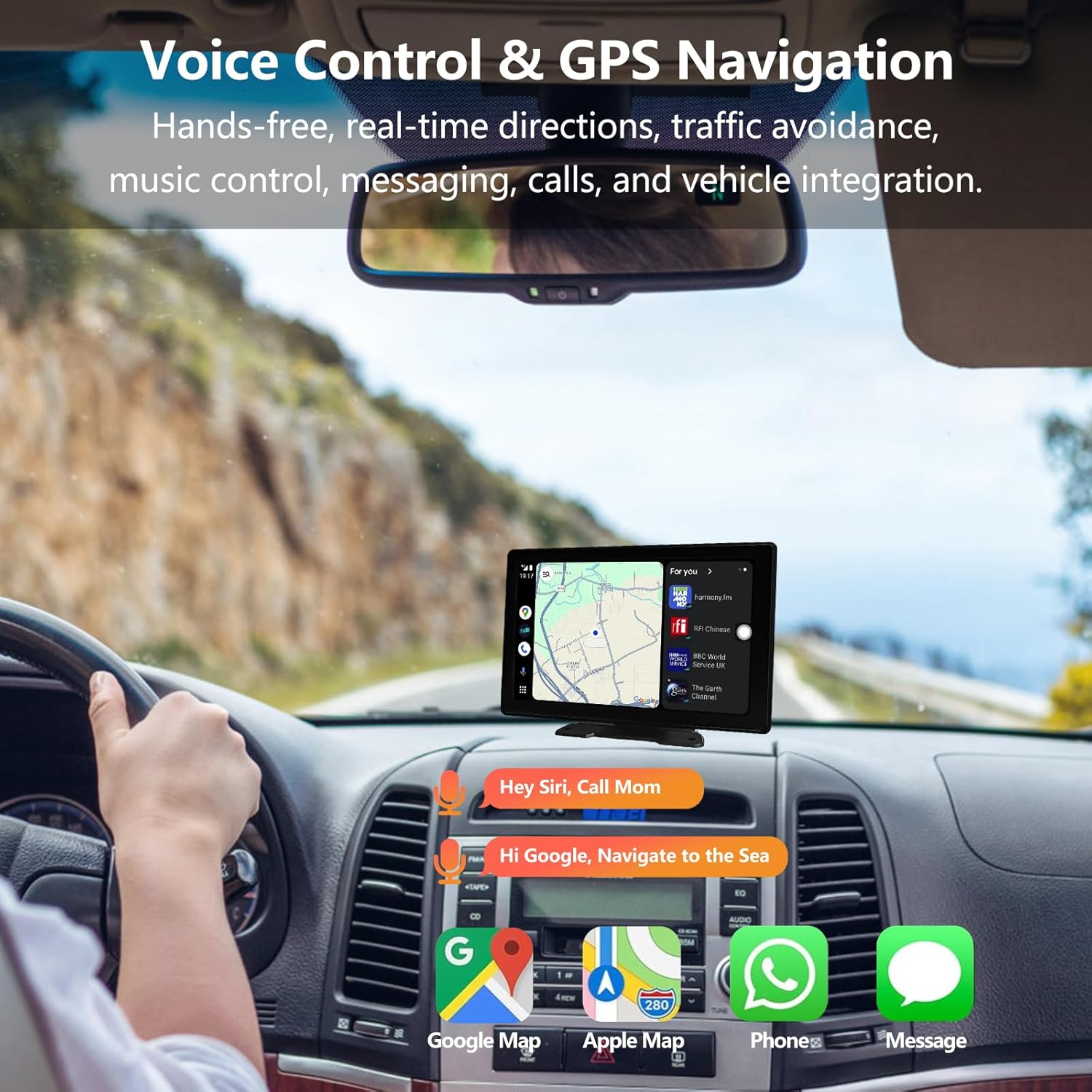
Figure 9: Voice control functionality for navigation and communication.
Real-time GPS Navigation
Connect your smartphone to share real-time maps and navigation information directly to the display. Easily search for destinations and send routes. Note: CarPlay currently does not support Uber or DoorDash applications.
Sound Output Options
The display offers multiple ways to output audio to your car's stereo system:
- Bluetooth (BT): Wirelessly stream audio to your car stereo speakers.
- AUX: Connect via the provided AUX audio cable for a wired connection.
- FM Transmitter: Broadcast audio to an unused FM frequency on your car radio.
- Built-in Speakers: The unit has its own integrated speakers.

Figure 10: Various audio output methods.
Mirror Link Function (iOS & Android)
The 9-inch display supports mirroring for both iOS and Android devices. This allows you to synchronize and display content from your phone screen directly onto the car display, enabling access and operation of phone apps while driving.

Figure 11: Wireless HD Mirror Link in action.
Dash Cam & Backup Camera Operation
The integrated 4K front camera and 1080p rear camera continuously record your driving. Footage is saved to the included 64GB TF card. The system supports loop recording, overwriting older files when the card is full.
- Collision Sensor (G-sensor): In the event of a serious collision, the built-in G-sensor automatically locks the video footage of the incident, saving it as a special, protected file that will not be overwritten by loop recording.
- Video Playback: Access recorded footage directly from the display unit.

Figure 12: Collision sensor (G-sensor) functionality.
Split-Screen Display
The unit supports split-screen functionality, allowing you to view multiple camera feeds or applications simultaneously. For example, you can view the front camera and navigation map at the same time.

Figure 13: Examples of split-screen display modes.
Automatic Screen Brightness Adjustment
The Full HD IPS display features automatic brightness adjustment, ensuring clear visibility in various lighting conditions, including direct sunlight.
Maintenance
To ensure optimal performance and longevity of your MHCABSR CARPLAY-9 display:
- Regularly clean the screen with a soft, lint-free cloth. Avoid abrasive cleaners.
- Ensure camera lenses are clean and free from dirt or obstructions.
- Check all cable connections periodically to ensure they are secure.
- Format the TF card periodically (e.g., monthly) to maintain optimal recording performance, especially if not using loop recording.
Troubleshooting
If you encounter issues with your CARPLAY-9 display, consider the following common solutions:
- No Power: Ensure the cigarette lighter power cable is securely plugged into both the display and the vehicle's 12V socket. Check if the vehicle's 12V socket is functioning.
- No CarPlay/Android Auto Connection: Verify that Bluetooth and Wi-Fi are enabled on your smartphone. Ensure the initial pairing process was completed successfully. Try restarting both the display and your smartphone.
- No Audio Output: Check the selected audio channel (BT, AUX, FM, Loudspeaker) on the display. If using FM, ensure your car radio is tuned to the correct, clear FM frequency. If using AUX, ensure the cable is properly connected.
- Camera Not Displaying: Check the camera connections. For the rear camera, ensure it is correctly wired to the reverse light if automatic activation is desired.
- Poor Video Quality: Ensure camera lenses are clean. Check the recording resolution settings in the DVR menu.
For further assistance, please refer to the warranty and support information.
Specifications
| Feature | Detail |
|---|---|
| Model Name | CARPLAY-9 |
| Display Size | 9 Inches |
| Special Feature | Touchscreen; 4K Front and 1080P Rear Recording; Real-time GPS Navigation; Smart Voice Control; Wireless Carplay & Android Auto; Rotatable Suction Cup Bracket & Adjustable Adhesive Bracket |
| Connectivity Technology | Bluetooth / AUX / WIFI / FM |
| Map Type | Road (via smartphone integration) |
| Audio Output Mode | Stereo |
| Mounting Type | Dashboard Mount |
| Item Weight | 3.3 pounds |
| Package Dimensions | 10.24 x 5.91 x 5.12 inches |
Warranty and Support
MHCABSR provides a 1-year warranty for this product, along with a 30-day worry-free return and replacement policy. For any questions or support needs, please contact MHCABSR customer service.
For more information, visit the official MHCABSR Store on Amazon.