1. Introduction
The zimablade 2-Bay HDD Rack Tray is designed to provide a stable and organized solution for housing two 3.5-inch storage drives. Constructed from a durable zinc-aluminum alloy, this stand features an open design to promote efficient heat dissipation, ensuring optimal performance for your hard disk drives (HDDs) or solid-state drives (SSDs). Its compact and tool-free assembly makes it suitable for various desktop environments.

Figure 1: Front view of the zimablade 2-Bay HDD Rack Tray.
2. Package Contents
Please verify that all items are present and in good condition upon opening the package. If any components are missing or damaged, contact customer support.
- 1 x zimablade 2-Bay HDD Rack Tray (Model ZBA039-US)
- Note: Mounting screws for hard drives are not included and must be supplied by the user.
3. Setup Instructions
The zimablade 2-Bay HDD Rack Tray is designed for tool-free assembly. Follow these steps to set up your storage solution.
3.1. Unpacking
- Carefully remove the rack tray from its packaging.
- Inspect the unit for any visible damage.
3.2. Drive Installation
- Identify the two drive bays within the rack.
- Gently slide your 3.5-inch HDD or SSD into one of the designated bays. Ensure the drive is oriented correctly for cable connection.
- Repeat for the second drive if applicable.
- Secure each drive using appropriate mounting screws (not included) through the pre-drilled holes on the rack tray. This step is crucial for stability.
- Connect the necessary SATA data and power cables to each installed drive.
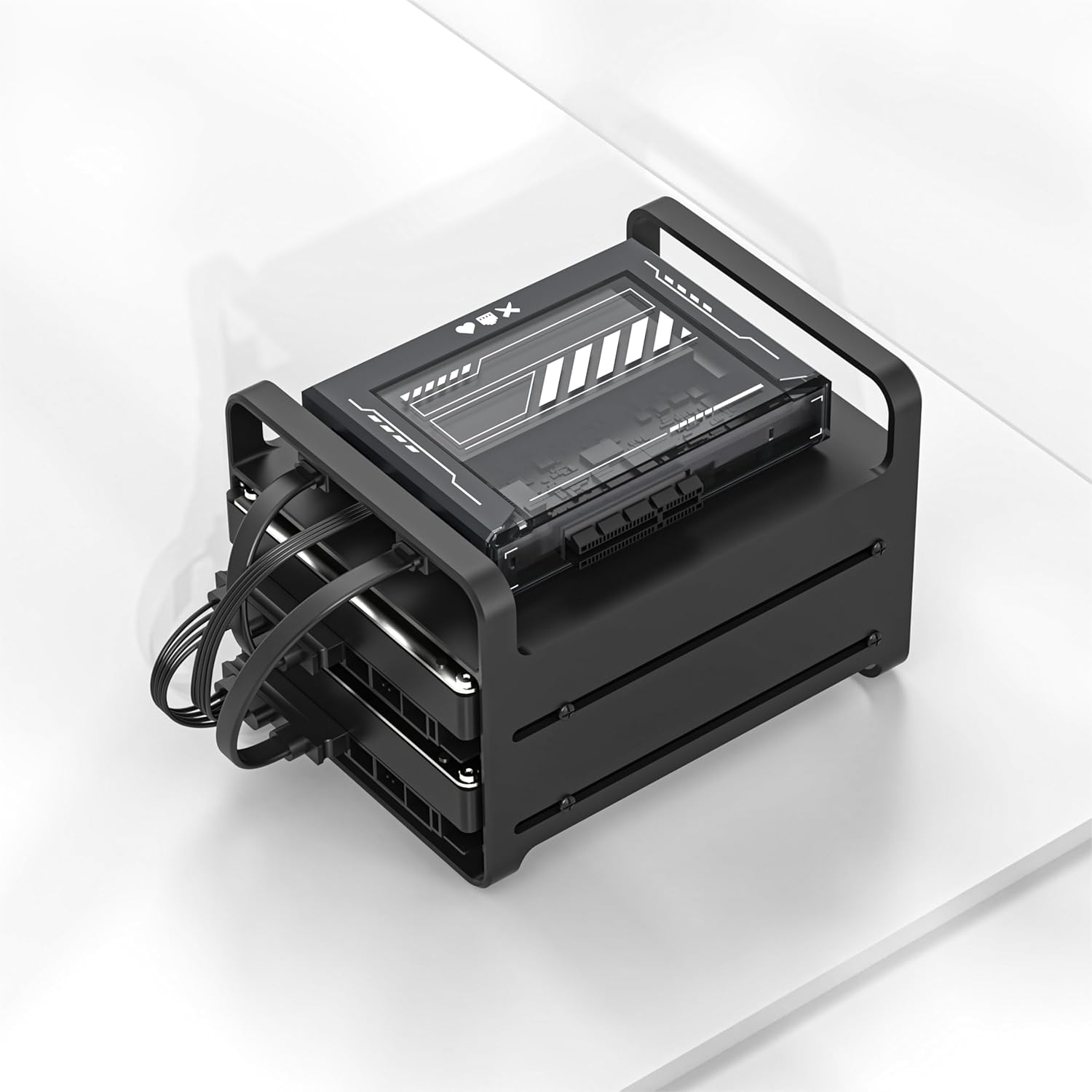
Figure 2: Drives installed in the rack tray with cables connected.
The rack's open design allows for easy access to drive connections and promotes airflow around the drives.
4. Operating the HDD Rack Tray
The zimablade 2-Bay HDD Rack Tray is a passive component designed to hold and organize your storage drives. It does not require active operation beyond proper drive installation and connection.
- Placement: Position the rack on a stable, flat surface. The integrated non-slip rubber feet provide stability.
- Airflow: Ensure the rack is placed in an area with adequate ventilation to maximize the benefits of its open design for cooling. Avoid obstructing the sides or top of the rack.
- Cable Management: While the rack does not include specific cable management features, organize your SATA data and power cables neatly to prevent tangles and maintain airflow.

Figure 3: Angled view highlighting the open design for ventilation.
5. Maintenance
To ensure the longevity and appearance of your zimablade 2-Bay HDD Rack Tray, follow these simple maintenance guidelines:
- Cleaning: Use a soft, dry cloth to wipe down the surface of the rack. For stubborn marks, a slightly damp cloth can be used, followed by immediate drying. Avoid abrasive cleaners or solvents.
- Dust Removal: Periodically remove any accumulated dust from the rack and around the drives to maintain optimal airflow and prevent overheating. A can of compressed air can be used for hard-to-reach areas.
- Inspection: Regularly check the stability of the rack and ensure that all installed drives are securely fastened.
6. Troubleshooting
This section addresses common concerns you might encounter with your HDD rack tray.
- Issue: Drives do not fit securely.
- Solution: Ensure you are using 3.5-inch HDDs or SSDs. The rack is specifically designed for this size. Verify that the drives are aligned correctly with the mounting holes before attempting to secure them with screws.
- Issue: Drives are overheating.
- Solution: Although the rack has an open design for cooling, ensure it is placed in a well-ventilated area. Avoid stacking other items on or around the rack that could obstruct airflow. Regularly clean dust from the drives and the rack.
- Issue: Rack feels unstable.
- Solution: Confirm that the rack is placed on a flat, level surface. Ensure the non-slip rubber feet are intact and making full contact with the surface. Verify that the drives are properly secured within the bays using screws.
7. Specifications
Detailed technical specifications for the zimablade 2-Bay HDD Rack Tray (Model ZBA039-US).
| Feature | Detail |
|---|---|
| Model Number | ZBA039-US |
| Material | Zinc-aluminum alloy |
| Color | Black |
| Compatibility | Two 3.5-inch HDDs or SSDs |
| Dimensions (L x W x H) | 3.15 x 1.57 x 1.57 inches (Product Dimensions) |
| Weight | 11.7 ounces (0.33 kg) |
| Assembly | Tool-free (for rack assembly), screws required for drives |
| Mounting Type | Tabletop |

Figure 4: Specification overview of the rack tray.
8. Warranty and Support
8.1. Warranty Information
This product is covered by a standard manufacturer's warranty against defects in materials and workmanship. Please refer to the original purchase documentation or contact zimablade customer support for specific warranty terms and duration.
8.2. Customer Support
For technical assistance, troubleshooting, or warranty claims, please contact zimablade customer support through their official website or the retailer where the product was purchased. Have your model number (ZBA039-US) and purchase date ready when contacting support.
You can visit the official zimablade store for more information: zimablade Store on Amazon