
HYS UV K5
Quansheng UV K5 User Manual
Model: UV K5 | Brand: HYS
Introduction
This manual provides comprehensive instructions for the operation and maintenance of your Quansheng UV K5 Handheld Portable/Amateur Radio. The UV K5 is a versatile dual-band VHF/UHF FM transceiver designed for various communication needs, including amateur radio, emergency alerts, and weather monitoring. Please read this manual thoroughly before using the device to ensure proper function and safety.

The Quansheng UV K5 handheld radio, shown in its charging base, is a compact and robust communication device.
Key Features
- AM/FM Aviation Band Receiving: Allows reception of aviation communication frequencies.
- Multi-Band Transmitting & Receiving: Supports communication across multiple frequency bands.
- Wireless Radio Replication: Enables easy cloning of radio settings between devices.
- Emergency Alert: Provides a function for urgent signaling.
- DTMF (Dual-Tone Multi-Frequency): For advanced signaling and control.
- Multi-Scan: Detects frequencies and CTCSS/DCS tones from other radios.
- High Capacity Battery & Long Standby Time: Ensures extended operational periods.
- One Key Call Channel: Quick access to a designated call channel.
- Dual Display Of Frequency And Channel: Shows both frequency and channel information simultaneously.
- Emergency Weather Channel Receiving (NOAA): Access to NOAA weather alerts.
- Cross-Band Intercom: Facilitates communication between different frequency bands.
- Channel Scan And Add: Scans for active channels and allows adding them.
- 10-Group Scrambler: Enhances communication privacy.
- FM Radio: Built-in FM broadcast receiver.
- CTCSS/DCS: Tone squelch for selective calling.
- Type-C And Charge-Base Charging: Flexible charging options.
- 1750HZ Tone: For repeater access.
- 200 Channel Capacity: Stores a large number of channels.
- Voice Prompt: Provides audible feedback for operations.
- Support CHIRP & Keypad Programming: Allows for flexible programming methods.

This image illustrates the various key features of the Quansheng UV K5, including NOAA weather receiver, AM/FM aviation band receiving, multi-band transmitting & receiving, fast copy one channel, act as frequency meter, cross-band intercom, wireless radio replication, 10-group scrambler, frog sound tail signal, Type-C or base charger, emergency alert, and power-on password.

The radio supports multi-band transmitting and receiving, covering UHF (400-470 MHz Tx/Rx, 470-600 MHz Rx), VHF (136-174 MHz Tx/Rx, 350-400 MHz Tx/Rx), AM (108-136 MHz Rx), and FM (50-76 MHz Rx, 76-108 MHz Rx).

The UV K5 supports NOAA weather station channel reception, providing crucial weather warnings for outdoor activities and work arrangements.
Package Contents
Upon opening the package, please verify that all items are present and in good condition:
- Quansheng UV K5 Handheld Radio
- Antenna
- Battery (pre-installed or separate)
- Charging Base
- Power Adapter for Charging Base
- Belt Clip
- Hand String
Product Overview
Controls and Display

This diagram labels the main components of the Quansheng UV K5 radio, including the Antenna, PTT Key, Menu (Confirm Key), Side Key 1, Side Key 2, Up Key, Down Key, Exit Key, Jacklight, Power/Volume Switch, Ear/Mic Jack, and Type-C Charging Port. The keypad includes buttons for Band, A/B, VFO/MR, Scan, FC (Flash Copy), NOAA, H/L (High/Low Power), FM, VOX, R (Reverse), and Call.

Multiple views of the Quansheng UV K5 radio, showcasing its front, left side, back, and right side. This provides a comprehensive look at the radio's physical design and button placement.
The radio features a clear display showing frequency and channel information, battery status, and various function indicators. The intuitive keypad allows for direct frequency input and access to various settings.
Setup
1. Battery Installation and Charging
If the battery is not pre-installed, align it with the battery compartment on the back of the radio and slide it into place until it clicks. To charge the battery, place the radio into the charging base. Ensure the charging contacts on the radio align with those on the base. The charging indicator light will illuminate. Alternatively, you can use a Type-C cable to charge the radio directly.

The Quansheng UV K5 radio is shown placed in its dedicated charging base, connected to a power adapter, illustrating the charging setup.
2. Antenna Attachment
Screw the antenna clockwise onto the antenna connector on the top of the radio until it is finger-tight. Do not overtighten.
Operating Instructions
1. Power On/Off and Volume Control
Rotate the Power/Volume Switch (top knob) clockwise to turn on the radio. Continue rotating to adjust the volume. Rotate counter-clockwise until it clicks to turn off the radio.
2. Frequency and Channel Mode
Press the VFO/MR key to switch between Frequency (VFO) mode and Channel (MR) mode. In VFO mode, you can directly input frequencies. In MR mode, you can select pre-programmed channels.
3. Selecting Frequencies/Channels
- In VFO Mode: Use the numeric keypad to enter the desired frequency.
- In MR Mode: Use the Up/Down arrow keys to scroll through channels.
4. Transmitting and Receiving
To transmit, press and hold the PTT (Push-To-Talk) key on the side of the radio. Speak clearly into the microphone. Release the PTT key to receive. Ensure you are on an appropriate frequency or channel for communication.
5. Special Functions
- NOAA Weather Forecast: Press the NOAA key to access NOAA weather channels.
- AM/Air Band Receiving: The radio supports reception of AM and Air Band frequencies. Refer to the frequency range in the specifications.

Aviation enthusiasts can use the UV K5 to receive information from aircraft and control tower communications.
- Flash Copy Frequency (FC): This feature allows for quick copying of a frequency from another radio. Press the FC key to activate.
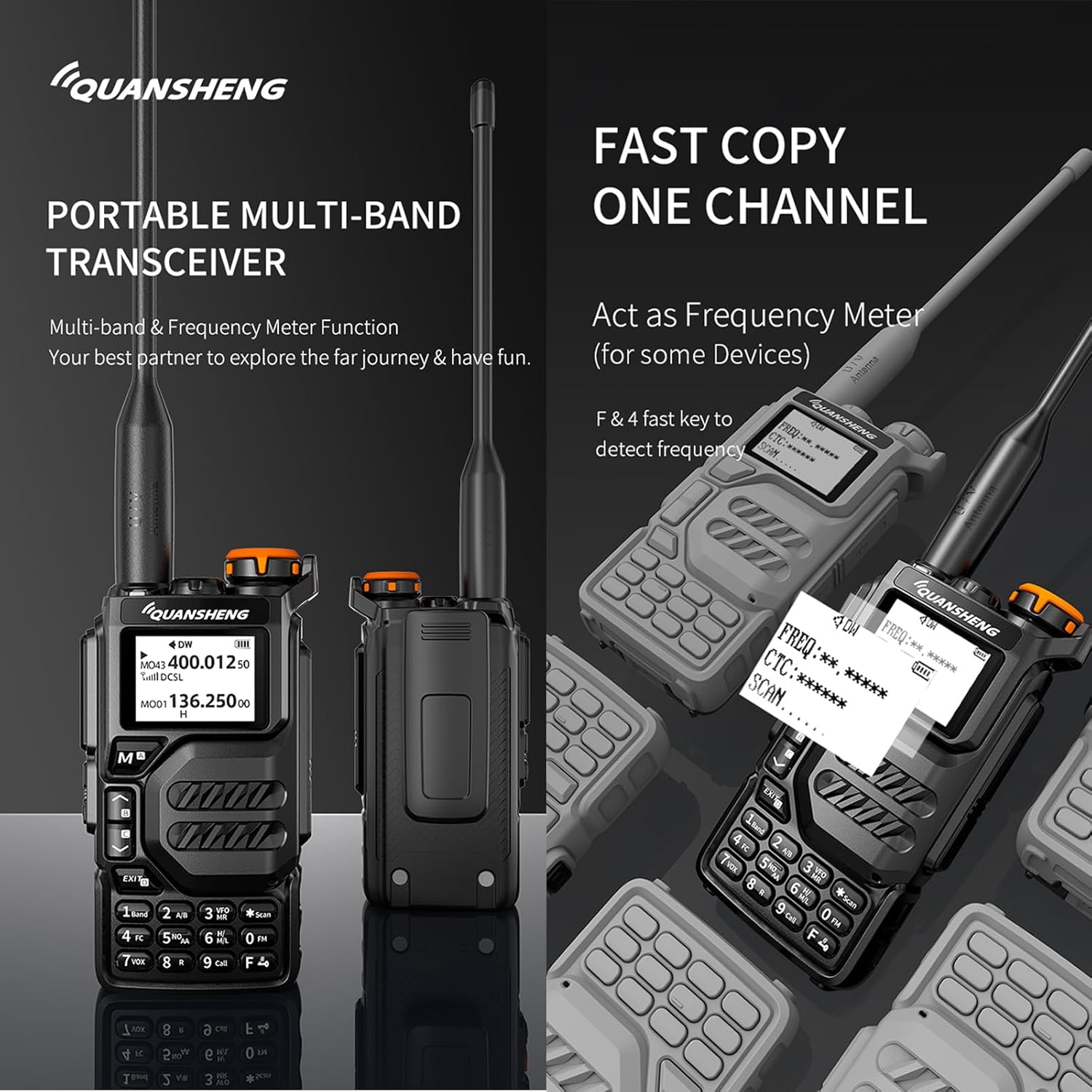
The radio's "Fast Copy One Channel" function allows for quick detection and copying of frequencies from other devices, acting as a frequency meter.
- DTMF, Multi-Scan, Cross-Band Intercom: These advanced features provide enhanced communication capabilities.

The image details the DTMF (two-tone multi-frequency signal), Multi-Scan (detecting unknown frequencies and CTCSS/DCS), and Cross-Band Intercom (VHF and UHF cross-band communication) functionalities of the radio.
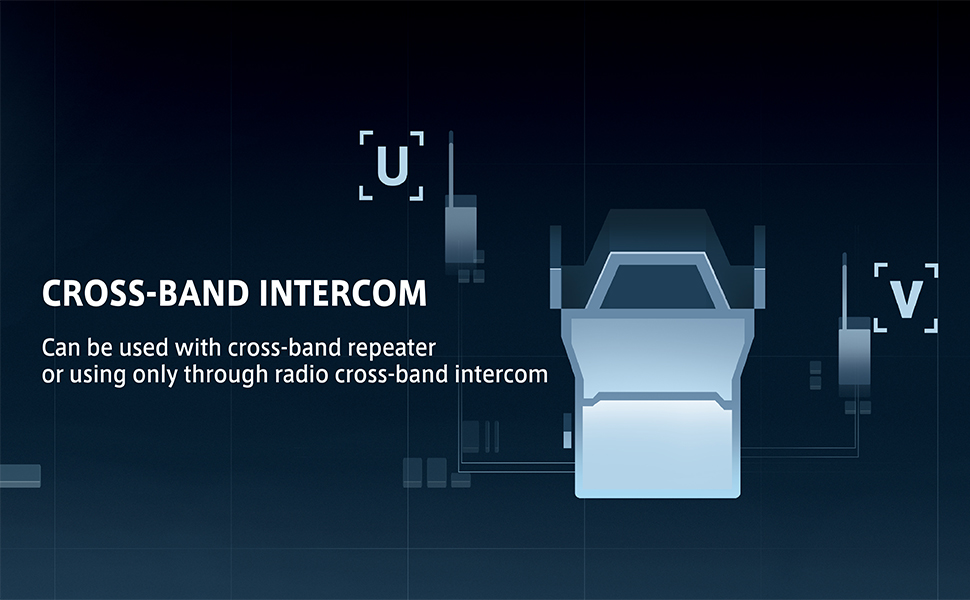
The cross-band intercom feature allows the radio to be used with cross-band repeaters or for direct radio-to-radio cross-band communication.
- Scrambler: Activates voice scrambling for private conversations. Consult the full programming guide for detailed setup.
Maintenance
- Cleaning: Use a soft, damp cloth to clean the radio's exterior. Do not use harsh chemicals or abrasive cleaners.
- Battery Care: To prolong battery life, avoid overcharging and fully discharging the battery frequently. Store the radio and battery in a cool, dry place when not in use for extended periods.
- Storage: Keep the radio away from extreme temperatures, direct sunlight, and dust.
Troubleshooting
| Problem | Possible Cause | Solution |
|---|---|---|
| Radio does not power on. | Battery is low or not installed correctly. | Charge the battery or re-install it properly. |
| Cannot transmit or receive. | Incorrect frequency/channel, antenna not attached, or low battery. | Verify frequency/channel, ensure antenna is secure, charge battery. |
| Poor audio quality. | Volume too low/high, interference, or radio too far from other unit. | Adjust volume, move away from interference sources, reduce distance to other radio. |
| Keypad unresponsive. | Keypad lock is active. | Refer to the full manual for keypad lock/unlock procedure (usually a long press of a specific key). |
Specifications
| Feature | Detail |
|---|---|
| Model Name | UV K5 |
| Intercom Type | Portable multi-band radio |
| Channel Number | 200 |
| Number of NOAA Channels | 10 |
| FM Radio Storage | 20 |
| Transmit Power | 5W |
| Charging Method | Type-C/Base Charger |
| Dimensions (without antenna) | 115*60*33mm |
| Weight | 234g |
| Frequency Range | 136-174 MHz, 400-470 MHz (Tx/Rx); 470-600 MHz (Rx); 350-400 MHz (Tx/Rx); 108-136 MHz (AM Rx); 50-76 MHz (FM Rx); 76-108 MHz (FM Rx) |
| Color | Black |
| Water Resistance Level | Not Water Resistant |

This image provides a visual overview of the radio's keypads and a detailed table of its technical parameters, including model name, intercom type, channel number, NOAA channels, FM radio storage, transmit power, charging method, size, weight, and parts list.
Warranty and Support
For warranty information and technical support, please refer to the documentation included with your purchase or contact HYS customer service directly. Keep your purchase receipt as proof of purchase.
Manufacturer: QUANSHENG ELECTRONICS.,LTD.
FCC ID: XBPUV-K5; IC: 30518-UVK5
Related Documents - UV K5
 |
Quansheng UV-K1 Two-Way Radio User's Manual Comprehensive user manual for the Quansheng UV-K1 two-way radio, covering features like multi-band transmission, NOAA weather reception, Type-C charging, and operational instructions. |
 |
QUANSHENG MINI KONG UV-K1 Portable Multi-Band Transceiver Detailed information on the QUANSHENG MINI KONG UV-K1 portable multi-band transceiver, covering its features, technical specifications, and accessories. Supports English and Chinese languages, AM/FM aviation band, and NOAA weather reception. |
 |
BAOFENG UV-5RM PLUS / K5PLUS Amateur Radio User's Manual Explore the BAOFENG UV-5RM PLUS/K5PLUS Amateur Radio User's Manual, a comprehensive guide for this dual-band, dual-display, dual-watch transceiver. Learn about its features, operation, battery charging, accessory installation, and advanced functions like scanning, programming, VOX, and DTMF. This manual provides essential safety warnings, regulatory compliance information (EU, FCC, IC), and troubleshooting tips for optimal performance and secure communication. |
 |
BAOFENG UV-5RM PLUS (GPS) Multi-Band Amateur Radio User Manual Explore the BAOFENG UV-5RM PLUS (GPS) Multi-Band Amateur Radio with this comprehensive user manual. Learn about its advanced features, including GPS, APRS, DTMF, and multi-band scanning, designed for reliable communication for both professional and recreational users. This guide covers operation, safety, battery information, and FCC compliance. |
 |
Professional Dual-Band FM Transceiver User's Manual Comprehensive user manual for the Professional Dual-Band FM Transceiver, model UV-6R, covering safety guidelines, product features, accessory installation, battery management, detailed radio overview, basic and advanced operation, troubleshooting, and warranty information. |
 |
Baofeng BF-18H Series Amateur Radio User's Manual User's manual for the Baofeng BF-18H Series amateur radio transceiver, detailing operation, features, safety guidelines, and technical specifications for amateur radio enthusiasts. |
Ask a question about this manual
Ask about setup, troubleshooting, compatibility, parts, safety, or missing instructions. Manuals+ will review the question and use this page’s manual context to help answer it.