
1. Important Safety Instructions
Please read all instructions carefully before using the FYSIQ FT50 Treadmill. Keep this manual for future reference.
- Consult a Physician: Before starting any exercise program, especially if you have pre-existing health conditions.
- Placement: Place the treadmill on a flat, stable surface. Ensure adequate clear space (at least 2 meters behind and 0.6 meters on each side) for safe operation.
- Power Connection: Connect the treadmill to a properly grounded outlet. Do not use extension cords.
- Emergency Stop: Always attach the safety key clip to your clothing before starting. In case of an emergency, the safety key will detach, stopping the treadmill.
- Footwear: Always wear appropriate athletic footwear while using the treadmill.
- Children and Pets: Keep children and pets away from the treadmill during operation.
- Weight Limit: Do not exceed the maximum user weight of 120 kg (264 lbs).
- Maintenance: Perform regular maintenance as described in this manual to ensure safe and efficient operation.
2. Package Contents
Carefully unpack the box and ensure all items are present and undamaged. If any items are missing or damaged, contact customer support.
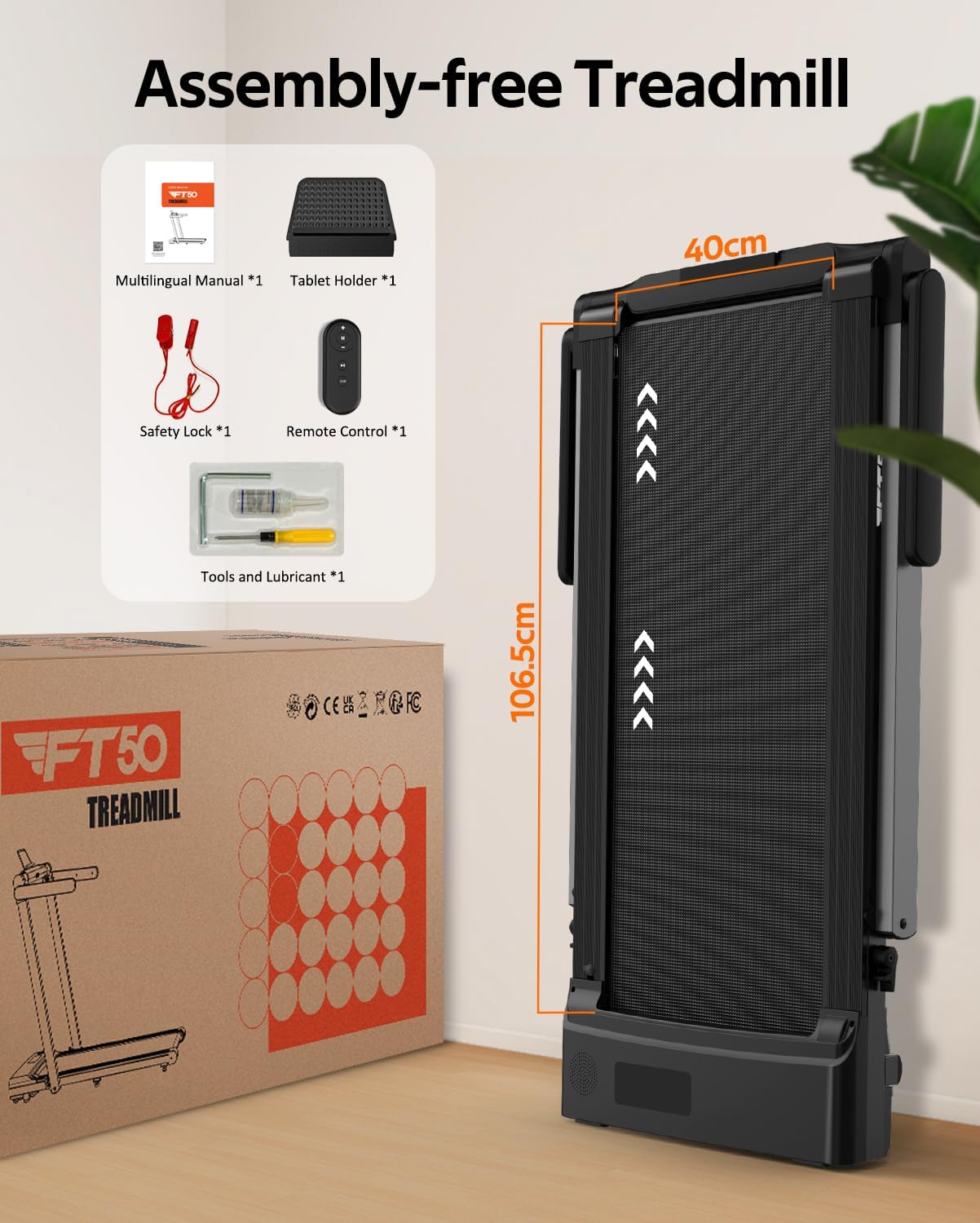
Image: Contents of the FYSIQ FT50 Treadmill package, showing the treadmill box, multilingual manual, tablet holder, safety lock, remote control, and a kit with tools and lubricant.
- 1 x FYSIQ FT50 Treadmill
- 1 x Multilingual User Manual
- 1 x Tablet Holder
- 1 x Safety Lock
- 1 x Remote Control
- 1 x Tool and Lubricant Kit
3. Product Overview
The FYSIQ FT50 is a versatile 3-in-1 foldable treadmill designed for home use, offering various exercise modes and smart features.

Image: The FYSIQ FT50 Treadmill in its operational state with a user, and its compact folded state shown in the background.
Key Features:
- 3-in-1 Functionality: Seamlessly switch between Running Mode (1-12 KM/H), Workstation Mode (1-6 KM/H), and Walking Mode (1-6 KM/H).
- Dual LED Display: Track essential workout metrics such as calories, pulse, time, speed, distance, and steps.
- 12 Preset Programs: Choose from a variety of pre-programmed workouts to suit your fitness goals.
- Multiple Control Options: Operate via remote control, integrated touch screen, or smart applications (FITSHOW, Kinomap).
- Integrated Bluetooth Speakers: Enjoy audio during your workout.
- Powerful & Quiet Motor: Equipped with a 2.5 HP motor, operating at less than 50 dB, supporting users up to 120 kg.
- Advanced Cushioning System: Features 6 silicone shock absorbers and a 7-layer anti-slip running belt (400mm width) for joint protection and comfort.
- Foldable & Portable Design: Innovative folding mechanism with built-in transport wheels for easy storage and mobility.
- Assembly-Free: Ready to use out of the box with minimal setup.

Image: Illustration of the treadmill's three operational modes: running, workstation, and walking, with corresponding speed ranges.
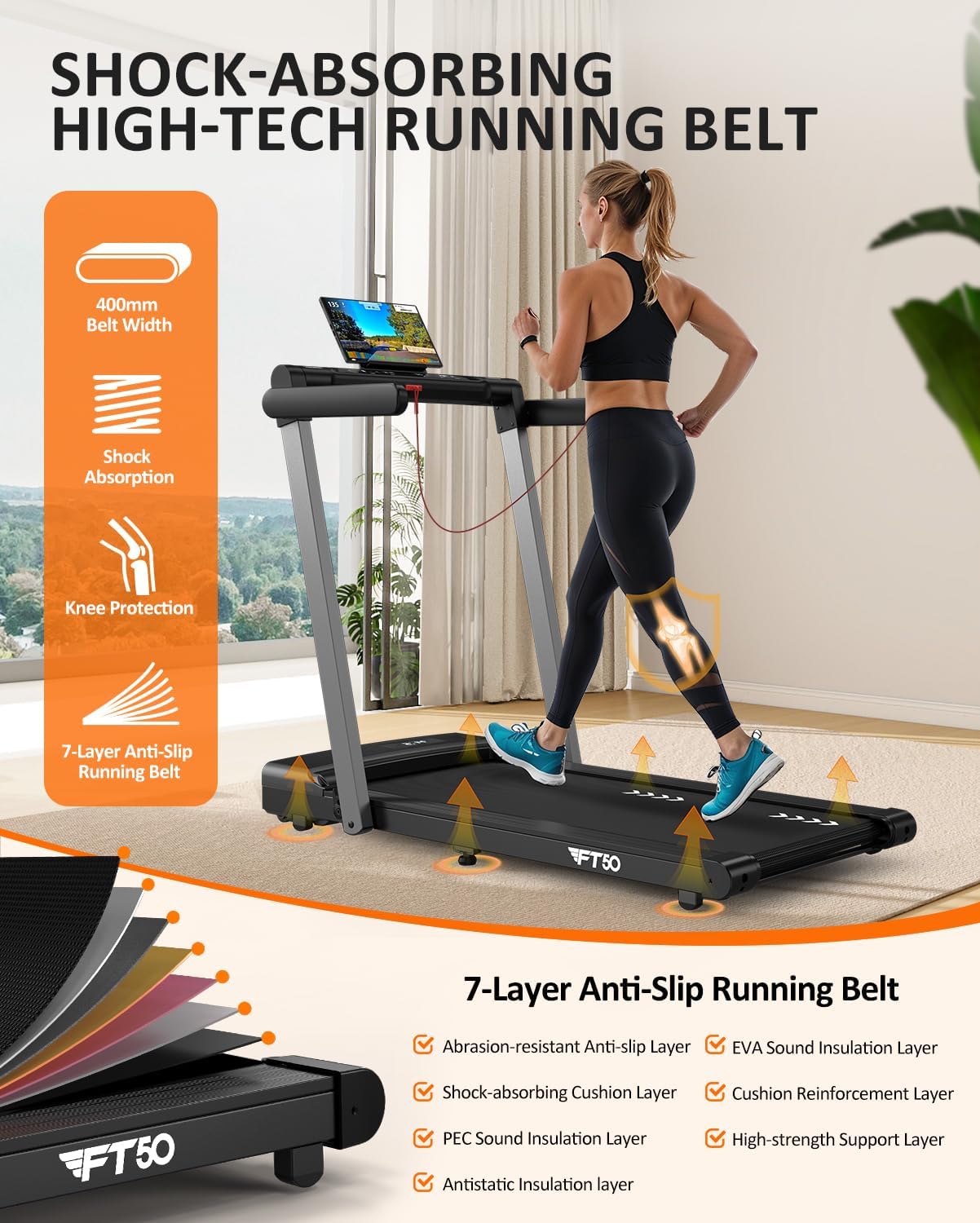
Image: Detailed view of the treadmill's 7-layer anti-slip running belt and shock-absorbing components, highlighting knee protection.
4. Setup
The FYSIQ FT50 Treadmill is designed for assembly-free setup, allowing you to start your fitness journey quickly.
Unfolding the Treadmill:
- Place the treadmill on a flat, stable surface.
- Gently lift the handlebar assembly until it locks into the upright position.
- Ensure all locking mechanisms are securely engaged before use.
Folding for Storage:
- Ensure the treadmill is powered off and unplugged.
- Release the handlebar locking mechanism.
- Carefully lower the handlebar assembly until it is flat against the running deck.
- Utilize the built-in transport wheels to move the treadmill for storage under a sofa or bed, or stand it upright against a wall.

Image: Visual guide demonstrating the treadmill's folding capability and its compact storage options, including under a sofa or bed.
5. Operating Instructions
5.1 Basic Operation
- Power On: Plug the power cord into a grounded outlet and flip the main power switch (usually located near the front of the treadmill). The display will illuminate.
- Attach Safety Key: Secure the safety key clip to your clothing and place the magnetic end onto the designated area on the console. The treadmill will not operate without the safety key in place.
- Start/Stop: Press the 'START' button on the console or remote control to begin. Press 'STOP' to pause or end your workout.
- Speed Adjustment: Use the '+' and '-' buttons on the console or remote control to increase or decrease speed. The speed range is 1-12 KM/H.
5.2 Dual LED Display Functions
The dual LED display provides real-time feedback on your workout progress:
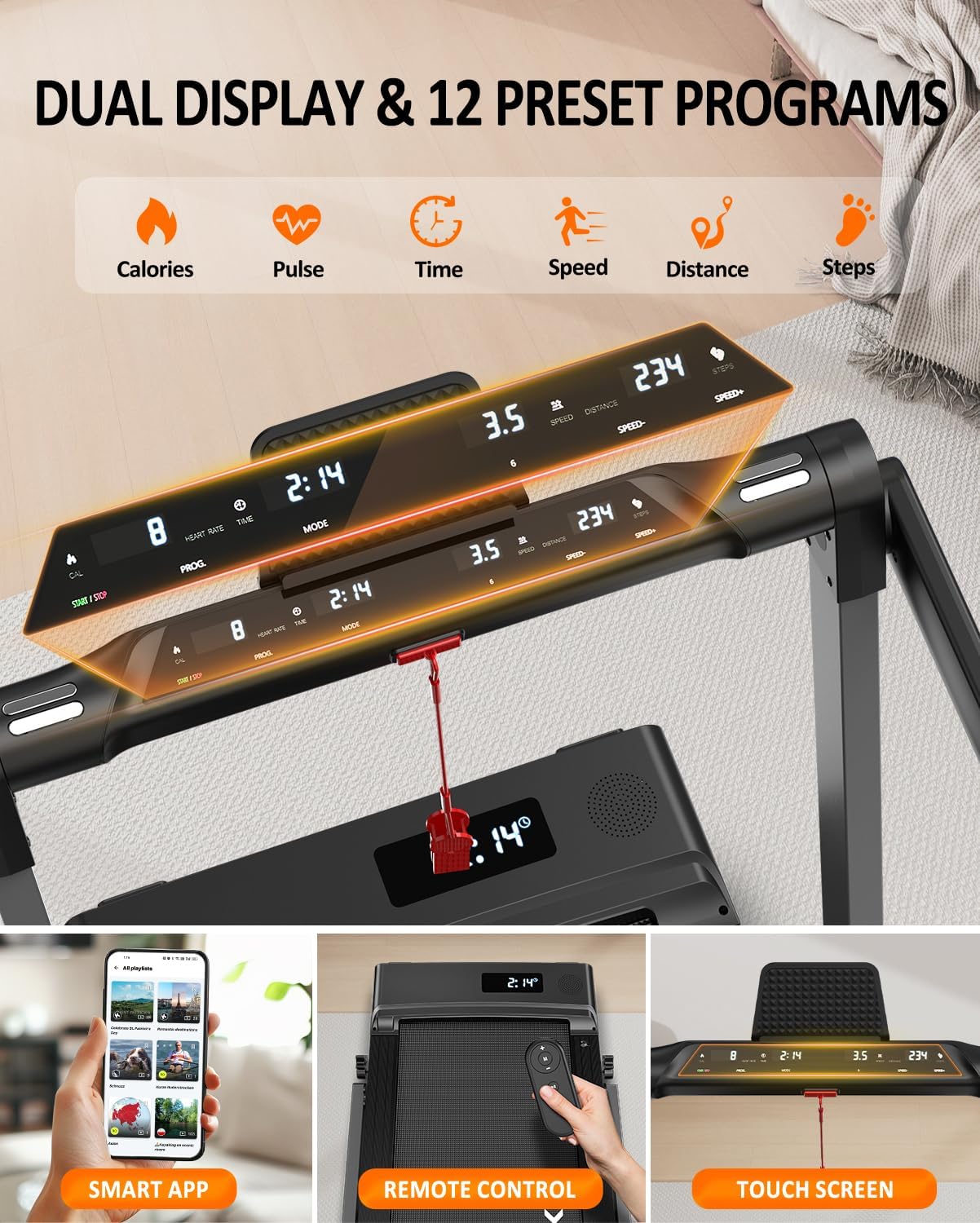
Image: Close-up of the treadmill's dual LED display, illustrating the metrics shown and the control interfaces (remote, touch screen).
- Calories: Estimated calories burned during your session.
- Pulse: Heart rate (if connected to a compatible heart rate monitor, not included).
- Time: Duration of your workout.
- Speed: Current speed of the running belt.
- Distance: Total distance covered.
- Steps: Number of steps taken.
5.3 Preset Programs
The treadmill includes 12 pre-set programs (P1-P12) designed to vary speed and intensity. To select a program:
- From standby mode, press the 'MODE' or 'PROGRAM' button to cycle through the available programs.
- Once your desired program is displayed, press 'START' to begin.
5.4 Smart App Connectivity (FITSHOW & Kinomap)
Enhance your workout experience by connecting your treadmill to compatible fitness applications.
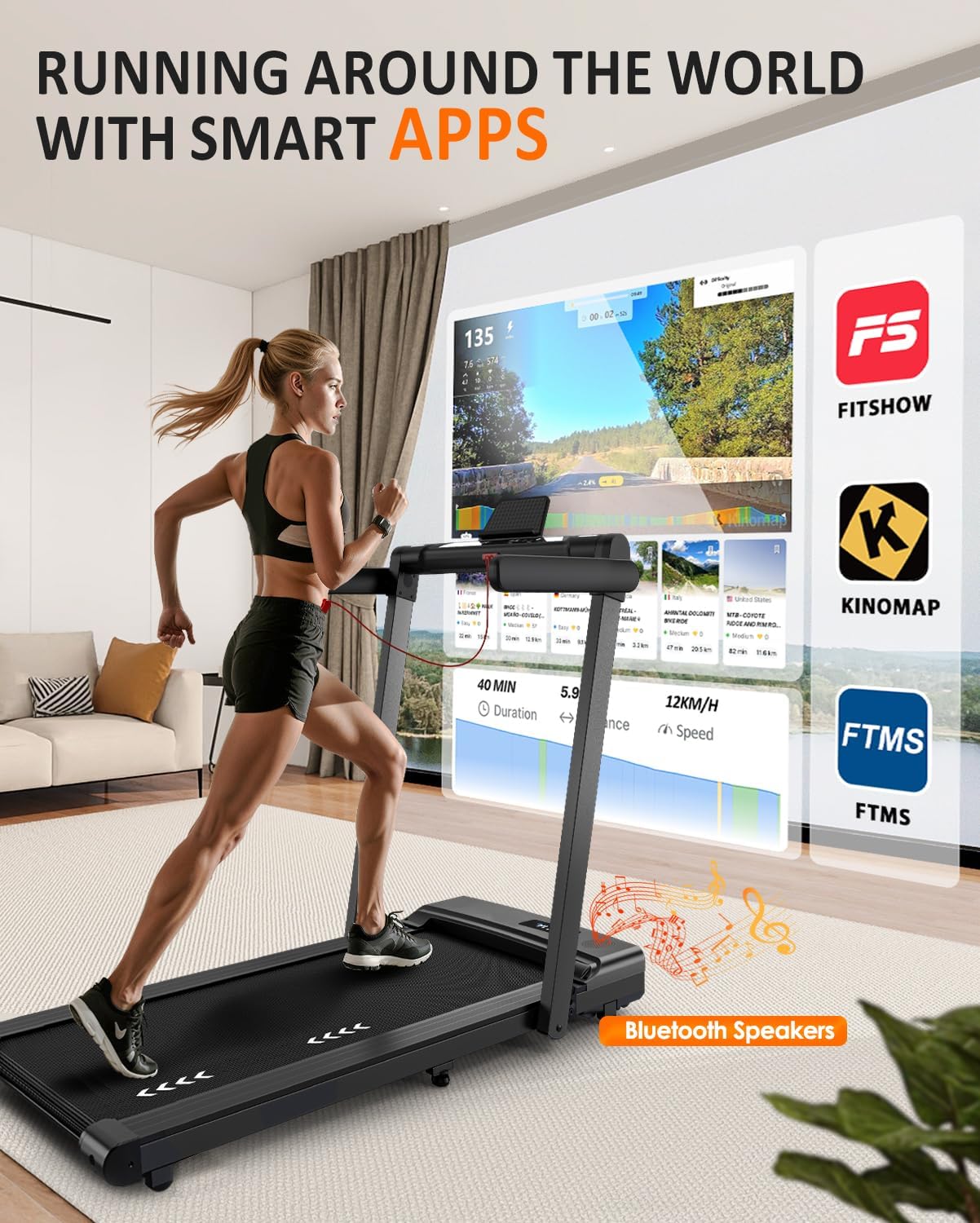
Image: A user exercising on the treadmill while connected to a smart app, showcasing the immersive experience with Kinomap and other compatible applications.
- Download App: Download the FITSHOW or Kinomap app from your device's app store.
- Enable Bluetooth: Ensure Bluetooth is enabled on your smartphone or tablet.
- Connect: Open the app and follow the in-app instructions to search for and connect to your FYSIQ FT50 Treadmill.
- Troubleshooting Connection: If you experience connection issues, ensure no other devices are connected to the treadmill via Bluetooth. Try restarting the treadmill and your device. Some users have reported intermittent connectivity; ensure your app and treadmill firmware are up to date.
5.5 Bluetooth Speakers
The treadmill features integrated Bluetooth speakers for audio playback.
- Enable Bluetooth: Turn on Bluetooth on your audio device (smartphone, tablet).
- Pair: Search for "FYSIQ FT50" or a similar name in your device's Bluetooth settings and pair.
- Play Audio: Once paired, you can play music or podcasts through the treadmill's speakers.
6. Maintenance
Regular maintenance ensures the longevity and optimal performance of your treadmill.
6.1 Lubrication
The running belt requires periodic lubrication to reduce friction and wear. Use the provided lubricant or a treadmill-specific silicone lubricant.
- Frequency: Lubricate every 30-50 hours of use, or every 1-2 months depending on usage.
- Procedure:
- Turn off and unplug the treadmill.
- Loosen the rear roller bolts slightly to lift the running belt.
- Apply a thin line of lubricant evenly under the center of the running belt.
- Tighten the rear roller bolts.
- Run the treadmill at a low speed (e.g., 3 KM/H) for 5 minutes to distribute the lubricant.
6.2 Cleaning
- General Cleaning: Wipe down the console and exterior surfaces with a damp cloth after each use. Avoid abrasive cleaners.
- Deck and Belt: Periodically clean the running deck and belt to remove dust and debris.
7. Troubleshooting
Refer to this section for common issues and their solutions. If the problem persists, contact customer support.
| Problem | Possible Cause | Solution |
|---|---|---|
| Treadmill does not power on. | Power cord not plugged in; Main power switch off; Circuit breaker tripped. | Ensure power cord is securely plugged in; Turn on main power switch; Reset circuit breaker. |
| Treadmill stops unexpectedly (e.g., after 10 minutes). | Safety key detached; Overheating; Motor issue. | Ensure safety key is properly attached; Allow treadmill to cool down; Contact support if issue persists. |
| E01 error code displayed. | Communication error between console and motor controller. | Turn off and unplug the treadmill for 5 minutes, then restart. If the error persists, contact support. |
| Bluetooth app (Kinomap/FITSHOW) connection issues. | Bluetooth interference; App/firmware outdated; Incorrect pairing. | Ensure only one device is attempting to connect; Restart treadmill and device; Update app and check for treadmill firmware updates; Try pairing again. |
| Running belt slips or hesitates. | Belt too loose; Insufficient lubrication; Belt worn. | Adjust belt tension (refer to specific instructions in the full manual); Lubricate the belt; Contact support for belt replacement if worn. |
8. Specifications
Detailed technical specifications for the FYSIQ FT50 Treadmill.
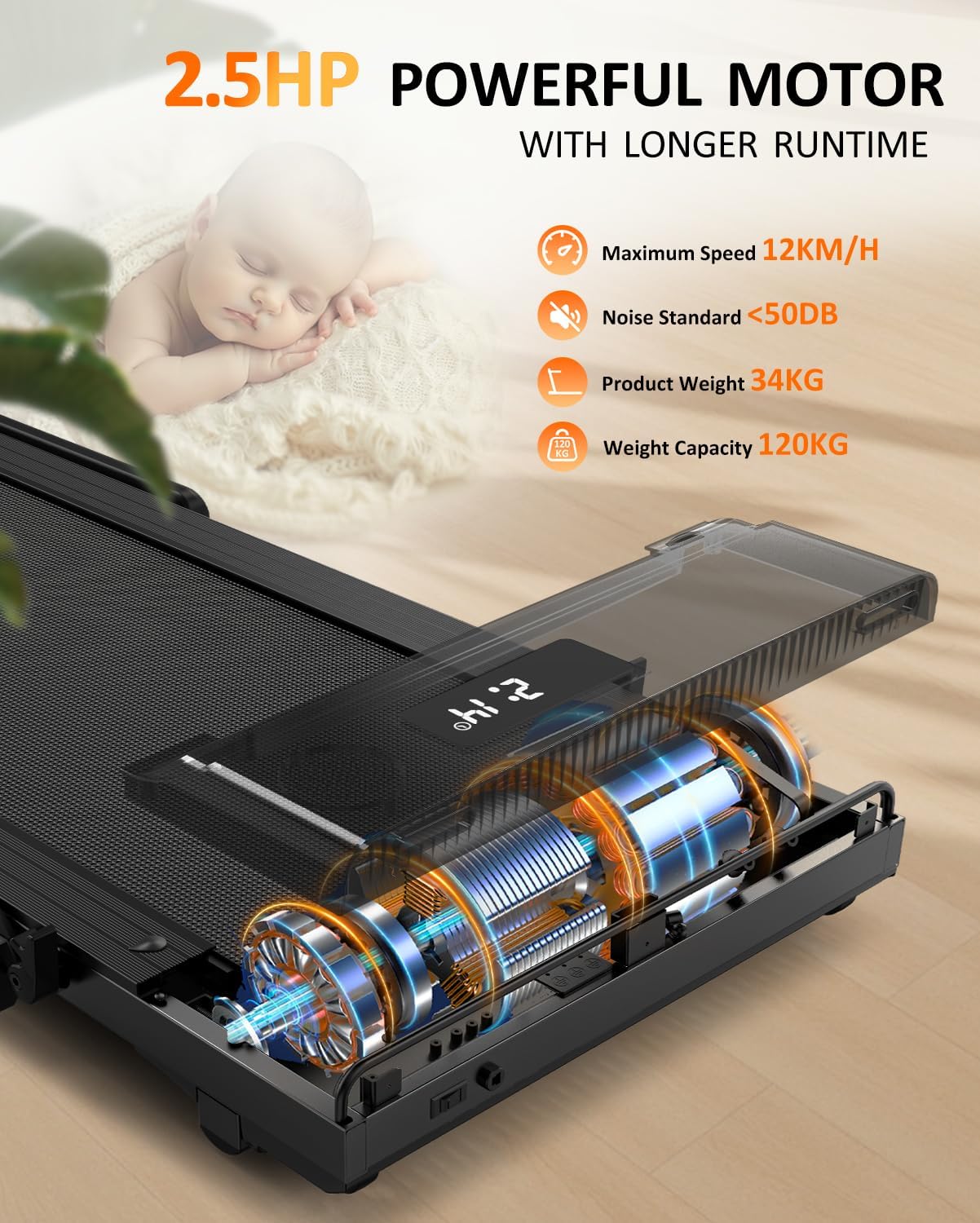
Image: Illustration of the treadmill's 2.5 HP motor and key performance specifications.
| Brand | FYSIQ |
| Model Number | FT50 |
| Color | Black |
| Motor Horsepower | 2.5 HP |
| Speed Range | 1 - 12 KM/H |
| Max User Weight Capacity | 120 kg (264 lbs) |
| Product Weight | 39 kg (86 lbs) |
| Unfolded Dimensions (L x W x H) | 128 x 71 x 11 cm (Note: Height likely refers to deck height, not handle height) |
| Folded Dimensions (L x W x H) | 136 x 71.5 x 13 cm |
| Running Belt Width | 400 mm |
| Display Type | LED Dual Display |
| Number of Programs | 12 |
| Control Options | Remote Control, Touch Screen, Smart App |
| Connectivity | Bluetooth (for apps and speakers) |
| Material | Alloy Steel (Frame) |
9. Warranty and Support
FYSIQ is committed to providing excellent customer service and product support.

Image: FYSIQ customer support details, highlighting warranty and contact methods.
- Spare Parts Warranty: The FYSIQ FT50 Treadmill comes with a 2-year warranty for spare parts.
- Customer Support: Enjoy professional lifetime customer support. Our dedicated team aims to respond to all inquiries within 24 hours.
How to Obtain Support:
- Via Email: Find the support email address in the multilingual user manual. (Response within 24 hours).
- Via Phone: The support phone number can be found at the back of the user manual. (Limited working hours may apply).
- Via Amazon: Log in to your Amazon account, find your order, and click on "Contact Seller." (Response within 24 hours).


