
1. Introduction
This manual provides detailed instructions for the safe and efficient use of your SHDNXASJ E0706B Portable Charger. Please read this manual thoroughly before operating the device and retain it for future reference.
Product Overview
The SHDNXASJ E0706B is a 10000mAh portable power bank designed for charging various electronic devices. It features built-in charging cables (Micro USB, USB-C, Lightning) and an integrated AC wall plug for convenient recharging. The device also includes a digital LED display to indicate battery status and supports fast charging protocols.

Image 1.1: SHDNXASJ Portable Charger E0706B. This image shows the compact black portable charger with its built-in AC wall plug and integrated cables, displaying an LED battery percentage of 89%.
2. Package Contents
Please check the package for the following items:
- SHDNXASJ E0706B Portable Charger (1 unit)
- User Manual (this document)
3. Product Features
- 10000mAh Capacity: Provides multiple charges for smartphones and other devices.
- Built-in Cables: Includes Micro USB, USB-C, and Lightning cables for broad compatibility.
- Integrated AC Wall Plug: Allows direct recharging from a wall outlet without extra cables.
- Multiple Outputs: 4 outputs (3 built-in cables + 1 USB-A port) to charge up to 4 devices simultaneously.
- Dual Inputs: Recharge via AC wall plug or USB-C port.
- 22.5W Fast Charging: Supports Quick Charge (QC) and Power Delivery (PD) protocols for rapid charging.
- Digital LED Display: Shows the precise remaining battery percentage.
- Compact and Portable: Designed for travel and daily use, airline-friendly.
- Safety Protections: Built-in safeguards against overvoltage, short circuit, high temperature, and low temperature.

Image 3.1: Portable Charger with 4 Outputs and 2 Inputs. This image highlights the various ports and built-in cables: USB-A output, Micro Cable, Lightning Cable, Type-C Cable, Foldable AC Plug, and Type-C input.
4. Setup and Charging
4.1 Charging the Power Bank
Before initial use, fully charge the power bank. There are two methods to recharge your SHDNXASJ E0706B:
- Using the Built-in AC Wall Plug:
Fold out the integrated AC wall plug and insert it directly into a standard wall outlet. The LED display will show the charging progress.
- Using the USB-C Input:
Connect a USB-C charging cable (not included) to the power bank's USB-C input port and then to a compatible USB wall adapter or computer USB port. The LED display will show the charging progress.

Image 4.1: Two Ways to Charge the Power Bank. This image illustrates charging the power bank using its foldable AC wall plug directly into an outlet and also via the Type-C input port with an external cable.
4.2 Charging Your Devices
The power bank can charge up to four devices simultaneously using its various output options:
- Built-in Cables:
Pull out the appropriate built-in cable (Micro USB, USB-C, or Lightning) and connect it to your device's charging port. The power bank will automatically begin charging.
- USB-A Output Port:
Connect your device's USB charging cable (not included) to the USB-A output port on the power bank and then to your device. The power bank will automatically begin charging.
Press the power button once to activate the LED display and initiate charging if it does not start automatically.

Image 4.2: Portable Charger Charging Multiple Devices. This image shows the power bank simultaneously charging an iPhone 15 Pro, AirPods, and an Android phone using its built-in cables and USB-A port, with charge percentages indicated.
5. Operating Instructions
5.1 LED Digital Display
The integrated LED display shows the remaining battery percentage of the power bank. Press the power button once to activate the display and check the current battery level. This helps you monitor the power bank's charge status accurately.
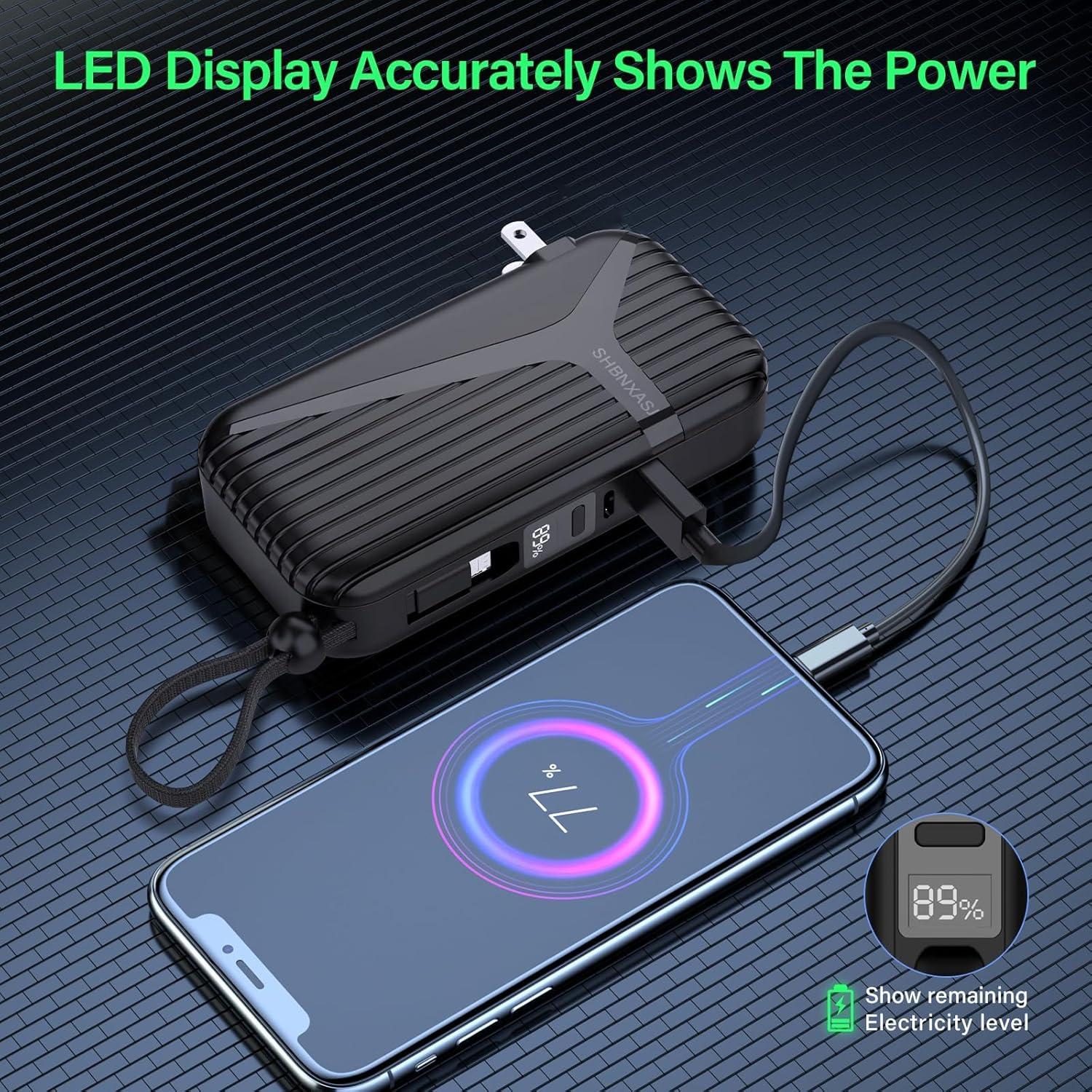
Image 5.1: LED Display Showing Battery Percentage. This image shows a smartphone being charged by the power bank, with the power bank's LED display clearly showing "89%" battery remaining.
5.2 Fast Charging Functionality
The SHDNXASJ E0706B supports 22.5W fast charging via its USB-C output and Type-C built-in cable, compatible with QC and PD protocols. This allows for significantly faster charging times for compatible devices. For example, an iPhone 13 can be charged from 0% to 80% in approximately 30 minutes.
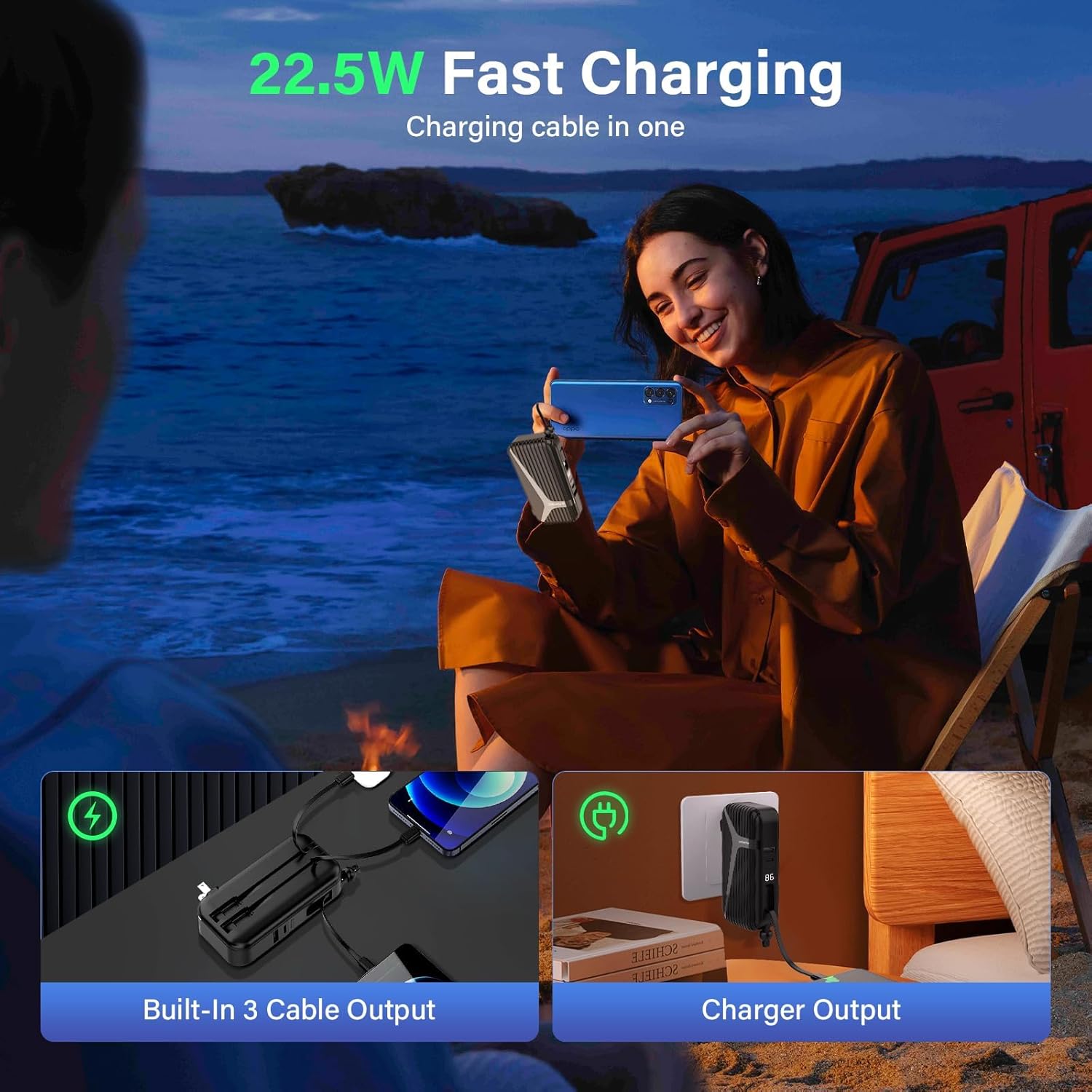
Image 5.2: 22.5W Fast Charging Capability. This image depicts a user charging their phone with the power bank, highlighting the 22.5W fast charging feature and indicating built-in cable output and charger output options.
6. Safety Information
- Do not expose the power bank to extreme temperatures (above 60°C/140°F or below 0°C/32°F).
- Avoid dropping, disassembling, or attempting to repair the device yourself.
- Keep the power bank away from water, moisture, and flammable materials.
- Do not use the power bank if it is damaged, swollen, or leaking.
- Keep out of reach of children.
- Dispose of the power bank according to local regulations for electronic waste.
- The power bank includes multiple protection features: overvoltage protection, short circuit protection, high temperature protection, and low temperature protection.
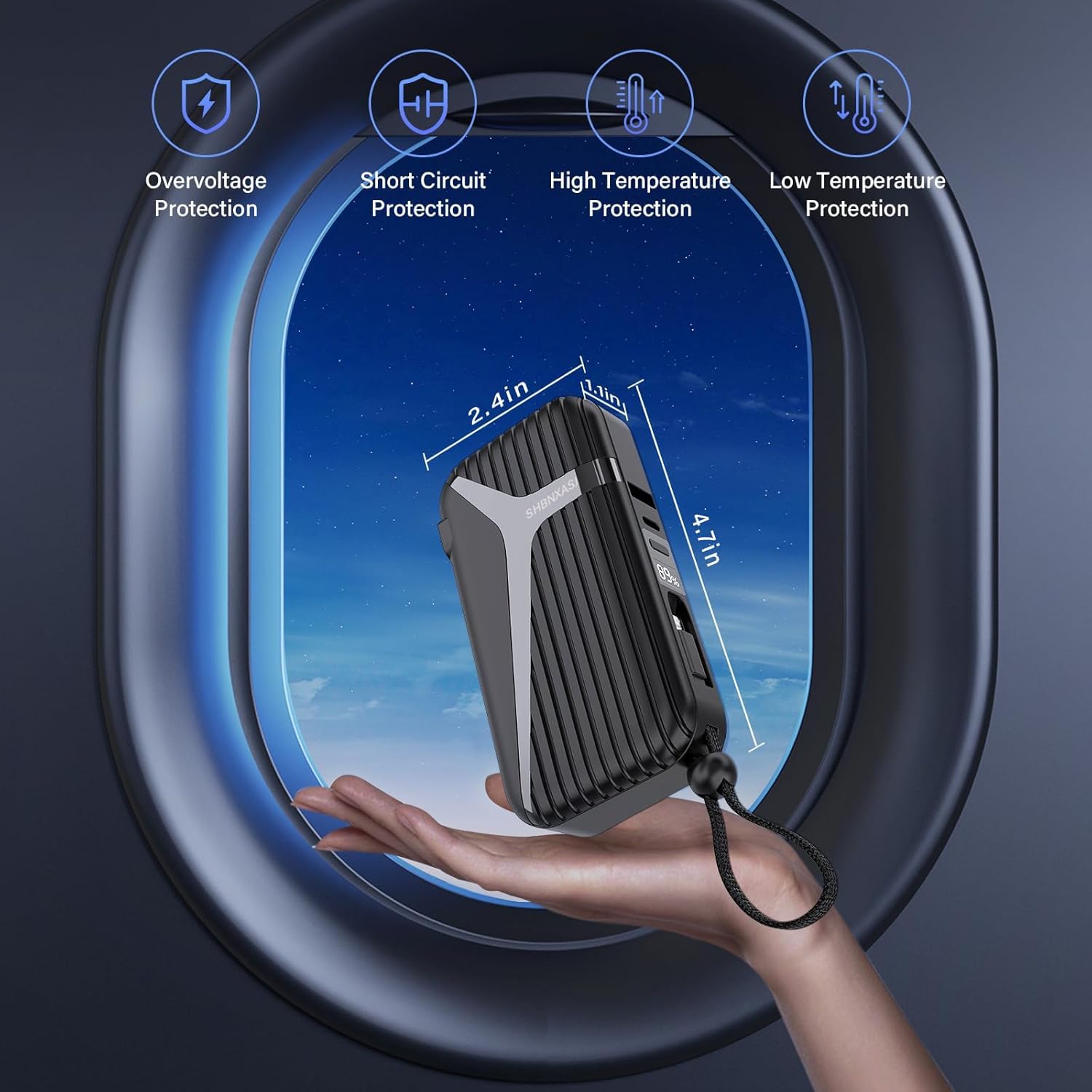
Image 6.1: Safety Protections and Portability. This image shows the power bank held in a hand against a sky background, illustrating its compact size and highlighting safety features like overvoltage, short circuit, high temperature, and low temperature protection.
7. Maintenance
- Clean the power bank with a soft, dry cloth. Do not use harsh chemicals or abrasive cleaners.
- Store the power bank in a cool, dry place when not in use.
- If storing for an extended period, charge the power bank to approximately 50-75% every three months to maintain battery health.
8. Troubleshooting
| Problem | Possible Cause | Solution |
|---|---|---|
| Power bank not charging | Low battery; loose connection; faulty cable/adapter | Ensure the power bank is connected securely to a working power source. Try a different cable or adapter if using USB-C input. |
| Device not charging from power bank | Power bank battery depleted; loose connection; incompatible device; power bank not activated | Recharge the power bank. Ensure cables are securely connected. Press the power button once to activate the power bank. Verify device compatibility. |
| Slow charging | Device not supporting fast charging; multiple devices charging simultaneously; cable issue | Ensure your device supports fast charging protocols (QC/PD). Charging multiple devices may reduce individual charging speed. Use original or certified cables. |
| LED display not working | Power bank off; malfunction | Press the power button once. If the issue persists, contact customer support. |
9. Specifications
| Model Number | E0706B |
| Battery Capacity | 10000mAh |
| Product Dimensions | 3.99 x 2 x 1 inches |
| Item Weight | 9.1 ounces |
| Inputs | AC Wall Plug, USB Type-C |
| Outputs | Built-in Micro USB, Built-in USB-C, Built-in Lightning, USB-A Port |
| Fast Charging Support | 22.5W (QC/PD compatible) |
| Battery Type | Lithium Polymer |
| Color | BLACK |
| Manufacturer | Guangdong Weallans Electronic Technology Co., Ltd. (SHDNXASJ) |
10. Warranty and Support
For warranty information or technical support, please refer to the documentation included with your purchase or contact SHDNXASJ customer service directly. Contact details can typically be found on the product packaging or the official SHDNXASJ website.
Please retain your proof of purchase for warranty claims.
