
Introduction
This manual provides comprehensive instructions for the FTTMWTAG T45S Smart Watch. It covers setup, operation, maintenance, and troubleshooting to ensure optimal use of your device. The T45S Smart Watch is a 1.85-inch waterproof fitness tracker designed for both men and women, featuring Bluetooth call functionality, 24-hour health monitoring (blood pressure, heart rate, SpO2, sleep), and compatibility with iPhone and Android devices.
What's in the Box
Upon unboxing your FTTMWTAG T45S Smart Watch, you should find the following items:
- FTTMWTAG T45S Smart Watch
- Charging Cable
- User Manual

Image: The FTTMWTAG T45S Smart Watch, its charging cable, and the user manual as typically found in the product packaging.
Setup Guide
1. Initial Charging
Before first use, fully charge the smart watch. Use the provided 5V charger and charging cable. Connect the magnetic end of the cable to the charging points on the back of the watch. A full charge typically takes approximately 2 hours.

Image: The smart watch connected to its charging cable, illustrating the charging process.
2. App Installation and Pairing
To unlock the full features of your T45S Smart Watch, download and install the "Da Fit" application on your smartphone (compatible with both Android and iPhone).
- Activate Bluetooth: Ensure Bluetooth is enabled on your smartphone.
- Download App: Search for "Da Fit" in your phone's app store (Google Play Store for Android, Apple App Store for iPhone) and install it.
- Open App and Add Device: Open the "Da Fit" app. Navigate to the device section and tap on "Add a Device".
- Select Your Watch: The app will scan for nearby devices. Select "T45S" from the list of available devices.
- Confirm Pairing: Your phone will request Bluetooth pairing. Confirm the pairing on both your phone and the smart watch.

Image: Visual instructions demonstrating the Bluetooth pairing process between the smart watch and a smartphone via the Da Fit app.
Operating Instructions
1. Basic Navigation
- Touch Screen: The 1.85" HD TFT full-touch color screen allows for intuitive navigation.
- Swipe Gestures: Swipe left, right, up, or down to access different functions and menus.
- Wake/Lock Screen: The screen can be woken by raising your wrist or by pressing the side button.
- Adjust Brightness: Screen brightness can be adjusted through the watch settings or the "Da Fit" app.
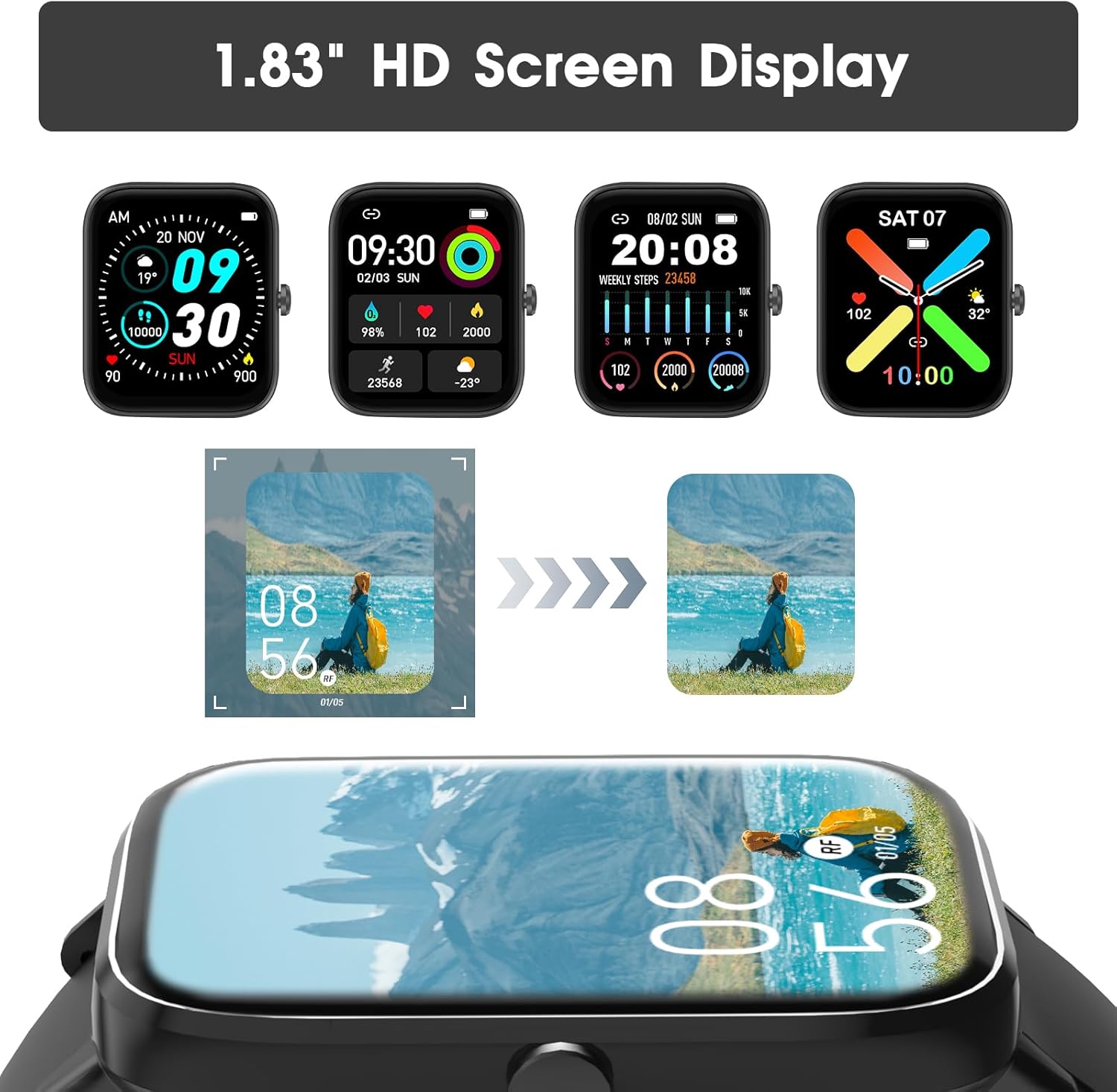
Image: The smart watch screen showing different customizable watch faces and data displays.
2. Bluetooth Call and Message Alerts
Once connected via Bluetooth, the T45S Smart Watch allows for direct communication and notifications.
- Answer/Make Calls: Use the integrated HD speaker and microphone to answer incoming calls or dial out directly from your watch.
- Call History & Contacts: View recent call history and access stored contacts directly on the watch.
- Message Notifications: Receive notifications for social media messages (WhatsApp, Twitter, Facebook, Instagram, etc.) directly on your wrist. Ensure notifications are enabled in the "Da Fit" app.

Image: A user interacting with the smart watch to answer a call, and displays of message notifications and AI assistant features.
Video: An official product video demonstrating the FTTMWTAG Smart Watch's features, including Bluetooth calling and various app functionalities.
3. Health and Fitness Tracking
The T45S Smart Watch is equipped with high-performance sensors to monitor various health metrics.
- Heart Rate Monitoring: Continuously tracks your heart rate throughout the day.
- Blood Pressure Monitoring: Provides blood pressure readings.
- SpO2 Monitoring: Measures your blood oxygen saturation levels.
- Sleep Quality Tracking: Monitors your sleep patterns, including deep sleep, light sleep, and awake times, providing insights for better rest.
- Activity Tracking: Records steps taken, distance covered, and calories burned.
- Stress Levels: Monitors stress levels to help you manage daily well-being.

Image: The smart watch screen showing real-time health data for heart rate, stress, and blood pressure.

Image: The smart watch screen showing sleep tracking details, including sleep duration and profile.
4. Sports Modes
The watch supports over 100 sports modes to accurately track your workouts.
- Available Modes: Includes walking, running, cycling, skipping, badminton, basketball, football, swimming, climbing, tennis, rugby, golf, yoga, and many more.
- Workout Data: Tracks duration, steps, calories, average heart rate, and distance for each activity.

Image: The smart watch screen showing a summary of a workout session, including steps, calories, heart rate, and distance.

Image: The smart watch interface displaying a selection of over 100 available sports tracking modes.
5. Multifunctionality
The T45S Smart Watch offers a range of practical daily functions:
- Weather Forecast: Get real-time weather updates.
- Music Control: Control music playback on your smartphone directly from the watch.
- Sedentary Reminder: Receive alerts to move after periods of inactivity.
- Stopwatch & Timer: Built-in stopwatch and timer functions.
- Alarm Clock: Set alarms for reminders.
- Tracking Female Cycle: Dedicated feature for tracking the female physiological cycle.
- Screen-Light Duration: Adjust how long the screen stays active.
- Find Phone: Locate your paired smartphone using the watch.
- Camera Shutter Control: Remotely control your phone's camera shutter.

Image: A user operating their smartphone camera remotely using the smart watch as a shutter control.

Image: The smart watch interface showing icons for weather, music control, alarm clock, stopwatch, games, breathing training, and camera control.
Maintenance
1. Water Resistance
The FTTMWTAG T45S Smart Watch has an IP67 rating, meaning it can withstand water splashes and brief immersion. It is suitable for daily use such as washing hands or light rain.
Important: The watch is NOT suitable for swimming, diving, bathing, or exposure to hot water/steam, as this may damage the device.
Image: The smart watch being splashed with water, indicating its IP67 water resistance for daily activities.
2. Cleaning
To maintain the watch's appearance and functionality, regularly clean the screen and strap with a soft, dry cloth. If necessary, a slightly damp cloth can be used for the strap, ensuring it is dried thoroughly afterward.
3. Battery Care
To prolong battery life, avoid extreme temperatures and fully discharge the battery only occasionally. Regular charging before the battery is completely depleted is recommended.
Troubleshooting
| Problem | Possible Solution |
|---|---|
| Watch not turning on | Ensure the watch is fully charged. Connect it to the charger for at least 30 minutes. |
| Unable to pair with phone |
|
| Inaccurate health data |
|
| Notifications not appearing |
|
| Short battery life |
|
Specifications
| Feature | Detail |
|---|---|
| Model Number | T45S |
| Screen Size | 1.85 Inches |
| Display Type | HD TFT Full Touch Color Screen |
| Connectivity | Bluetooth |
| Operating System Compatibility | Android and iOS |
| Battery Capacity | 290 Milliamp Hours (mAh) |
| Charging Time | Approx. 2 hours |
| Typical Usage Time | 3-6 Days |
| Standby Time | Up to 30 Days |
| Water Resistance Rating | IP67 (Splash-proof, not for swimming/diving) |
| Health Monitoring | Heart Rate, Blood Pressure, SpO2, Sleep, Stress Levels |
| Activity Tracking | Steps, Distance, Calories, 100+ Sports Modes |
| Other Features | Bluetooth Call, Message Alerts, Weather, Music Control, Sedentary Reminder, Stopwatch, Alarm Clock, Timer, Female Cycle Tracking, Find Phone, Camera Shutter Control |
| Product Dimensions | 1 x 1 x 1 inches |
| Item Weight | 4.2 ounces (0.12 Kilograms) |
| Manufacturer | FTTMWTAG |

Image: Diagram showing the dimensions of the smart watch and details about its 290mAh battery capacity.
Warranty and Support
For warranty information, technical support, or customer service inquiries, please refer to the contact details provided with your purchase or visit the official FTTMWTAG website. Keep your purchase receipt as proof of purchase for any warranty claims.
The product is verified by Transparency, with each item having a unique code for authenticity verification.