
1. Introduction
This manual provides essential instructions for the safe and efficient operation of your MJDHS I17pro flip phone. Please read this manual thoroughly before using your device and retain it for future reference.
The MJDHS I17pro is a compact 2G flip phone designed for ease of use, featuring large buttons, a 1.77-inch display, dual SIM card support, and an integrated LED flashlight.
2. Package Contents
Please check the contents of your package. If any items are missing or damaged, contact your retailer.
- MJDHS I17pro Flip Phone
- Battery
- Charging Cable
- User Manual
3. Device Layout
Familiarize yourself with the key components of your MJDHS I17pro flip phone.

Image 3.1: Front view of the MJDHS I17pro flip phone in the open position, showing the screen and keypad. Also shown are the side profile and the closed view with the external camera module.
- Main Display: 1.77-inch screen for viewing menus, messages, and calls.
- Keypad: Large, easy-to-press buttons for dialing and navigation.
- Navigation Key: Central button for menu selection and directional movement.
- Call/End Keys: Buttons for initiating and ending calls.
- Charging Port: Located on the side for connecting the charging cable.
- Camera Module: Located on the exterior when the phone is closed.
- LED Flashlight: Integrated light source.
4. Setup
4.1. Inserting SIM Card(s) and Battery
- Ensure the phone is powered off.
- Remove the back cover of the phone.
- Carefully insert your SIM card(s) into the designated slot(s) with the gold contacts facing down. This phone supports dual SIM cards.
- Insert the battery, ensuring the contacts align correctly.
- Replace the back cover.
4.2. Charging the Battery
Before first use, fully charge the phone's battery.
- Connect the charging cable to the phone's charging port.
- Connect the other end of the cable to a compatible power adapter and plug it into a wall outlet.
- The battery indicator on the screen will show charging status.
- Once fully charged, disconnect the charger.
4.3. Powering On/Off

Image 4.1: Illustration of the MJDHS I17pro flip phone in open position for powering on, and closed position for powering off.
- To Power On: Open the phone and press and hold the End Call/Power button until the screen lights up.
- To Power Off: Press and hold the End Call/Power button until the power off option appears on the screen, then confirm.
5. Operating Instructions
5.1. Basic Navigation

Image 5.1: The 1.77-inch screen of the MJDHS I17pro flip phone, showing menu options and contact names.
- Use the Navigation Key (up, down, left, right) to scroll through menu options.
- Press the Center Key of the Navigation Key to select an option.
- Press the Left Soft Key (often labeled "Menu" or "Options") to access context-sensitive menus.
- Press the Right Soft Key (often labeled "Back" or "Names") to go back to the previous screen or access contacts.
5.2. Making and Receiving Calls
- To Make a Call: Enter the phone number using the keypad and press the Call button.
- To Answer a Call: When the phone rings, press the Call button.
- To End a Call: Press the End Call button.
5.3. Sending and Receiving Messages
- Navigate to the Messages menu.
- Select Create New Message.
- Enter your message using the keypad. Press the appropriate number key multiple times to cycle through letters.
- Enter the recipient's phone number or select from contacts.
- Select Send.
- Received messages will appear in the Inbox.
5.4. Contacts and Speed Dial

Image 5.2: The MJDHS I17pro flip phone illustrating the assignment of speed dial contacts (e.g., Mum, Dad, Son) to number keys 2-9.
- Adding Contacts: Go to the Contacts menu, select Add New Contact, enter the name and number, then save.
- Speed Dial: You can assign frequently called contacts to number keys 2-9. To set up:
- Go to Settings > Phone Settings > Speed Dial.
- Select a number key (2-9) and assign a contact from your phonebook.
- To use speed dial, press and hold the assigned number key from the idle screen.
5.5. LED Flashlight Function

Image 5.3: The MJDHS I17pro flip phone highlighting its integrated LED flashlight feature, useful in low-light conditions.
The phone includes an integrated LED flashlight. To activate or deactivate it, refer to the phone's menu or check for a dedicated shortcut key, often a long press on a specific number key (e.g., '0' or '*').
5.6. Vibration Function
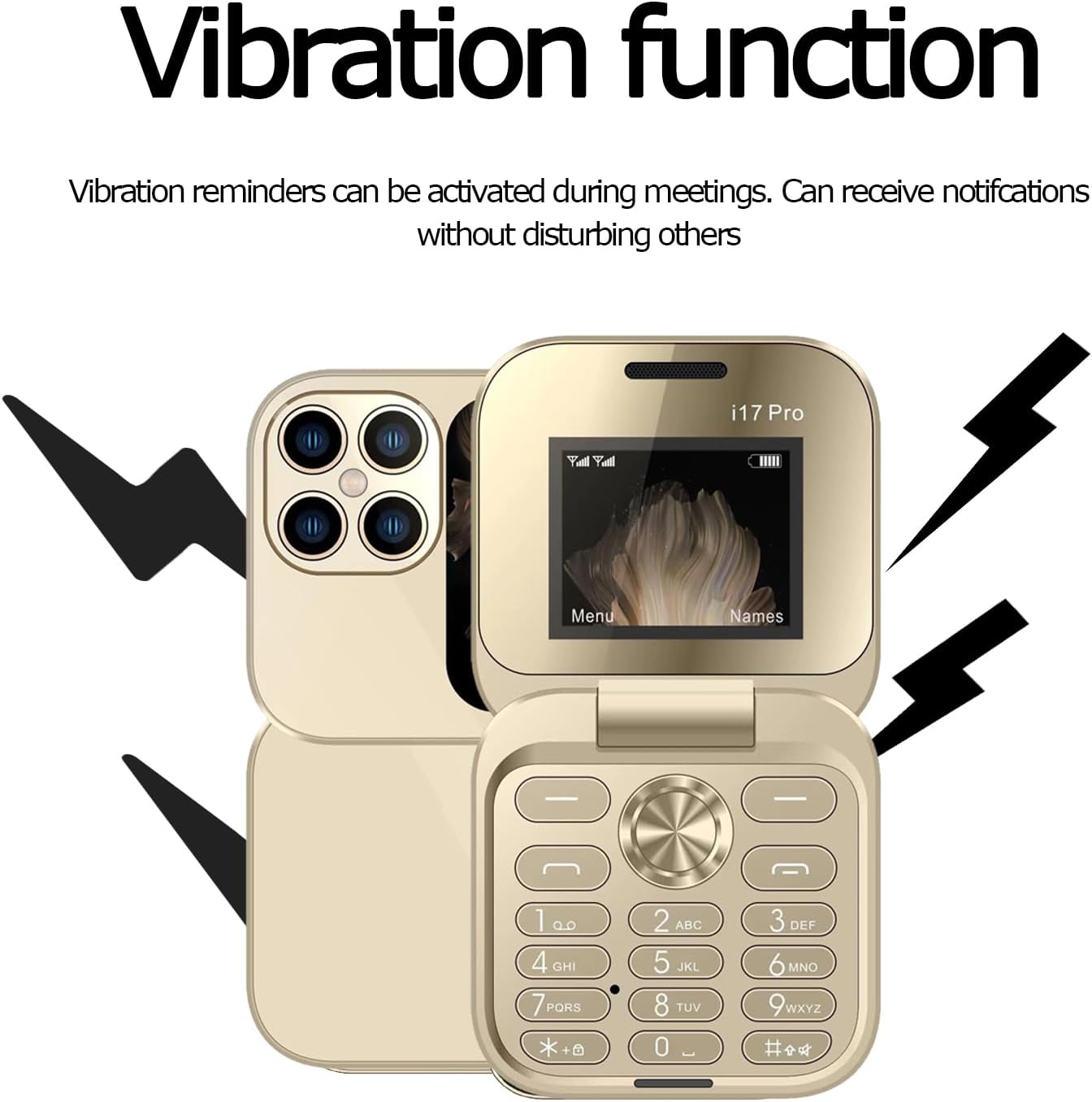
Image 5.4: The MJDHS I17pro flip phone indicating its vibration function, useful for discreet notifications.
The vibration function provides discreet alerts for incoming calls and messages. You can enable or disable vibration reminders through the phone's sound profiles or settings menu. This allows you to receive notifications without disturbing others, particularly in quiet environments.
5.7. Flashing Reminder Function

Image 5.5: The MJDHS I17pro flip phone illustrating the flashing reminder feature, which uses visual alerts for power status, new messages, and incoming calls.
The phone features a flashing reminder system that provides visual alerts for various events. These alerts can indicate:
- Power Status: Low battery or charging status.
- New Message: Notification of an unread SMS.
- Incoming Call: Visual alert for an incoming phone call.
This feature is designed to provide a clear and effective way of alerting users, especially in noisy environments or when the phone is in silent mode.
5.8. Bluetooth Connectivity
The MJDHS I17pro supports Bluetooth for connecting to compatible accessories such as headsets or other phones.
- Go to Menu > Settings > Bluetooth.
- Turn Bluetooth On.
- Select Search for devices to find nearby Bluetooth devices.
- Select the desired device from the list and follow the on-screen prompts to pair.
5.9. Other Functions
Explore the phone's menu for additional features such as:
- Alarm Clock: Set multiple alarms.
- Calculator: Basic arithmetic functions.
- Calendar: View dates and add events.
- FM Radio: Listen to local radio stations (may require headphones as antenna).
6. Maintenance
- Cleaning: Use a soft, dry cloth to clean the phone's screen and body. Avoid liquid cleaners.
- Battery Care: Avoid extreme temperatures. Do not leave the battery fully discharged for extended periods.
- Storage: Store the phone in a cool, dry place when not in use for extended periods.
- Avoid Impact: Protect the phone from drops and impacts, which can damage internal components.
7. Troubleshooting
If you encounter issues with your MJDHS I17pro, refer to the following common solutions:
| Problem | Solution |
|---|---|
| Phone does not power on. | Ensure the battery is correctly inserted and fully charged. Try charging the phone for at least 30 minutes. |
| Cannot make or receive calls. | Check if the SIM card is properly inserted and activated. Verify network signal strength. Ensure airplane mode is off. |
| Poor call quality. | Move to an area with better network coverage. Check for obstructions. |
| Battery drains quickly. | Reduce screen brightness. Close unused applications. Limit background data usage (if applicable). |
| Keypad is unresponsive. | Restart the phone. Ensure no physical obstructions are present. |
8. Specifications
Technical details of the MJDHS I17pro flip phone.
- Model: I17pro
- Brand: MJDHS
- Type: Flip Phone
- Network Technology: 2G (GSM)
- SIM Card Slots: Dual SIM
- Screen Size: 1.77 inches
- Screen Resolution: 128 x 160
- RAM: 32 MB
- Storage: 32 MB
- Connectivity: Bluetooth
- Additional Features: LED Flashlight, Big Buttons
9. Safety Information
Please read these safety guidelines carefully to ensure safe and proper use of your device.
- Do not use the phone while driving.
- Avoid exposing the phone to extreme temperatures, direct sunlight, or moisture.
- Use only approved batteries, chargers, and accessories.
- Do not attempt to disassemble or modify the phone.
- Keep the phone away from medical devices, as it may interfere with their operation.
- Dispose of the phone and battery responsibly according to local regulations.
10. Warranty and Support
Your MJDHS I17pro flip phone is covered by a standard manufacturer's warranty. Please refer to the warranty card included in your package for specific terms and conditions.
For technical support or service inquiries, please contact your retailer or the MJDHS customer service department. Contact information can typically be found on the product packaging or the brand's official website.