
Introduction
This manual provides comprehensive instructions for the Generic Minie3339 Invisible Bluetooth Earbuds. Designed for discreet communication, these compact and lightweight earbuds offer a stable wireless connection and clear audio. Please read this manual carefully to ensure proper use, maintenance, and to fully utilize all features of your new earbuds.
Product Features
- Discreet & Compact Design: Virtually undetectable, blending seamlessly into the ear for covert operations or private listening.
- Advanced Bluetooth Connectivity: Utilizes Bluetooth 5.3 for a stable, reliable, and long-range wireless connection.
- Noise-Cancelling Microphone: Ensures crystal-clear voice transmission even in noisy environments.
- Comfortable In-Ear Fit: Designed for extended wear without discomfort or fatigue.
- Waterproof Design: Provides protection against water and sweat, suitable for various activities.
- Intuitive Media Control: Manage music playback and calls directly from the earbuds.
- Voice Assistant Support: Quick access to your device's voice assistant.
- Portable Charging Case: Compact case with digital display for on-the-go charging and battery status.
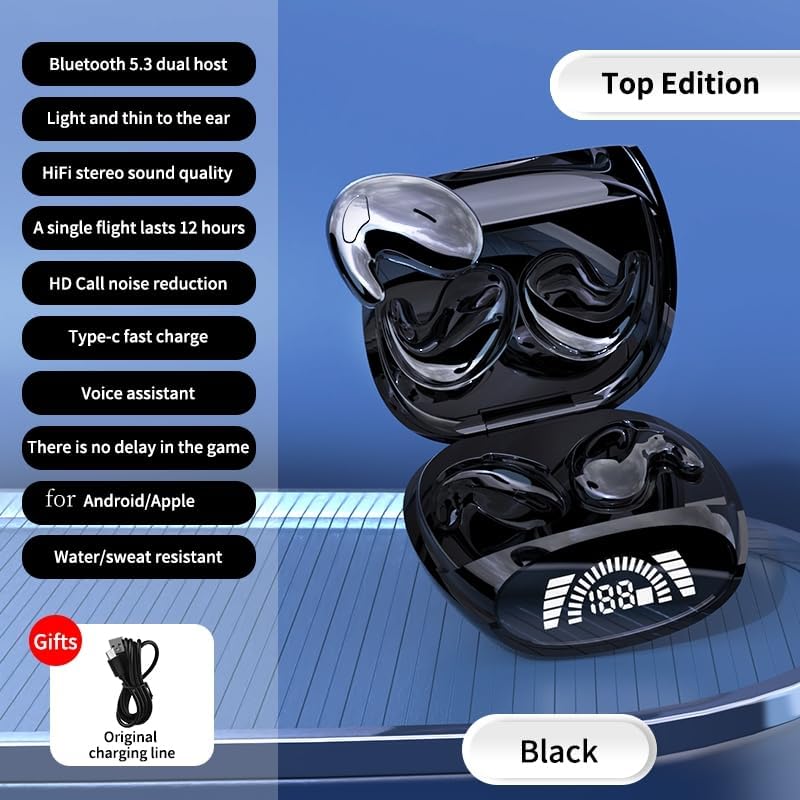
Image: The Minie3339 earbuds in their open charging case, highlighting key features such as Bluetooth 5.3, Type-C fast charging, and water resistance. A USB-C charging cable is also shown.
What's in the Box
Upon unboxing, please ensure all the following items are present:
- 1x Pair of Generic Minie3339 Invisible Bluetooth Earbuds (Left & Right)
- 1x Portable Charging Case
- 1x USB-C Charging Cable
- 1x User Manual (this document)
Setup Guide
1. Charging the Earbuds and Case
Before first use, fully charge both the charging case and the earbuds.
- Place the earbuds into their respective slots in the charging case. Ensure they are correctly seated.
- Connect the provided USB-C charging cable to the charging port on the case and the other end to a USB power adapter (not included) or a computer's USB port.
- The digital display on the charging case will show the battery percentage, indicating charging status. The earbuds will also show charging indicators (e.g., LED lights).
- Once fully charged, the display will show 100% or the charging indicators will turn off/change color. Disconnect the cable.
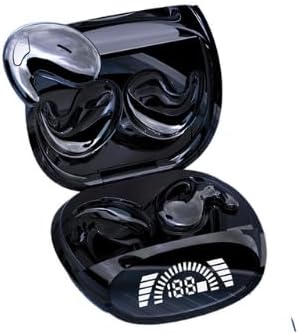
Image: The Minie3339 earbuds resting in their open charging case, which features a clear digital display indicating the battery level.
2. Pairing with Your Device
The earbuds will automatically enter pairing mode when taken out of the charging case.
- Ensure the earbuds are charged and remove them from the charging case. They will automatically power on and enter pairing mode (indicated by flashing LED lights).
- On your smartphone, tablet, or other Bluetooth-enabled device, go to the Bluetooth settings.
- Turn on Bluetooth.
- Search for available devices. You should see "Minie3339" or a similar name appear in the list.
- Select "Minie3339" to connect. Once connected, the earbuds' LED indicators will stop flashing, and you may hear a confirmation tone.
- If pairing fails, place the earbuds back into the case, close it, wait a few seconds, and then repeat the steps.
Operating Instructions
Power On/Off
- Power On: The earbuds automatically power on when removed from the charging case.
- Power Off: Place the earbuds back into the charging case and close the lid. They will automatically power off and begin charging.
Music Playback Control
The earbuds feature touch-sensitive controls for easy management of your audio.
- Play/Pause: Single tap on either earbud.
- Next Track: Double tap the right earbud.
- Previous Track: Double tap the left earbud.
- Volume Up: Triple tap the right earbud.
- Volume Down: Triple tap the left earbud.
Call Management
- Answer/End Call: Single tap on either earbud during an incoming call.
- Reject Call: Press and hold either earbud for 2 seconds during an incoming call.
Voice Assistant
- Activate Voice Assistant: Press and hold either earbud for 3 seconds (e.g., Siri, Google Assistant).
Wearing the Earbuds
For optimal sound quality and discreetness, ensure the earbuds are properly seated in your ear canal.
- Identify the Left (L) and Right (R) earbuds.
- Gently insert each earbud into the corresponding ear, rotating slightly until it feels secure and comfortable. The compact design is intended to be minimally visible.

Image: A visual representation of the ultra-thin design of the earbuds, emphasizing their discreet fit for comfortable wear, even during sleep.
Maintenance and Care
- Cleaning: Regularly clean the earbuds and charging case with a soft, dry, lint-free cloth. Do not use harsh chemicals or abrasive materials.
- Water Resistance: The earbuds are waterproof. However, avoid prolonged submersion in water and do not expose them to saltwater or other corrosive liquids. Ensure they are dry before placing them back in the charging case.
- Storage: When not in use, store the earbuds in their charging case to protect them and keep them charged. Store in a cool, dry place away from direct sunlight and extreme temperatures.
- Avoid Impact: Do not drop or subject the earbuds or charging case to strong impacts, as this can damage internal components.
Troubleshooting
| Problem | Possible Solution |
|---|---|
| Earbuds not powering on. | Ensure the earbuds and charging case are fully charged. Place earbuds back in case, then remove them. |
| Earbuds not pairing with device. |
|
| No sound from one or both earbuds. |
|
| Charging case display not working or not charging. |
|
Specifications
| Feature | Detail |
|---|---|
| Model Name | Minie3339 |
| Connectivity Technology | Wireless |
| Wireless Communication Technology | Bluetooth 5.3 (as per images, overriding 4.0 in description) |
| Material | Plastic |
| Water Resistance Level | Waterproof |
| Frequency Range | 20 Hz - 20,000 Hz |
| Noise Control | Active Noise Cancellation |
| Ear Placement | In Ear |
| Form Factor | In Ear |
| Control Type | Media Control |
| Earpiece Shape | Rounded tips |
| Color | Black |
Warranty and Support
For warranty information and customer support, please refer to the documentation provided with your purchase or contact the seller directly through the platform where the product was acquired. Keep your proof of purchase for any warranty claims.
For technical assistance or further inquiries, please reach out to the manufacturer's customer service if contact details are available on the product packaging or official website.