
1. Introduction
Welcome to the ENS Lifestyle Automatic Cat Litter Box user manual. This guide provides comprehensive instructions for setting up, operating, maintaining, and troubleshooting your new self-cleaning litter box. Designed for convenience and hygiene, this automatic litter box offers a large 68L capacity, APP control, and advanced safety features to ensure a clean environment for your multiple cats.
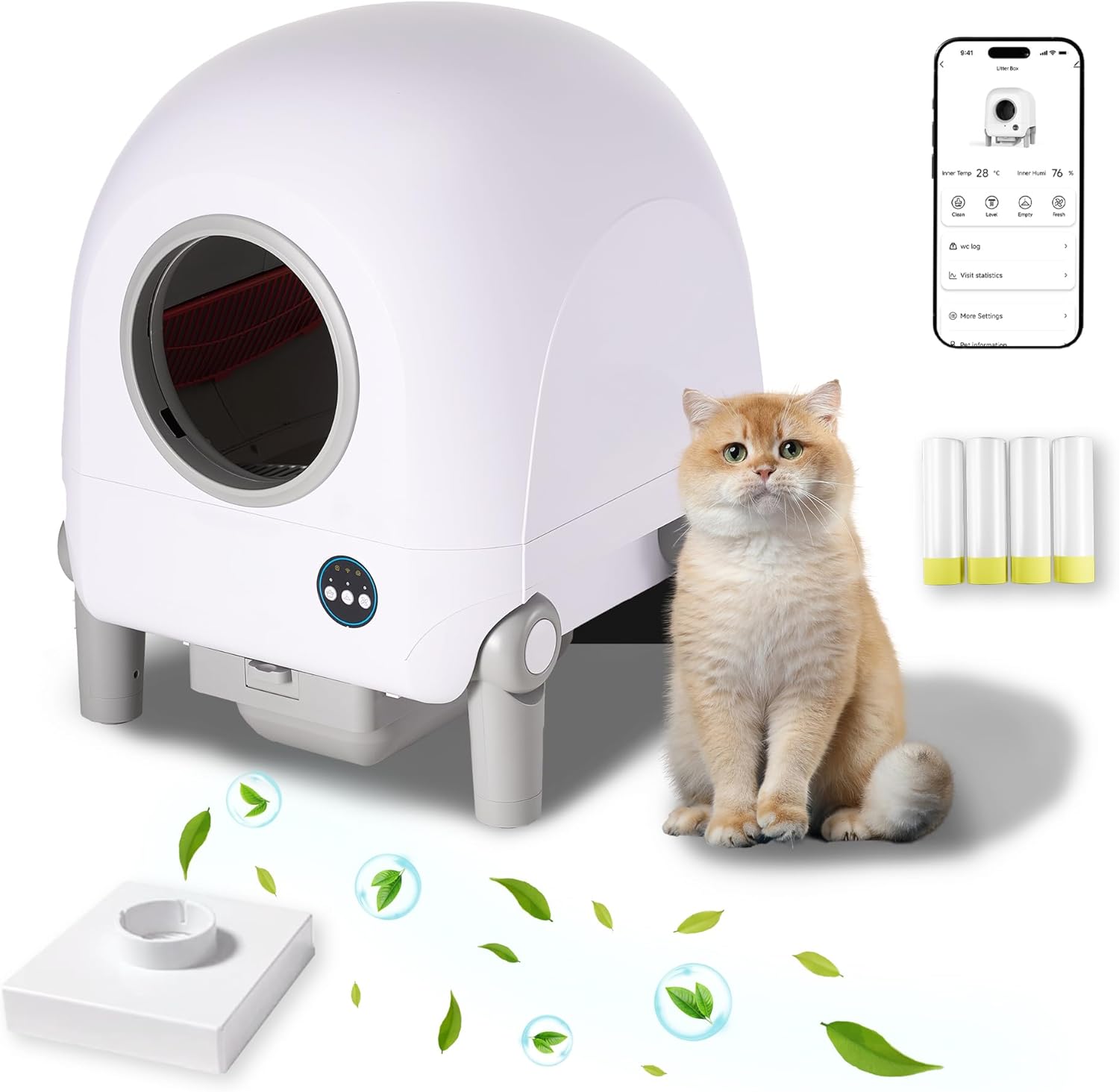
Image: The ENS Lifestyle Automatic Cat Litter Box in white and grey, shown with a cat and a smartphone displaying its control app.
2. Safety Information
Please read all safety warnings and instructions carefully before using the product to prevent injury or damage.
- Important Note: Not recommended for children or cats under 3 months of age.
- Ensure the litter box is placed on a stable, level surface.
- Do not immerse the main unit in water. Clean only with a damp cloth.
- Keep hands clear of moving parts during operation.
- Unplug the unit before performing any maintenance or cleaning.
Integrated Safety Features:
- Real-time Camera: Prevents cats from being trapped or injured by monitoring activity.
- Gravitational Sensing: Detects the cat's location to ensure safe operation.
- RIP Infrared Beam Technology: Provides real-time cat status recognition.
- Intelligent Shutdown System: Automatically stops operation if a safety risk is detected.
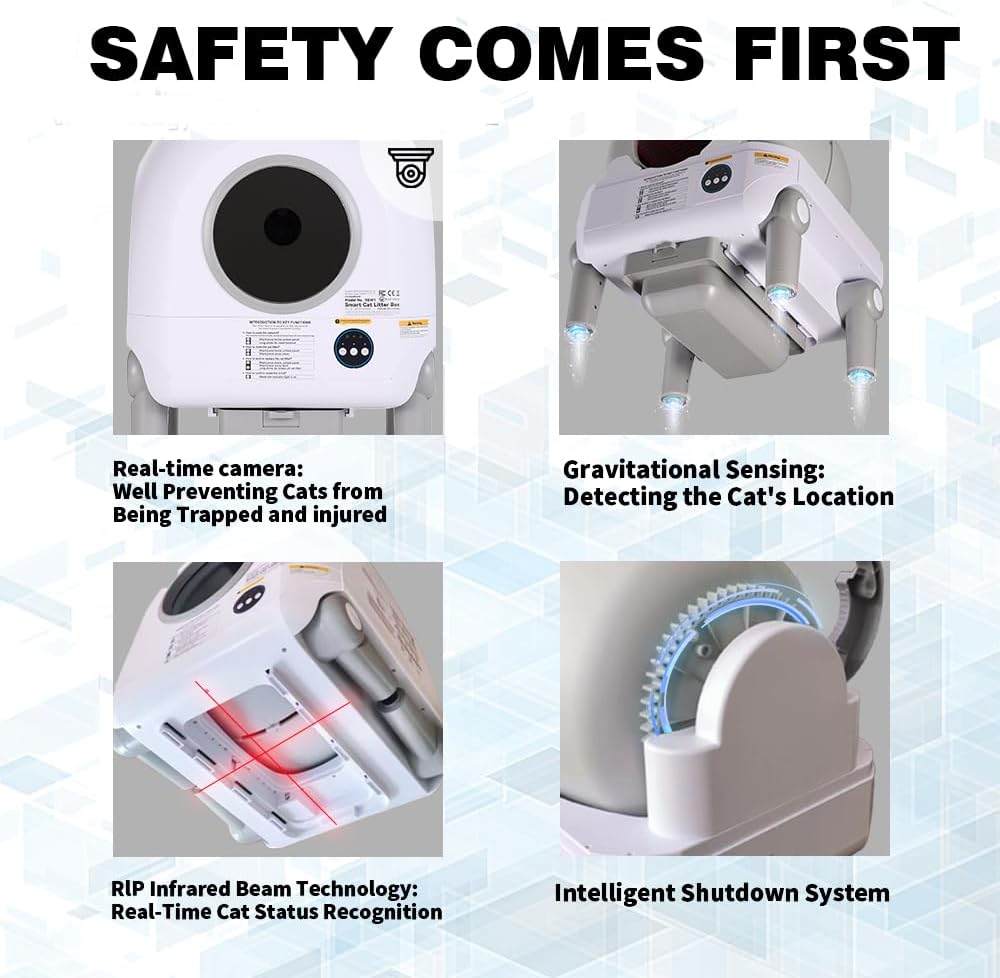
Image: Visual representation of the multiple safety protection mechanisms built into the litter box.
3. Product Overview
Key Features:
- Large Capacity: 68L barrel accommodates large cats, and a 10L waste collection space supports up to 7 days of trash bag replacement.
- APP Control: Smart remote control via Tuya App for convenient operation and monitoring.
- Health Monitoring Video System: Pioneering system for monitoring cat health.
- Intelligent Ventilation System: Manages odor effectively.
- Contact-Free Waste Disposal: Drawstring trash bag design for hygienic disposal.
- One-Touch Litter Replacement: Simplifies the process of changing litter.
- Washable Barrel Compartment: Easy to clean for optimal hygiene.
- Noise-Free Operation: Designed for quiet performance, ensuring a peaceful environment.
- Scratch-Resistant Coating: Durable exterior for long-lasting use.

Image: The litter box dimensions and capacity, highlighting its suitability for various cat sizes.
Supported Litter Types:
This automatic litter box is compatible with most common types of cat litter, including:
- Tofu litter
- Mixed litter
- Bentonite litter

Image: Examples of compatible cat litter types.
4. Setup
4.1 Packing List:
Before beginning setup, ensure all components are present:
- 1 x Automatic Litter Box
- 1 x Scent Box
- 1 x User Manual
- 4 x Garbage Bags
- 1 x US/CA Standard Power Adaptor

Image: All items included in the product package.
4.2 Initial Setup Steps:
- Place the Litter Box: Position the litter box on a flat, stable surface in a suitable location.
- Install Garbage Bag:
- Take out the waste collection drawer.
- Load a garbage bag into the drawer, ensuring the rope is laid around the drawstring box.
- Slide the waste collection drawer back into the unit.

Image: The litter box with its waste drawer pulled out, demonstrating where to install the garbage bag.
- Add Cat Litter:
- Remove the top lid of the litter box.
- Pour the desired amount of cat litter into the barrel compartment. Do not overfill.
- Replace the top lid securely.

Image: The litter box with its top section removed, ready for adding cat litter.
- Connect Power: Plug the power adapter into the litter box and then into a wall outlet.
- Download App (Optional but Recommended): Download the Tuya Smart App from your device's app store to access smart features and remote control. Follow the in-app instructions for pairing your device.
5. Operating Instructions
5.1 App Control:
The Tuya Smart App provides comprehensive control and monitoring capabilities:
- Remote Cleaning: Initiate a cleaning cycle from anywhere.
- Litter Level Monitoring: Check the current litter level.
- Waste Bin Status: Monitor the fullness of the waste collection bin.
- Health Monitoring: Access video and data logs related to your cat's usage.
- Real-time Notifications: Receive alerts for cleaning cycles, bin full, or other status updates.
- Custom Settings: Adjust cleaning schedules, ventilation, and other preferences.

Image: The litter box with its app control interface, highlighting 2.4GHz/5G WiFi and Bluetooth connectivity.
5.2 Manual Control (Physical Buttons):
For users who prefer not to use the app, the litter box can be operated manually using the control panel on the front of the machine. Refer to the labels on the control panel for specific functions of each button.
6. Maintenance
6.1 Regular Cleaning:
The litter box is designed for easy cleaning. The barrel compartment is washable. Ensure the unit is unplugged before cleaning.
Image: The litter box's design allows for fast detachment and easy cleaning of components.
6.2 Changing Garbage Bags:
The 10L waste collection space typically supports up to 7 days of use before needing a bag change, depending on the number of cats and their usage habits. Follow the steps below:
- Pull out the waste collection drawer from the bottom of the unit.
- Carefully remove the full garbage bag, ensuring the drawstring is securely closed to prevent spills.
- Dispose of the used bag responsibly.
- Insert a new garbage bag into the drawer, making sure it is properly aligned and the drawstring is accessible.
- Slide the drawer back into the litter box until it clicks into place.
7. Troubleshooting
If you encounter issues with your ENS Lifestyle Automatic Cat Litter Box, please refer to the following common problems and solutions:
| Problem | Possible Cause | Solution |
|---|---|---|
| Unit not powering on. | Power cable not connected properly; power outlet issue. | Ensure power cable is securely plugged into the unit and a working wall outlet. Test the outlet with another device. |
| Cleaning cycle not starting. | Waste bin full; cat detected inside; sensor obstruction. | Empty the waste bin. Ensure no cat is inside. Check and clean sensors for any obstructions. |
| Odor persists. | Waste bin needs emptying; scent box needs replacement; poor ventilation. | Empty waste bin more frequently. Replace the scent box. Ensure proper room ventilation. |
| App connectivity issues. | Incorrect Wi-Fi password; unit too far from router; app not updated. | Verify Wi-Fi password. Move unit closer to router or use a Wi-Fi extender. Update the Tuya Smart App to the latest version. |
For issues not listed here, please contact customer support.
8. Specifications
| Feature | Detail |
|---|---|
| Model Name | LitterboxC01 |
| Product Dimensions (LxWxH) | 21 x 21 x 20 inches |
| Item Weight | 34.1 pounds (15.5 Kilograms) |
| Material | Polypropylene (PP) |
| Color | White&Grey |
| Litter Box Type | Automated Self-Cleaning Litter Box |
| Waste Collection Capacity | 10L (up to 7 days) |
| Barrel Capacity | 68L |
| Connectivity | 2.4GHz/5G WiFi, Bluetooth |
| Target Audience | Cats (All Life Stages, not recommended for under 3 months) |
| Included Components | Litter Box, Scent Box, User Manual, 4 Garbage Bags |
9. Warranty and Support
This ENS Lifestyle Automatic Cat Litter Box comes with a 1-Year Limited Warranty. Please retain your proof of purchase for warranty claims.
For technical support, troubleshooting assistance, or warranty inquiries, please contact ENS Lifestyle customer service through the contact information provided on the product packaging or the official ENS Lifestyle website.
Thank you for choosing ENS Lifestyle.