
CHIGO 5902945
CHIGO 9000 BTU Portable Air Conditioner User Manual
Model: 5902945
1. Introduction
This manual provides essential information for the safe and efficient operation of your CHIGO 9000 BTU Portable Air Conditioner. This versatile 3-in-1 unit offers cooling, dehumidifying, and fan functions, designed to enhance your indoor comfort.
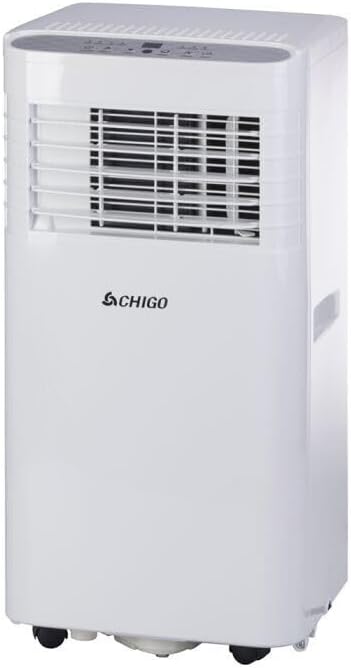
Image 1.1: Front view of the CHIGO 9000 BTU Portable Air Conditioner. This compact unit features a white casing with a front grille for air circulation and a top control panel.
2. What's in the Box
Please check that all the following components are included in your package:
- CHIGO Portable Air Conditioner Unit
- Remote Control (requires 2 AAA batteries, included)
- Exhaust Hose (extendable, 160-165 cm)
- Window Installation Kit (adjustable bracket)
- Drainage Tube (100 cm)
- Power Cable (180 cm, Italian 2-pole plug)
- Removable Air Filter

Image 2.1: The product packaging box, illustrating the 3-in-1 functionality and key features of the portable air conditioner.

Image 2.2: Included accessories: drainage tube, connectors, and small hardware for installation.
3. Setup and Installation
3.1. Placement
Place the unit on a flat, stable surface. Ensure there is at least 30 cm (12 inches) of clear space around the unit for proper air circulation. Do not block the air inlets or outlets.
3.2. Exhaust Hose Installation
- Attach one end of the exhaust hose to the air outlet on the back of the air conditioner unit.
- Extend the exhaust hose to its full length (160-165 cm).
- Attach the other end of the exhaust hose to the window installation kit.

Image 3.1: The extendable exhaust hose, used to vent hot air outside.
3.3. Window Kit Installation
- Open the window slightly.
- Place the adjustable window installation kit into the window opening. Adjust its length to fit snugly.
- Ensure the window kit is securely sealed to prevent air leakage.
- Connect the exhaust hose to the opening in the window kit.
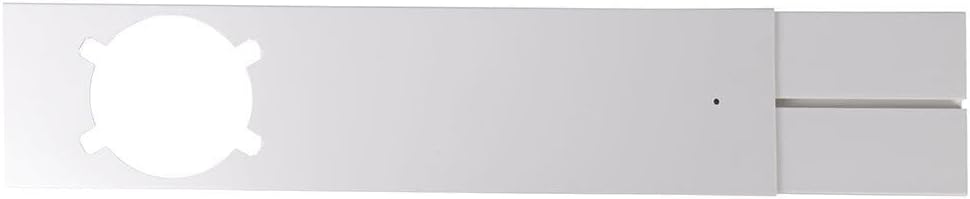
Image 3.2: The adjustable window kit designed to seal the window opening around the exhaust hose.
3.4. Drainage Tube Connection (for Dehumidifier Mode)
For continuous drainage in dehumidifier mode, connect the 100 cm drainage tube to the designated drainage port on the unit. Route the tube to a floor drain or a suitable collection container.
3.5. Power Connection
Plug the power cable into a grounded 220-240V, 50Hz electrical outlet. Ensure the outlet meets the unit's power requirements.
4. Operating Instructions
4.1. Control Panel Overview
The control panel is located on the top of the unit and features a multifunction LED display and various buttons for operation.

Image 4.1: Top-down view of the control panel with LED display and buttons for power, temperature, mode, speed, and timer.
- POWER: Turns the unit On/Off.
- TEMP +/-: Adjusts the desired temperature.
- MODE: Cycles through Cooling, Dehumidifying, and Fan modes.
- SPEED: Adjusts fan speed (Low, High).
- TIMER: Sets the auto On/Off timer (up to 24 hours).
4.2. Remote Control
The unit can be operated conveniently using the included remote control. Ensure there is a clear line of sight between the remote and the unit's receiver.

Image 4.2: The remote control for the portable air conditioner, featuring buttons for various functions including power, temperature, mode, speed, timer, and night mode.
- On/Off: Powers the unit on or off.
- Temp Up/Down: Increases or decreases the set temperature.
- Mode: Selects operating mode (Cool, Dehum, Fan).
- Speed: Adjusts fan speed.
- Time: Activates and sets the timer.
- Night: Activates sleep mode for quieter operation.
4.3. Operating Modes
- Cooling Mode: Provides powerful cooling. Set your desired temperature using the Temp +/- buttons.
- Dehumidifier Mode: Removes excess moisture from the air. The unit can absorb up to 28.8 liters of humidity per day. Ensure the drainage tube is connected for continuous operation.
- Fan Mode: Circulates air without cooling. Choose between two fan speeds.
4.4. Deflector Adjustment
Manually adjust the deflector (louvers) on the front of the unit to direct the airflow as desired.
5. Maintenance and Care
5.1. Air Filter Cleaning
Regularly clean the removable air filter to maintain optimal performance and air quality. It is recommended to clean the filter every two weeks or more frequently depending on usage.
- Turn off and unplug the unit.
- Locate the air filter on the back or side of the unit.
- Gently pull out the filter.
- Wash the filter under running water or use a vacuum cleaner to remove dust.
- Allow the filter to dry completely before reinserting it into the unit.
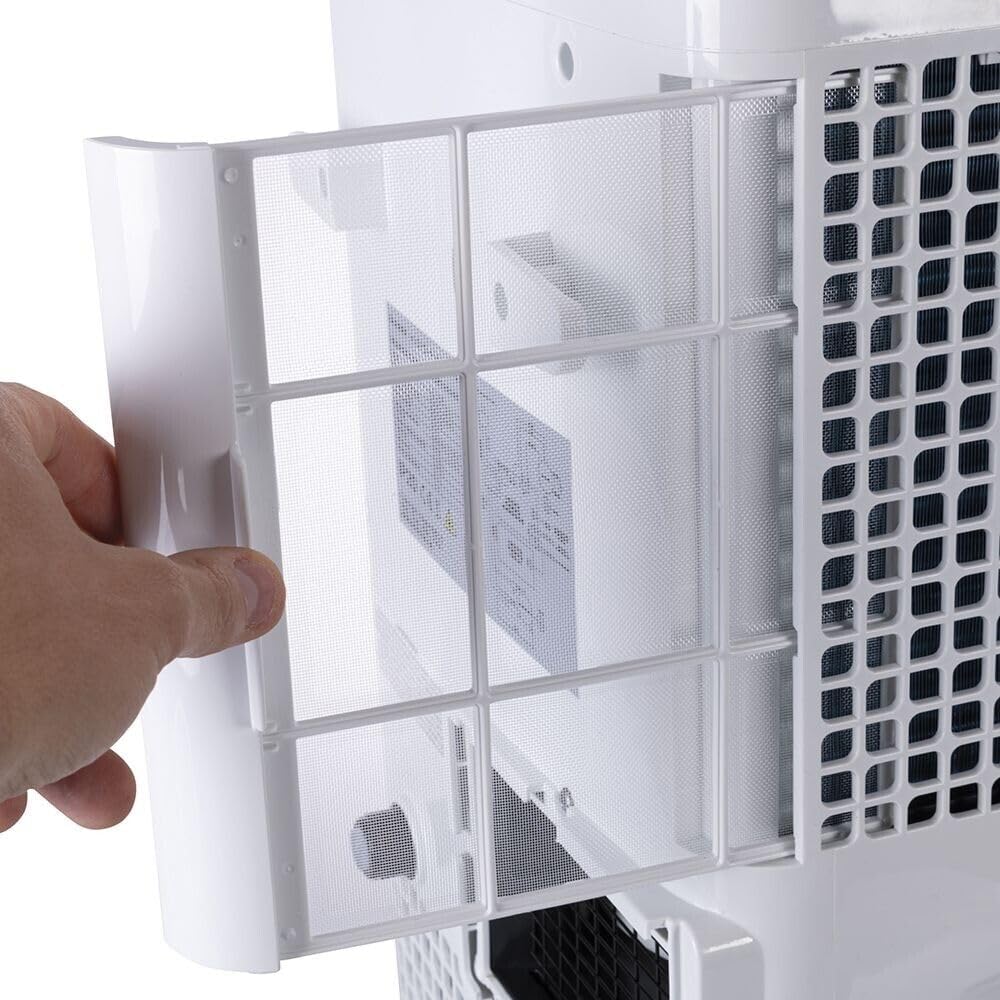
Image 5.1: A hand demonstrating the removal of the air filter from the side of the unit for cleaning.
5.2. Water Drainage
The unit collects condensation during cooling and dehumidifying operations. When the internal water tank is full, the unit will stop operating and indicate a full tank. Drain the water as follows:
- Turn off and unplug the unit.
- Place a shallow pan or container under the drainage port at the bottom rear of the unit.
- Remove the drain plug and allow all water to drain out.
- Replace the drain plug securely.
For continuous drainage in dehumidifier mode, ensure the drainage tube is properly connected and routed to a suitable drain.
5.3. Exterior Cleaning
Wipe the exterior of the unit with a soft, damp cloth. Do not use harsh chemicals or abrasive cleaners.
5.4. Storage
Before storing the unit for an extended period, ensure it is completely drained of water and the filter is clean and dry. Store the unit upright in a cool, dry place, covered to protect it from dust.
6. Troubleshooting
| Problem | Possible Cause | Solution |
|---|---|---|
| Unit does not turn on. | No power supply; Power cord not plugged in; Full water tank. | Check power outlet; Plug in power cord securely; Drain water tank. |
| Unit not cooling effectively. | Air filter clogged; Room too large; Doors/windows open; Exhaust hose not properly installed. | Clean air filter; Ensure room size is within optimal range (16 m²); Close all doors and windows; Check exhaust hose connection and window kit seal. |
| Water leakage. | Drain plug loose; Drainage tube kinked or blocked. | Secure drain plug; Check drainage tube for kinks or blockages. |
| Unit is noisy. | Unit not on a level surface; Obstruction in fan. | Place unit on a flat, stable surface; Check for and remove any obstructions. |
| Remote control not working. | Batteries dead or incorrectly inserted; Obstruction between remote and unit. | Replace batteries; Ensure clear line of sight to unit's receiver. |
7. Specifications
| Model Number | 5902945 |
| Power Supply | 220-240 V, 50 Hz |
| Power Consumption | 950 W |
| Cooling Capacity | 9000 BTU/h |
| Refrigerant | R290 (180g) |
| Dehumidification Capacity | Up to 28.8 liters/day |
| Air Circulation | Up to 320 m³/h |
| Optimal Coverage Area | 16 m² |
| Noise Level | 65 dB |
| Dimensions (L x W x H) | 33 x 29.8 x 68.6 cm |
| Weight | 15 kg |
| Energy Efficiency Class | A |
8. Returns and Warranty Information
This product is subject to standard consumer protection laws regarding returns and warranty. For specific details on returns due to a change of mind within 30 days of receipt, or for defective or damaged products, please refer to the retailer's return policy or applicable consumer rights in your region.
For purchases made through a marketplace, please consult the specific return and warranty policies provided by that marketplace.
Related Documents - 5902945
 |
Chigo Portable Air Conditioner Operating Instructions and Manual Comprehensive operating instructions, specifications, troubleshooting, and warranty information for Chigo Portable Air Conditioners (Models PCR-06-01B, PCR-08-01B, PCR-10-01B). |
 |
Chigo Air Conditioner Failure Code Manual A comprehensive guide to troubleshooting error codes for Chigo air conditioning units, including wall split, floor standing, portable, dehumidifier, and DC inverter models. Provides detailed explanations of fault indicators and solutions. |
 |
Руководство пользователя кондиционера CHIGO Mars Inverter R32 Руководство пользователя для кондиционеров сплит-системы CHIGO Mars Inverter R32. Включает информацию по эксплуатации, техническому обслуживанию и устранению неисправностей для моделей CS-25V3G-B211AM2C-W3, CS-35V3G-1C211AM2A-W3, CS-51V3G-1B211AE5A-W3, CS-70V3G-1D211AE5-W3. |
 |
CHIGO WiFi AC Smart Kit User Manual and App Guide Comprehensive guide to installing and using the CHIGO WiFi AC Smart Kit with the WiFi AC mobile application. Learn how to connect your air conditioner to WiFi, manage devices, and control your climate remotely. |
 |
CHIGO Electric Kettle User Manual and Operation Guide Comprehensive user manual for the CHIGO electric kettle (OBS-13C0), detailing its multiple functions including constant temperature, specific tea brewing modes (Green, Black, Pu'er, White), and stewing. Provides clear instructions for operation buttons and methods. |
 |
CHIGO iCongo Floor Standing Air Conditioner CF-82V3G-N96AE3-W3 - Technical Specifications Detailed technical specifications, features, dimensions, and connectivity information for the CHIGO iCongo CF-82V3G-N96AE3-W3 floor-standing air conditioner. |