
1. Introduction
This manual provides comprehensive instructions for the TCNOUMT RC802N YU14 Replacement Remote Control. This remote is designed to be compatible with various TCL Smart 4K TV models, offering a direct replacement for your original remote. It features an ergonomic design and operates using infrared signals.
2. Product Overview
The TCNOUMT RC802N YU14 remote control is engineered for ease of use and durability. Its ergonomic shape ensures a comfortable grip, and the buttons are logically arranged for intuitive operation. It is constructed from ABS material with soft plastic buttons for a tactile experience.

Image 2.1: Front and side view of the TCNOUMT RC802N YU14 remote control, highlighting its ergonomic design.
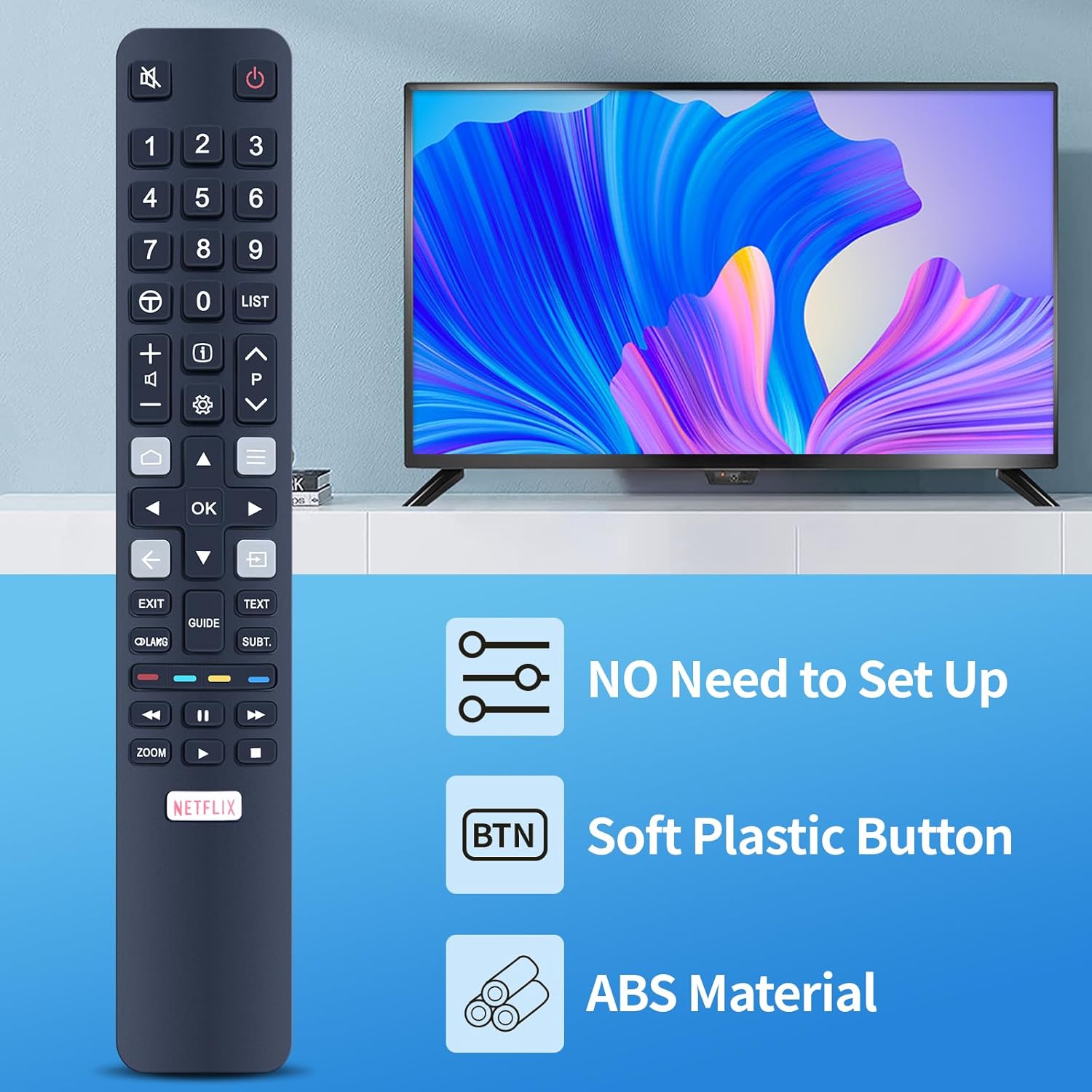
Image 2.2: The remote control displayed with key features: no setup required, soft plastic buttons, and durable ABS material construction.
3. Setup
The TCNOUMT RC802N YU14 remote control is designed for immediate use without complex programming. Simply install the batteries, and it will be ready to operate your compatible TCL Smart 4K TV.
3.1 Battery Installation
- Locate the battery compartment on the back of the remote control.
- Slide the battery cover downwards or in the direction indicated by an arrow to open it.
- Insert two (2) 1.5V AAA alkaline batteries, ensuring the positive (+) and negative (-) terminals match the markings inside the compartment.
- Replace the battery cover by sliding it back into position until it clicks securely.
Note: Batteries are not included with the remote control.

Image 3.1: Illustration of the battery compartment, indicating the correct orientation for AAA battery insertion.
4. Operating Instructions
This remote control utilizes infrared technology to communicate with your television. Ensure a clear line of sight between the remote and your TV's infrared receiver for optimal performance. The maximum effective range is approximately 10 meters (33 feet).
4.1 Basic Functions
- Power Button (⏻): Turns the TV on or off.
- Number Buttons (0-9): Directly select channels.
- Volume Up/Down (🔊 +/-): Adjusts the volume level.
- Channel Up/Down (⏶ ⏷): Changes channels sequentially.
- Mute Button (🔇): Mutes or unmutes the TV audio.
- Navigation Buttons (Up, Down, Left, Right, OK): Used to navigate menus and confirm selections.
- Back Button (←): Returns to the previous screen or menu.
- Home Button (🏠): Accesses the TV's home screen or smart hub.
4.2 Special Function Buttons
- Netflix Button: Provides direct access to the Netflix application.
- Exit Button: Exits the current menu or application.
- Guide Button: Displays the electronic program guide (EPG).
- Text Button: Activates or deactivates teletext.
- Subt. Button: Toggles subtitles on or off.
- Zoom Button: Adjusts the screen zoom level.
- Media Playback Controls (Play, Pause, Fast Forward, Rewind): Controls media playback.

Image 4.1: The remote control featuring a dedicated Netflix shortcut button for quick access to streaming content.

Image 4.2: Demonstrating the remote's long-distance infrared control capability, effective up to 10 meters.
5. Maintenance
To ensure the longevity and optimal performance of your remote control, follow these maintenance guidelines:
- Cleaning: Wipe the remote control with a soft, dry cloth. Do not use abrasive cleaners, solvents, or chemical agents, as these may damage the surface or internal components.
- Storage: Store the remote in a cool, dry place away from direct sunlight and extreme temperatures.
- Battery Replacement: If the remote's response becomes sluggish or inconsistent, replace the batteries with new 1.5V AAA alkaline batteries. Remove batteries if the remote will not be used for an extended period to prevent leakage.
- Avoid Drops: Protect the remote from physical impact, as drops can damage internal circuitry.
6. Troubleshooting
If you encounter issues with your remote control, refer to the following common troubleshooting steps:
- Remote Not Responding:
- Check if the batteries are inserted correctly with the correct polarity (+/-).
- Replace old batteries with new 1.5V AAA alkaline batteries.
- Ensure there is a clear line of sight between the remote control and the TV's infrared sensor. Obstructions can block the signal.
- Verify that the TV is powered on.
- Limited Range:
- Ensure batteries are fresh. Weak batteries can reduce signal strength.
- Minimize sources of infrared interference, such as strong direct sunlight or certain types of fluorescent lighting.
If problems persist after attempting these steps, please refer to the support information in Section 8.
7. Specifications
| Feature | Detail |
|---|---|
| Brand | TCNOUMT |
| Model Number | RC802N YU14 |
| Color | Blue |
| Connectivity Technology | Infrared |
| Special Features | Ergonomic, Universal |
| Compatible Devices | TCL Smart 4K Televisions (e.g., 65C2US, 75C2US, 43P20US, U43P6006, RC802N YAI2, YAI3, YUI2, YUI1, YU11) |
| Maximum Supported Devices | 1 |
| Maximum Range | 10 Meters (33 feet) |
| Battery Type | 2 x 1.5V AAA Alkaline Batteries (not included) |
| Material | ABS |

Image 7.1: Physical dimensions of the remote control for reference.
8. Warranty and Support
This product is designed for reliable performance. While specific warranty details are not provided in this manual, for any questions, concerns, or assistance with your TCNOUMT RC802N YU14 Replacement Remote Control, please contact the seller or retailer from whom you purchased the product. They will be able to provide support and information regarding any applicable return or replacement policies.
