
1. Introduction
Thank you for choosing the N-Gear NRG 200 Bluetooth Speaker. This portable speaker is designed to deliver powerful stereo sound with dynamic LED lighting, suitable for various indoor and outdoor environments. Its robust, splash-proof design (IPX5) and multiple connectivity options make it a versatile audio companion. Please read this manual carefully to ensure proper use and to maximize your listening experience.
2. Safety Information
- Do not expose the speaker to extreme temperatures, direct sunlight, or open flames.
- While the speaker is IPX5 splash-proof, do not submerge it in water.
- Keep the speaker away from children and pets.
- Use only the provided charging cable or a certified equivalent.
- Do not attempt to disassemble, repair, or modify the speaker. This will void the warranty.
- Avoid listening at excessively high volumes for prolonged periods to prevent hearing damage.
3. Package Contents
Ensure all items are present in the package:
- 1 x N-Gear NRG 200 Bluetooth Speaker
- 1 x Charging Cable (USB-C)
- 1 x Quick Start Guide
- 1 x User Manual (this document)
4. Product Overview
The N-Gear NRG 200 features intuitive controls and a robust design for portable audio. Familiarize yourself with the speaker's components and controls.
4.1. Speaker Components

Image 4.1: Front view of the N-Gear NRG 200 speaker, showing the main body, handle, and control panel.
- Integrated Carry Handle: For easy portability.
- Control Panel: Buttons for power, mode, volume, and light effects.
- Speaker Grille: Protects the audio drivers.
- Passive Radiators: Located on the sides for enhanced bass.
- LED Light Strips: Dynamic multi-color lighting effects.
4.2. Control Panel Functions

Image 4.2: Detailed view of the control buttons on the N-Gear NRG 200 speaker.
- Power Button (①): Press and hold to power on/off. Short press to play/pause in Bluetooth mode.
- Mode Button (M): Short press to switch between Bluetooth, AUX, USB, and SD card modes.
- Light Button (✴): Short press to cycle through LED light modes or turn lights off.
- Previous Track / Volume Down (◀): Short press for previous track. Long press to decrease volume.
- Next Track / Volume Up (▶): Short press for next track. Long press to increase volume.
- TWS Pairing Button (∞): Press to initiate True Wireless Stereo pairing with another NRG 200 speaker.
4.3. Input/Output Ports
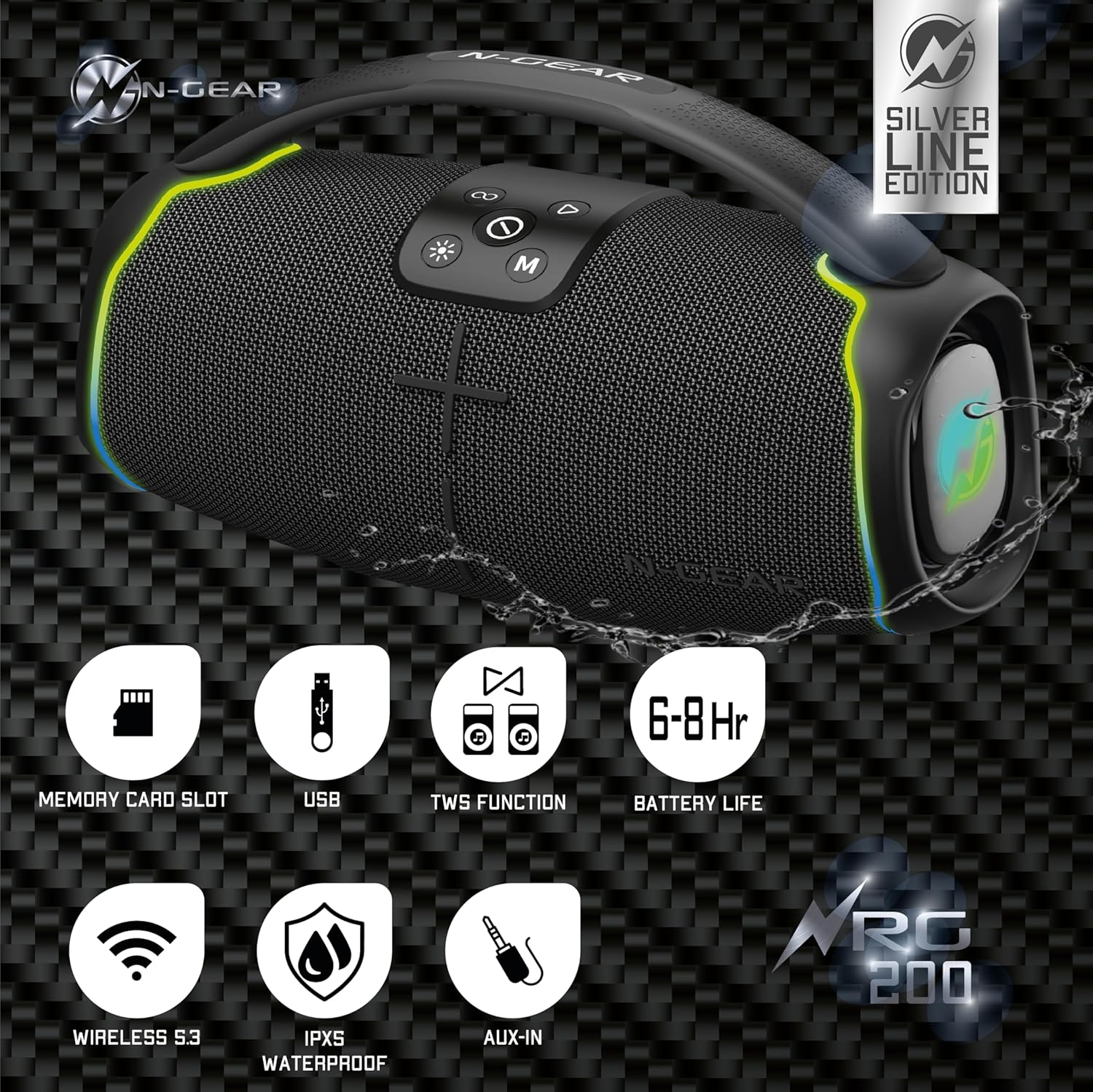
Image 4.3: Rear view of the N-Gear NRG 200, highlighting the protected input ports for charging, USB, AUX, and SD card.
- USB-C Charging Port: For charging the speaker's internal battery.
- USB Port: For playing audio from a USB flash drive.
- AUX Input (3.5mm): For connecting external audio devices via an audio cable.
- SD Card Slot: For playing audio from a MicroSD/TF card.
5. Setup
5.1. Charging the Speaker
- Connect the provided USB-C charging cable to the speaker's USB-C port.
- Connect the other end of the cable to a USB power adapter (not included) or a computer's USB port.
- The charging indicator light (if present) will illuminate, typically red, during charging and turn off or change color when fully charged.
- A full charge takes approximately 3-4 hours and provides 6-8 hours of playback time.
5.2. Powering On/Off
- To Power On: Press and hold the Power button (①) for 2-3 seconds until you hear an audible prompt and the LED lights activate.
- To Power Off: Press and hold the Power button (①) for 2-3 seconds until you hear an audible prompt and the LED lights turn off.
6. Operating Instructions
6.1. Bluetooth Connection
- Power on the speaker. It will automatically enter Bluetooth pairing mode, indicated by a flashing LED light (often blue).
- On your mobile device (smartphone, tablet, etc.), enable Bluetooth and search for available devices.
- Select "N-Gear NRG 200" from the list of devices.
- Once connected, the speaker will emit an audible confirmation, and the LED light will stop flashing.
- You can now play audio from your device through the speaker.
Note: The speaker supports connecting up to two Bluetooth devices simultaneously, allowing for seamless switching between audio sources.
6.2. AUX Input Mode
- Connect one end of a 3.5mm audio cable (not included) to the AUX input port on the speaker.
- Connect the other end to the headphone jack or audio output of your external device.
- Press the Mode button (M) repeatedly until the speaker enters AUX mode.
- Control playback and volume from your connected device.
6.3. USB/SD Card Playback
- Insert a USB flash drive into the USB port or an SD card into the SD card slot.
- Press the Mode button (M) repeatedly until the speaker enters USB or SD card mode.
- The speaker will automatically begin playing audio files (MP3, WAV, etc.) from the storage device.
- Use the track control buttons on the speaker to navigate through songs.
6.4. True Wireless Stereo (TWS) Pairing
TWS allows you to connect two N-Gear NRG 200 speakers wirelessly for a stereo sound experience.
- Ensure both NRG 200 speakers are powered on and not connected to any Bluetooth device.
- On one of the speakers (this will be the primary speaker), short press the TWS Pairing button (∞). It will emit a pairing tone.
- The two speakers will automatically search for and connect to each other. Once connected, you will hear a confirmation tone.
- Now, connect your mobile device to the primary speaker via Bluetooth as described in section 6.1.
- Audio will now play in stereo through both speakers.
6.5. LED Light Control

Image 6.5: The N-Gear NRG 200 speaker displaying its multi-color LED light effects.
- Press the Light button (✴) to cycle through different LED light modes.
- Continue pressing the button to turn the lights off.
7. Maintenance
7.1. Cleaning
- Ensure the speaker is powered off and disconnected from any power source before cleaning.
- Wipe the exterior with a soft, damp cloth. Do not use abrasive cleaners, alcohol, or chemical solvents.
- Do not allow water to enter any openings.
7.2. Storage
- Store the speaker in a cool, dry place away from direct sunlight and extreme temperatures.
- If storing for an extended period, charge the battery to approximately 50% every 3-6 months to prolong battery life.
7.3. Battery Care
- The speaker contains a built-in rechargeable Lithium-ion battery. Do not attempt to replace it yourself.
- Avoid fully discharging the battery frequently, as this can reduce its lifespan.
8. Troubleshooting
| Problem | Possible Cause | Solution |
|---|---|---|
| Speaker does not power on. | Battery is depleted. | Charge the speaker for at least 30 minutes. |
| No sound. | Volume is too low; incorrect input mode; device not connected. | Increase volume on both speaker and connected device. Ensure correct mode (Bluetooth, AUX, USB, SD). Reconnect Bluetooth device. |
| Bluetooth connection fails. | Speaker not in pairing mode; device too far; interference. | Ensure speaker is in Bluetooth pairing mode. Move device closer to speaker. Turn off other Bluetooth devices. Forget "N-Gear NRG 200" on your device and re-pair. |
| TWS pairing fails. | Speakers are already connected to a device; too far apart. | Disconnect both speakers from any Bluetooth devices. Ensure they are close to each other. Try TWS pairing again. |
| LED lights not working. | Lights are turned off. | Press the Light button (✴) to cycle through modes and turn them on. |
9. Specifications
| Model Name | NRG 200 |
| Brand | N-Gear |
| Connectivity Technology | Bluetooth 5.3, AUX, USB |
| Wireless Communication Technology | Bluetooth |
| Speaker Type | Outdoor |
| Maximum Speaker Output Power | 200 Watts |
| Audio Output Mode | Stereo |
| Special Features | Dustproof, Stereo Pairing (TWS), LED Light, Portable, Waterproof (IPX5) |
| Power Source | Battery Powered (1 Lithium-ion battery included) |
| Battery Life | 6-8 hours (approx.) |
| Product Dimensions (L x W x H) | 14.8 x 33.9 x 18.7 cm |
| Item Weight | 2.41 kilograms |
| Control Method | Touch |
| Compatible Devices | Smartphone, tablet, laptop, TV, MP3 player |
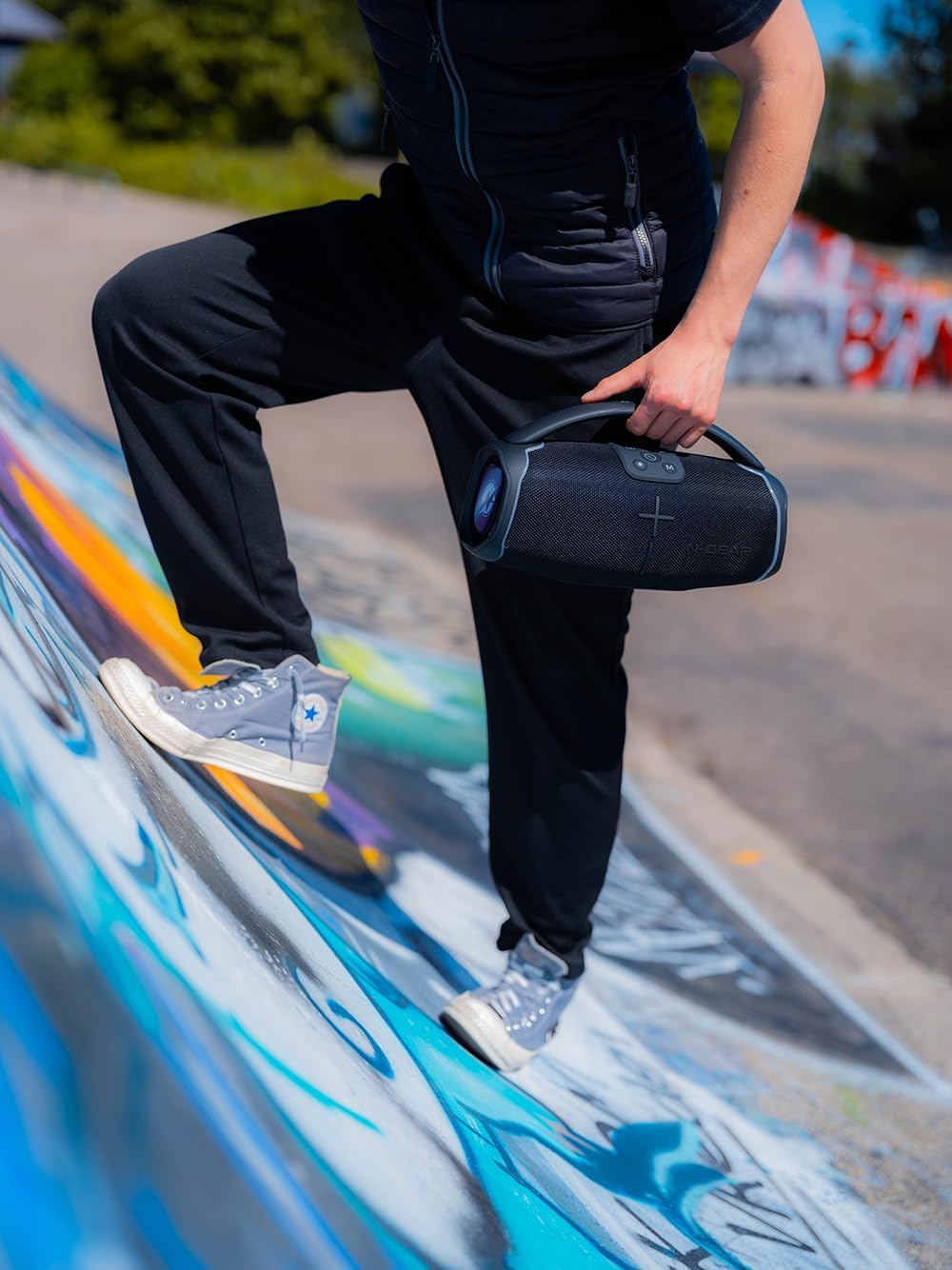
Image 9.1: The N-Gear NRG 200 speaker being carried, illustrating its compact and portable design.

Image 9.2: Technical drawing of the N-Gear NRG 200 speaker with its dimensions (length, width, height) indicated.
10. Warranty and Support
N-Gear products are designed and manufactured to the highest quality standards. For detailed warranty information, please refer to the warranty card included with your purchase or visit the official N-Gear website.
If you encounter any issues or have questions regarding your N-Gear NRG 200 speaker, please contact N-Gear customer support through their official channels. Have your model number (NRG200) and purchase details ready when contacting support.
Online Support: Visit the N-Gear official website for FAQs, troubleshooting guides, and contact information.


