
Introduction
Thank you for choosing the YOWU Cat Ear Headphones CE. These wired/wireless gaming headsets are designed to provide a seamless live sound experience with customizable RGB lighting effects. This manual will guide you through the setup, operation, and maintenance of your new headphones.
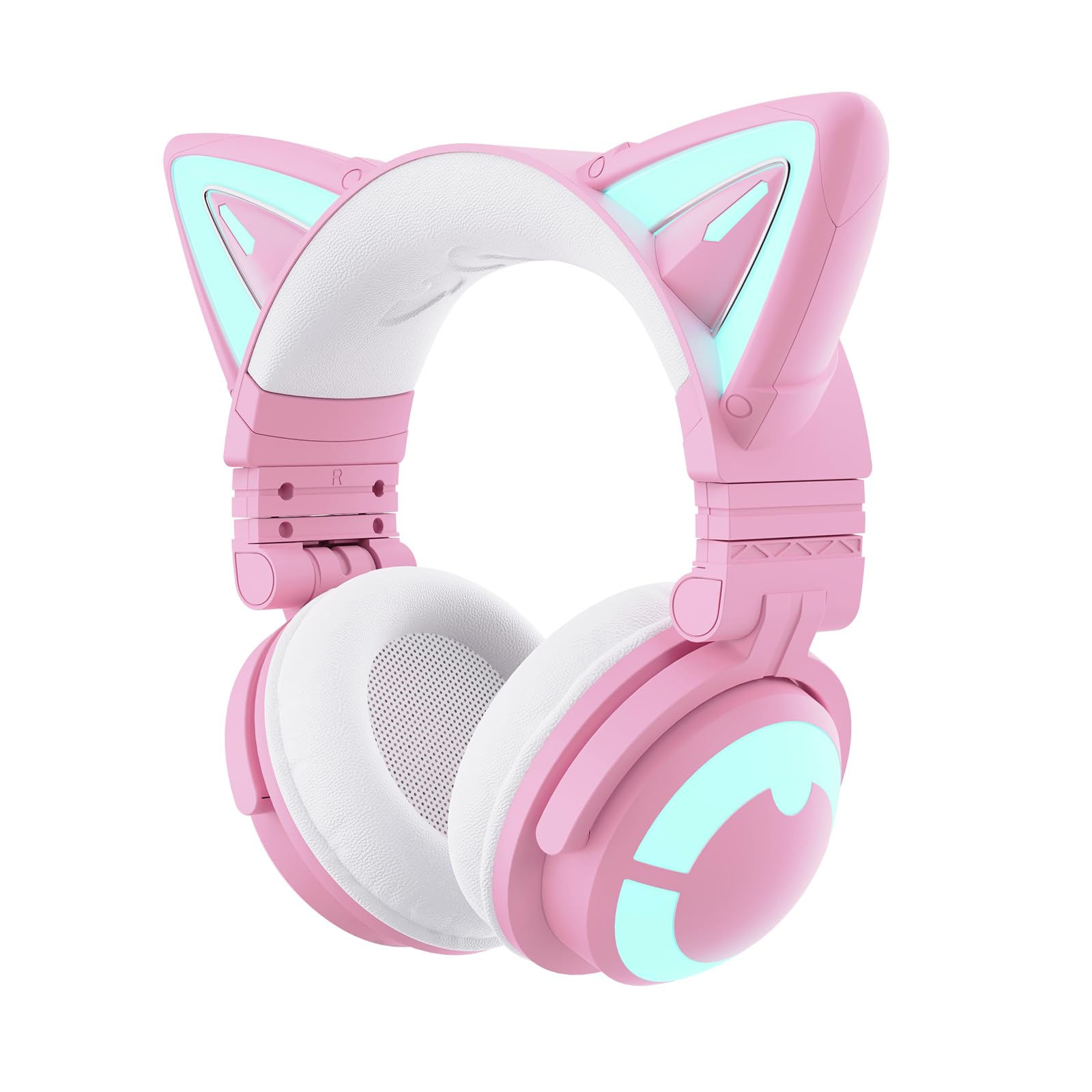
Image: YOWU Cat Ear Headphones CE in pink, showcasing the cat ear design and earcups.
What's in the Box
Please check the package contents to ensure all items are present:
- YOWU Cat Ear Headphones CE (Pink)
- 2-in-1 Type-C Audio/Charging Cable
- User Manual

Image: The YOWU Cat Ear Headphones CE packaging, showing the headphones, charging cable, and user manual.
Product Overview
Controls and Ports
Familiarize yourself with the controls and ports on your headphones:
- Power Button: Located on the earcup, used for turning the headphones on/off and pairing.
- Volume Control: Integrated on the earcup for easy audio adjustment.
- Microphone Mute Switch: Allows quick muting/unmuting of the microphone.
- USB-C Port: For charging and wired audio connection.
- 3.5mm Jack: For wired audio connection.
- Detachable Microphone: Can be plugged into the dedicated port on the earcup.

Image: Detailed view of the headphone earcup, highlighting the power button, volume control, and various ports.
Setup
1. Charging the Headphones
Before first use, fully charge your headphones:
- Connect the 2-in-1 Type-C cable to the USB-C port on the headphones.
- Plug the other end of the cable into a compatible 5V2A USB power adapter (not included) or a USB port on your computer.
- The LED indicator will show charging status. A full charge takes approximately 1.6 hours.
Important: Use the original charger or any charger with an output rated for 5V2A to prevent product damage.

Image: Headphones being charged via a Type-C cable, highlighting the fast charging and long battery life.
2. Attaching the Detachable Microphone
The microphone is detachable for convenience:
- Locate the microphone port on the left earcup.
- Align the microphone's connector with the port and gently push until it clicks into place.
- To remove, pull the microphone straight out from the port.

Image: The detachable microphone connected to the YOWU Cat Ear Headphones CE.
3. Connecting to Devices
Your headphones support both wired and wireless connections:
Wireless (Bluetooth 5.2)
- Power on the headphones by pressing and holding the Power Button until the LED indicator flashes.
- On your device (PC, Switch, smartphone), enable Bluetooth and search for "YOWU CE".
- Select "YOWU CE" to pair. The LED indicator will show a solid light when connected.
Wired Connection
Use the 2-in-1 Type-C cable for wired audio:
- For PC/PE/Switch: Connect the Type-C end to the headphones and the USB-A end to your device.
- For PS4/PS5: Only wired connection is supported. Use the provided 3.5mm audio cable.
- For XBOX: Requires an additional Bluetooth adapter for wireless use. Wired connection may be possible via controller's 3.5mm jack.

Image: Visual guide showing wired and wireless connection options for PC, console, and mobile devices.
Operating Instructions
Power On/Off
- Power On: Press and hold the Power Button for 3 seconds.
- Power Off: Press and hold the Power Button for 5 seconds.
Volume Control
Use the volume control knob on the earcup to adjust audio levels.
Microphone Usage
- Ensure the detachable microphone is securely connected.
- Use the Microphone Mute Switch to quickly mute or unmute your voice.
RGB Lighting Control
The headphones feature customizable RGB lighting effects:
- Use the dedicated button on the earcup to cycle through different lighting modes and colors.
- For advanced customization, download the YOWU app on your smartphone to program specific effects.
Video: Official YOWU video demonstrating the RGB lighting effects of the Cat Ear Headphones CE.
Features
- Ultimate Aesthetics: Pink cat ear design with changeable lighting and customizable effects.
- 7.1 Pro Surround Sound: Immersive audio experience for gaming and music.
- Bluetooth 5.2: Provides seamless wireless connectivity with ultra-low latency.
- Multi-platform Compatibility: Supports PC, Switch, PS4/PS5 (wired), and smartphones.
- Ergonomic Design: Super-soft protein leather and memory foam earcups ensure comfort during long wear.
- E-sports Grade Noise Canceling: Effectively blocks out external noises for clear communication.
- Longer Battery Endurance: Up to 48 hours playing time without lighting, or 2-10 hours with lighting. Fast charging in 1.6 hours.

Image: Features such as SoundMage acoustic system and Qualcomm Bluetooth 5.2 are highlighted.
Compatibility
The YOWU Cat Ear Headphones CE offer wide compatibility:
- Wireless (Bluetooth 5.2): Compatible with PC, Switch, and smartphones.
- Wired (Type-C Audio/3.5mm Jack): Compatible with PC, PS4, PS5, and other devices with a 3.5mm audio jack.
- XBOX: Requires an additional Bluetooth adapter for wireless functionality.
Image: Visual guide showing wired and wireless connection options for PC, console, and mobile devices.
Maintenance
To ensure the longevity and optimal performance of your YOWU Cat Ear Headphones CE, follow these maintenance guidelines:
- Cleaning: Use a soft, dry cloth to clean the earcups and headband. Avoid harsh chemicals or abrasive materials.
- Storage: When not in use, store the headphones in a cool, dry place. The foldable design allows for compact storage.
- Cable Care: Avoid excessive bending or tugging on the cables to prevent damage.
- Charging: Always use the recommended 5V2A charger to protect the battery.
Troubleshooting
If you encounter any issues with your headphones, refer to the following common solutions:
- No Sound:
- Ensure headphones are powered on and connected (Bluetooth or wired).
- Check device volume and headphone volume.
- For wired connection, ensure the cable is fully inserted into both the headphones and the device.
- Microphone Not Working:
- Ensure the detachable microphone is securely attached.
- Check the microphone mute switch on the earcup.
- Verify microphone settings on your connected device.
- RGB Lights Not Working:
- Ensure the headphones are powered on.
- If using wired, ensure the USB-A end of the 2-in-1 cable is connected to a power source.
- Check lighting settings via the dedicated button or the YOWU app.
- Bluetooth Disconnection:
- Ensure headphones are within range of the device.
- Try unpairing and re-pairing the headphones with your device.
- Ensure the headphones are sufficiently charged.
Specifications
| Model Name | CAT-CE-PK-450742 |
| Item Model Number | MODEL-Z |
| Brand | YOWU |
| Color | Pink |
| Connectivity Technology | Wireless (Bluetooth 5.2) / Wired (USB-C, 3.5 mm Jack) |
| Noise Control | Active Noise Cancellation |
| Earpiece Shape | Over Ear |
| Material | Faux Leather |
| Battery Life | 48 Hours (without lighting) / 2-10 Hours (with lighting) |
| Charging Time | 1.6 Hours |
| Item Weight | 2.42 pounds (1.1 Kilograms) |
Warranty and Support
YOWU offers a 1-year warranty for your Cat Ear Headphones CE. For any product-related inquiries, technical assistance, or warranty claims, please contact YOWU customer support. Our dedicated team is available 24 hours to enhance your shopping experience.
Customer Support: Refer to the contact information provided in your product packaging or visit the official YOWU website.
